
Introduction
The ADVANCED SOUND GROUP ADV. Sleeper Speaker is a mini Bluetooth speaker designed for placement under a pillow. It utilizes bone conduction technology to transmit sound, allowing for private audio listening without disturbing others. This compact and lightweight device is suitable for nightly use or travel, connecting via Bluetooth or playing audio from an SD card. It aims to provide a comfortable listening experience without the use of earbuds.
Package Contents
- ADV. Sleeper Speaker
- USB-C charging cable
Product Overview
Understanding Bone Conduction Technology
The Sleeper Speaker uses bone conduction, which transmits sound vibrations directly to your inner ear through the bones of your skull, bypassing the eardrum. This method allows for sound perception without external speakers or earbuds, making it suitable for under-pillow use.

Image: This diagram illustrates how the Sleeper Speaker is placed under a pillow, between the user's head and the pillow. It also visually compares bone conduction (vibration > bone > inner ear > brain) with traditional air conduction via earbuds (sound > eardrum > vibration > middle ear > inner ear > brain), highlighting that the Sleeper Speaker requires no wearing and offers maximum comfort.
Speaker Placement
For optimal sound transmission and comfort, place the Sleeper Speaker directly under your pillow. The flat design allows it to remain unobtrusive during sleep.
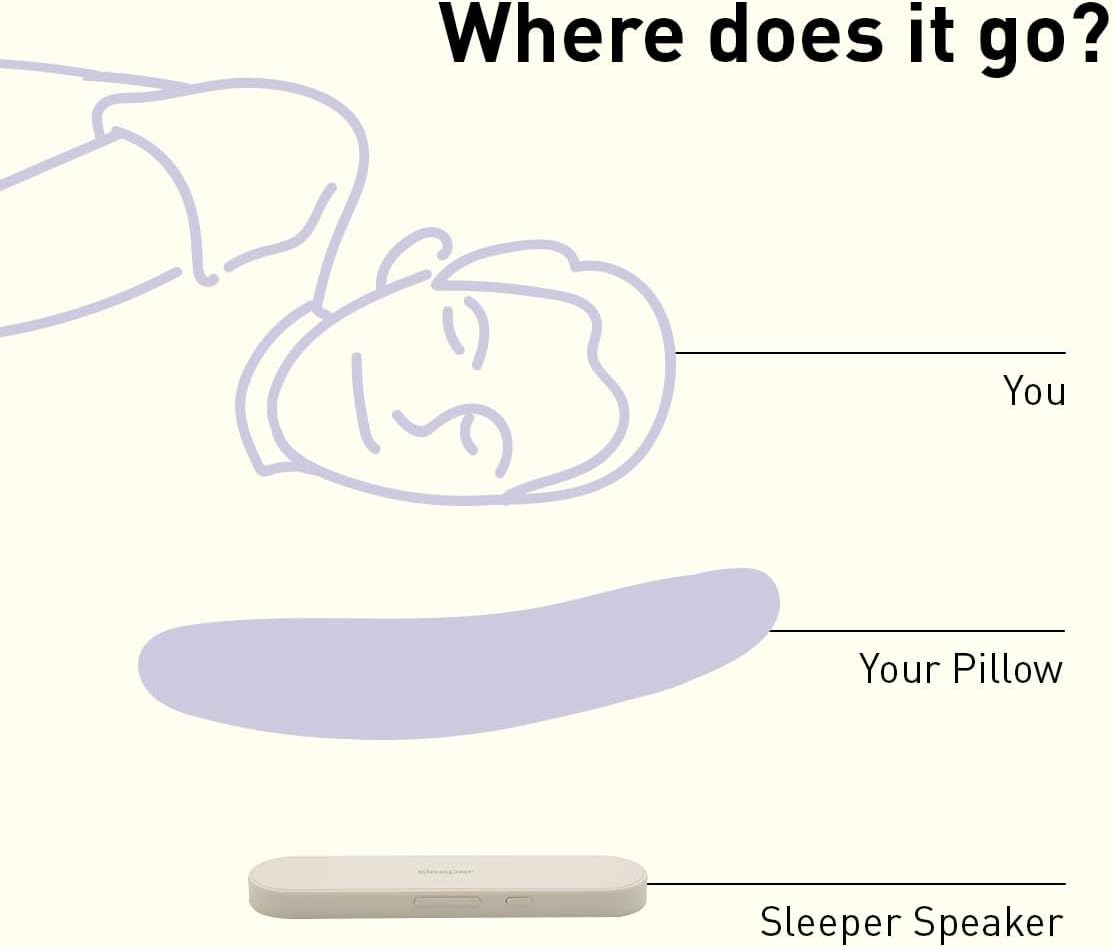
Image: A person's hand is shown sliding the ADV. Sleeper Speaker under a white pillow, demonstrating its intended placement for use.
Controls and Indicators
The Sleeper Speaker features intuitive controls for power, playback, volume, and timer functions. Refer to the diagram below for button identification.

Image: This diagram labels the control buttons on the Sleeper Speaker. From left to right, the buttons control: Power on/off, Play/pause, BT mode/storage mode, 1-hour timer on/off, Previous track/Volume -, and Next track/Volume +.
Setup
Charging the Device
Before first use, fully charge the Sleeper Speaker using the provided USB-C cable. Connect the cable to the speaker's charging port and a compatible USB power source. The charging indicator light (a tiny light near the charging port) will turn blue when fully charged. A full charge takes approximately 2 hours and provides up to 8 hours of playback.
Bluetooth Pairing (Wireless Mode)
- Ensure the Sleeper Speaker is charged and powered on.
- Activate Bluetooth on your audio device (smartphone, tablet, computer).
- Search for available Bluetooth devices and select "SLEEPER SPEAKER" from the list.
- Once paired, the speaker will indicate a successful connection.
- Select your desired audio content and begin playback.
Using Memory Mode (SD Card Playback)
The Sleeper Speaker supports audio playback directly from a microSD card (not included).
- Load your desired audio files onto a microSD card.
- Insert the microSD card into the designated slot on the Sleeper Speaker.
- Press the 'BT mode / storage mode' button to switch to Memory Mode.
- Use the playback controls to play, pause, and navigate tracks.

Image: This diagram illustrates two ways to use the Sleeper Speaker. On the left, it shows a smartphone's Bluetooth settings screen with "SLEEPER SPEAKER" selected for wireless pairing. On the right, it shows the speaker with a microSD card inserted, demonstrating Memory Mode for direct audio playback.
Visual Setup Guide
Video: This official product video demonstrates the basic setup of the ADV. Sleeper Speaker. It shows how to power on the device, slide it under a pillow, pair it with a phone via Bluetooth, select audio, and relax. The video is provided by ADV. Direct.
Operating Instructions
Power On/Off
- To power on: Press and hold the power button until the device activates.
- To power off: Press and hold the power button until the device deactivates.
Playing Audio
- Play/Pause: Press the play/pause button once to start or pause audio playback.
- Next Track: Press the 'Next track' button (Volume +) once to skip to the next track.
- Previous Track: Press the 'Previous track' button (Volume -) once to go to the previous track.
- Volume Up: Press and hold the 'Volume +' button to increase the volume.
- Volume Down: Press and hold the 'Volume -' button to decrease the volume.
Activating the 1-Hour Auto-Off Timer
The Sleeper Speaker includes a 1-hour auto-off timer function. This feature automatically turns off the speaker after one hour of continuous playback, conserving battery and preventing disturbance after you fall asleep.
- To activate/deactivate the timer: Press the '1-hour timer on/off' button.
Maintenance
- Cleaning: Wipe the speaker with a soft, dry cloth. Do not use harsh chemicals or abrasive cleaners.
- Storage: Store the speaker in a cool, dry place away from direct sunlight and extreme temperatures.
- Water Resistance: The device is not waterproof. Avoid exposure to water or excessive moisture.
Troubleshooting
- Device does not power on: Ensure the device is fully charged. Connect it to a power source using the USB-C cable and allow it to charge for at least 30 minutes before attempting to power on again.
- Cannot pair via Bluetooth:
- Ensure the speaker is in Bluetooth pairing mode.
- Verify Bluetooth is enabled on your audio device.
- Move the speaker closer to your audio device (within 10 meters).
- Turn off and on both the speaker and your audio device, then attempt pairing again.
- Low volume or unclear sound:
- Adjust the volume on both the speaker and your connected audio device.
- Ensure the speaker is positioned correctly under your pillow. Sound quality can vary based on pillow material and thickness.
- If using Memory Mode, ensure the audio files on the SD card are not corrupted and are of sufficient quality.
- Sound is audible to others: While designed for private listening, sound transmission can vary based on volume level and pillow type. Reduce the volume if others can hear the audio.
- Short battery life: Ensure the device is fully charged before use. Battery life can be affected by high volume levels.
Specifications
| Brand | ADVANCED SOUND GROUP |
| Model Name | Sleeper Speaker |
| Model Number | ADV. Sleeper Speaker |
| Connectivity Technology | Bluetooth |
| Connectivity Protocol | Bluetooth |
| Wireless Technology | Bluetooth |
| Bluetooth Range | 10 Meters |
| Audio Output Mode | Bluetooth Stereo, Bone Conduction |
| Audio Driver Type | Bone Conduction Driver |
| Speaker Type | Portable |
| Speaker Size | 0.4 Inches (Thickness) |
| Item Dimensions (D x W x H) | 1.4"D x 6.4"W x 0.5"H |
| Item Weight | 0.1 Kilograms |
| Power Source | Battery Powered |
| Battery Type | 1 Lithium Ion battery (included) |
| Battery Average Life | 8 Hours |
| Battery Charge Time | 2 Hours |
| Control Method | Remote, Button |
| Compatible Devices | Smartphone, Tablet, Computer |
| MP3 Player | No (SD card playback supported) |
| Water Resistance Level | Not Water Resistant |
| Specific Uses For Product | Improving sleep quality, Personalized audio experience during sleep |
Warranty Information
The ADVANCED SOUND GROUP ADV. Sleeper Speaker comes with a three-year US limited warranty. Please retain your proof of purchase for warranty claims. For detailed terms and conditions, refer to the official ADVANCED SOUND GROUP website or contact customer support.
Customer Support
For further assistance, technical support, or warranty inquiries, please visit the ADVANCED SOUND GROUP official website or contact their customer service department. Always refer to this manual for initial troubleshooting before contacting support.