
1. Introduction
The FOSSiBOT F3600 is a high-capacity portable power station designed to provide reliable power for various applications, including home backup, outdoor activities, and emergency situations. Featuring a 3840Wh LiFePO4 battery and a 3600W AC output (7200W peak), it offers versatile charging options and multiple output ports to power a wide range of devices. This manual provides essential information for the safe and efficient operation, maintenance, and troubleshooting of your F3600 power station.
2. Safety Instructions
Please read and understand all safety instructions before operating the FOSSiBOT F3600. Failure to follow these instructions may result in electric shock, fire, serious injury, or property damage.
- Do not disassemble, repair, or modify the unit. Incorrect reassembly may cause fire or electric shock.
- Do not expose the unit to fire or extreme temperatures (above 45°C or below -10°C).
- Do not use or store the unit in bathrooms or areas exposed to water or moisture.
- Keep the unit away from children and pets.
- Ensure proper ventilation during use and charging to prevent overheating.
- Use only original or certified charging cables and accessories.
- If the unit emits smoke, strange odors, or unusual noise, stop using it immediately and contact customer support.
- Dispose of the unit and its battery according to local regulations. Do not dispose of it with household waste.
3. Package Contents
Verify that all items are present in your package. If any items are missing or damaged, please contact customer support.

Image: Detailed view of the FOSSiBOT F3600's output ports, including AC, DC, USB, and the included accessories like charging cables and magnetic flashlight.
- FOSSiBOT F3600 Portable Power Station
- AC Power Cable
- Car Charger Cable
- XT90 Solar Charging Cable
- Magnetic Flashlight
- Flashlight Charging Cable and Manual
- Cable Storage Bag
- Handle Cover
- User Manual (this document)
4. Product Overview
The FOSSiBOT F3600 features a robust design with integrated wheels and a retractable handle for easy transport. The front panel includes a clear display and various input/output ports.

Image: Front-side view of the FOSSiBOT F3600 Portable Power Station, showcasing its display, control panel, and various output ports.
4.1. Control Panel and Display
The integrated display provides real-time information on input/output power, battery level, and operational status. Buttons allow control over AC/DC outputs and other functions.

Image: The FOSSiBOT F3600's digital display, indicating input power, output power, and remaining battery percentage.
4.2. Ports and Connections
- AC Output Ports: Three 230V AC outlets for household appliances.
- DC Output Ports: Includes 12V/3A DC5521 ports and a 12V/25A XT60 port.
- USB Output Ports: PD100W, PD20W, and QC3.0 ports for fast charging mobile devices.
- Cigarette Lighter Port: 12V output for car accessories.
- AC Input: For charging from a wall outlet.
- XT90 Solar/Car Input: For charging via solar panels or a car charger.
5. Setup
5.1. Initial Charging
Before first use, fully charge the FOSSiBOT F3600. This ensures optimal battery performance and calibration.
- Connect the AC power cable to the AC input port on the power station.
- Plug the other end into a standard wall outlet.
- The display will show the charging status. Charge until the battery indicator shows 100%.
5.2. Placement
Place the power station on a stable, flat surface in a well-ventilated area. Avoid direct sunlight, heat sources, and enclosed spaces during operation and charging.
6. Operating Instructions
6.1. Charging the F3600
The F3600 supports multiple charging methods:

Image: Visual representation of the five charging methods available for the FOSSiBOT F3600, including estimated charging times.
- AC Wall Outlet: Connect the AC power cable to a wall outlet. The F3600 supports up to 2200W AC input, allowing a full charge in approximately 2 hours.
- Solar Panels: Connect compatible solar panels (up to 2000W max) using the XT90 solar charging cable. Charging time varies based on sunlight intensity and panel wattage.
- AC + Solar (Combined): Combine AC and solar input for the fastest charging, up to 4200W total, achieving a full charge in approximately 1.5 hours.
- Car Charger: Use the car charger cable to charge from your vehicle's 12V cigarette lighter port. This method is slower and typically used for topping up.
- Generator: Connect to a generator for charging, with input up to 1100W.
Adjustable AC Input Power
The F3600 allows you to adjust the AC input power from 400W to 2200W. This feature helps prevent circuit breaker trips and can extend battery lifespan by reducing charging stress.

Image: A dial showing adjustable AC input power settings (400W to 2200W) and their respective charging durations for the FOSSiBOT F3600.
6.2. Using the Outputs
Press the respective power buttons (AC, DC, USB) on the control panel to activate the desired output ports. The display will indicate active outputs.
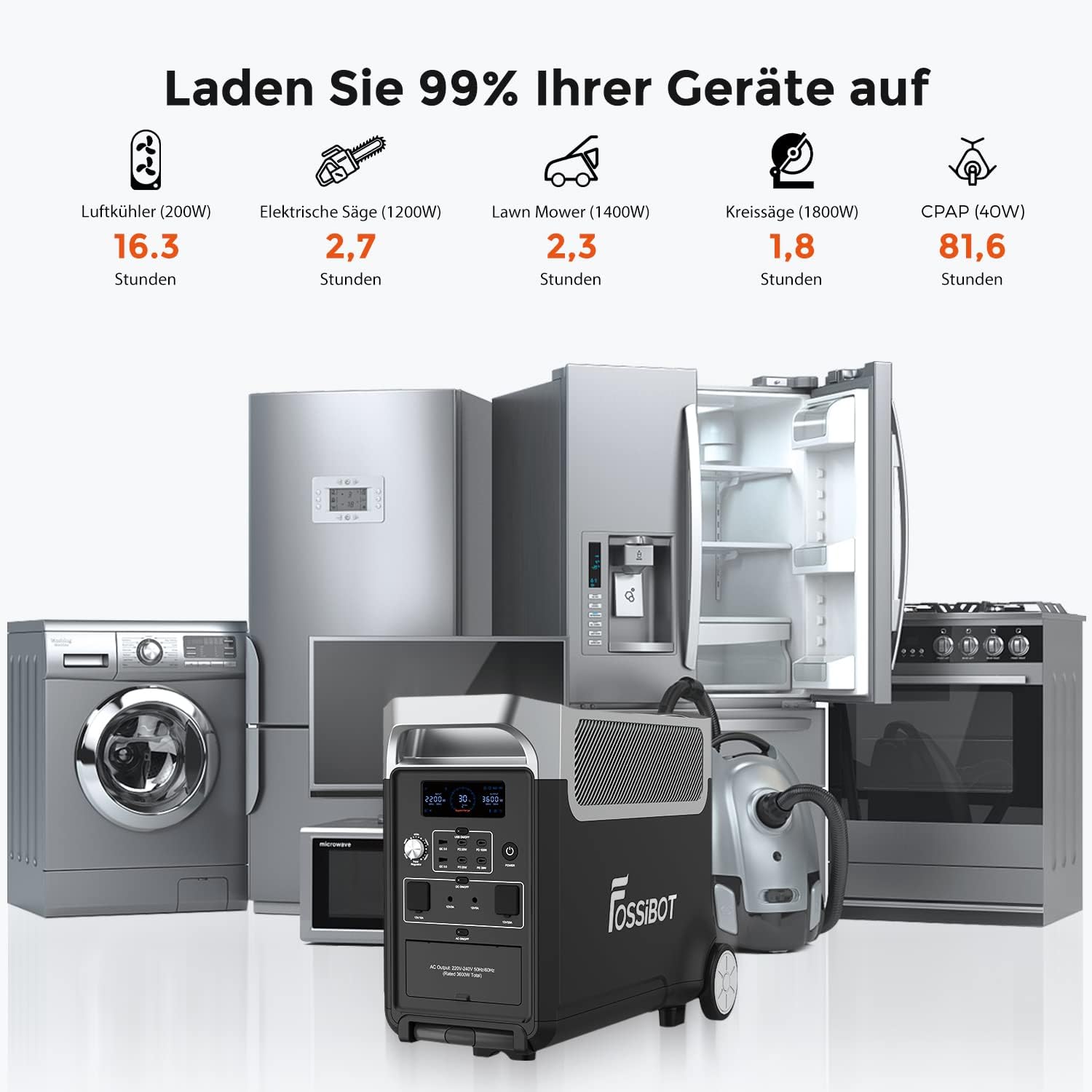
Image: The FOSSiBOT F3600 providing power to a range of household appliances, demonstrating its high output capacity.
- AC Output: Connect appliances requiring 230V AC power. Ensure the total wattage does not exceed 3600W (or 7200W peak).
- DC Output: Connect 12V DC devices.
- USB Output: Connect smartphones, tablets, and other USB-powered devices.
6.3. UPS (Uninterruptible Power Supply) Function
The F3600 can function as an Uninterruptible Power Supply (UPS) for critical devices. When connected to an AC wall outlet and powering devices, it will automatically switch to battery power within 10ms in case of a power outage, ensuring continuous operation.

Image: A setup illustrating the FOSSiBOT F3600 acting as a UPS, providing seamless power to a desktop computer during a power interruption.
6.4. Magnetic Flashlight
The F3600 includes a detachable magnetic flashlight. It can be used independently or attached to the unit. It features multiple modes, including bright, SOS, and strobe, suitable for various lighting needs.

Image: The portable magnetic flashlight, an accessory for the FOSSiBOT F3600, shown in operation.
7. Maintenance
7.1. Battery Care
- For long-term storage, charge the unit to 50-80% every 3-6 months to maintain battery health.
- Avoid fully discharging the battery frequently, as this can reduce its lifespan.
- The F3600 uses a LiFePO4 battery, known for its durability and long cycle life (6500+ cycles).
7.2. Cleaning and Storage
- Clean the unit with a dry, soft cloth. Do not use abrasive cleaners or solvents.
- Ensure all ports are free of dust and debris.
- Store the unit in a cool, dry place, away from direct sunlight and extreme temperatures.
8. Troubleshooting
If you encounter issues with your FOSSiBOT F3600, refer to the following common problems and solutions:
| Problem | Possible Cause | Solution |
|---|---|---|
| Unit not turning on | Battery fully discharged; Power button not pressed correctly. | Charge the unit; Press and hold the power button for 3-5 seconds. |
| AC output not working | AC output not enabled; Overload protection activated; Appliance power exceeds 3600W. | Press the AC power button; Reduce the load; Check appliance wattage. |
| Unit not charging | Charging cable loose or damaged; Input power too low; Over-temperature protection. | Check cable connections; Ensure sufficient input power (e.g., strong sunlight for solar); Allow unit to cool down. |
| Display not working | Unit off; Display malfunction. | Turn on the unit; Contact customer support if issue persists. |
If the problem persists after attempting these solutions, please contact FOSSiBOT customer support for further assistance.
9. Specifications
Key technical specifications for the FOSSiBOT F3600 Portable Power Station:

Image: Summary of the FOSSiBOT F3600's main features and capabilities.
| Feature | Specification |
|---|---|
| Model | F3600 |
| Battery Type | LiFePO4 |
| Capacity | 3840Wh |
| AC Output Power | 3600W (7200W Peak) |
| AC Input Power | 2200W Max (Adjustable 400W-2200W) |
| Solar Input Power | 2000W Max |
| Combined AC+Solar Input | 4200W Max |
| Charging Time (AC+Solar) | Approx. 1.5 hours |
| Battery Cycle Life | 6500+ cycles to 80% capacity |
| UPS Function | ≤10ms Switchover |
| Dimensions (L x W x H) | 60.9 x 32.1 x 47.55 cm |
| Weight | 42 kg |
| Operating Temperature | -10°C to 45°C |

Image: Detailed dimensions of the FOSSiBOT F3600 Portable Power Station.
10. Warranty and Support
FOSSiBOT provides a limited warranty for the F3600 Portable Power Station. Please refer to the warranty card included in your package or visit the official FOSSiBOT website for detailed warranty terms and conditions.
For technical support, troubleshooting assistance, or warranty claims, please contact FOSSiBOT customer service through the contact information provided on the official website or your purchase platform.