
Tecmojo B0C6SXHKRL
Tecmojo 1U 2-Fan Rack Cabinet Cooling System
Model: B0C6SXHKRL
1. Introduction
This manual provides detailed instructions for the installation, operation, and maintenance of your Tecmojo 1U 2-Fan Rack Cabinet Cooling System. This unit is designed to enhance airflow and manage heat dissipation within 19-inch server racks, AV cabinets, home theater setups, and network enclosures, ensuring optimal performance and longevity of your equipment.

Image 1.1: Front view of the Tecmojo 1U 2-Fan Rack Cabinet Cooling System, showcasing its compact design and dual fans.
2. Important Safety Information
Please read all safety instructions before installing or operating this product. Failure to follow these instructions may result in electric shock, fire, or damage to the product.
- Ensure the power supply voltage matches the specifications (110V 50/60Hz).
- Do not operate the unit with a damaged power cord or plug.
- Do not block the fan vents, as this can lead to overheating.
- Keep the unit away from water or excessive moisture.
- Only use the provided installation accessories.
- Disconnect power before performing any maintenance or installation.
3. Package Contents
Verify that all items listed below are included in your package:

Image 3.1: Visual representation of all components included in the package, showing the fan unit and mounting hardware.
- Tecmojo 1U 2-Fan Rack Cabinet Cooling System (1 unit)
- M6*12 Screws (4 pieces)
- M6 Plastic Gaskets (4 pieces)
- M6 Cage Nuts (4 pieces)
- 6ft Power Cord (Integrated)
4. Specifications
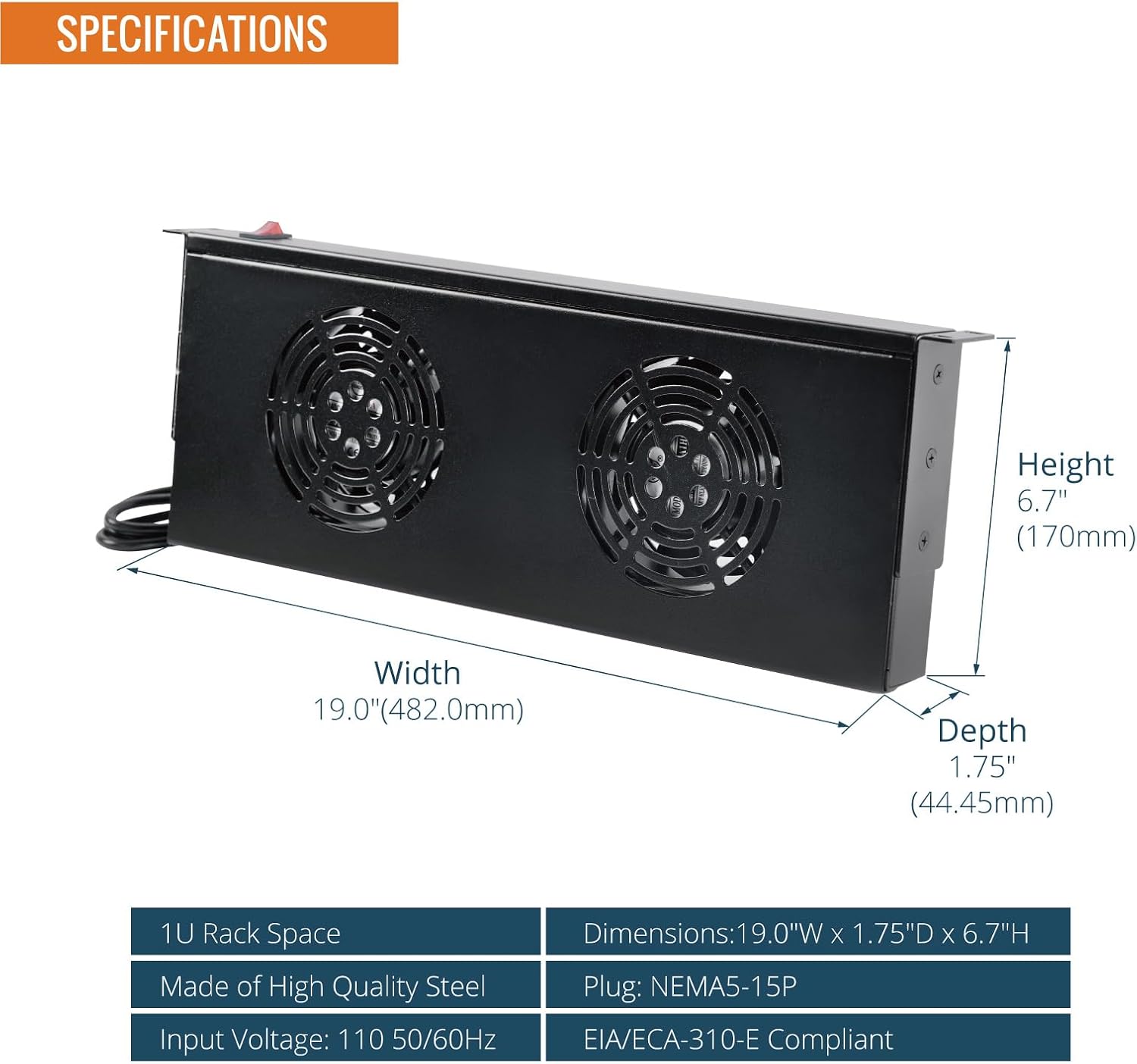
Image 4.1: Diagram illustrating the dimensions and key specifications of the 1U rack mount fan unit.
| Feature | Detail |
|---|---|
| Product Dimensions | 1.7"D x 19"W x 1.73"H (44.45mm D x 482.0mm W x 170mm H) |
| Item Weight | 7.72 pounds |
| Input Voltage | 110V 50/60Hz |
| Power Cord Length | 6ft |
| Input Plug Type | NEMA 5-15P |
| Rack Space | 1U |
| Material | Alloy Steel |
| Compliance | EIA/ECA-310-E Compliant |
5. Setup and Installation
5.1 Mounting the Fan Unit
The Tecmojo 1U 2-Fan unit is designed for standard 19-inch rack mounting. It occupies 1U of rack space. The unit comes with removable mounting brackets, offering flexibility for installation.
- Identify Rack Location: Choose an appropriate 1U space within your 19-inch rack or cabinet. For optimal cooling, consider placing the unit where it can effectively exhaust hot air or draw in cool air, depending on your cabinet's airflow design.
- Prepare Rack Rails: If your rack rails require cage nuts, install four M6 cage nuts into the square holes on the front and rear rack rails where the fan unit will be mounted.
- Position the Unit: Align the mounting holes on the fan unit's brackets with the holes on your rack rails.
- Secure the Unit: Use the provided M6*12 screws and M6 plastic gaskets to secure the fan unit to the rack rails. Ensure the screws are tightened firmly to prevent movement, but do not overtighten.
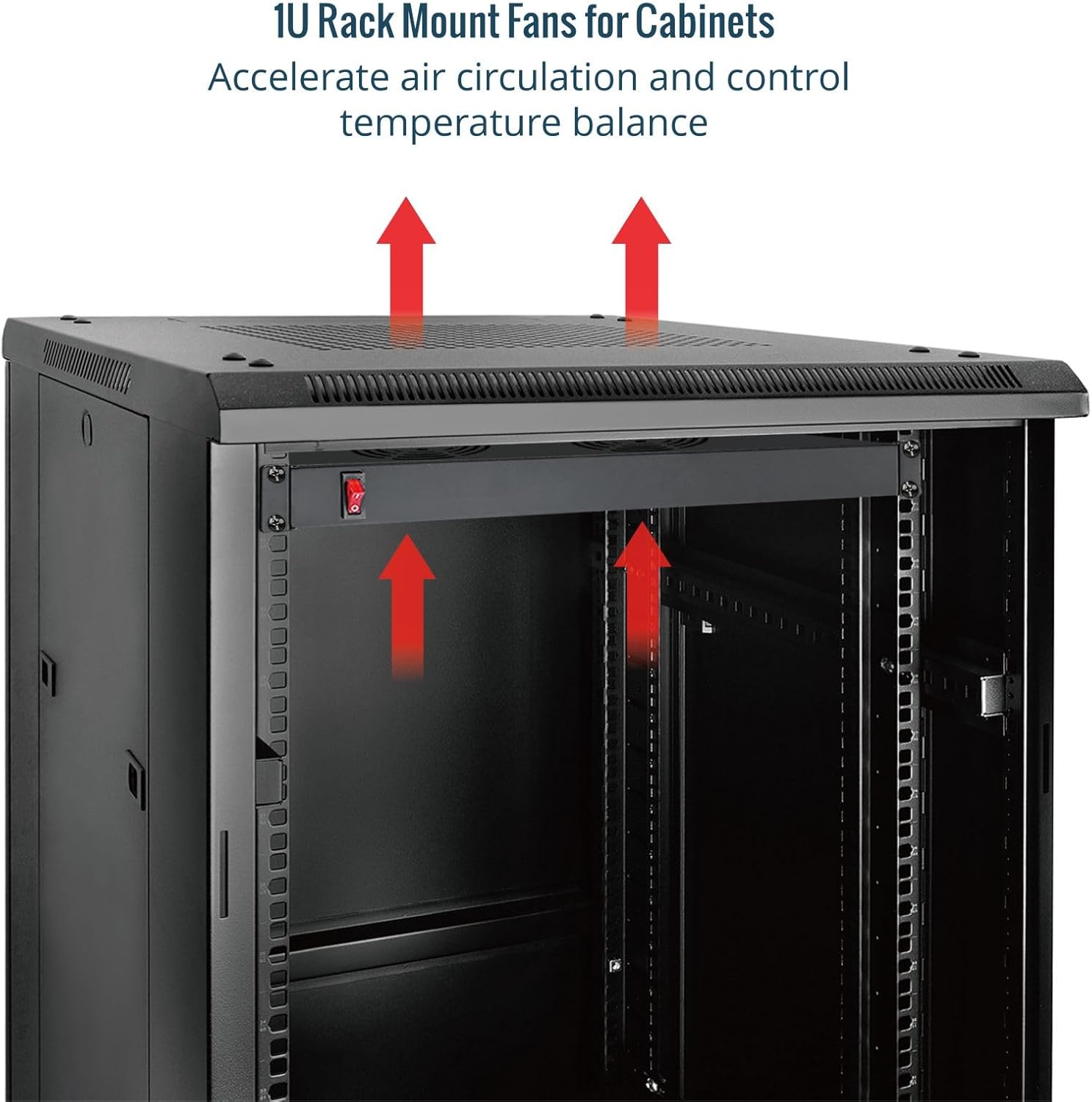
Image 5.1: The 1U fan unit installed in a rack, demonstrating how it accelerates air circulation and helps control temperature balance by exhausting hot air upwards.
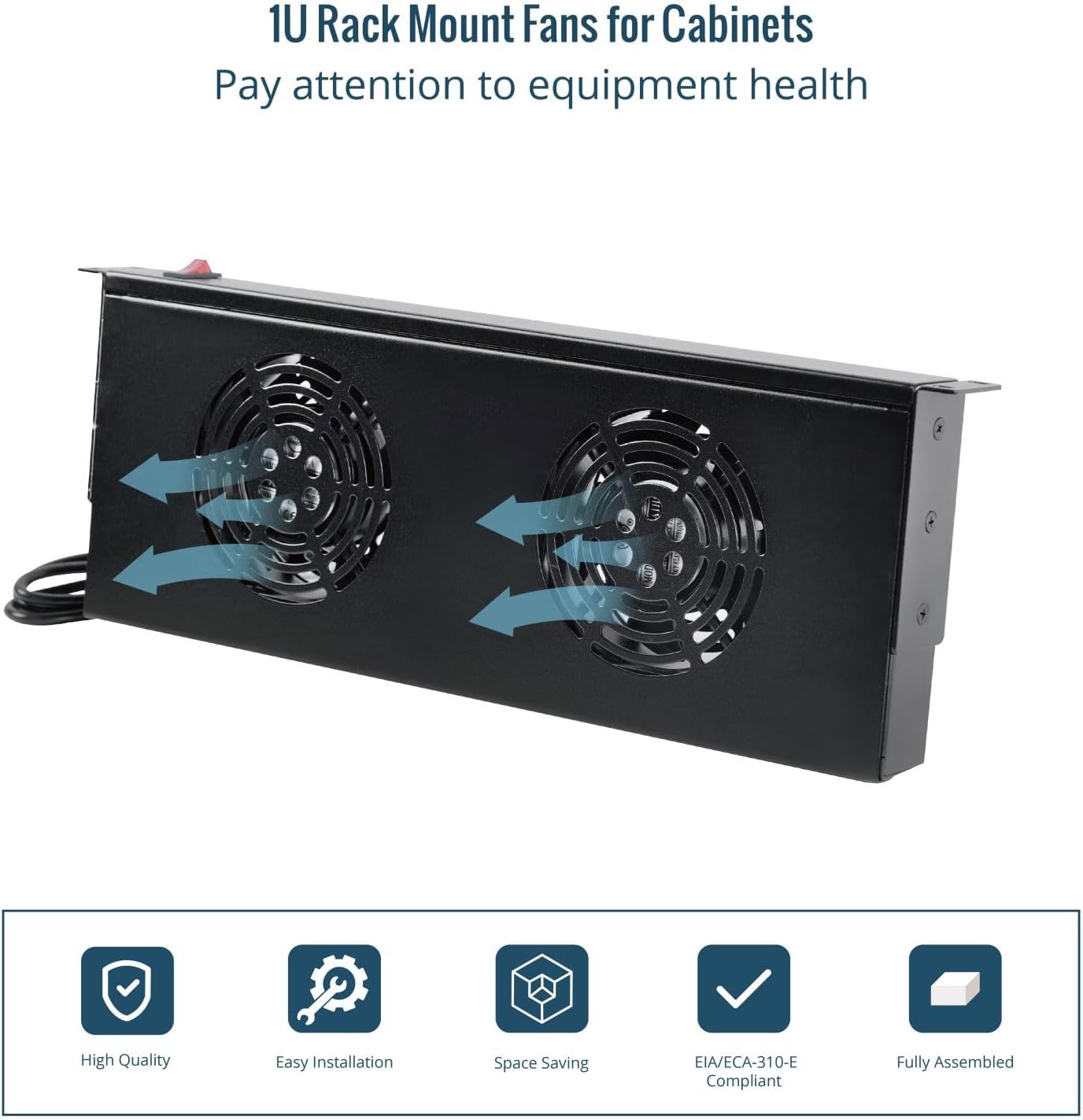
Image 5.2: The fan unit illustrating horizontal airflow, indicating its ability to cool equipment by moving air across components.
5.2 Power Connection
Once the unit is securely mounted, connect the integrated 6ft power cord to a standard 110V NEMA 5-15P power outlet or a Power Distribution Unit (PDU) within your rack.
6. Operating Instructions
The Tecmojo 1U 2-Fan unit features a simple illuminated ON/OFF switch for convenient operation.
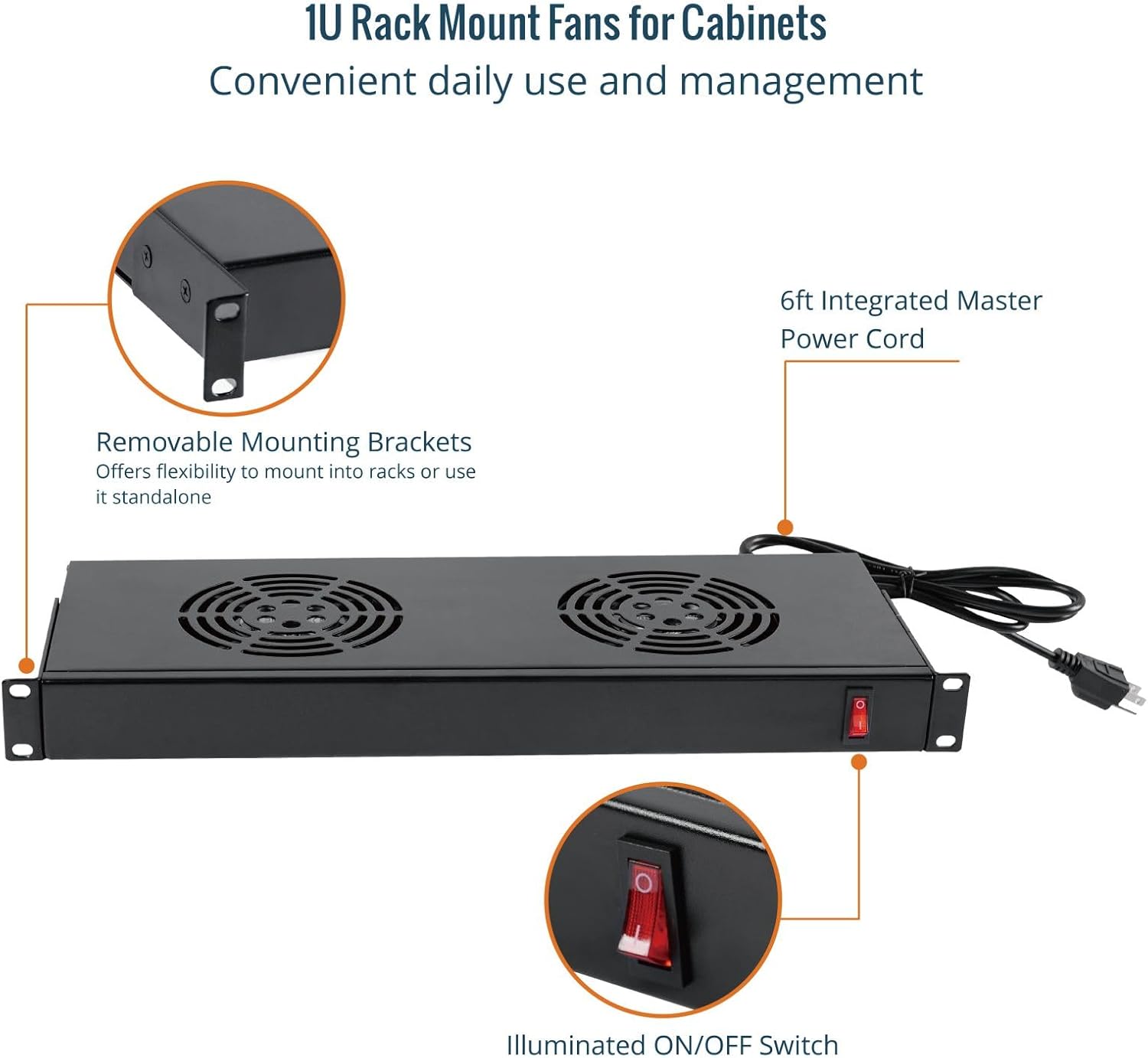
Image 6.1: Close-up view of the fan unit, showing the red illuminated ON/OFF switch and the removable mounting brackets.
- Power On: Press the red illuminated switch to the 'ON' position. The switch will light up, indicating that the fans are active and providing cooling.
- Power Off: Press the red illuminated switch to the 'OFF' position. The light will turn off, and the fans will cease operation.
7. Maintenance
Regular maintenance ensures the longevity and efficient operation of your cooling system.
- Cleaning: Periodically inspect the fan grilles for dust accumulation. Use a soft brush or compressed air to gently clean the fan blades and grilles. Ensure the unit is powered off and unplugged before cleaning.
- Inspection: Check the power cord for any signs of damage or fraying. Ensure all mounting screws remain tight.
- Airflow: Ensure that the air intake and exhaust paths within your cabinet are not obstructed by cables or other equipment.
8. Troubleshooting
If you encounter issues with your Tecmojo 1U 2-Fan Rack Cabinet Cooling System, refer to the following common problems and solutions:
- Fan Not Turning On:
- Ensure the power cord is securely plugged into a live outlet.
- Verify the ON/OFF switch is in the 'ON' position and illuminated.
- Check the power source (outlet or PDU) for functionality.
- Insufficient Cooling:
- Ensure fan grilles are free from dust and obstructions.
- Verify proper airflow direction within your cabinet. Consider if the fan is positioned to exhaust hot air effectively.
- Check if the cabinet is adequately sealed to prevent hot air recirculation.
- Unit Feels Loose in Rack:
- Re-tighten the M6 mounting screws.
- Ensure the mounting brackets are correctly aligned with the rack rails.
- If using only one mounting hole per side, consider adding additional support or ensuring the screws are robust enough for the weight and leverage.
9. Warranty and Support
Tecmojo products are manufactured to high-quality standards. For warranty information or technical support, please contact Tecmojo customer service through their official website or the retailer where the product was purchased. Please have your product model (B0C6SXHKRL) and purchase date available when contacting support.
Related documentsB0C6SXHKRL

Ask a question about this manual
Ask about setup, troubleshooting, compatibility, parts, safety, or missing instructions. Manuals+ will review the question and use this page’s manual context to help answer it.