
1. Introduction
This manual provides instructions for the proper setup, operation, and maintenance of your Cuifati KX-T888CID Digital Telephone. Please read this manual thoroughly before using the device to ensure optimal performance and longevity.
2. Product Overview
2.1 Package Contents
- 1 x Cuifati KX-T888CID Digital Telephone
- 1 x Telephone Line Cord
2.2 Device Layout
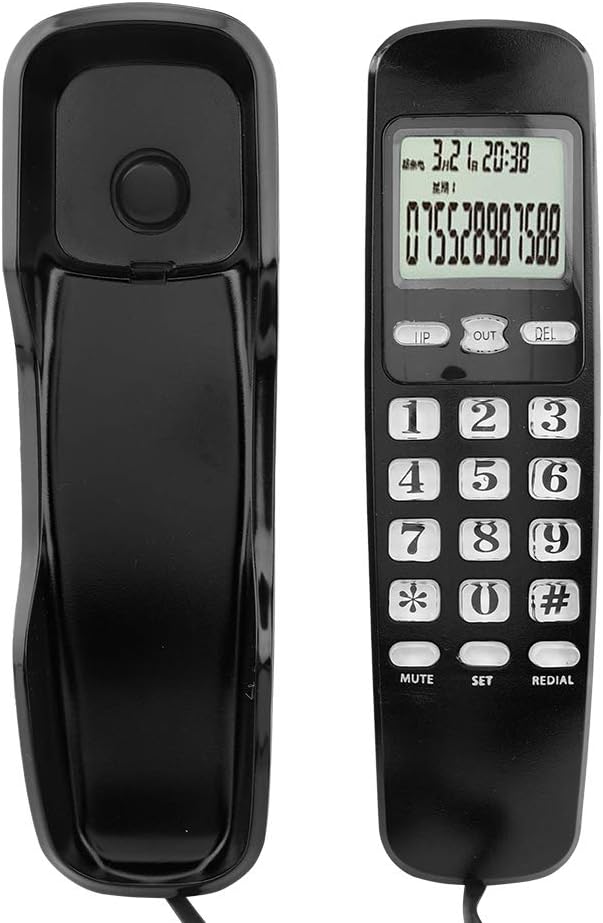
Image: Front and back view of the Cuifati KX-T888CID digital telephone. This image displays the handset from both the front, showing the keypad and LCD screen, and the back, showing its ergonomic design.

Image: Front view of the Cuifati KX-T888CID digital telephone with coiled cord. The telephone is shown from the front, highlighting the keypad, LCD display, and the attached coiled telephone cord.
3. Setup
3.1 Connecting the Telephone
- Connect the Telephone Line: Insert one end of the provided telephone line cord into the jack labeled 'LINE' on the back or side of the telephone unit.
- Connect to Wall Jack: Insert the other end of the telephone line cord into your wall telephone jack.
- Power Supply: This corded telephone draws power directly from the telephone line and does not require an external power adapter or batteries for basic operation.
4. Basic Operation
4.1 Making a Call
- Lift the handset.
- Wait for a dial tone.
- Dial the desired telephone number using the numeric keypad.
- Wait for the call to connect.
4.2 Receiving a Call
- When the telephone rings, lift the handset to answer the call.
- To end the call, place the handset back into its cradle.
5. Advanced Features
5.1 LCD Display

Image: Close-up of the LCD display on the Cuifati KX-T888CID telephone, showing date, time, and a phone number. The display clearly shows the current month, day, hour, and minute, along with a sample incoming phone number.
The integrated LCD screen displays the current month, day, hour, and minute. This feature provides real-time information during calls and when the phone is idle.
5.2 Caller ID (DTMF/FSK)

Image: Cuifati KX-T888CID telephone highlighting its dual DTMF/FSK system. This image emphasizes the phone's capability to support both DTMF and FSK caller ID systems.
The telephone supports both DTMF (Dual-Tone Multi-Frequency) and FSK (Frequency Shift Keying) caller ID systems. This allows the display of incoming caller information, provided your telephone service provider offers this feature.
5.3 Incoming Call Memory (38 Sets)
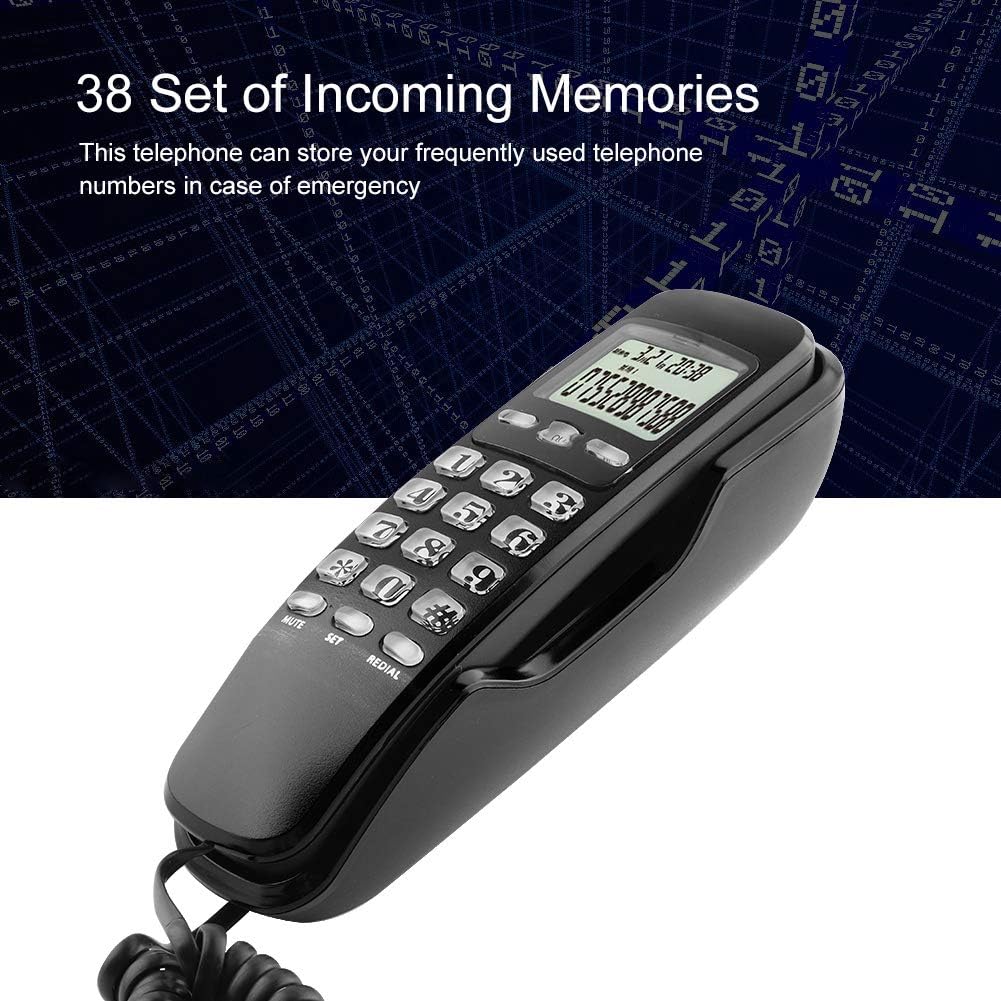
Image: Cuifati KX-T888CID telephone illustrating the 38-set incoming call memory feature. The image visually represents the phone's ability to store up to 38 incoming call records.
The telephone can store up to 38 sets of incoming call numbers. This feature is useful for reviewing missed calls or quickly redialing frequently used numbers.
5.4 Redial Function
If a call is missed or disconnected, press the REDIAL button to automatically redial the last dialed number.
5.5 Mute Function
During a call, press the MUTE button to temporarily silence your microphone. The other party will not hear your voice, but you can still hear them. Press MUTE again to resume speaking.
5.6 Set Function
The SET button is used to access and adjust various settings, such as date and time. Refer to the on-screen prompts for navigation.
6. Maintenance
6.1 Cleaning
- Wipe the telephone surface with a soft, damp cloth.
- Do not use abrasive cleaners or solvents, as these may damage the finish.
- Ensure the telephone is disconnected from the wall jack before cleaning.
7. Troubleshooting
| Problem | Possible Cause | Solution |
|---|---|---|
| No dial tone | Telephone line not connected properly. | Check all telephone line connections. Ensure the cord is securely plugged into both the phone and the wall jack. |
| Cannot hear caller / Caller cannot hear me | Mute function is active. | Press the MUTE button to deactivate it. |
| Caller ID not displayed | Caller ID service not activated by provider. | Contact your telephone service provider to ensure Caller ID service is active on your line. |
8. Specifications
- Model: KX-T888CID
- Type: Corded Telephone
- Color: Black
- Caller ID System: DTMF/FSK Dual System
- Incoming Call Memory: 38 Sets
- Display: LCD (Month, Day, Hour, Minute)
- Power Source: Telephone Line Powered
- Weight: Approximately 285g (10.1 oz)
- Dimensions: Approximately 19.5 x 6 x 5.5 cm (7.7 x 2.4 x 2.2 inches)
- Keypad Type: Single Keypad
- Answering System: Digital
- Multi-line Operation: Single-line Operation
8.1 Product Variations

Image: Comparison image showing two variations of the Cuifati KX-T888CID telephone, labeled 'New Type' and 'Old Type'. This image illustrates minor design differences between different production batches of the same model. Functionality remains consistent.
Please note that due to manufacturing updates, slight variations in design (e.g., button layout) may exist between different production batches. Both 'New Type' and 'Old Type' models offer identical core functionality.
9. Warranty and Support
For warranty information or technical support, please refer to the contact details provided at your point of purchase or visit the official Cuifati website. Keep your purchase receipt as proof of purchase.