
Mohu LEAFXG
Mohu Leaf Amplified Indoor TV Antenna User Manual
Model: LEAFXG
Brand: Mohu
Introduction
This manual provides detailed instructions for the installation, operation, and maintenance of your Mohu Leaf Amplified Ultra-Thin Indoor TV Antenna, Model LEAFXG. This antenna is designed to receive free over-the-air (OTA) broadcast television signals, including Full HD 1080p, UHD 4K, and NEXTGEN TV, depending on your coverage area. Please read this manual thoroughly before use to ensure optimal performance and longevity of your device.
What's in the Box
Carefully unpack the contents and ensure all items are present:
- Mohu Leaf HDTV Antenna
- 12-foot High-Performance Coaxial Cable (attached to antenna)
- Jolt Switch In-Line Amplifier with 6-foot USB Cable
- Hook & Loop Tabs (for mounting)
- Push Pins (for mounting)
- Instruction Manual (this document)
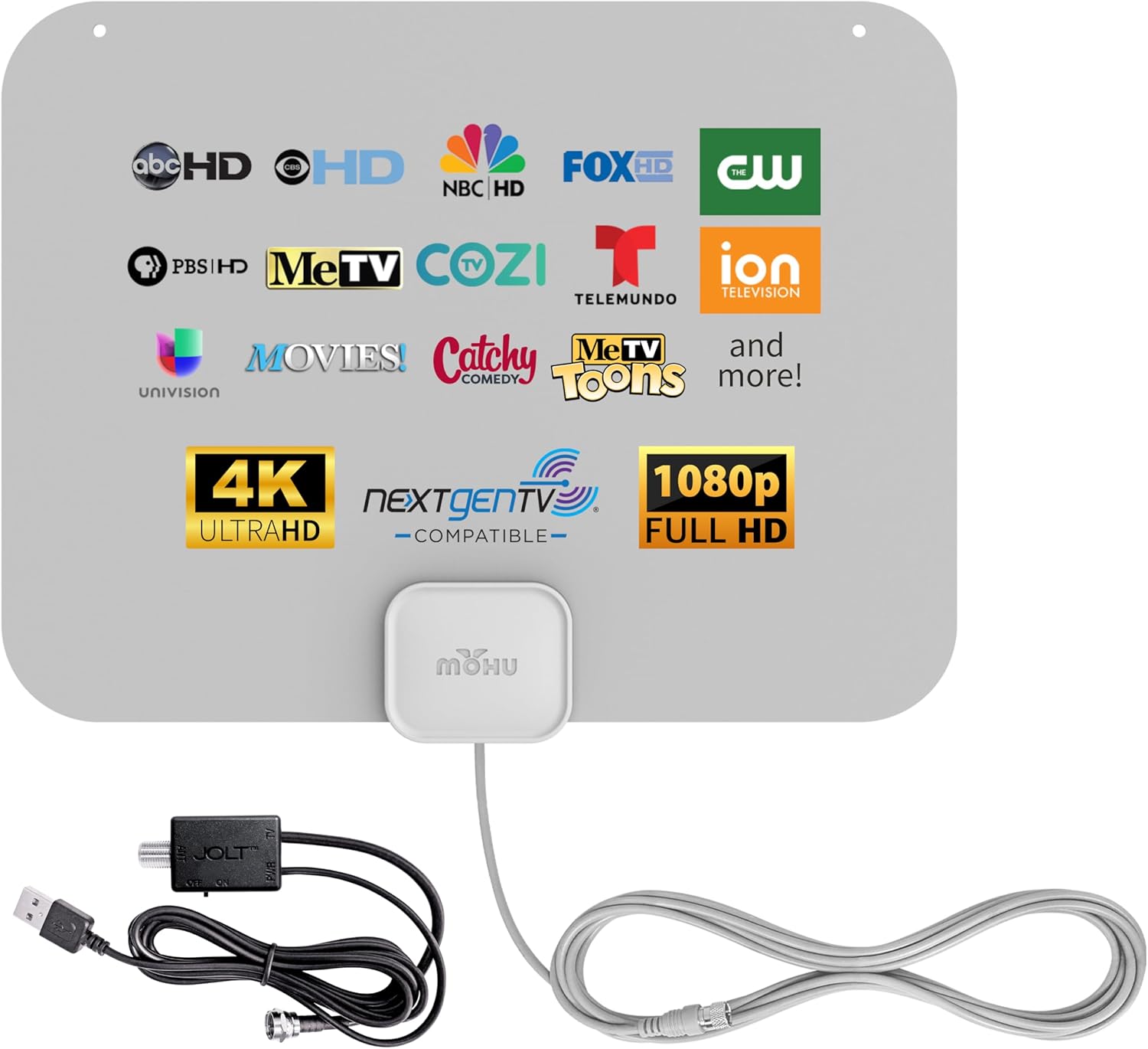
Image: Mohu Leaf Amplified Antenna with its included components: the thin gray antenna panel, the attached coaxial cable, and the Jolt Switch amplifier with its USB cable.
Setup Instructions
Follow these steps to install your Mohu Leaf Amplified Antenna:
- Connect the Antenna: Connect the coaxial cable from the Mohu Leaf antenna to the 'Antenna In' or 'Cable In' port on your television.
- Connect the Jolt Switch Amplifier: Attach the Jolt Switch in-line amplifier to the coaxial cable connection on your TV. Then, connect the USB cable from the Jolt Switch amplifier to an available USB port on your TV. If your TV does not have a USB port, you can use a standard USB wall adapter (not included). The Jolt Switch allows you to control the signal boost.
- Position the Antenna: The Mohu Leaf antenna is multi-directional, meaning it can receive signals from various directions. Experiment with different locations to find the best reception. Ideal locations include:
- High on a wall near your television.
- On a window, facing the direction of broadcast towers.
- Behind your television.
Use the provided hook & loop tabs or push pins to secure the antenna in your chosen location. The antenna's ultra-thin design allows for discreet placement.

Image: The Mohu Leaf antenna discreetly mounted on a wall beside a flat-screen television, demonstrating a common installation method.

Image: The Mohu Leaf antenna mounted on a window, illustrating another flexible placement option for optimal signal reception.
- Scan for Channels: Access your TV's menu and navigate to the 'Channel Scan' or 'Auto Program' function. This process may take several minutes. Refer to your TV's instruction manual for specific steps.
- Optimize with Antenna Point App: For assistance in locating broadcast towers and identifying optimal antenna placement, download the free Antenna Point App on your smartphone. This app can help you determine the best direction to orient your antenna for maximum channel reception.

Image: A smartphone displaying the Antenna Point App, which helps users find local TV towers and optimize antenna placement for better reception.
Operating the Antenna
Once installed and channels are scanned, your Mohu Leaf Amplified Antenna operates passively to receive broadcast signals. The Jolt Switch amplifier enhances weaker signals.
- Jolt Switch Amplifier: The Jolt Switch amplifier has a toggle switch. In the 'ON' position, it amplifies the signal, which can be beneficial for receiving channels from a greater distance or in areas with weaker signals. In the 'OFF' position, the amplifier is bypassed, which may be useful if you are very close to broadcast towers and experiencing signal overload. Experiment with both settings to determine which provides the best picture quality for your location.
- Channel Availability: The number and quality of channels received will vary based on your geographic location, proximity to broadcast towers, terrain, and building materials. Regular channel scans are recommended, especially if you reposition the antenna or if local broadcasters change their frequencies.
- Multi-Directional Reception: The antenna's multi-directional design allows it to receive signals from various directions without needing to be pointed directly at a specific tower.

Image: The Mohu Leaf antenna showcasing a variety of digital channel logos, including major networks and specialty channels, highlighting its reception capabilities.

Image: The Mohu Leaf antenna positioned on a window, with a stormy outdoor scene, emphasizing its role in providing access to local news and weather during emergencies.
Maintenance
The Mohu Leaf Amplified Antenna requires minimal maintenance.
- Cleaning: If necessary, gently wipe the antenna surface with a soft, dry cloth. Do not use harsh chemicals or abrasive cleaners.
- Cable Inspection: Periodically check the coaxial cable and connections for any signs of wear or damage. Ensure all connections are secure.
- Environmental Factors: While designed for indoor use, avoid placing the antenna in direct sunlight for prolonged periods or in areas with extreme temperature fluctuations, as this may affect its performance or lifespan.
Troubleshooting
If you experience issues with your antenna, consider the following:
- No Channels or Poor Reception:
- Reposition the Antenna: Try moving the antenna to a different location, preferably higher up or closer to a window. Even a few inches can make a difference.
- Rescan Channels: After repositioning, always perform a new channel scan on your TV.
- Check Amplifier: Ensure the Jolt Switch amplifier is connected and try toggling its ON/OFF switch to see if it improves reception.
- Check Connections: Verify that all coaxial and USB connections are secure.
- External Interference: Electronic devices, large metal objects, and certain building materials can interfere with TV signals. Try to keep the antenna away from such sources.
- Pixelation or Intermittent Signal: This often indicates a weak signal. Try repositioning the antenna, ensuring the amplifier is on, and rescanning channels.
- Missing Specific Channels: Some channels may be broadcast from different directions. Use the Antenna Point App to identify the direction of specific towers and adjust antenna placement accordingly.

Image: A visual guide showing common sources of TV signal interference, including natural obstacles like trees, structural elements like building materials and metal roofs, and electronic devices such as gaming consoles, Wi-Fi routers, and other electronics.
Specifications
| Feature | Specification |
|---|---|
| Model Number | LEAFXG |
| Dimensions (H x W x D) | 9.25 x 11.38 x 0.04 inches |
| Weight | 7 ounces |
| Range | Up to 60 miles (amplified) |
| Frequency Bands | UHF & Hi-VHF |
| Impedance | 75 Ohm |
| Output Resolution | Full HD 1080p, UHD 4K, 8K, NEXTGEN TV compatible |
| Cable Length | 12 ft. coaxial cable, 6 ft. USB cable (for amplifier) |
| Special Features | Jolt Switch In-Line Amplifier, Multi-Directional, Ultra-Thin Design |
Warranty and Support
Your Mohu Leaf Amplified Antenna is covered by a one-year manufacturer warranty. For warranty claims or technical support, please refer to the official Mohu website or contact their customer service directly.
For additional resources, including a downloadable PDF version of the user manual, please visit the Mohu support page or the product's Amazon listing.
User Manual (PDF): Download Here
Related documentsLEAFXG


Ask a question about this manual
Ask about setup, troubleshooting, compatibility, parts, safety, or missing instructions. Manuals+ will review the question and use this page’s manual context to help answer it.