
Canyon CNS-CBTHS3DG
Canyon BTHS-3 Bluetooth Headset User Manual
Model: CNS-CBTHS3DG
Introduction
Thank you for choosing the Canyon BTHS-3 Bluetooth Headset. These wireless over-ear headphones are designed for everyday use, offering a blend of comfort, portability, and clear audio. Equipped with Bluetooth 5.1 and a 3.5mm audio jack, they provide versatile connectivity options. The integrated microphone ensures clear communication, and the foldable design makes them easy to carry. This manual provides essential information on setting up, operating, and maintaining your headset.
Safety Information
- Do not expose the headset to extreme temperatures, humidity, or corrosive substances.
- Avoid dropping or subjecting the headset to strong impacts.
- Do not disassemble or attempt to repair the headset yourself. This will void the warranty.
- Keep the headset away from children and pets.
- Use only the provided or certified charging cables.
- Listen at moderate volume levels to prevent hearing damage.
Package Contents
Please check the box for the following items:
- Canyon BTHS-3 Bluetooth Headset
- USB-C Charging Cable
- 3.5mm Audio Cable
- User Manual (this document)
Product Overview
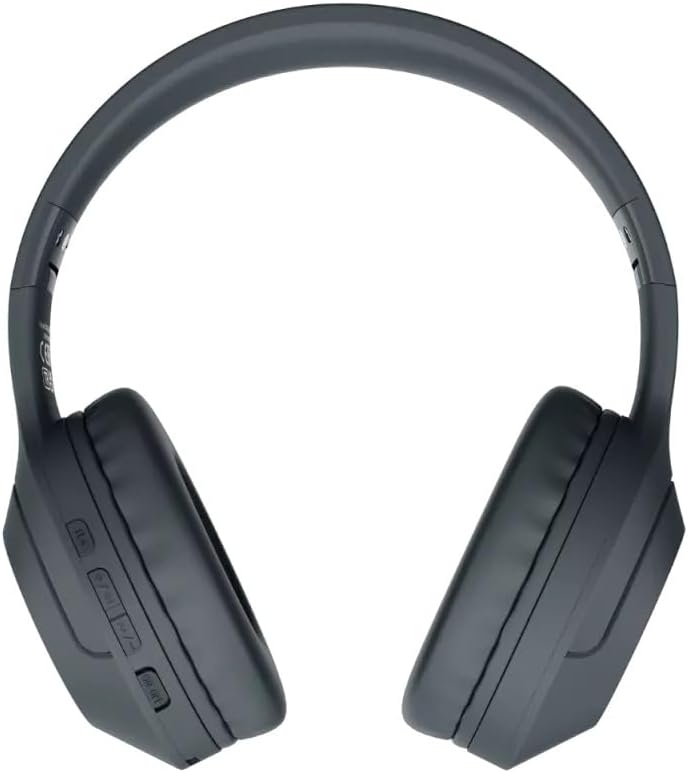
Figure 1: Front view of the Canyon BTHS-3 Bluetooth Headset. This image shows the overall design of the over-ear headphones with the adjustable headband and cushioned earcups.
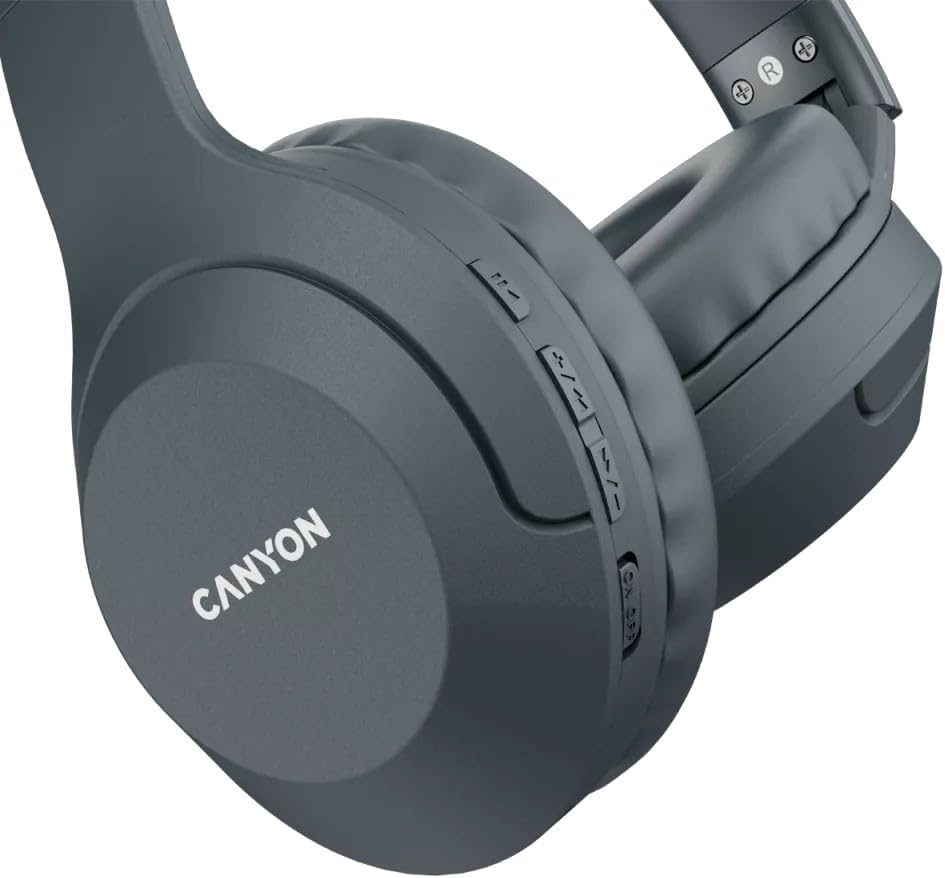
Figure 2: Close-up view of the control buttons located on the earcup. These buttons typically include power, volume, and playback controls.
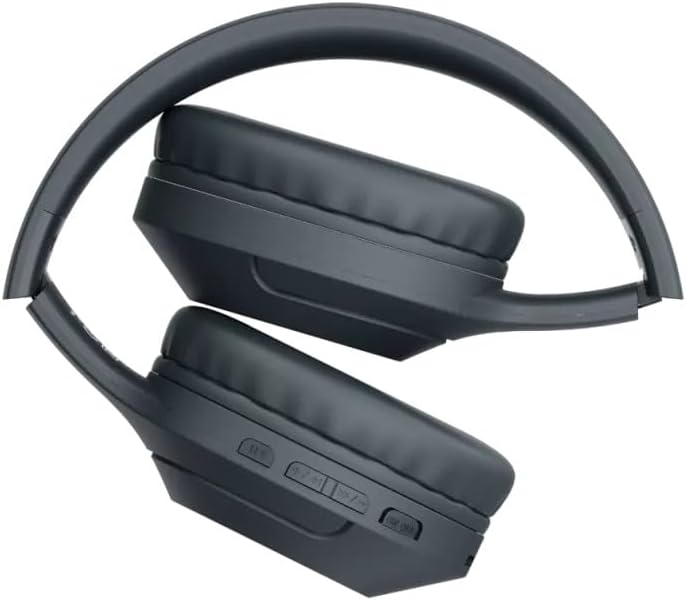
Figure 3: The Canyon BTHS-3 Bluetooth Headset in its folded position, demonstrating its compact design for easy portability and storage.
Key Components:
- Adjustable Headband: Reinforced with metal parts for durability and a comfortable fit.
- Cushioned Earcups: Soft, comfortable cushions covering 40mm speakers.
- Control Buttons: (Refer to Figure 2) Typically include Power On/Off, Volume Up/Down, Play/Pause, Next/Previous Track, and Call Answer/End.
- Inline Microphone: Highly sensitive for clear voice capture.
- USB-C Charging Port: For recharging the internal battery.
- 3.5mm Audio Jack: For wired connection to audio devices.
Setup
1. Charging the Headset
Before first use, fully charge the headset. A full charge provides up to 15 hours of playtime.
- Connect the USB-C charging cable to the headset's USB-C port.
- Connect the other end of the cable to a USB power adapter (e.g., computer USB port, wall charger).
- The LED indicator on the headset will show the charging status (e.g., red for charging, blue/off for fully charged).
- Once fully charged, disconnect the charging cable.
2. Bluetooth Pairing
Pair your headset with a Bluetooth-enabled device (e.g., smartphone, tablet, laptop).
- Ensure the headset is turned off.
- Press and hold the Power button (usually the multi-function button) for approximately 5-7 seconds until the LED indicator flashes red and blue alternately, indicating pairing mode.
- On your device, enable Bluetooth and search for new devices.
- Select "Canyon BTHS-3" from the list of available devices.
- Once paired, the LED indicator will typically turn solid blue or flash slowly. A voice prompt may confirm the connection.
Note: The headset has a Bluetooth range of up to 10 meters (33 feet).
3. Wired Connection (3.5mm Audio Jack)
You can use the headset with devices that do not support Bluetooth or when the battery is depleted.
- Connect one end of the 3.5mm audio cable to the audio jack on the headset.
- Connect the other end to the 3.5mm audio output port on your device.
- The headset will automatically switch to wired mode. Note that some functions (e.g., control buttons, microphone) may not work in wired mode, depending on the cable and device.
Operating Instructions
Power On/Off
- Power On: Press and hold the Power button for approximately 3 seconds until the LED indicator lights up and a voice prompt confirms "Power On".
- Power Off: Press and hold the Power button for approximately 3-5 seconds until the LED indicator turns off and a voice prompt confirms "Power Off".
Music Playback
- Play/Pause: Press the Power/Multi-function button once.
- Volume Up: Press the "+" button.
- Volume Down: Press the "-" button.
- Next Track: Press and hold the "+" button for 2 seconds.
- Previous Track: Press and hold the "-" button for 2 seconds.
Call Management
- Answer/End Call: Press the Power/Multi-function button once during an incoming call or during an active call.
- Reject Call: Press and hold the Power/Multi-function button for 2 seconds during an incoming call.
- Redial Last Number: Double-press the Power/Multi-function button.
Voice Assistant
- Activate Voice Assistant: Triple-press the Power/Multi-function button (functionality may vary by device).
Maintenance
- Cleaning: Use a soft, dry, lint-free cloth to clean the headset. Do not use abrasive cleaners, alcohol, or chemical solvents.
- Storage: When not in use, store the headset in a cool, dry place, away from direct sunlight and extreme temperatures. The foldable design (refer to Figure 3) allows for compact storage.
- Battery Care: To prolong battery life, avoid fully discharging the battery frequently. Charge the headset regularly, even if not in frequent use.
Troubleshooting
| Problem | Possible Cause | Solution |
|---|---|---|
| Headset does not power on. | Low battery. | Charge the headset fully. |
| Cannot pair with device. | Headset not in pairing mode; Bluetooth off on device; Device too far. | Ensure headset is in pairing mode (flashing red/blue). Turn on Bluetooth on your device. Move headset closer to device (within 10m). |
| No sound or low volume. | Volume too low on headset or device; Not properly connected. | Increase volume on both headset and connected device. Re-pair Bluetooth or re-insert 3.5mm cable. |
| Poor sound quality. | Interference; Device too far; Low battery. | Move away from sources of interference. Move headset closer to device. Charge the headset. |
| Microphone not working. | Microphone muted on device; Headset not selected as input device. | Check device settings to ensure headset microphone is selected and not muted. |
Specifications
| Model Name | Canyon BTHS-3 (CNS-CBTHS3DG) |
| Connectivity Technology | Wireless (Bluetooth 5.1), Wired (3.5mm Jack) |
| Ear Placement | Over-Ear |
| Form Factor | Circumaural |
| Color | Black |
| Playtime | Up to 15 hours |
| Wireless Range | Up to 10 meters (33 feet) |
| Speaker Sensitivity | 112 ± 3 dB |
| Microphone Sensitivity | 42 ± 3 dB |
| Frequency Response | 20Hz - 20KHz |
| Battery Type | 1 Lithium-Ion battery (included) |
| Dimensions (Packaging) | 19 x 13.9 x 8.4 cm |
| Weight (Packaging) | 360 grams |
| Included Components | Headset |
Warranty and Support
Specific warranty information is not provided in this document. For warranty claims or technical support, please refer to the warranty card included with your product or visit the official Canyon website for detailed information and contact options.
For further assistance, please contact Canyon customer support.
Related Documents - CNS-CBTHS3DG
 |
Canyon CNS-TWS5 True Wireless Stereo Headset User Manual User manual for the Canyon CNS-TWS5 True Wireless Stereo Headset, covering specifications, setup, operation, safety instructions, and troubleshooting. |
 |
Canyon Smartwatches: Your Guide to Wearable Technology for Every Lifestyle Explore the latest Canyon smartwatches, smart bands, and kids' watches. Discover features like health monitoring, GPS tracking, long battery life, and the Canyon Life app for Android and iOS. |
 |
Canyon TWS-5 True Wireless Stereo Headset Quick Guide A quick guide to setting up and using the Canyon TWS-5 true wireless stereo headset, covering specifications, features, pairing, controls, and safety instructions. |
 |
Canyon Smartwatch Oregano CNS-SW81 Quick Guide A quick guide to the Canyon Smartwatch Oregano (model CNS-SW81), detailing its features, setup, and usage for stylish and sporty design. Learn about connectivity, sports tracking, health monitoring, and smart features. |
 |
Canyon Jacky CNS-SW69 Smart Watch Quick Start Guide Quick start guide for the Canyon Jacky CNS-SW69 Smart Watch. Learn about its features, technical specifications, setup, and troubleshooting. Connects to your smartphone via the Canyon Life app. |
 |
Canyon TWS-5 Wireless Stereo Headset User Guide User manual for the Canyon TWS-5 wireless stereo headset, including specifications, setup instructions, pairing, controls, and safety information. |
Ask a question about this manual
Ask about setup, troubleshooting, compatibility, parts, safety, or missing instructions. Manuals+ will review the question and use this page’s manual context to help answer it.