
1. Introduction
Thank you for choosing the SENCOR SFR 9500SS Dual Compartment Air Fryer. This manual provides essential information for the safe and efficient operation, maintenance, and troubleshooting of your appliance. Please read these instructions carefully before first use and retain them for future reference.
Important Safety Instructions
- Always place the appliance on a stable, heat-resistant surface, away from walls and other appliances to ensure proper ventilation.
- Do not immerse the appliance housing, cord, or plug in water or any other liquid.
- Ensure the voltage indicated on the appliance corresponds to your local mains voltage before connecting.
- Supervise children closely when the appliance is in use.
- Unplug the appliance from the outlet when not in use and before cleaning.
- Do not operate any appliance with a damaged cord or plug, or after the appliance malfunctions or has been damaged in any manner.
- Do not block any ventilation openings.
- The appliance surfaces become hot during use. Use oven mitts when handling hot components.
2. Product Overview
The SENCOR SFR 9500SS is a dual-compartment air fryer designed for healthier cooking with minimal to no oil. It features two independent cooking zones, allowing you to prepare different foods simultaneously.
Key Features:
- Dual Compartment Design: Two independent 4-liter baskets for a total capacity of 8 liters.
- Powerful Performance: 1700 Watts for rapid heating and efficient cooking.
- Intuitive Controls: LED display with touch control sensors.
- Quick Start: Ready for use in approximately 3 minutes.
- Temperature Control: Adjustable range from 60°C to 200°C.
- Integrated Timer: 60-minute timer with an audible alarm.
- Pre-defined Programs: 8 optimized cooking programs for various dishes.
- Oil-Free Frying System: Utilizes high-speed air circulation for healthier results.
- Easy Cleaning: Removable non-stick frying basket trivets.
- Safety Features: Cool-to-touch exterior and automatic shut-off.

Figure 1: Front-side view of the SENCOR SFR 9500SS Dual Compartment Air Fryer, showcasing its sleek black and silver design with the control panel visible.

Figure 2: Front view of the SENCOR SFR 9500SS Air Fryer with both cooking baskets pulled out, illustrating the dual compartment design and removable components.
3. Setup and First Use
Unpacking
- Carefully remove the air fryer and all packaging materials from the box.
- Remove any stickers or labels from the appliance.
- Check that all components are present and undamaged.
Placement
- Place the air fryer on a dry, stable, and heat-resistant surface.
- Ensure there is at least 10 cm (4 inches) of free space around the appliance to allow for adequate air circulation.
- Do not place the appliance near flammable materials or heat sources.
Initial Cleaning
- Before first use, wipe the exterior of the appliance with a damp cloth.
- Wash the frying baskets and trivets with hot water, dish soap, and a non-abrasive sponge. Rinse thoroughly and dry completely.
- Do not use abrasive cleaning agents or scouring pads, as this may damage the non-stick coating.
4. Operating Instructions
Control Panel Overview
The air fryer features an intuitive LED touch control panel. The main functions include:
- Power Button: Turns the appliance on/off.
- L / R Buttons: Selects the left or right cooking compartment.
- TEMP +/-: Adjusts the cooking temperature.
- TIME +/-: Adjusts the cooking time.
- Pre-set Programs: Icons for Air Fry, Roast, Broil, Bake, Reheat, Keep Warm, French Fries, Dehydrate.
- SYNC: Synchronizes the finish time of both baskets.
- DUAL COOK: Copies settings from one basket to the other.
- SHAKE: Reminder to shake food during cooking.
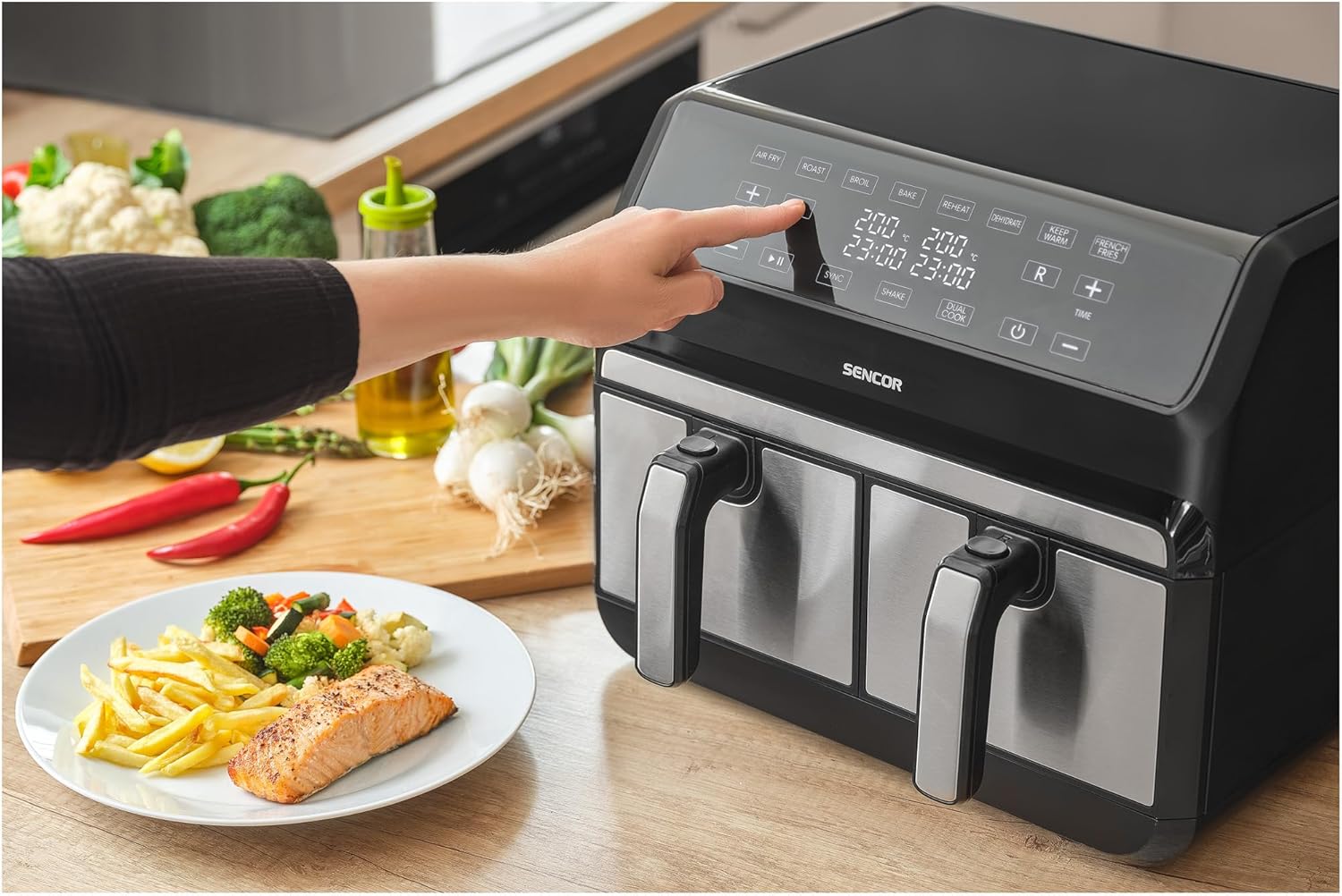
Figure 3: A hand interacting with the touch control panel of the SENCOR SFR 9500SS Air Fryer, demonstrating the ease of setting cooking parameters.
Basic Operation
- Prepare Food: Place your ingredients into the desired cooking basket(s). Do not overfill.
- Power On: Plug the appliance into a grounded electrical outlet. Press the Power button to turn on the display.
- Select Basket: Press the 'L' or 'R' button to select the compartment you wish to program.
- Set Temperature and Time: Use the TEMP +/- and TIME +/- buttons to adjust the desired cooking temperature (60°C – 200°C) and time (up to 60 minutes).
- Choose Pre-set Program (Optional): Alternatively, select one of the 8 pre-defined cooking programs by pressing the corresponding icon. The appliance will automatically set the recommended temperature and time.
- Start Cooking: Press the Play/Pause button to begin the cooking cycle.
- Shake Reminder: For some programs or longer cooking times, the 'SHAKE' icon may illuminate, reminding you to shake the basket for even cooking.
- Completion: The appliance will beep when the cooking time is complete and automatically shut off. Carefully remove the basket(s) and transfer food to a serving plate.
Dual Cooking Functions
- SYNC Function: To ensure both baskets finish cooking at the same time, program each basket with its desired settings. Then, press the 'SYNC' button. The air fryer will intelligently adjust the start times of each basket so they conclude simultaneously.
- DUAL COOK Function: If you want both baskets to cook with identical settings, program one basket (e.g., Left). Then, press the 'DUAL COOK' button to copy these settings to the other basket (Right).

Figure 4: The SENCOR SFR 9500SS Air Fryer in operation, demonstrating its ability to cook two different food items simultaneously in its dual compartments.
5. Cleaning and Maintenance
Regular cleaning ensures optimal performance and extends the lifespan of your air fryer.
Cleaning Instructions
- Unplug and Cool: Always unplug the air fryer from the power outlet and allow it to cool completely before cleaning.
- Clean Baskets and Trivets: Remove the frying baskets and trivets. Wash them with hot water, a mild dish soap, and a non-abrasive sponge. They are non-stick, so avoid metal utensils or harsh scrubbers. Rinse thoroughly and dry.
- Clean Interior: Wipe the interior of the appliance with a damp cloth. For stubborn food residue, a small amount of mild dish soap can be used, followed by wiping with a clean, damp cloth. Ensure the interior is completely dry before next use.
- Clean Exterior: Wipe the exterior of the air fryer with a soft, damp cloth. Do not use abrasive cleaners or immerse the main unit in water.
Storage
Store the cleaned and dried air fryer in a cool, dry place, away from direct sunlight and moisture. Ensure the power cord is neatly wrapped and secured.
6. Troubleshooting
If you encounter any issues with your SENCOR SFR 9500SS Air Fryer, please consult the table below before contacting customer support.
| Problem | Possible Cause | Solution |
|---|---|---|
| Appliance does not turn on. | Not plugged in; power outlet issue; appliance malfunction. | Ensure the power cord is securely plugged into a working outlet. Check the circuit breaker. If problem persists, contact support. |
| Food is not cooked evenly. | Basket overloaded; food not shaken; incorrect temperature/time. | Do not overload baskets. Shake food halfway through cooking. Adjust temperature and time as needed. |
| White smoke coming from appliance. | Grease residue from previous use; high-fat food. | Clean the basket and interior thoroughly. For high-fat foods, drain excess fat during cooking. |
| Plastic smell during first use. | Normal for new appliances. | The smell will dissipate after a few uses. Ensure good ventilation during initial operation. |
7. Technical Specifications
| Feature | Specification |
|---|---|
| Brand | SENCOR |
| Model Number | SFR 9500SS |
| Color | Silver |
| Dimensions (L x W x H) | 38 x 37 x 30 cm |
| Capacity | 8 Liters (2 x 4L compartments) |
| Power | 1700 Watts |
| Voltage | 220 Volts |
| Material | Plastic |
| Automatic Shut-off | Yes |
| Noise Level | 65 Decibels |
| Ready Time | 3 minutes |
| Temperature Range | 60°C – 200°C |
| Weight | 5 Kilograms |
8. Warranty and Support
SENCOR is committed to providing quality products. This appliance is designed for household use only. Please refer to your purchase documentation for specific warranty terms and conditions applicable to your region.
Spare parts for this model are generally available for up to 5 years from the date of purchase.
For technical assistance, warranty claims, or if you have questions not covered in this manual, please contact SENCOR customer support through their official website or the retailer where the product was purchased.


