
1. Product Overview
The Oral-B Pro Series 1 electric toothbrush is designed to provide a superior clean compared to a manual toothbrush. It features a professional timer, pressure control, and multiple cleaning modes to enhance your oral hygiene routine.

Image 1.1: Oral-B Pro Series 1 Electric Toothbrush with charging base.
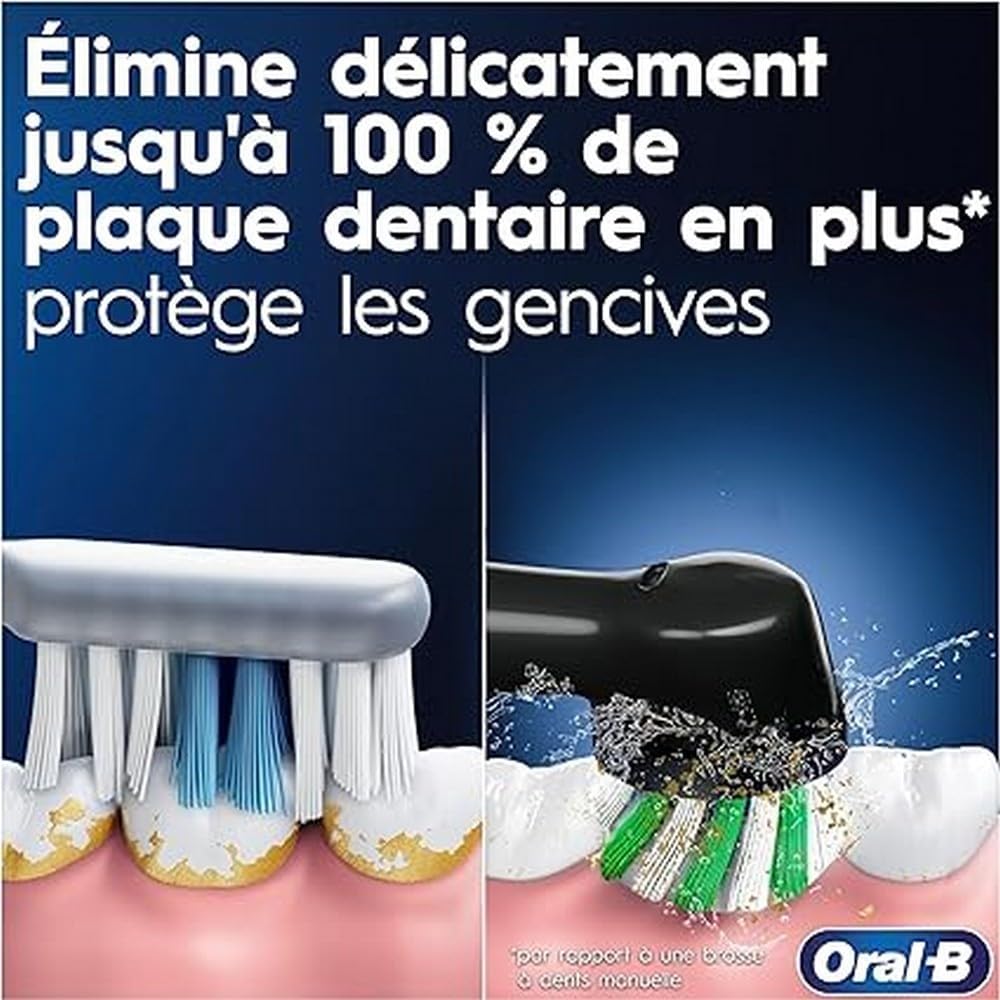
Image 1.2: Illustration demonstrating the superior plaque removal of the Oral-B electric toothbrush compared to a manual toothbrush.
2. Setup and Initial Use
- Charging the Toothbrush: Place the toothbrush handle on the charging unit. The green LED on the handle will flash to indicate charging. A full charge can take approximately 24 hours. The LED will stop flashing when fully charged.
- Attaching the Brush Head: Firmly push the brush head onto the toothbrush handle. Ensure it clicks into place.
- First Use: After charging, moisten the brush head and apply a small amount of toothpaste. Place the brush head against your teeth before switching on the toothbrush to prevent splashing.
3. Operating Instructions
3.1 Brushing Technique
- Guide the brush head slowly from tooth to tooth.
- Hold the brush head in place for a few seconds on each tooth before moving to the next.
- Brush all surfaces of your teeth: outer, inner, and chewing surfaces.
3.2 Professional Timer
The built-in timer signals after 2 minutes of brushing, as recommended by dentists. Additionally, it provides a short stuttering sound every 30 seconds to indicate when to move to the next quadrant of your mouth.
3.3 Pressure Control
The toothbrush features a gum pressure control system. If you brush too vigorously, the toothbrush will stop pulsations to protect your gums from excessive pressure.
3.4 Cleaning Modes
The Oral-B Pro Series 1 offers multiple cleaning modes for personalized care:

Image 3.1: Visual representation of the three cleaning modes: Daily Clean, Sensitive, and Whitening, along with the 2-minute timer and battery indicator.
- Daily Clean: Standard mode for everyday cleaning.
- Sensitive: Gentle yet thorough cleaning for sensitive areas.
- Whitening: Designed to polish and remove surface stains.
4. Maintenance
4.1 Cleaning the Toothbrush
- After brushing, rinse the brush head thoroughly under running water with the handle switched on.
- Switch off the handle and remove the brush head.
- Rinse both the brush head and the handle separately under running water.
- Wipe the handle dry with a cloth.
- Clean the charging unit regularly with a damp cloth.
4.2 Replacing Brush Heads
Dentists recommend replacing your brush head every 3 months, or sooner if the bristles become splayed or worn. Oral-B offers a variety of brush heads to suit individual needs:

Image 4.1: Selection of Oral-B brush heads for personalized cleaning, including Precision Clean, Deep Clean, 3D White, Interdental, Sensitive Clean, and Floss Action.
5. Troubleshooting
- Toothbrush not charging: Ensure the charging unit is plugged into a working outlet and the toothbrush handle is correctly seated on the charger. Check for any debris preventing proper contact.
- Reduced brushing power: The battery may be low. Place the toothbrush on the charger for a full charge cycle (approx. 24 hours).
- Brush head not rotating/vibrating: Ensure the brush head is securely attached. If the issue persists after charging and reattaching the head, contact customer support.
- Excessive noise: A certain level of operational noise is normal for electric toothbrushes. If the noise is unusually loud or different, ensure the brush head is correctly attached.
6. Specifications
| Feature | Detail |
|---|---|
| Model Name | Oral-B Pro Series 1 |
| Item Model Number | 8001090914170 |
| Power Source | Battery Powered |
| Operation Mode | Automatic |
| Number of Settings | 1 (with multiple modes) |
| Toothbrush Head Shape | Round |
| Bristle Material | Nylon |
| Handle Material | Plastic |
| Color | Black |
| Item Weight | 0.43 Kilograms |
| Product Dimensions | 6.69 x 9.45 x 3.54 inches |
| Included Components | Charger, Travel Case |
7. Important Safeguards
- Keep out of reach of children.
- Do not use for purposes other than oral hygiene.
- Do not immerse the charging unit in water or liquid.
- Do not modify or repair the product yourself. Contact authorized service for repairs.
- If the product is dropped, the brush head should be replaced before the next use, even if no visible damage is apparent.
- Consult your dentist before using this product if you have had oral surgery or gum disease.