
Introduction
This manual provides detailed instructions for the setup, operation, maintenance, and troubleshooting of your Camcamp 3MP Wireless PTZ Security Camera (Model SC26A/D02). This camera is designed as an add-on unit for the Camcamp wireless security camera system with a 7-inch touchscreen monitor (ASIN: B0C6KRW4XZ), allowing for expanded surveillance coverage.
What's in the Box
- 1x PTZ Wired Outdoor Dome Camera
- 1x 3M/9.84FT Power Adapter (12V/1A) for Wired WiFi Security Camera
Note: The 7-inch monitor and other system components are sold separately as part of the main Camcamp wireless security camera system.
Setup
1. Powering the Camera
Connect the provided 3M/9.84FT Power Adapter (12V/1A) to the PTZ Wired Outdoor Dome Camera and plug it into a standard electrical outlet. Ensure the camera receives stable power for optimal performance.
2. Adding the Camera to Your NVR System
This camera is designed to be an add-on to an existing Camcamp wireless security camera system with a 7-inch touchscreen monitor (ASIN: B0C6KRW4XZ). The system supports up to 4 channel cameras.
Video: Instructions on how to add an extra camera to your Camcamp system with a 7-inch monitor.
3. Remote Access via Mobile App
For remote viewing and control, download the free CloudEye 365 app. The camera features enhanced 2.4G/5G WiFi dual antenna for easy placement and connectivity. Scan the QR codes provided in the app guide to download the correct version for your device.

Image: Visual guide for quick remote access via the CloudEye 365 app, showing QR codes for Android and iOS downloads.
Download CloudEye 365 for Android | Download CloudEye 365 for iOS
4. Mounting the Camera
The camera is a dome-shaped unit with surface mount installation. Use screws to securely attach the camera to your desired indoor or outdoor location. The compact design allows for flexible placement.

Image: A close-up view of the Camcamp PTZ Wired Outdoor Dome Camera, highlighting its design and antennas.
Operating Instructions
1. Panoramic View and PTZ Control
The dome outside PTZ camera offers a panoramic view with 355° pan and 90° tilt capabilities. This allows for wider surveillance coverage and the ability to zoom in digitally for more details. Control these movements via the NVR monitor or the mobile app.

Image: Illustration demonstrating the 355° pan and 90° tilt capabilities of the camera for comprehensive coverage.
2. 3MP HD Image & Intelligent Night Vision
The camera features a 1/3" CMOS sensor and 3D noise reduction technology, delivering 3MP (2340x1296p) HDR picture quality. It offers three night vision modes: intelligent, infrared, and full-color. Intelligent night vision automatically switches from black and white to full color when detecting moving objects, optimizing energy use.
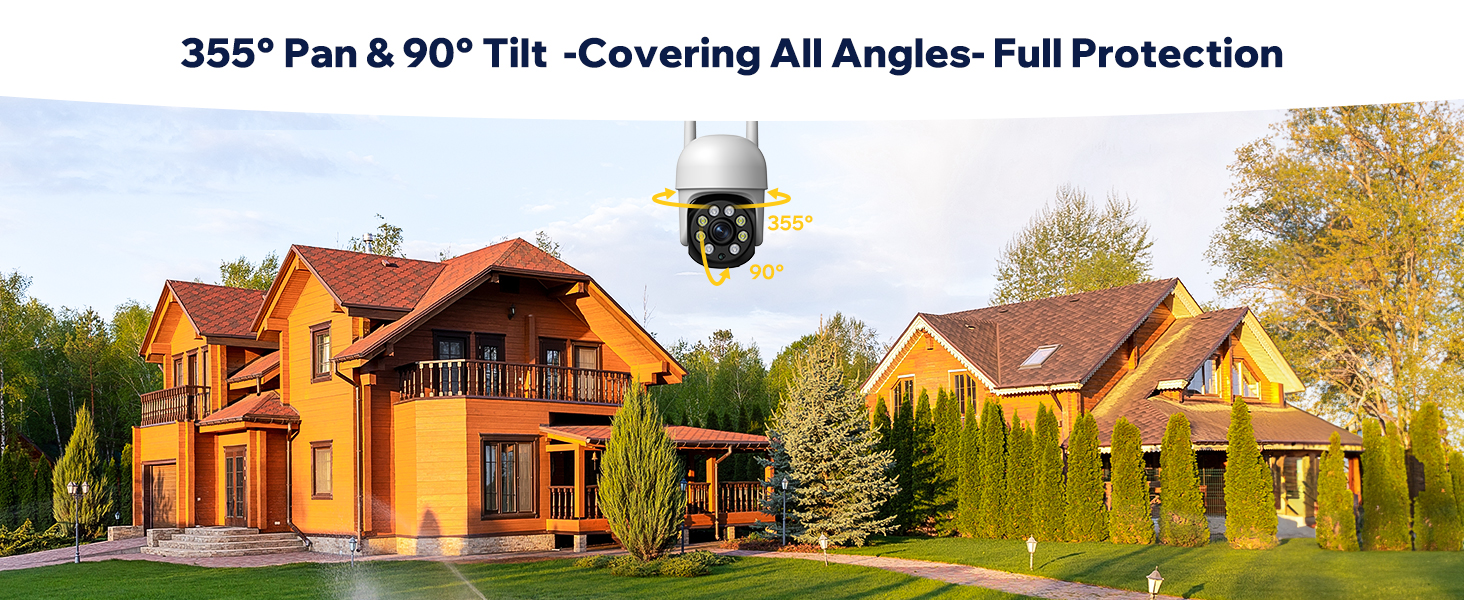
Image: Depicts the three night vision modes: Colorful Night Vision, Infrared Night Vision, and Smart Mode, showcasing clear 3MP resolution.
3. Two-Way Talk
Engage in real-time two-way communication through the camera. This feature allows you to speak with visitors or deter intruders directly from your NVR monitor or mobile app.

Image: Illustrates the two-way talk functionality, showing a person speaking through the camera to a delivery driver.
4. 24/7 Recording & Two-Way Storage
The camera supports continuous 24/7 recording. Footage can be stored locally on an SD card (not included, supports up to 128GB) or via cloud storage services. This provides flexible options for reviewing surveillance data.

Image: Shows the two available storage methods: Micro SD card slot and cloud storage, with H.265 video coding for efficiency.
5. Motion Detection and Alerts
The camera is equipped with audio and motion alert capabilities. When motion is detected, the system can trigger light and sound warnings, and send notifications to your connected devices.

Image: Depicts the camera detecting an intruder, triggering a spotlight and a 'Stay Away Now!' warning.
Maintenance
1. Weatherproof Design
The camera has an IP66 weatherproof rating, making it suitable for both indoor and outdoor use. It is built to withstand various weather conditions, including snow, rain, and cloudy environments, with an operating temperature range of -20°C to +50°C (-4°F to +120°F).

Image: Shows the camera installed outdoors during rain, emphasizing its IP66 weatherproof rating.
2. Cleaning and Care
Regularly inspect the camera lens for dirt or debris and clean gently with a soft, dry cloth. Avoid using harsh chemicals or abrasive materials that could damage the lens or casing (Acrylonitrile Butadiene Styrene (ABS)).
Troubleshooting
- No Video Feed: Ensure the camera is properly powered and connected to the NVR system. Check WiFi signal strength.
- Poor Image Quality: Verify the lens is clean and free from obstructions. Ensure adequate lighting, especially for night vision.
- Motion Detection Issues: Adjust motion detection sensitivity settings in the app or NVR. Ensure the camera's field of view covers the desired area.
- PTZ Control Unresponsive: Check network connectivity. Restart the camera and NVR system.
Specifications
| Feature | Detail |
|---|---|
| Model Name | 3MP Security Camera System Wired with Monitor & 32GB Micro SD Card (Add-on Camera) |
| Model Number | SC26A/D02 |
| Video Capture Resolution | 3 MP (2340x1296p) |
| Connectivity Technology | Wireless (2.4G/5G WiFi dual antenna) |
| PTZ Functionality | 355° Pan, 90° Tilt, Digital Zoom (10x) |
| Night Vision | Intelligent, Infrared, Full-Color (up to 65 feet) |
| Two-Way Talk | Supported |
| Storage Options | Micro SD Card (up to 128GB), Cloud Storage |
| Weatherproof Rating | IP66 |
| Operating Temperature | -20°C to +50°C (-4°F to +120°F) |
| Material | Acrylonitrile Butadiene Styrene (ABS) |
| Power Source | Corded Electric (12V/1A) |
| Dimensions (L x W x H) | 1.18 x 1.18 x 1.18 inches |
| Item Weight | 1.04 pounds |
Warranty
Camcamp offers a 12-month replacement period for this product. Please refer to your purchase documentation for full warranty terms and conditions.
Support
For any after-sales questions or technical assistance, please contact Camcamp Technology customer support:
- Phone: +1 (626) 420-9375 (9 AM - 5 PM GMT, Monday - Friday)
- Email: SC@yooomail.com