
FeiyuTech Pocket 3
Feiyu Pocket 3 Instruction Manual
Brand: FeiyuTech | Model: Pocket 3
Product Overview
The Feiyu Pocket 3 is a cordless detachable 3-axis gimbal camera designed for smooth, ultra HD video capture up to 4K/60FPS. Featuring a 1/2.3" CMOS sensor for 12MP images, a 130° super-wide angle lens, and AI tracking, it's portable and versatile for various recording scenarios including sports, riding, and travel. Its detachable design allows for remote control and flexible mounting options.
Key Features
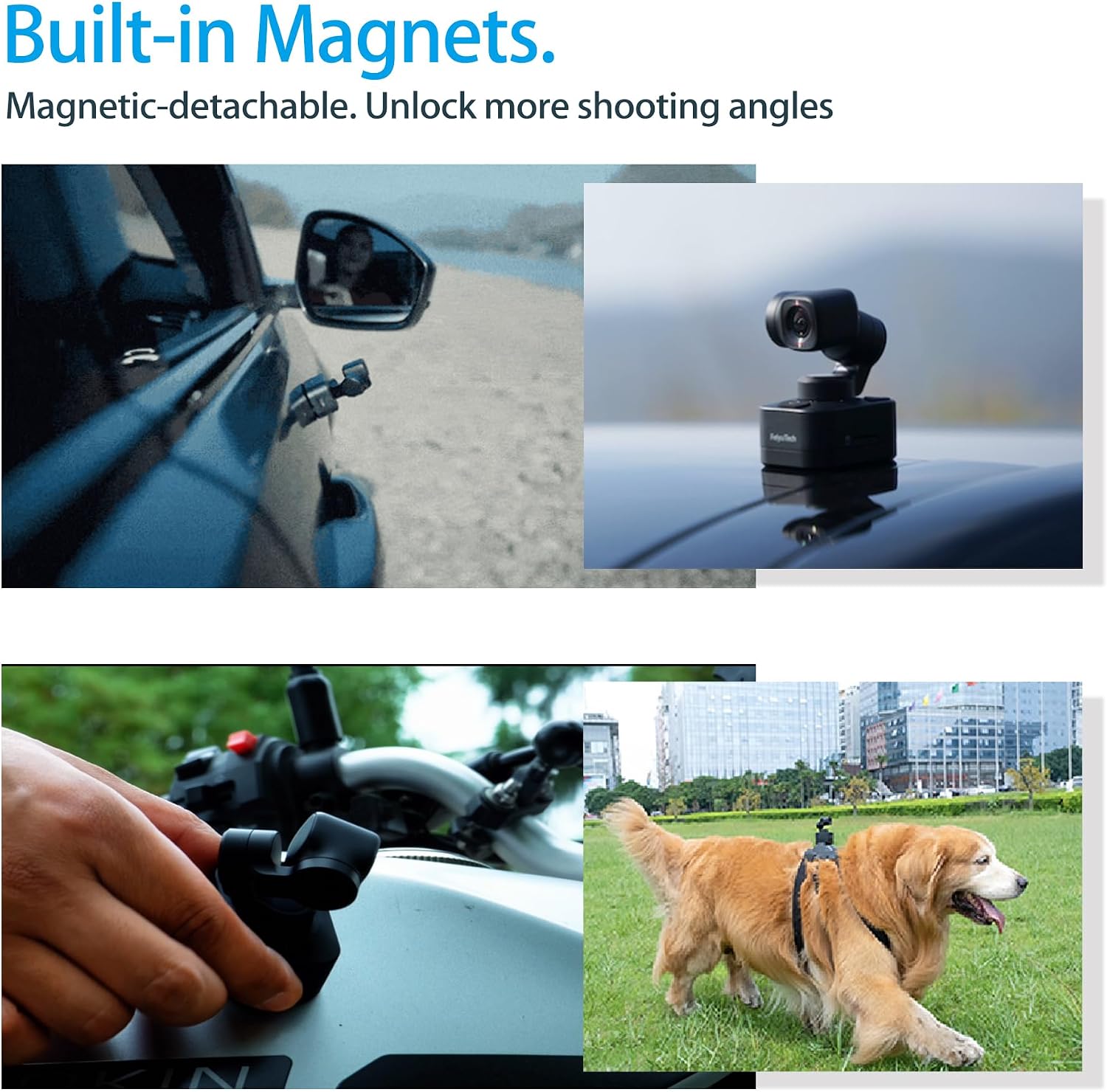
- 3-AXIS Cordless Detachable Gimbal Camera: Weighs only 86g. Camera and handle are detachable for remote control, suitable for various dynamic scenes.
- 4K/60FPS Smooth Ultra HD Video: Equipped with a powerful camera and advanced image sensor for bright and clear 4K resolution video.
- 130° Super-Wide Angle Lens (FOV): Provides a strong sense of three-dimensionality for immersive images, ideal for capturing wide scenes.
- Support Break-Point Resume Filming: Allows pausing and resuming recording, simplifying video editing for content creation.
- 12MP Images with 1/2.3" CMOS Sensor: Utilizes a 1/2.3" CMOS Sensor with 12MP resolution for outstanding image quality.
Product Visuals




Official Product Videos
Setup Guide
1. Charging
Connect the USB-C cable to the charging port on the Feiyu Pocket 3. It is recommended that you charge your camera at least once a month to maintain battery health. The indicator light will show charging status.
2. Inserting MicroSD Card
Insert a U3 or above high-speed MicroSD card into the designated slot. Format the MicroSD card with the Feiyu Pocket 3 when inserting it for the first time.
3. Mounting the Expansion Base
Slide the magnetic base onto the bottom part of the Feiyu Pocket 3 as shown in the figure. Use the expansion base to install a tripod, wristband, etc.
4. Using the Protective Cover
When not in use, please cover the gimbal with the protective cover. Hold the gimbal and push the two sides of the protective cover, then push the cover up in the same way in opposite direction to take it down.
Operating Instructions
1. Power Button
- Long press for 1s: Power ON/OFF
- Single tap: Switch among photo mode/video mode/recently used function
2. Joystick
Push to control the movement of the tilt and pan axes.
3. Gimbal Mode Button
- Single tap: Single tap follow mode/all follow mode/pan mode
- Double tap: Recenter
- Triple tap: Selfie mode
- Press and hold: Enter lock mode
4. Shutter Button
- Single tap: Start recording/stop recording/take photo
- Long press for 3s: Turn on/off Wi-Fi
Maintenance
To ensure the longevity and optimal performance of your Feiyu Pocket 3, regularly clean the lens and body with a soft, dry cloth. Always use the provided protective cover when storing or transporting the device to prevent scratches and damage to the gimbal and lens.
Store the camera in a cool, dry place away from direct sunlight and extreme temperatures.
Troubleshooting
Common Issues and Solutions
- Device not powering on: Ensure the battery is fully charged. Connect to a power source using the USB-C cable.
- Gimbal not stabilizing: Check for any obstructions around the gimbal. Ensure the device is powered on and the gimbal mode is correctly selected.
- Connectivity issues with Feiyu Cam App: Make sure Wi-Fi is enabled on both the camera and your smartphone. Restart both devices and try reconnecting.
- MicroSD card not recognized: Ensure the MicroSD card is properly inserted and formatted. Try using a different compatible MicroSD card.
For more detailed troubleshooting, please refer to the full user manual available via the QR code in the Quick Start Guide or contact customer support.
Technical Specifications
| Brand Name | FeiyuTech |
| Item Weight | 3.03 ounces |
| Product Dimensions | 1.83 x 1.28 x 2.37 inches |
| Item model number | Pocket 3 |
| Batteries | 2 Lithium Ion batteries required. (included) |
| Color Name | Black |
| Photo Sensor Technology | CMOS |
| Video Capture Resolution | 4K |
| Maximum Aperture | 30 f |
| Flash Memory Type | SD |
| Screen Size | 0.42 Inches |
| Connectivity Technology | Wi-Fi |
Package Contents
- Feiyu Pocket 3 Camera x1
- Remote Handle x1
- Tripod x1
- Expansion Base x1
- Protective Case x1
- Wrist Strap x1
- Type-C Cable x1
- Storage Bag x1
- Manual x1
Warranty and Support
FeiyuTech offers a 1-YEAR warranty for all items. For any technical support or inquiries, please utilize their 24H Email Service.
Return Policy: 30 Days Return Policy.
Email: support@feiyu-tech.com
Related documentsPocket 3


Ask a question about this manual
Ask about setup, troubleshooting, compatibility, parts, safety, or missing instructions. Manuals+ will review the question and use this page’s manual context to help answer it.