
XTRONS b18f2c88-1aca-4a1d-9a1f-8774949b9af4
XTRONS 12.3 Inch IPS Car Touch Screen User Manual
Model: b18f2c88-1aca-4a1d-9a1f-8774949b9af4
Brand: XTRONS
Product Overview
The XTRONS 12.3 Inch IPS Car Touch Screen is an advanced in-dash navigation and entertainment system designed specifically for Audi Q5 Concert/Symphony Radio Systems (2009-2017 Left Hand Driving models). This unit integrates seamlessly with your vehicle's original dashboard, enhancing your driving experience with a large, high-resolution display and modern connectivity features.
Key features include:
- Latest Android 12 operating system with Qualcomm Snapdragon 662 Octa-core processor, 8GB RAM, and 128GB ROM.
- 12.3-inch Capacitive IPS display with 1920x720 resolution, offering wide viewing angles and responsive touch.
- Built-in Wireless Car Play and Wireless/Wired Android Auto for seamless smartphone integration.
- Qualcomm Bluetooth 5.1 for stable hands-free calls and music streaming.
- Dual Wi-Fi band connectivity (2.4GHz/5GHz) for faster and more secure internet access.
- Integrated GPS Navigation supporting various Android-compatible mapping software.
- Retains original car functions such as CD player, radio, Bluetooth, Steering Wheel Controls (SWC), and Backup Camera Display.
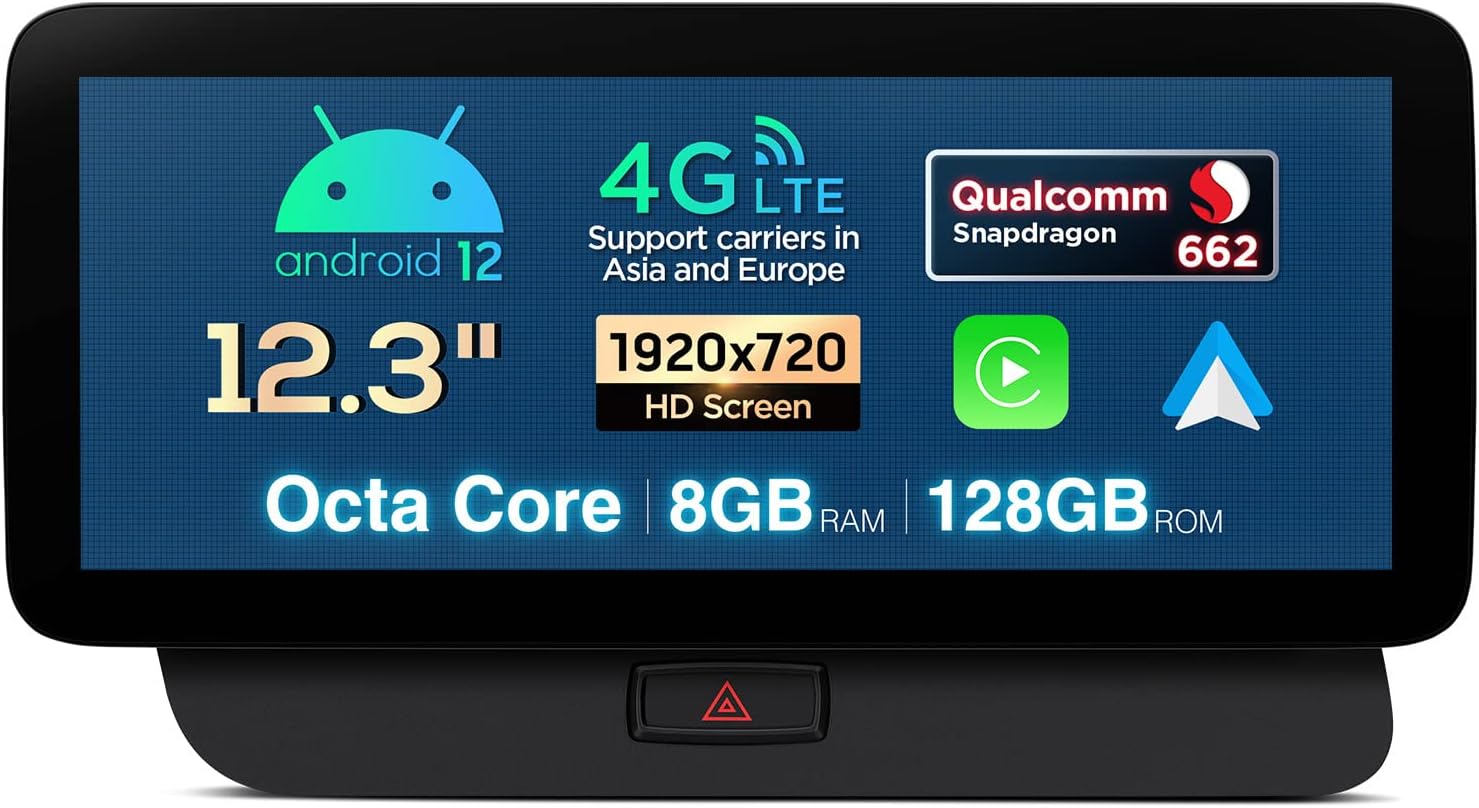
Image: Front view of the XTRONS 12.3 Inch IPS Car Touch Screen, highlighting its Android 12 OS, 4G LTE support (Asia and Europe), Qualcomm Snapdragon 662 processor, 12.3-inch HD screen (1920x720), Octa Core CPU, 8GB RAM, and 128GB ROM. The emergency light button is visible at the bottom.
Setup and Installation
Applicable Models and Important Notes
This unit is designed for Left Hand Driving Audi Q5 vehicles equipped with either the Concert or Symphony Radio System, manufactured between 2009 and 2017.
- AMI Port and Sound: If your Audi Q5 has an AMI (Audi Music Interface) port and you experience no sound after installation, it is necessary to connect the provided AMI cable and Audio extension cable to the AMI port.
- 4G Functionality: Please note that the 4G function of this unit is not operational in the Americas region (including the US and Canada), despite the presence of a SIM slot.
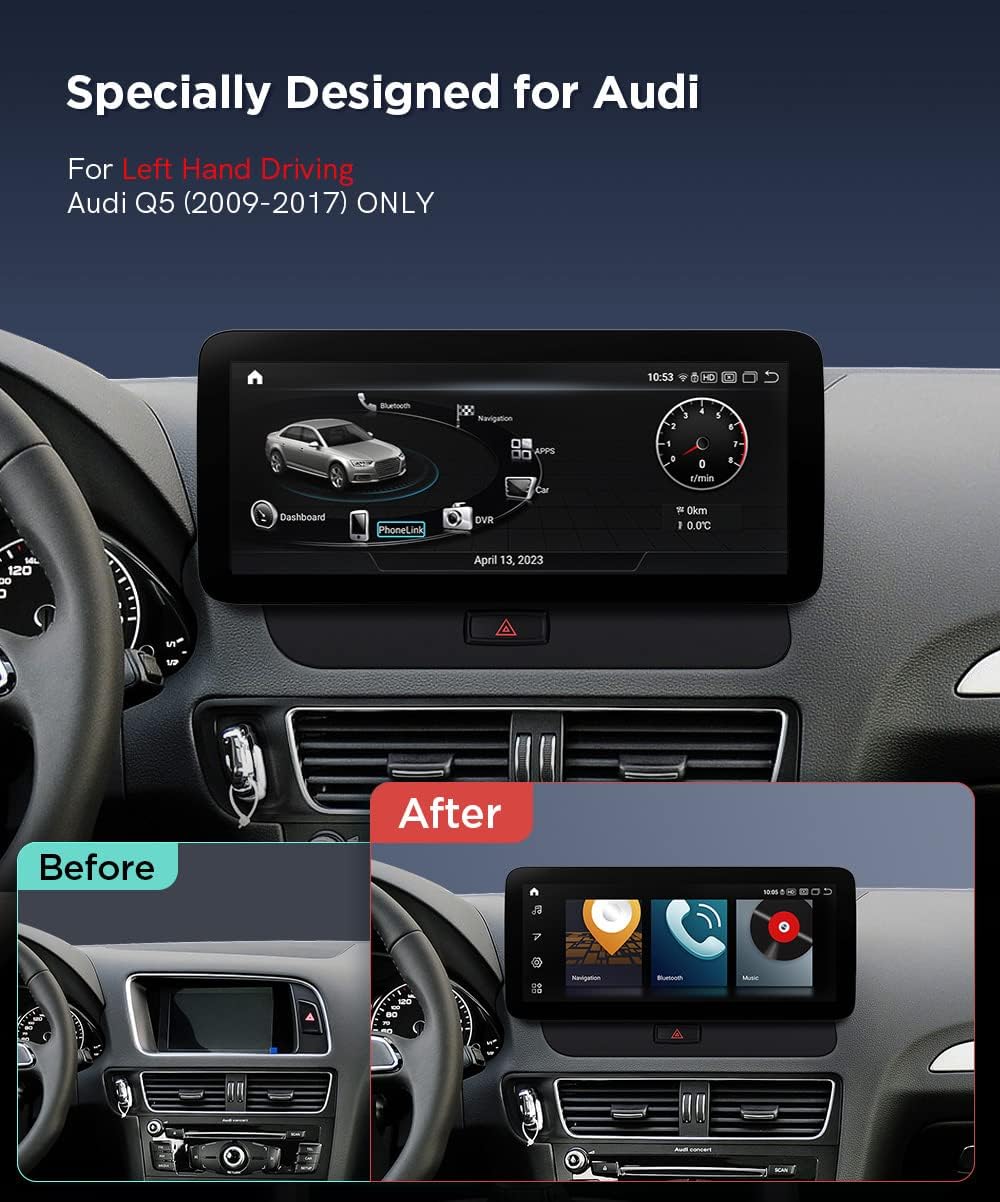
Image: A visual comparison showing the Audi Q5 dashboard before and after the installation of the XTRONS 12.3-inch screen. The top image shows the unit integrated into the dashboard, while the bottom images provide a "Before" view of the original dashboard and an "After" view with the new screen displaying a modern interface.

Image: This diagram illustrates the compatible Audi radio systems (Concert and Symphony) and incompatible systems (Multimedia, Chorus, CD Changer). It also provides important notes regarding AMI cable connection for sound and specific model compatibility for Right Hand Drive vehicles or those with Audi Multimedia systems.
Package Contents (Accessories)
Before beginning installation, please verify that all components listed below are present in your package:
- 1 × ISO Wiring Harness
- 1 × Mini Speaker
- 1 × Audio Cable
- 1 × USB/LVDS Cable
- 1 × GPS Antenna
- 1 × 4G Antenna
- 1 × Emergency Light Cable
- 8 × Screws
- 1 × Installation Frame
- 1 × MMI Controller
- 1 × AMI Cable
- 1 × Fix Mount
- 1 × Installation Instructions (separate document)
- 1 × User Manual (this document)

Image: A comprehensive view of the XTRONS unit's rear connections and all included wiring harnesses and accessories. Each component is numbered and labeled, providing a clear guide for connecting the system within the vehicle.

Image: This image displays the dimensions of the XTRONS unit and its installation frame, along with a visual representation of all included accessories such as the ISO Wiring Harness, Mini Speaker, Audio Cable, USB/LVDS Cable, GPS Antenna, 4G Antenna, Emergency Light Cable, Screws, Installation Frame, MMI Controller, AMI Cable, Fix Mount, User Manual, and Installation Instructions.
For detailed step-by-step installation procedures, please refer to the dedicated "Installation Instructions" document provided in your package.
Operating Instructions
Display and User Interface
The unit features a 12.3-inch IPS capacitive touch screen with a resolution of 1920x720. The G+G (Glass + Glass) technology ensures high sensitivity and scratch resistance. The IPS panel provides a 178° viewing angle, reducing eye fatigue and discomfort.

Image: This visual demonstrates the superior size and clarity of the XTRONS 12.3-inch HD IPS screen compared to smaller (10.25-inch) and lower quality screens. It highlights the vibrant display and wide viewing angles.
You can customize your user experience by selecting from five different user interface themes, including a special XTRONS Q series theme and an Audi Style UI.

Image: A collage showcasing five distinct user interface themes available on the XTRONS unit, allowing users to personalize the look and feel of their car stereo display.
Smartphone Integration (CarPlay & Android Auto)
The unit features built-in Wireless Car Play and Wireless/Wired Android Auto. This allows you to seamlessly display compatible applications from your smartphone onto the large screen, enabling safer operations and access to voice commands (Siri/Google Assistant) directly from the head unit.
- Wireless Car Play: Connect your iPhone wirelessly via Bluetooth.
- Wireless Android Auto: Connect your Android phone wirelessly via Bluetooth.
- Wired Android Auto: Connect your Android phone using a USB cable.

Image: This image illustrates the Wireless CarPlay and Android Auto functionalities, showing how a smartphone's interface is mirrored on the car's display, providing access to navigation, calls, and music with voice control.
Connectivity
- Bluetooth 5.1: Enjoy stable connections and high-quality audio transmission for hands-free calls and music streaming via Qualcomm Bluetooth 5.1.
- Dual Wi-Fi Band: The unit supports both 2.4GHz and 5GHz Wi-Fi bands, offering faster speeds and more secure connections.
GPS Navigation
The system includes built-in GPS navigation. It supports popular navigation software compatible with Android OS, such as Google Maps, Sygic, and Waze.
Retained Original Car Functions
The XTRONS unit is designed to work in conjunction with your Audi Q5's existing systems, ensuring that original functions remain fully operational. These include:
- Original Amplifier System
- Original Radio
- Original CD Player
- Original Bluetooth functionality
- Backup Camera Display
- Steering Wheel Control (SWC)

Image: A series of images demonstrating that the XTRONS unit retains the functionality of the original car's amplifier system, radio, CD player, Bluetooth, backup camera display, and steering wheel controls.
Maintenance
To ensure the longevity and optimal performance of your XTRONS car touch screen, follow these general maintenance guidelines:
- Cleaning the Screen: Use a soft, lint-free cloth, slightly dampened with water or a screen-safe cleaner, to gently wipe the display. Avoid abrasive materials or harsh chemicals that could damage the screen coating.
- Dust Removal: Regularly use a soft brush or compressed air to remove dust from around the unit's edges and vents to prevent accumulation.
- Temperature Control: Avoid exposing the unit to extreme temperatures. While designed for automotive use, prolonged exposure to direct sunlight or very cold conditions can affect performance.
- Software Updates: Periodically check for software updates from XTRONS to ensure your unit has the latest features and bug fixes. Refer to the online support resources for update procedures.
Troubleshooting
This section provides solutions to common issues you might encounter with your XTRONS car touch screen.
No Sound Output
- Symptom: The unit powers on and displays content, but there is no audio from the car speakers.
- Solution: If your Audi Q5 is equipped with an AMI (Audi Music Interface) port, ensure that the provided AMI cable and Audio extension cable are correctly connected to the AMI port. This connection is crucial for audio output in some configurations.
- General Check: Verify that the volume is not muted or set too low on both the XTRONS unit and your car's original audio system. Check all wiring connections to ensure they are secure.
4G Function Not Working
- Symptom: The 4G connectivity feature does not function, even with a SIM card inserted.
- Explanation: The 4G function of this unit is designed for regions outside of the Americas (e.g., Europe, Asia). It is not supported in the US, Canada, or other American territories. This is a hardware limitation and not a malfunction.
Touch Screen Unresponsive or Inaccurate
- Solution: Ensure the screen is clean and free of debris. Try restarting the unit by turning off your vehicle's ignition and then restarting it. If the issue persists, check for any physical damage to the screen.
GPS Signal Issues
- Solution: Ensure the GPS antenna is properly installed and has a clear line of sight to the sky (e.g., mounted on the dashboard or under the windshield). Avoid placing it near metallic objects that could interfere with the signal.
Specifications
| Feature | Detail |
|---|---|
| Model Number | b18f2c88-1aca-4a1d-9a1f-8774949b9af4 |
| Brand | XTRONS |
| Operating System | Android 12 |
| Processor | Qualcomm Snapdragon 662 Octa-core |
| RAM | 8GB LPDDR4 |
| ROM | 128GB Solid State |
| GPU | Adreno 610 |
| Screen Size | 12.3 inches |
| Screen Resolution | 1920x720 |
| Screen Type | IPS Capacitive (G+G) |
| Viewing Angle | 178° |
| Bluetooth | Qualcomm Bluetooth 5.1 |
| Wi-Fi | Dual Band (2.4GHz/5GHz) |
| Connectivity Technology | Bluetooth, Wi-Fi, USB |
| Controller Type | Google Assistant, Android |
| Audio Output Mode | Stereo |
| Surround Sound Channels | 4.0 |
| Number of Channels | 4 |
Warranty and Support
Warranty Information
The XTRONS 12.3 Inch IPS Car Touch Screen comes with a 1-Year Warranty from the date of purchase. This warranty covers manufacturing defects and malfunctions under normal use. Please retain your proof of purchase for warranty claims.
For specific warranty terms and conditions, please refer to the warranty card included with your product or visit the official XTRONS website.
Customer Support
If you encounter any issues not covered in the troubleshooting section, require technical assistance, or have questions regarding your product, please contact XTRONS customer support. You can typically find contact information (email, phone, or support portal) on the official XTRONS website or through your point of purchase.
When contacting support, please have your product model number (b18f2c88-1aca-4a1d-9a1f-8774949b9af4) and purchase details readily available to expedite the process.
Ask a question about this manual
Ask about setup, troubleshooting, compatibility, parts, safety, or missing instructions. Manuals+ will review the question and use this page’s manual context to help answer it.