
Introduction
This manual provides detailed instructions for the Wipkviey T6 Drone Replacement Kit. The kit includes essential components such as propeller guards, replacement blades, a screwdriver, a rechargeable lithium battery, and a charging cable, designed to maintain and enhance your drone's performance.
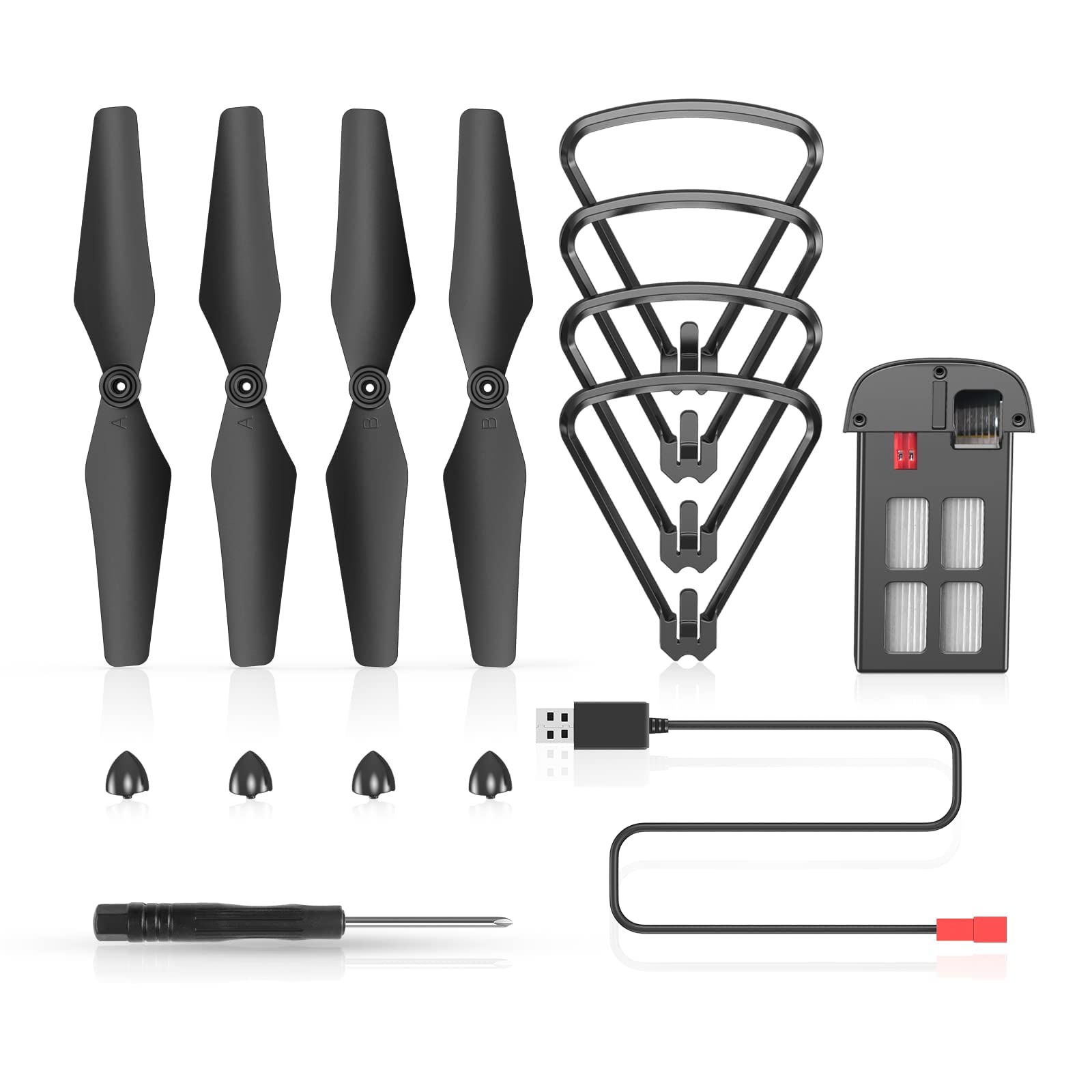
Image 1: Overview of the Wipkviey T6 Drone Replacement Kit components.
Setup and Installation
Follow these steps to correctly install the replacement parts on your drone.
1. Propeller Guard Installation
- Identify the four propeller guards. Each guard is designed to fit a specific motor arm.
- Carefully align each propeller guard with the corresponding drone arm.
- Gently snap or secure the guards into place. Ensure they are firmly attached and do not obstruct propeller movement.

Image 2: Detailed view of propeller guards and blades.
2. Replacement Blade Installation
- Before replacing blades, ensure the drone is powered off and the battery is removed.
- Using the provided screwdriver, carefully remove the screw securing the old blade to the motor.
- Remove the old blade. Note the orientation and type (A or B) of the blade.
- Select the correct replacement blade (A or B) matching the motor.
- Place the new blade onto the motor shaft, aligning the screw hole.
- Secure the new blade with a screw using the screwdriver. Do not overtighten.
- Repeat for all blades requiring replacement.
3. Battery Installation
- Locate the battery compartment on your drone.
- Insert the 3.7V 600mAh modular lithium battery into the compartment, ensuring the connectors align correctly.
- Gently push the battery until it clicks into place or is securely seated.
Operating Instructions
Battery Charging
To ensure optimal performance and battery longevity, follow these charging guidelines:
- Connect the provided charging cable to the battery.
- Plug the other end of the charging cable into a suitable USB power source (e.g., computer USB port, USB wall adapter).
- The battery has a capacity of 3.7V / 600mAh. The approximate charging time is 40 minutes.
- Charging Indicator: When the LED on the charging cable or battery is continuously lit, the battery is charging. If the LED is off, the battery is fully charged.
- Once fully charged, disconnect the battery from the charging cable and power source.
A fully charged battery provides approximately 10 minutes of operating time for the drone.
Maintenance
Regular maintenance helps prolong the life of your drone accessories.
- Cleaning: Periodically clean propeller guards and blades with a soft, dry cloth to remove dust and debris.
- Inspection: Before each flight, inspect propeller blades for any cracks, bends, or damage. Replace damaged blades immediately. Check propeller guards for secure attachment and integrity.
- Battery Care: Store the battery in a cool, dry place away from direct sunlight and extreme temperatures. Do not overcharge or completely discharge the battery.
Troubleshooting
This section addresses common issues you might encounter.
- Drone not flying stably after blade replacement: Ensure all blades are installed correctly according to their A/B markings and are securely fastened. Check for any bent blades.
- Battery not charging: Verify that the charging cable is properly connected to both the battery and the USB power source. Ensure the USB power source is active. Check the charging indicator LED.
- Propeller guard loose: Re-attach the propeller guard firmly to the drone arm. If it repeatedly comes loose, inspect for damage to the guard or the drone's attachment points.
Specifications
| Product Name | Wipkviey T6 Drone Replacement Kit |
| Model Number | T6 (Manufacturer Reference: 001) |
| Kit Contents | 4 Propeller Guards, 4 Replacement Blades, 1 Screwdriver, 1 Rechargeable Lithium Battery, 1 Charging Cable |
| Battery Type | Modular Lithium-ion |
| Battery Capacity | 3.7V / 600mAh |
| Charging Time | Approximately 40 minutes |
| Operating Time (per battery) | Approximately 10 minutes |
| Material | Acrylonitrile Butadiene Styrene (ABS) |
| Item Weight | 28 Grams (total kit) |
Customer Support
For any issues or questions regarding your Wipkviey T6 Drone Replacement Kit, Wipkviey customer service is available online 24 hours a day to assist you promptly.
Please refer to the official Wipkviey website or your purchase platform for contact details.