1. Introduction
Thank you for choosing the UNI-T UT390H Laser Distance Meter. This device is designed for precise distance measurements, offering high accuracy up to 50 meters. It is lightweight, easy to use, and capable of calculating distance, area, volume, and angles. This manual provides essential information for safe and effective operation, maintenance, and troubleshooting.
Package Contents:
- UNI-T UT390H Laser Distance Meter
- Fabric protective case
- Fabric lanyard
- Two 1.5V AAA batteries
2. Safety Information
Please read and understand all safety instructions before using the device. Failure to follow these instructions may result in laser radiation exposure, electric shock, or property damage.
- Laser Radiation: This device emits Class 2 laser radiation. Do not stare into the laser beam or direct it at other people.
- Do not attempt to modify or disassemble the device. Unauthorized modifications can lead to hazardous laser radiation exposure.
- Keep the device out of reach of children.
- Do not use the device in explosive environments or near flammable materials.
- Avoid exposing the device to extreme temperatures, humidity, or direct sunlight.
- Use only the specified battery type (AAA 1.5V).
3. Product Overview
Familiarize yourself with the components of your laser distance meter.
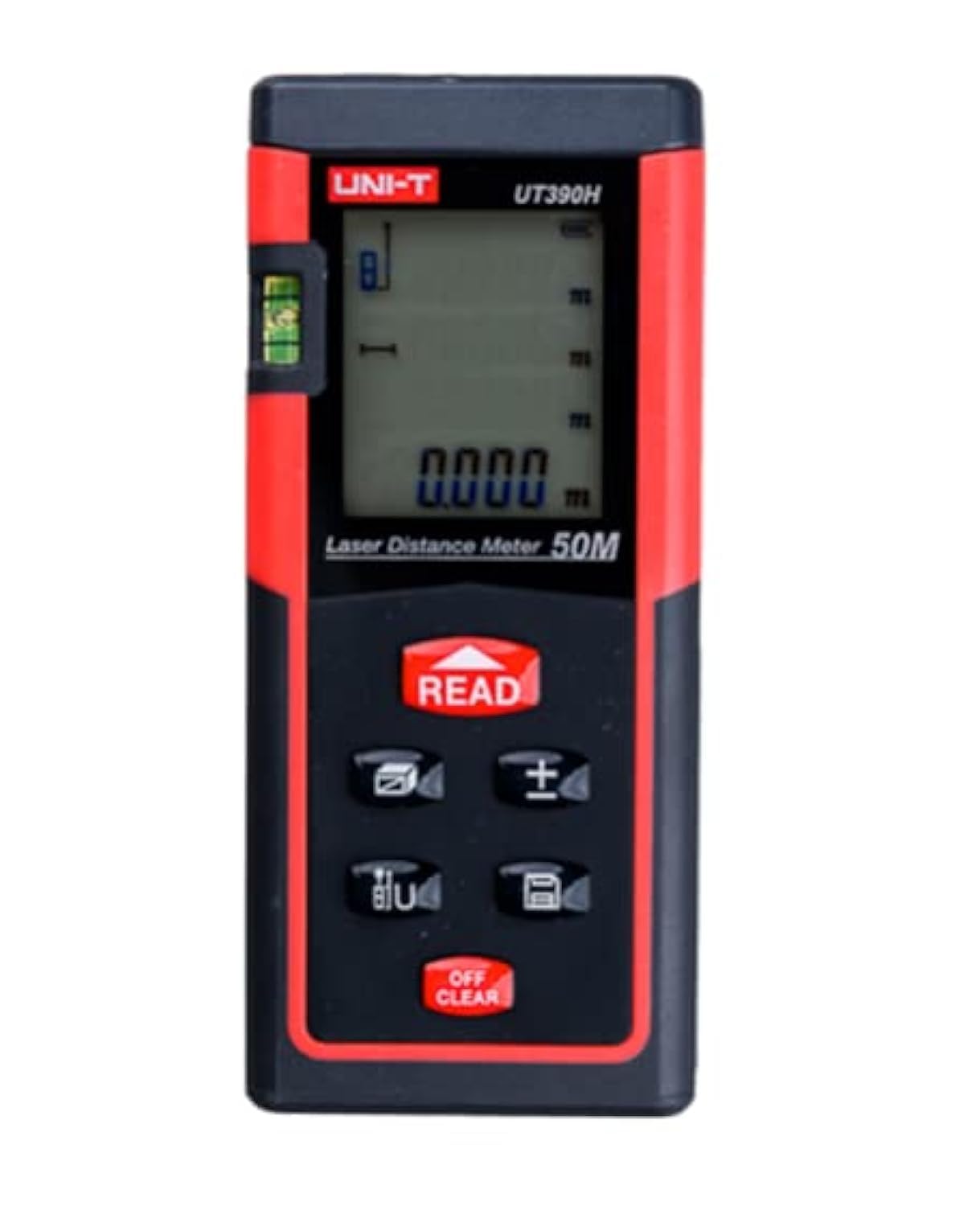
Figure 1: Front view of the UNI-T UT390H Laser Distance Meter, showing the display, control buttons, and laser aperture. The device is red and black with a digital screen.
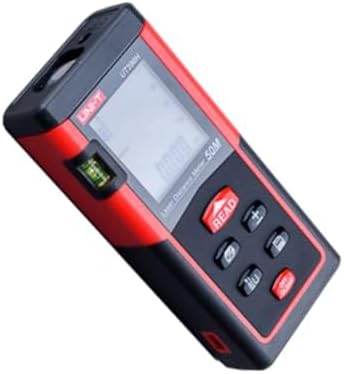
Figure 2: Angled view of the UNI-T UT390H Laser Distance Meter, highlighting the side profile and the spirit level for horizontal alignment.
Key Components:
- Laser Aperture: Emits the laser beam for measurement.
- Display Screen: Shows measurement results, mode indicators, and battery status.
- READ Button: Initiates a measurement or confirms a selection.
- +/- Buttons: Used for addition/subtraction of measurements or navigation.
- Function Button: Cycles through measurement modes (distance, area, volume, angle).
- Clear/Off Button: Clears the last measurement or turns off the device.
- Battery Compartment: Located at the rear of the device.
4. Setup
4.1 Battery Installation
- Locate the battery compartment cover on the back of the device.
- Slide or unclip the cover to open it.
- Insert two 1.5V AAA alkaline batteries, ensuring correct polarity (+/-).
- Close the battery compartment cover securely.
Note: Remove batteries if the device will not be used for an extended period to prevent leakage.
5. Operating Instructions
5.1 Power On/Off
- To turn on: Press the READ button. The laser will activate.
- To turn off: Press and hold the Clear/Off button for a few seconds.
5.2 Basic Distance Measurement
- Turn on the device.
- Point the laser at the target surface.
- Press the READ button once. The measurement will appear on the display.
5.3 Continuous Measurement (Tracking)
- Turn on the device.
- Press and hold the READ button. The device will continuously measure and display the distance as you move it.
- Release the READ button to stop continuous measurement.
5.4 Area Measurement
- Press the Function button until the area icon (usually a square) appears on the display.
- Measure the first side (e.g., length) by pressing READ.
- Measure the second side (e.g., width) by pressing READ again.
- The calculated area will be displayed.
5.5 Volume Measurement
- Press the Function button until the volume icon (usually a cube) appears.
- Measure the length by pressing READ.
- Measure the width by pressing READ.
- Measure the height by pressing READ.
- The calculated volume will be displayed.
5.6 Pythagorean Measurement (Angle)
This mode allows indirect measurement of height or distance using the Pythagorean theorem.
- Press the Function button until the Pythagorean icon appears (e.g., a triangle).
- Follow the on-screen prompts to measure the required sides (e.g., hypotenuse, base).
- The calculated indirect measurement will be displayed.
6. Maintenance
- Cleaning: Use a soft, damp cloth to clean the device. Do not use abrasive cleaners or solvents. Clean the laser lens with a soft cloth, similar to cleaning camera lenses.
- Storage: Store the device in its protective case in a cool, dry place when not in use. Avoid areas with high humidity or extreme temperatures.
- Battery Replacement: Replace batteries when the low battery indicator appears on the display.
7. Troubleshooting
| Problem | Possible Cause | Solution |
|---|---|---|
| Device does not turn on. | Low or dead batteries; incorrect battery installation. | Replace batteries with new 1.5V AAA alkaline batteries. Check battery polarity. |
| Inaccurate measurements. | Laser lens is dirty; unstable measurement surface; strong light interference. | Clean the laser lens. Ensure the device is stable. Measure in a shaded area or use a target plate if available. |
| "Error" message on display. | Measurement out of range; laser beam obstructed. | Ensure target is within 0.05m to 50m range. Check for obstructions in the laser path. |
8. Specifications
| Feature | Detail |
|---|---|
| Brand | UNI-T |
| Model | UT390H |
| Measurement Range | 0.05m - 50m |
| Measurement Functions | Distance, Area, Volume, Pythagorean (Angle) |
| Battery Type | 2 x AAA 1.5V Alkaline |
| International Protection (IP) Rating | IP54 |
| Shipping Dimensions | 17 x 11.5 x 6.5 cm |
| Weight (Shipping) | 210 grams |
9. Warranty and Support
This product comes with a standard manufacturer's warranty. For specific warranty terms, conditions, and duration, please refer to the warranty card included in your product packaging or contact the retailer where you purchased the device.
For technical support or service inquiries, please contact UNI-T customer service or your local distributor. Contact information can typically be found on the manufacturer's official website or in the product documentation.


