
Introduction
This manual provides detailed instructions for the proper use and maintenance of your summina WS-20 Wireless Guitar Transmitter Receiver Set. Please read this manual thoroughly before operating the device to ensure optimal performance and longevity. The WS-20 system offers a reliable 2.4G wireless connection for electronic musical instruments such as electric guitars and basses.
Package Contents
Verify that all items listed below are included in your package:
- 1 x WS-20 Wireless Transmitter
- 1 x WS-20 Wireless Receiver
- 1 x USB Charging Cable
- 1 x User Manual (this document)
Product Features
The summina WS-20 Wireless Guitar Transmitter Receiver Set includes the following key features:
- Audio transmitter and receiver set designed for electronic musical instruments like guitar and bass.
- Supports up to 6 sets of devices operating simultaneously, with one-to-one pairing.
- Built-in 1100mAh rechargeable lithium battery for extended operating hours.
- USB port for convenient charging.
- 2.4G uncompressed wireless transmission for ultra-short delay.
- Transmission range of approximately 30 meters (without obstacles).
- 180° rotatable 1/4 inch plug, compatible with instruments featuring input jacks in various positions.
Setup
1. Charging the Devices
Before initial use, fully charge both the transmitter and receiver. Use the provided USB charging cable to connect the devices to a USB power adapter (not included) or a computer's USB port.

Image: The WS-20 transmitter and receiver units, highlighting the USB charging port and the red/blue LED indicators for connection and battery status. The red light indicates connection, and the blue light indicates battery level.
During charging, the battery indicator light will show charging status. Once fully charged, the light will change or turn off depending on the device's design. A full charge ensures maximum operating time.
2. Connecting to Instrument and Amplifier
The WS-20 features a 180° rotatable 1/4 inch plug, allowing it to fit various instrument jack positions.

Image: A diagram illustrating the 180-degree rotatable 1/4 inch plug, demonstrating its flexibility for different instrument input jack orientations.
- Transmitter Connection: Plug the WS-20 transmitter into the 1/4 inch output jack of your electric guitar, bass, or other electronic musical instrument. Adjust the plug angle as needed.
- Receiver Connection: Plug the WS-20 receiver into the 1/4 inch input jack of your amplifier, mixer, or audio interface.
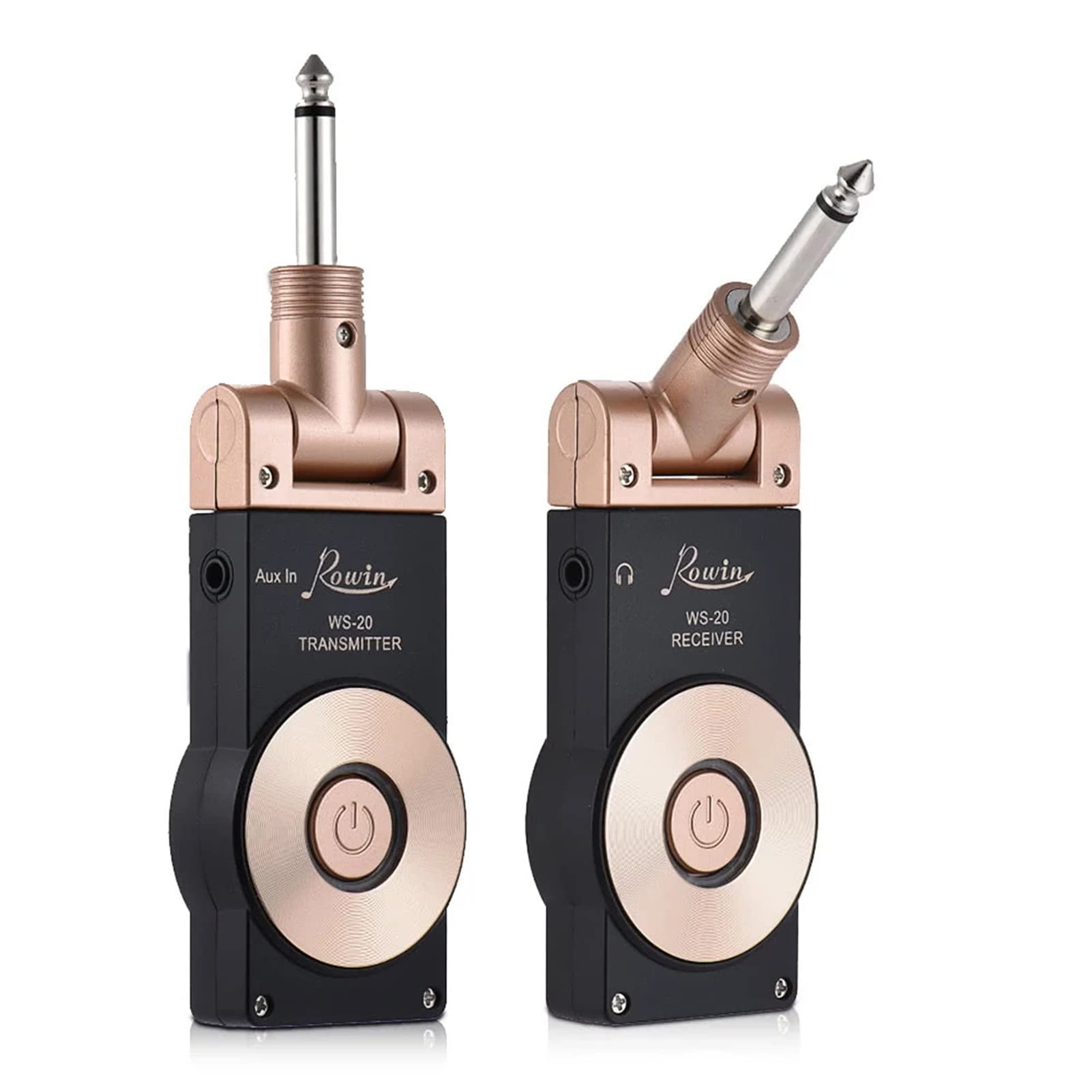
Image: The WS-20 transmitter unit plugged into the output jack of an electric guitar, ready for use.

Image: The WS-20 transmitter unit plugged into the output jack of a bass guitar, demonstrating its compatibility with various instruments.
Operating Instructions
1. Powering On/Off
- To power on, press and hold the power button on both the transmitter and receiver until the indicator light illuminates.
- To power off, press and hold the power button on both units until the indicator light turns off.
2. Automatic Pairing
The WS-20 units are designed for automatic pairing. Once both the transmitter and receiver are powered on, they will automatically search for and connect to each other. The connection indicator light will confirm successful pairing.
3. Multiple Sets Operation
The WS-20 system supports up to 6 sets of devices working simultaneously in a one-to-one configuration. This means each transmitter pairs exclusively with its corresponding receiver. Ensure that each set is powered on sequentially or in separate areas to avoid initial interference during pairing, though the system is designed to manage multiple connections.
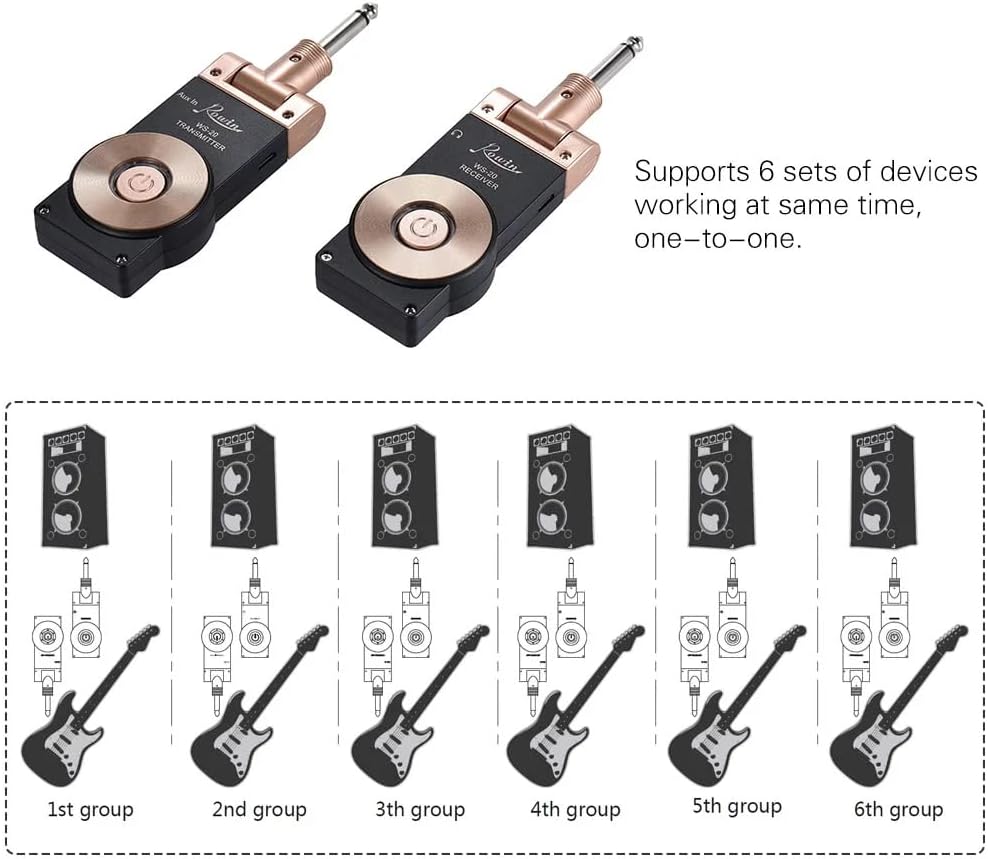
Image: A visual representation of six distinct WS-20 transmitter and receiver pairs, each connected to an instrument and an amplifier, demonstrating the system's capability to support multiple simultaneous setups.
4. Usage Tips
- For optimal performance, maintain a clear line of sight between the transmitter and receiver.
- Avoid placing the receiver near other wireless devices or strong electromagnetic interference sources.
- Monitor the battery indicator lights to ensure sufficient power during use.
Maintenance
1. Cleaning
Wipe the devices with a soft, dry cloth. Do not use liquid cleaners, aerosols, or solvents, as these may damage the finish or internal components.
2. Battery Care
- To prolong battery life, avoid fully discharging the battery frequently.
- If storing the devices for an extended period, charge them to approximately 50% every few months.
- Do not expose the devices to extreme temperatures.
3. Storage
Store the transmitter and receiver in a cool, dry place away from direct sunlight and moisture when not in use.
Troubleshooting
| Problem | Possible Cause | Solution |
|---|---|---|
| No sound output. | Devices not powered on. Not paired. Low battery. Volume on instrument/amp is off. | Ensure both transmitter and receiver are powered on. Verify indicator lights show successful pairing. Charge both devices fully. Check volume settings on your instrument and amplifier. |
| Intermittent signal or static. | Interference from other wireless devices. Obstacles between units. Exceeding transmission range. | Move away from other 2.4G devices (Wi-Fi routers, other wireless systems). Ensure a clear line of sight between transmitter and receiver. Reduce the distance between the transmitter and receiver. |
| Short battery life. | Battery not fully charged. Aging battery. | Ensure devices are fully charged before use. If battery life significantly degrades, contact support for potential replacement options (if available). |
| Device not charging. | Faulty USB cable or power adapter. Damaged charging port. | Try a different USB cable and power adapter. Inspect the charging port for any visible damage. If damaged, contact support. |
Specifications
| Feature | Specification |
|---|---|
| Model | WS-20 |
| Transmission Range | Approx. 30 meters (without obstacles) |
| Dynamic Range | 105dB |
| Power Supply | Built-in 3.7V 1100mA Lithium Battery |
| Item Size (each unit) | 14 x 4.5 x 1.8 cm (5.5 x 1.8 x 0.7 inches) |
| Item Weight (each unit) | 60g (2.1oz) |
| Wireless Frequency | 2.4G |
| Plug Type | 1/4 inch (6.35mm), 180° rotatable |
Warranty and Support
Specific warranty information for the summina WS-20 Wireless Guitar Transmitter Receiver is not provided in this manual. Please refer to the product packaging or the retailer's website for warranty details.
For technical support or inquiries, please contact the retailer or manufacturer through their official channels. Contact information is typically available on the product packaging or the brand's official website.