
Introduction
This manual provides comprehensive instructions for the safe and proper installation and use of your WALI TTM-2 Fixed TV Wall Mount Bracket. Please read all instructions carefully before installation to ensure correct setup and to prevent damage or injury. Keep this manual for future reference.
Product Overview
The WALI TTM-2 is a low-profile fixed TV wall mount designed for flat and curved televisions ranging from 37 to 90 inches. It supports TVs weighing up to 165 lbs (75 kg) and is compatible with VESA mounting patterns from 150x100 mm to 600x400 mm. Its design keeps your TV just 1.1 inches from the wall, offering a sleek, integrated appearance.
Key features include automatic spring locks with quick-release cords for easy TV removal and an open architecture for improved ventilation and convenient access to cables.
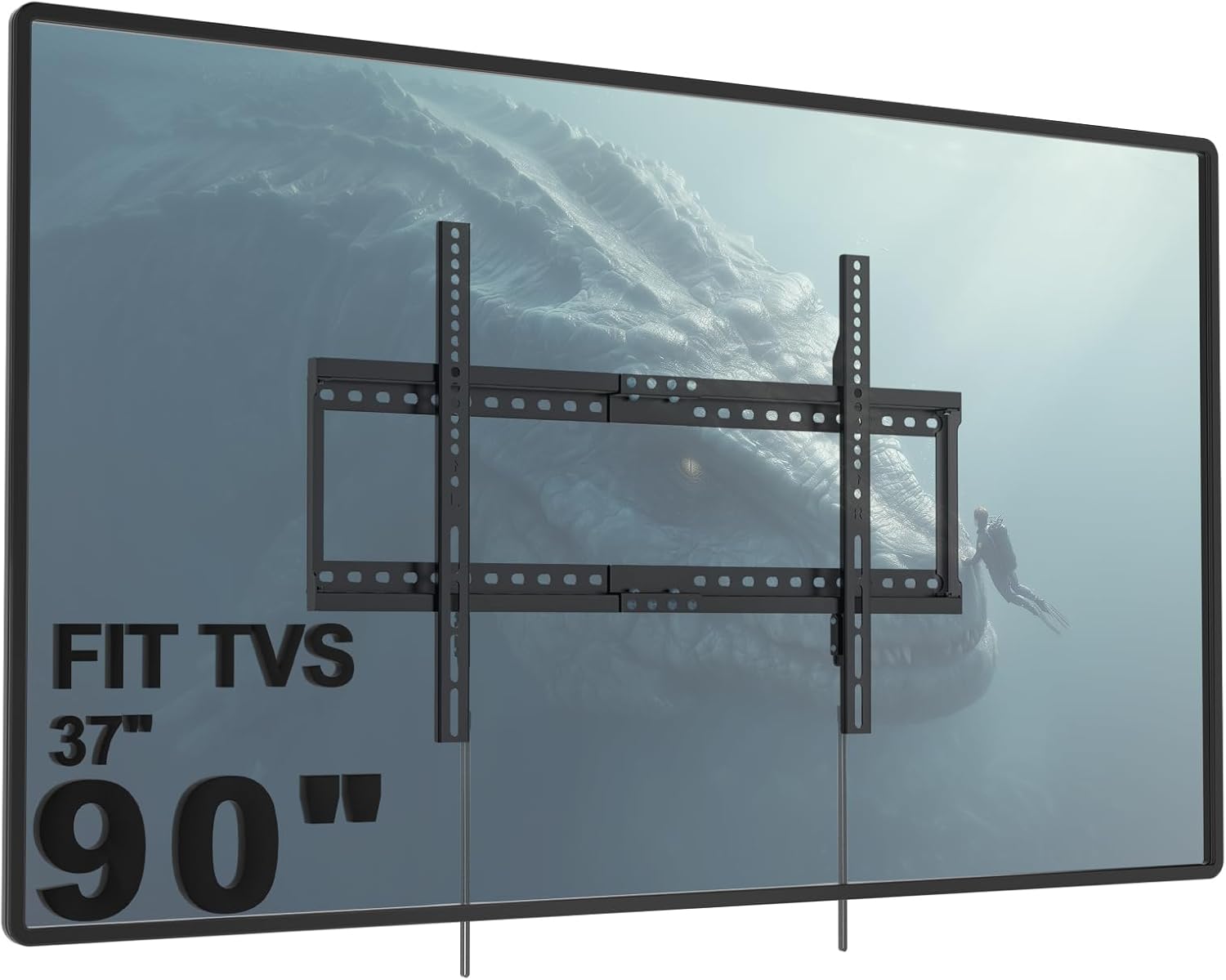
Image: WALI TTM-2 TV Wall Mount Bracket shown installed on a large flat-screen television, illustrating its low-profile design.

Image: Infographic detailing display compatibility, including maximum weight capacity (165 lbs/75 kg), mounting holes (max 600x400mm), and screen size range (37"-90").
Safety Information
- WARNING: This product is designed for use on vertical wood studs, solid concrete walls, or brick walls only. DO NOT install onto drywall alone.
- Ensure the mounting surface can safely support the combined weight of the equipment and all attached hardware.
- Always use a stud finder to locate wood studs accurately.
- Verify the VESA pattern and weight of your TV are within the mount's specifications.
- Installation should be performed by qualified personnel. If you have any doubts, consult a professional installer.
- Keep children and pets away during installation.
- Do not overtighten screws to avoid damage.
Package Contents
Verify that all components are present and undamaged before installation. If any parts are missing or defective, contact WALI customer support.
- 1 x Wall Plate (Main Mount Frame)
- 2 x TV Brackets (Vertical Rails)
- 1 x Mounting Hardware Kit (Various screws, washers, spacers, anchors)
- 1 x User Manual
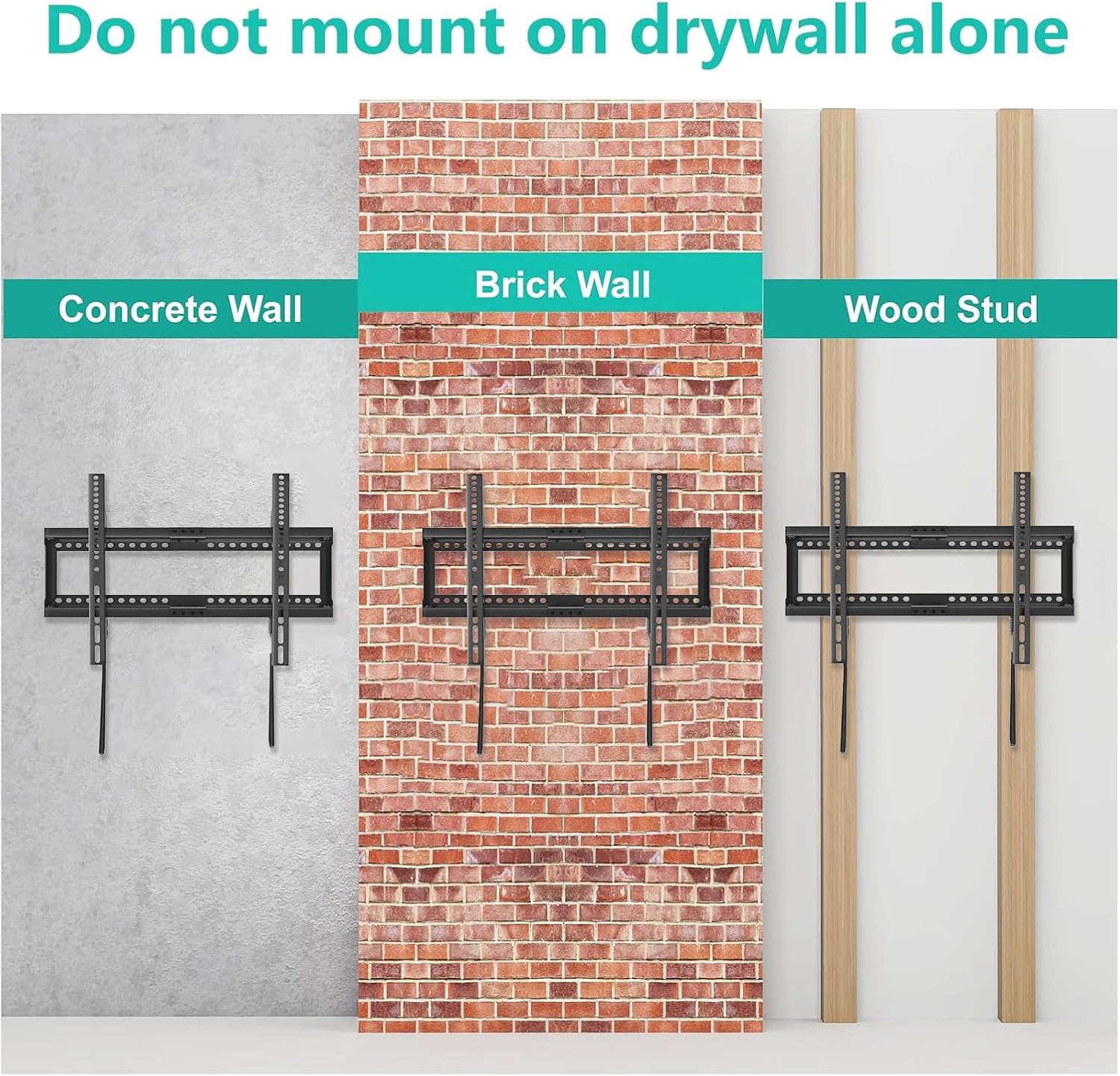
Image: Diagram showing the main wall plate and TV brackets with key dimensions, highlighting the open wall plate design for outlets and pull-ring design for convenience.
Specifications
| Model Number | TTM-2 |
| Screen Size Compatibility | 37 - 90 inches |
| Weight Capacity | 165 lbs (75 kg) |
| VESA Compatibility | 150x100mm to 600x400mm |
| Profile from Wall | 1.1 inches |
| Mounting Type | Fixed |
| Material | Metal |
Setup and Installation
Follow these steps carefully for a secure installation. It is recommended to have at least two people for TV mounting.
1. Choose Your Wall Type
This mount is suitable for:
- Wood Stud Walls: Locate the center of the studs using a stud finder.
- Solid Concrete Walls: Ensure the concrete is solid and free of cracks.
- Brick Walls: Ensure the brick is solid and mortar joints are sound.
IMPORTANT: DO NOT mount this TV bracket on drywall alone.

Image: Visual guide showing the mount installed on concrete, brick, and wood stud walls, with a clear warning not to mount on drywall alone.
2. Mount the Wall Plate
- Determine the desired height for your TV.
- Use the provided mounting template (if available) or hold the wall plate against the wall and mark the drill holes. Ensure the plate is level.
- For wood studs, drill pilot holes (recommended size: 7/32 in. or 5.5mm) into the center of the studs.
- For concrete/brick, drill pilot holes (recommended size: 3/8 in. or 10mm) and insert concrete anchors.
- Secure the wall plate to the wall using the appropriate lag bolts and washers. Tighten securely.

Image: Four-step visual guide for easy installation: 1. Attach brackets to TV, 2. Mount the wall plate to the wall, 3. Attach brackets to TV (already done in step 1), 4. Hang the TV on the bracket.
Video: Official WALI TV Wall Mount Bracket TTM-2 product video demonstrating key features and installation overview.
Video: Installation guide for a fixed TV wall mount, demonstrating the process of attaching brackets and mounting to various wall types.
3. Attach TV Brackets to Your TV
- Carefully place your TV face down on a soft, clean surface to prevent scratches.
- Align the TV brackets (vertical rails) with the VESA mounting holes on the back of your TV. Ensure the quick-release cords are accessible from the bottom.
- Select the correct screws, washers, and spacers from the hardware kit that fit your TV's mounting holes.
- Securely fasten the TV brackets to the back of your TV. Do not overtighten.
4. Hang Your TV on the Wall Plate
- With assistance, carefully lift the TV and hook the attached TV brackets onto the top edge of the wall plate.
- Gently lower the TV until the brackets engage with the bottom locking mechanism of the wall plate. You should hear a click or feel it lock into place.
- Pull the quick-release cords to ensure the TV is securely locked onto the wall plate.

Image: A large flat-screen TV mounted on a wall above a media console, showcasing the finished installation.
Operating Instructions
Removing the TV from the Wall Mount
To remove the TV from the wall mount, locate the quick-release cords hanging below the TV. Pull both cords downwards simultaneously to disengage the locking mechanism. With assistance, carefully lift the TV off the wall plate.

Image: Side view of the TV mount, illustrating the 1.1-inch distance from the wall and the quick-release cord used to easily remove the TV.

Image: Detailed view of the locking system, showing the 'lock' mechanism and the quick-release cords used to disengage it.
Maintenance
- Periodically check all screws and connections to ensure they remain tight and secure.
- Clean the mount with a soft, dry cloth. Avoid abrasive cleaners or solvents.
- Do not hang anything from the TV or the mount.
Troubleshooting
- TV not level: Ensure the wall plate was installed level. Some mounts allow for minor post-installation leveling adjustments on the TV brackets.
- TV not securely locked: Recheck that the quick-release cords are fully engaged and the TV brackets are properly seated on the wall plate.
- Mount feels unstable: Recheck all mounting screws and ensure they are tightened into solid wood studs or properly installed concrete/brick anchors. Never mount on drywall alone.
Warranty and Support
For warranty information or technical assistance, please contact WALI customer support. Experienced and friendly US-based customer support is available to assist 7 days a week.
Contact information: Visit the WALI Store on Amazon


