
Introduction
The Weiser Powerbolt 3 Electronic Deadbolt offers a secure and convenient keyless entry solution for your home or office. This single cylinder deadbolt can be locked or unlocked using the keypad or a traditional key from the outside, and a turn button from the inside. Its Matte Black finish provides a sleek and modern aesthetic.
Key Features
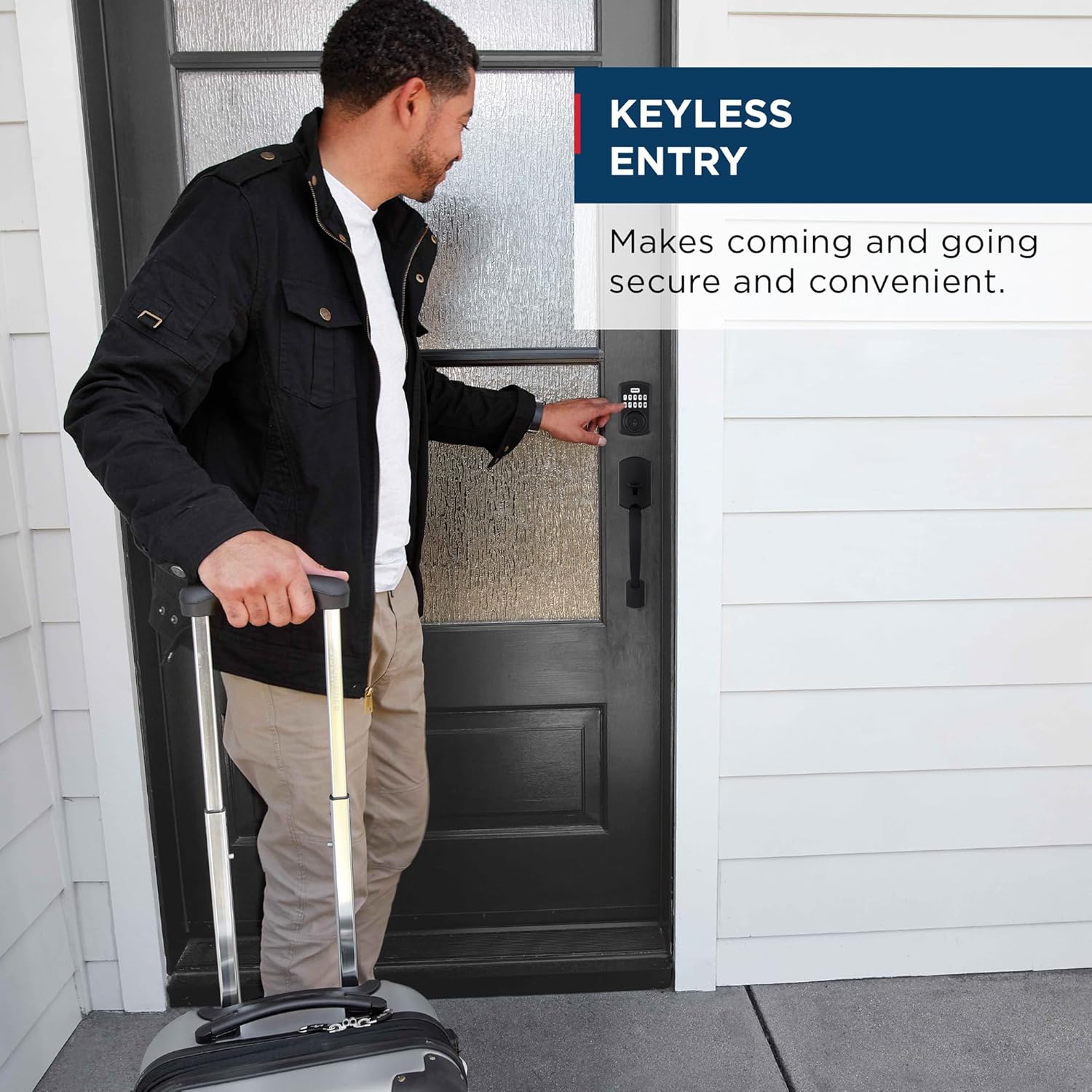
- Convenient Keyless Entry: Easily lock and unlock your door without needing physical keys.
- SmartKey Technology: Provides enhanced security against break-in techniques and allows for re-keying the lock in seconds.
- One-Touch Motorized Locking: Lock your door with a single touch.
- Optional Auto-Lock: Customizable automatic locking after 30 seconds, 1, 3, 5, or 10 minutes for added peace of mind.
- Easy Installation: Designed for simple installation with a screwdriver, supported by the BILT App for 3D video and voice guidance.
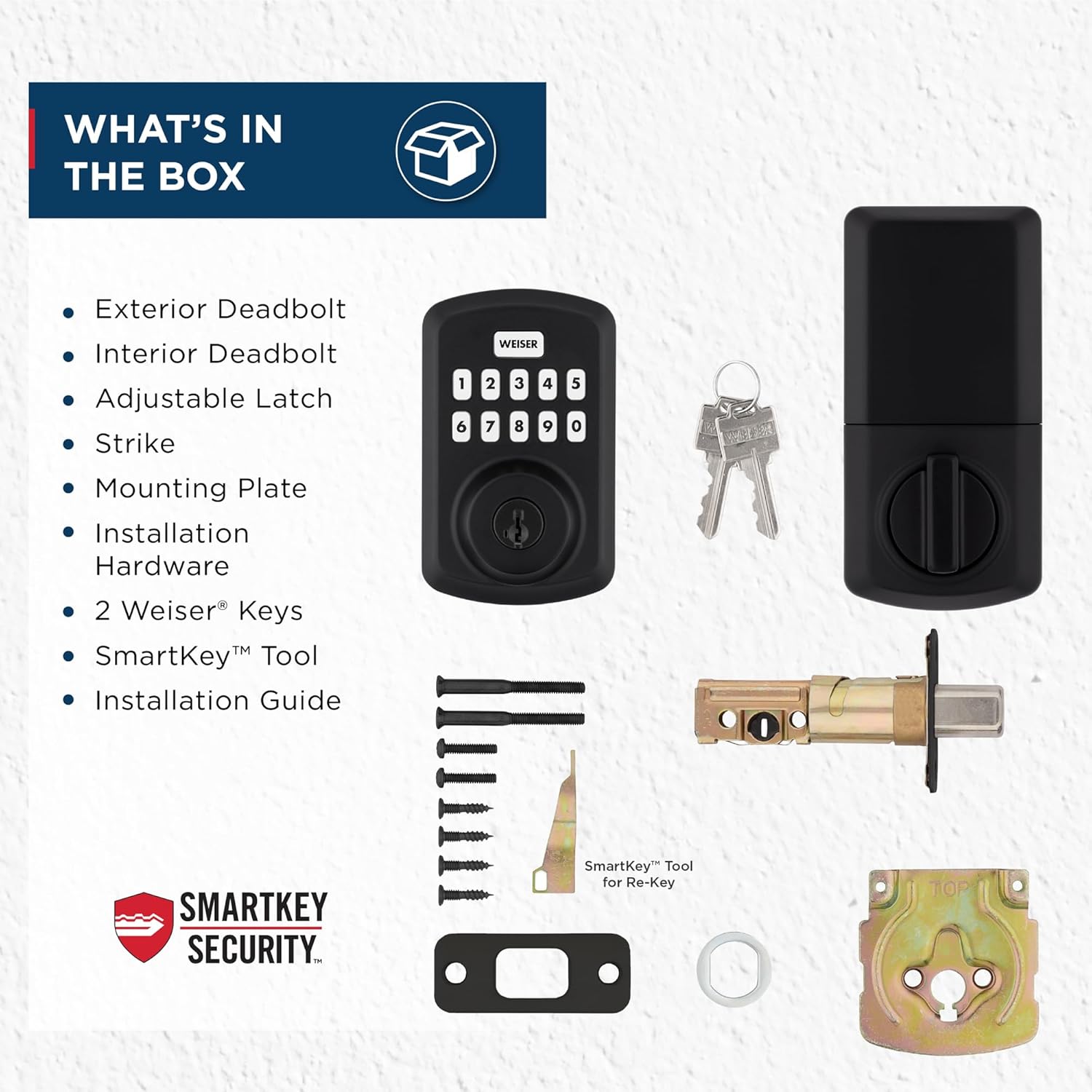
What's in the Box
Before beginning installation, please verify that all components are present in the package:
- Exterior Assembly
- Interior Assembly
- Adjustable Latch
- Strike Plate
- Mounting Plate
- Installation Hardware (Screws)
- 2 Weiser Keys
- SmartKey Tool
- Installation Guide
- Drive-in Collar
- Interior Cover

Setup and Installation
The Weiser Powerbolt 3 is designed for straightforward installation, typically requiring only a screwdriver. No hard wiring is needed.
Door Preparation
- Cross Bore Hole: Ensure your door has a 1-1/2" or 2-1/8" diameter cross bore hole.
- Door Thickness: The lock is compatible with door thicknesses ranging from 1-3/8" to 1-3/4" (standard).
- Adjustable Latch Backset: The latch is adjustable for 2-3/8" or 2-3/4" backsets.

Installation Steps
- Install the latch into the door edge.
- Install the exterior assembly, ensuring the cable is routed correctly.
- Install the interior mounting plate.
- Connect the cable and install the interior assembly.
- Install the interior cover.
- Perform the door handing process (automatic or manual, as per the installation guide).
For detailed, step-by-step 3D video and voice installation support, it is highly recommended to use the BILT App.
Operating Instructions
Keyless Entry
The keypad allows for convenient entry without a traditional key. Simply enter your programmed user code on the keypad to unlock the deadbolt.

Code Management
The Powerbolt 3 supports up to 25 unique user codes and 5 one-time user codes. Refer to the installation guide for instructions on how to add, delete, or modify user codes.

Auto-Lock Feature
For enhanced security and peace of mind, the deadbolt can be configured to automatically lock after a set period. The available auto-lock intervals are 30 seconds, 1 minute, 3 minutes, 5 minutes, and 10 minutes.
Low Light Code Entry
The keypad features bright LED backlighting, making it easy to enter codes even in low-light conditions.

Maintenance
SmartKey Re-Keying
The SmartKey Security feature allows you to re-key the lock yourself in seconds, rendering lost or unreturned keys obsolete. This process requires the SmartKey tool included in your package and an existing functioning key.
Battery Replacement
The Powerbolt 3 operates on 4 AA batteries. When the batteries are low, the lock will provide an audible and/or visual indicator. Replace all four batteries simultaneously with new, high-quality alkaline batteries for optimal performance.
Troubleshooting
Intrusion Alert
If three incorrect user codes are entered consecutively, the keypad will disable and sound an alarm. This security feature helps prevent unauthorized access.

Common Issues
- Lock not responding: Check battery levels and replace if necessary. Ensure the cable connection between the exterior and interior assemblies is secure.
- Programming difficulties: Refer to the installation guide for detailed programming steps. Ensure you are following the sequence precisely. A factory reset may be required in some cases.
- Motor issues (lock/unlock): Verify that the latch is installed correctly and moves freely. Ensure the door handing process was completed successfully.
Specifications
| Attribute | Value |
|---|---|
| Brand | Weiser |
| Model Name | Powerbolt 3 |
| Part Number | 9GED92500-005 |
| Lock Type | Deadbolt, Keypad |
| Color | Matte Black |
| Material | Metal Plastic |
| Item Dimensions (L x W x H) | 0.97 x 2.81 x 4.59 inches |
| Item Weight | 2 Pounds |
| Finish Type | Painted |
| Special Features | BHMA/ANSI Grade 3, Vacation Mode (Disable Keypad), SmartKey Technology, Auto-Lock, Motorized Locking |
| Recommended Uses | AirBnb Door, Front, Back or Side Door, Office Door, Garage Door, Shed Door |
| Batteries Required | Yes (4 x AA) |
Warranty and Support
Weiser products are designed for quality and durability. For specific warranty information, please refer to the warranty card included with your product or visit the official Weiser website. For technical assistance, troubleshooting, or to inquire about replacement parts, please contact Weiser customer support directly.
You can often find contact information and additional resources on the manufacturer's website or within the included installation guide.


