
1. Introduction
This manual provides instructions for the setup, operation, maintenance, and troubleshooting of the LG 27HQ710S-W 4K Mini-LED Monitor. This 27-inch monitor features 4K resolution, Mini-LED technology for enhanced illumination and contrast, and High Dynamic Range (HDR) support.
1.1 What's in the Box
- LG 27HQ710S-W Monitor
- Power Cable (typically included)
- Display Cables (e.g., HDMI, DisplayPort, typically included)
- Documentation (this manual, warranty card if applicable)
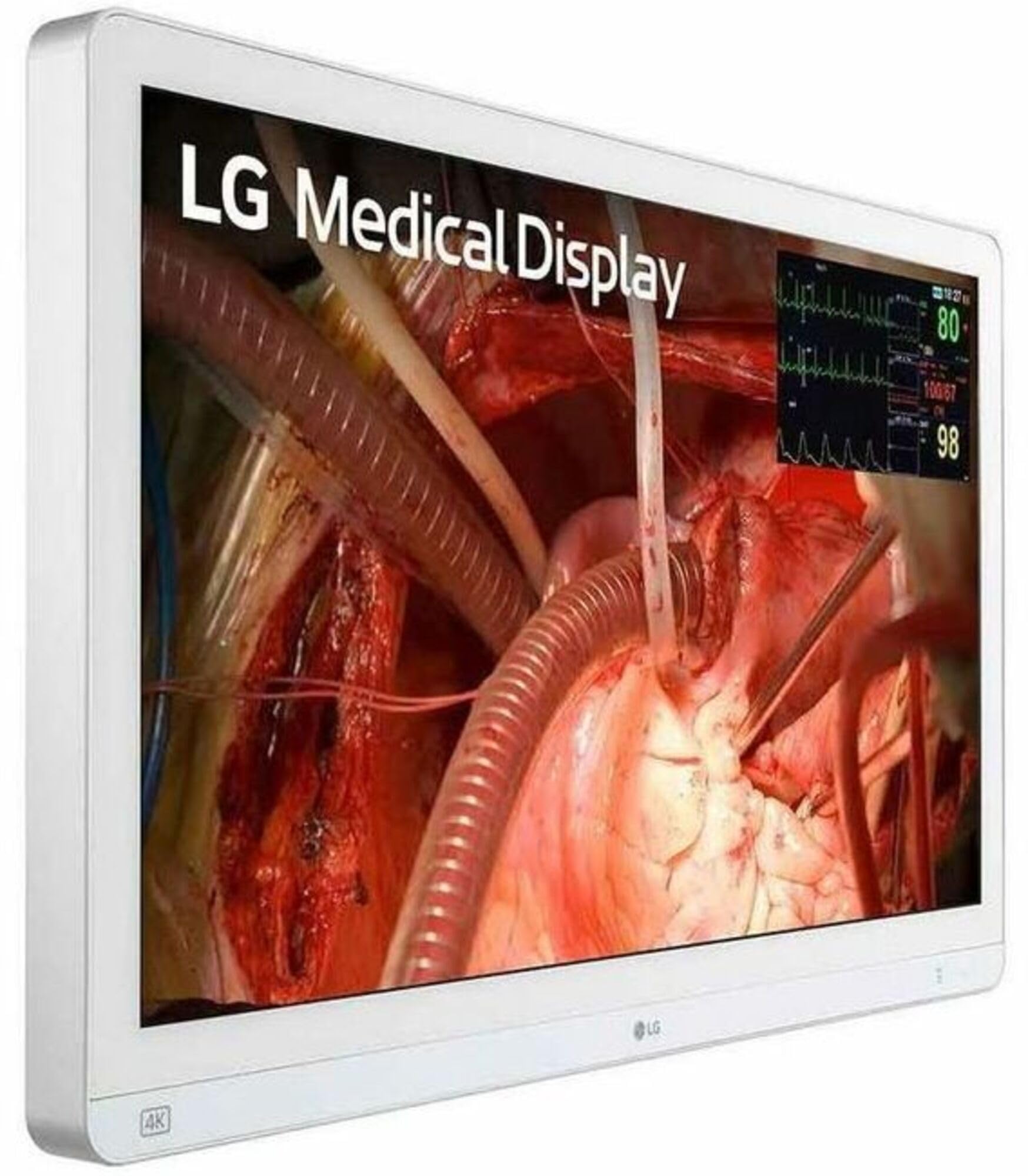
Figure 1.1: Front view of the LG 27HQ710S-W 4K Mini-LED Monitor.
2. Setup
2.1 Physical Setup
Carefully remove the monitor from its packaging. The LG 27HQ710S-W supports wall mounting. Refer to the separate wall mount installation guide for detailed instructions if you choose this option. If using the included stand, attach it securely according to the assembly instructions provided with the stand components.
2.2 Connecting to a Computer
The monitor supports HDMI and DisplayPort connectivity. Ensure your computer's graphics card supports 4K resolution at 60Hz for optimal performance.
- Connect one end of an HDMI or DisplayPort cable to the corresponding port on your computer.
- Connect the other end of the cable to an available HDMI or DisplayPort input on the back of the LG 27HQ710S-W monitor.
- Connect the power cable to the monitor's power input, then plug the other end into a grounded electrical outlet.
- Press the power button on the monitor to turn it on.
3. Operating the Monitor
3.1 Basic Operation
Upon powering on, the monitor will automatically detect the input signal. If no signal is detected, or if you wish to switch between inputs, use the monitor's on-screen display (OSD) menu. The OSD menu is typically accessed via a joystick or buttons located on the monitor's frame.
3.2 Display Settings
The OSD menu allows adjustment of various display settings:
- Brightness/Contrast: Adjust the overall luminance and contrast ratio.
- Color Settings: Modify color temperature, gamma, and individual RGB levels.
- Input Selection: Manually select between HDMI and DisplayPort inputs.
- Picture Mode: Select predefined picture modes optimized for different content types.
- Aspect Ratio: Adjust the display's aspect ratio.
- HDR: Enable or disable High Dynamic Range functionality, if supported by your content source.
- Flicker-Free: This monitor features flicker-free technology to reduce eye strain.
4. Maintenance
4.1 Cleaning the Monitor
To maintain optimal performance and appearance, clean the monitor regularly.
- Always power off the monitor and unplug the power cable before cleaning.
- Use a soft, lint-free cloth slightly dampened with water or a specialized screen cleaning solution.
- Do not spray cleaning solution directly onto the screen.
- Avoid using abrasive cleaners, solvents, or ammonia-based products, as these can damage the screen surface.
5. Troubleshooting
If you encounter issues with your LG 27HQ710S-W monitor, refer to the following common troubleshooting steps:
- No Power: Ensure the power cable is securely connected to both the monitor and a working electrical outlet. Check if the power indicator light on the monitor is on.
- No Signal/Blank Screen: Verify that the display cable (HDMI or DisplayPort) is firmly connected to both the monitor and the computer. Ensure the correct input source is selected in the monitor's OSD menu. Try restarting your computer.
- Poor Image Quality: Check the display resolution settings on your computer to ensure it is set to 3840x2160 (4K). Adjust brightness, contrast, and color settings via the OSD menu. Ensure the display cable is not damaged.
- Flickering Screen: Ensure the display cable is properly connected. Check your computer's graphics driver for updates.
- Monitor Not Detected: Ensure the monitor is powered on and connected. Update your computer's graphics drivers.
If problems persist after attempting these steps, consult the LG support website or contact customer service for further assistance.
6. Specifications
| Feature | Specification |
|---|---|
| Brand | LG |
| Model Number | 27HQ710S-W |
| Screen Size | 27 Inches |
| Resolution | 4K UHD 2160p (3840x2160) |
| Display Type | LED (Mini-LED technology) |
| Refresh Rate | 60 Hz |
| Response Time | 5 Milliseconds |
| Screen Finish | Glossy |
| Connectivity Technology | HDMI, DisplayPort |
| Total HDMI Ports | 2 |
| Additional Features | Flicker-Free, High Dynamic Range (HDR) |
| Mounting Type | Wall Mount |
| Item Weight | 35 Pounds |
7. Warranty and Support
7.1 Warranty Information
According to product specifications, this product is listed with "No Warranty". Please refer to your retailer's return policy or purchase agreement for details regarding product returns or defects. It is recommended to retain your proof of purchase.
7.2 Customer Support
For further technical assistance, driver downloads, or product information, please visit the official LG website or contact LG customer support directly. Contact information can typically be found on the LG website or on the product packaging.