
Introduction
This manual provides comprehensive instructions for the installation, setup, operation, and maintenance of your Weiser Elements Satin Nickel Keyless Entry Door Lock/Deadbolt Lock. Designed for convenience and security, this electronic deadbolt offers keyless entry and advanced features to enhance your home security.
Please read this manual thoroughly before installation and use to ensure proper function and to maximize the lifespan of your lock.
Product Overview and Key Features
The Weiser Elements Keyless Entry Deadbolt Lock combines traditional aesthetics with modern electronic security. Its key features include:
- Keyless Entry: Convenient access using a personalized code, eliminating the need for physical keys.
- User Code Management: Supports up to 12 user access codes, 2 one-time codes, and 1 master code for flexible access control.
- Dual Operation: Can be operated by both the electronic keypad and a traditional key.
- Backlit Keypad: Ensures visibility and ease of use in low-light conditions.
- One-Touch Motorized Locking: Simplifies locking with a single button press.
- Auto-Lock Feature: Customizable automatic locking after a set period (30 seconds, 1, 3, 5, or 10 minutes) for added peace of mind.
- Vacation Mode: Temporarily disables the keypad to prevent unauthorized access when you are away.
- Intrusion Alert: Activates an alarm and temporarily disables the keypad after multiple incorrect code attempts.
- BHMA/ANSI Grade 3 Certified: Meets industry standards for security, durability, and finish.
- Long Battery Life: Designed for approximately 12 months of battery life with typical use.

Image: The Weiser Elements Keyless Entry Deadbolt Lock, showing both the exterior keypad assembly and the interior battery housing and turn piece.
What's in the Box
Upon opening the package, please verify that all components are present:
- Exterior Deadbolt Assembly (Keypad)
- Interior Deadbolt Assembly (Battery Housing and Turn Piece)
- Adjustable Latch
- Strike Plate
- Mounting Plate
- Installation Hardware (Screws)
- 2 Keys
- Installation Guide / User Manual (this document)

Image: A visual representation of all components included in the Weiser Elements Keyless Entry Deadbolt Lock package, including the exterior and interior lock parts, latch, strike plate, mounting plate, screws, and keys.
Installation
The Weiser Elements Keyless Entry Deadbolt Lock is designed for simple installation, requiring only a screwdriver. No hard wiring is needed. For detailed, step-by-step instructions, please refer to the included printed installation guide.
Door Preparation Requirements:
- Cross bore hole diameter: 1-1/2 inches or 2-1/8 inches.
- Door thickness: 1-3/8 inches to 1-3/4 inches (standard).
For interactive 3D video and voice-guided installation support, the BILT App is highly recommended. Search for "Weiser Elements" within the app for specific guidance.

Image: Technical drawing showing the dimensions of the Weiser Elements Keyless Entry Deadbolt Lock, including the exterior keypad, interior assembly, and adjustable latch backset.
Setup: Programming Codes
Your Weiser Elements lock allows you to program multiple user codes for convenient access. It is crucial to set a Master Code first, which is used for programming and managing other codes, but cannot unlock the door.
Setting the Master Code:
- Open the battery cover on the interior assembly.
- Press the "Program" button once.
- Enter a new 4-8 digit Master Code.
- Press the "Lock" button (padlock icon).
- You will hear a long beep, indicating successful programming.
Adding User Codes:
You can program up to 12 unique user codes and 2 one-time user codes.
- Enter your Master Code.
- Press the "Lock" button.
- Press '1' on the keypad.
- Press the "Lock" button.
- Enter a new 4-8 digit User Code.
- Press the "Lock" button.
- A long beep confirms the code is added. Test the new user code to ensure it unlocks the door.
Deleting User Codes:
- Enter your Master Code.
- Press the "Lock" button.
- Press '2' on the keypad.
- Press the "Lock" button.
- Enter the User Code you wish to delete.
- Press the "Lock" button.
- A long beep confirms the code is deleted.

Image: Illustration demonstrating the capacity for 12 user codes and 2 one-time user codes for the Weiser Elements Keyless Entry Deadbolt Lock, highlighting its flexible access management.
Operating Instructions
Unlocking the Door:
- Using a User Code: Enter your 4-8 digit user code on the keypad. The deadbolt will retract, and you can open the door.
- Using the Key: Insert the physical key into the keyway and turn to unlock the deadbolt.
Locking the Door:
- One-Touch Locking: Press the "Lock" button (padlock icon) on the keypad. The deadbolt will extend, securing the door.
- Using the Turn Piece (Interior): From the inside, rotate the turn piece to extend the deadbolt.
- Using the Key (Exterior): Insert the physical key into the keyway and turn to lock the deadbolt.

Image: A person using the keypad for keyless entry on a door equipped with the Weiser Elements Keyless Entry Deadbolt Lock, demonstrating the convenience of code-based access.
Special Features
Auto-Lock Feature:
The Auto-Lock feature automatically locks your door after a set period of time, providing enhanced security and peace of mind. This feature can be customized or disabled.
- To Enable/Adjust Auto-Lock: Refer to your detailed installation guide for specific programming steps. Available settings include 30 seconds, 1 minute, 3 minutes, 5 minutes, and 10 minutes.

Image: A visual explanation of the Auto-Lock feature, showing how the lock can be set to automatically lock after 30 seconds, 1 minute, 3 minutes, 5 minutes, or 10 minutes.
Vacation Mode:
Vacation Mode temporarily disables the keypad, preventing any code entry. This is ideal for extended periods away from home, ensuring no one can operate the lock via the keypad.
- To Activate/Deactivate Vacation Mode: Consult your installation guide for the specific sequence using your Master Code.
Intrusion Alert:
The lock features an intrusion alert system. If 3 consecutive incorrect user code attempts are made, the keypad will be disabled for 1 minute, and an alarm will sound. This deters unauthorized access attempts.
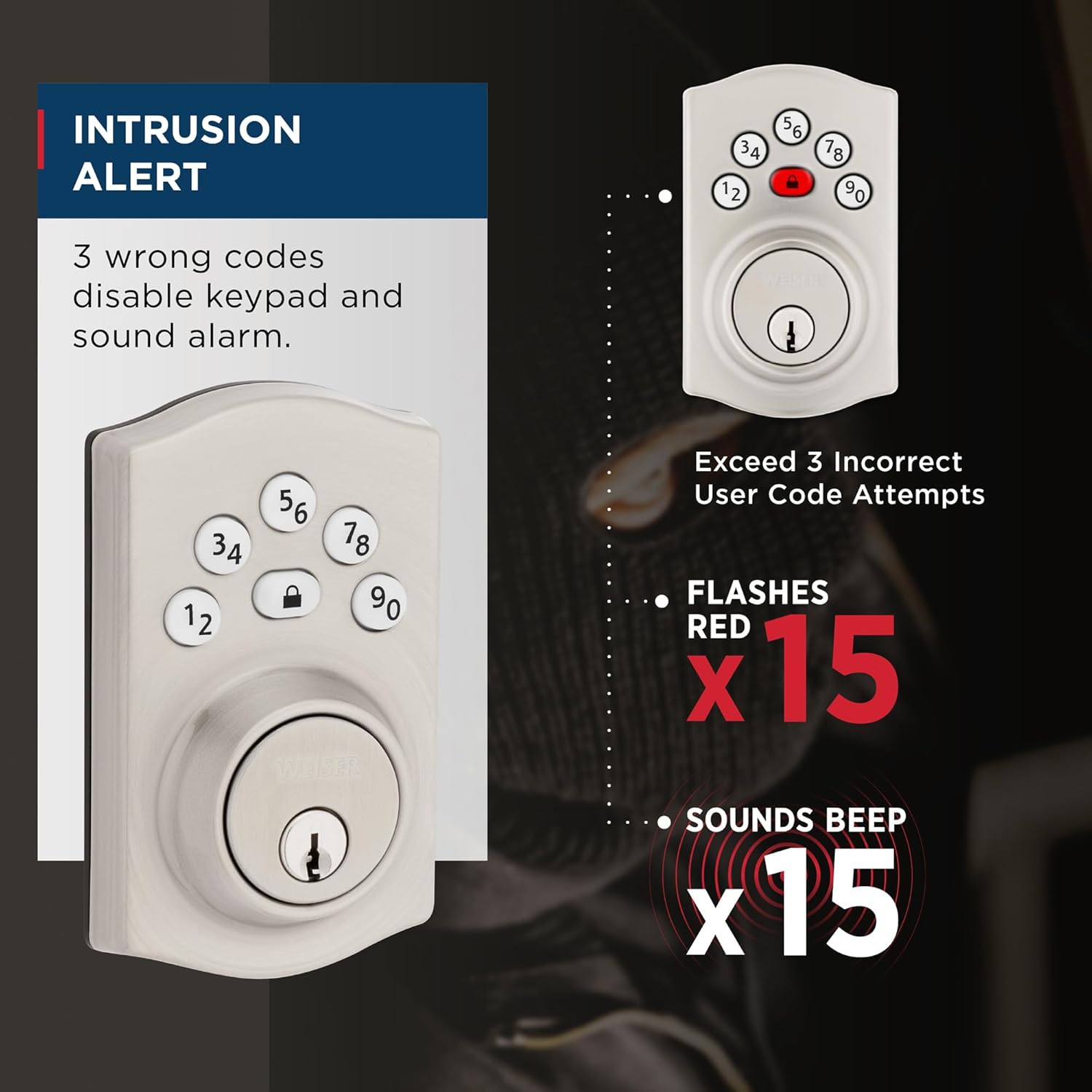
Image: Diagram illustrating the Intrusion Alert feature, showing the keypad flashing red 15 times and sounding 15 beeps after 3 incorrect code attempts.
Easy Low Light Code Entry:
The keypad features bright LED lights that illuminate the numbers, making it easy to enter your code even in complete darkness. Simply touch any key to activate the backlight.
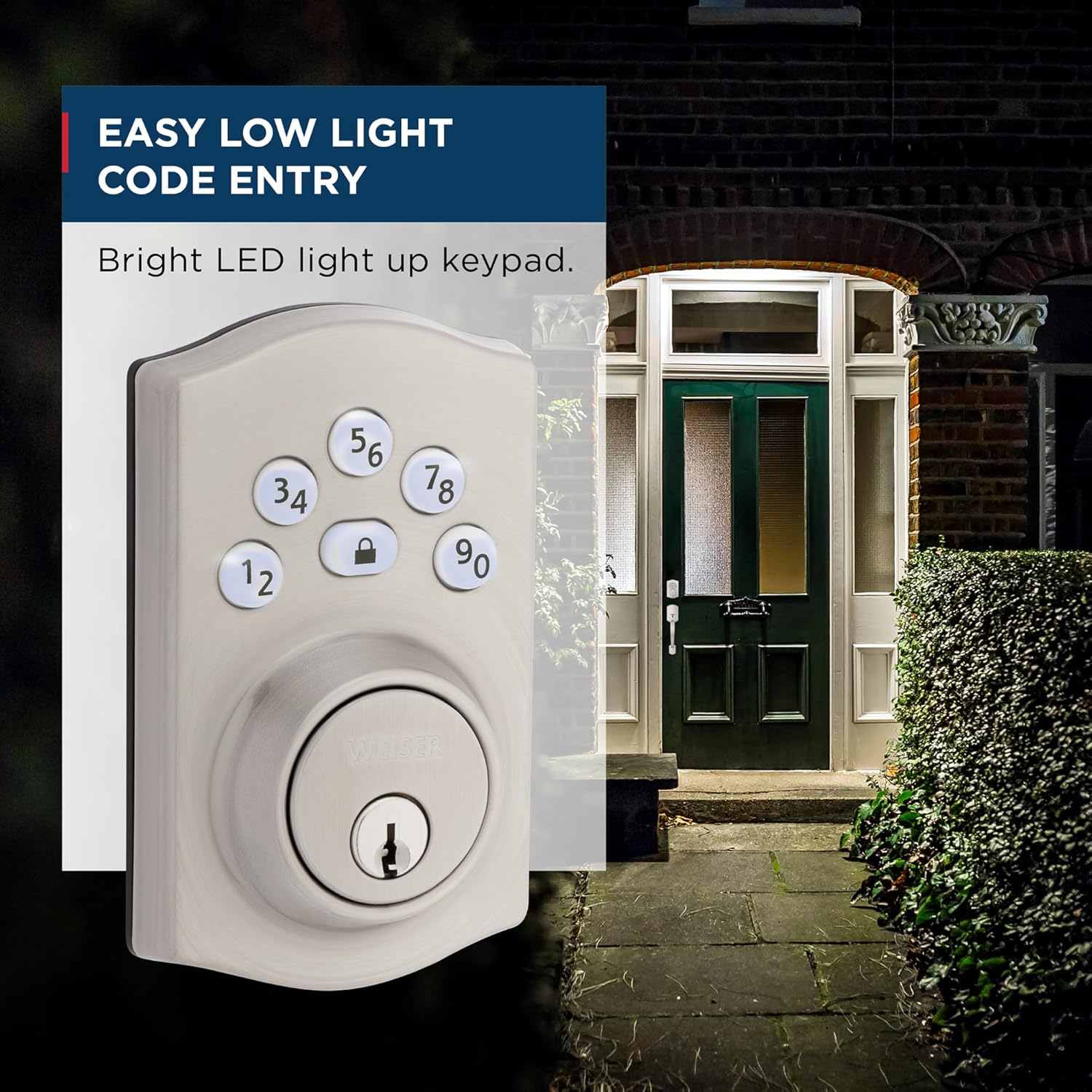
Image: A depiction of the Weiser Elements Keyless Entry Deadbolt Lock's keypad illuminated at night, demonstrating its ease of use in low-light conditions.
Maintenance
Cleaning:
To maintain the finish of your lock, clean it with a soft, damp cloth. Avoid abrasive cleaners, solvents, or harsh chemicals, as these can damage the finish and electronic components.
Battery Replacement:
The lock operates on 4x AA alkaline batteries (not included). When the batteries are low, the lock will provide an audible and visual low battery warning. Replace all four batteries simultaneously with new, high-quality alkaline batteries. Do not mix old and new batteries or different battery types.
Expected battery life is approximately 12 months under normal usage conditions.
Troubleshooting
| Problem | Possible Cause | Solution |
|---|---|---|
| Lock does not respond to keypad entry. | Low batteries; incorrect code entered; keypad disabled (Vacation Mode or Intrusion Alert). | Replace batteries; ensure correct code is entered; check if Vacation Mode is active; wait 1 minute if Intrusion Alert was triggered. |
| Deadbolt does not extend/retract fully. | Misalignment of lock components; door frame strike plate misalignment. | Check installation for proper alignment; adjust strike plate if necessary. Ensure door closes smoothly. |
| Low battery warning persists after battery replacement. | Batteries not inserted correctly; poor quality batteries. | Re-insert batteries, ensuring correct polarity; use new, high-quality alkaline batteries. |
| Cannot program new codes. | Incorrect Master Code; programming sequence error. | Verify Master Code; follow programming steps precisely as outlined in the "Setup" section. |
If you encounter issues not listed here or if the suggested solutions do not resolve the problem, please contact Weiser customer support.
Specifications
| Attribute | Detail |
|---|---|
| Model Number | 9GED92400-003 |
| Colour | Satin Nickel |
| Style | Traditional |
| Finish | Brushed |
| Material | Metal, Plastic |
| Product Dimensions (L x W x H) | 2.46 x 7.14 x 11.66 cm (0.97 x 2.81 x 4.59 inches) |
| Item Weight | 710 g (1.56 lbs) |
| Door Thickness Compatibility | 1-3/8" to 1-3/4" |
| Cross Bore Hole Diameter | 1-1/2" or 2-1/8" |
| Battery Type | 4x AA Alkaline Batteries (not included) |
| Certifications | BHMA/ANSI Grade 3 |
| Lock Type | Keypad, Pin Tumbler |
| Recommended Uses | Front, Back, Side, Garage, Office, Shed Doors |

Image: Examples of where the Weiser Elements Keyless Entry Deadbolt Lock can be used, including entry doors, shed doors, side doors, and garage doors.
Warranty and Support
Your Weiser Elements Keyless Entry Deadbolt Lock comes with the following warranties:
- 1-Year Limited Electronics Warranty: Covers electronic components against defects in material and workmanship.
- Lifetime Limited Mechanical & Finish Warranty: Covers the mechanical components and the finish of the lock for the lifetime of the original residential user.
For warranty claims, technical assistance, or further inquiries, please contact Weiser customer support. Visit the official Weiser website for contact information and additional resources: www.weiserlock.com


