

1. Setup and Installation
Proper setup is crucial for the safe and efficient operation of your new Samsung electric dryer. Please follow these instructions carefully.
1.1 Unpacking
Carefully remove all packaging materials, including the shipping bolts and any protective film. Ensure all accessories are present. Keep packaging for future transport if needed.
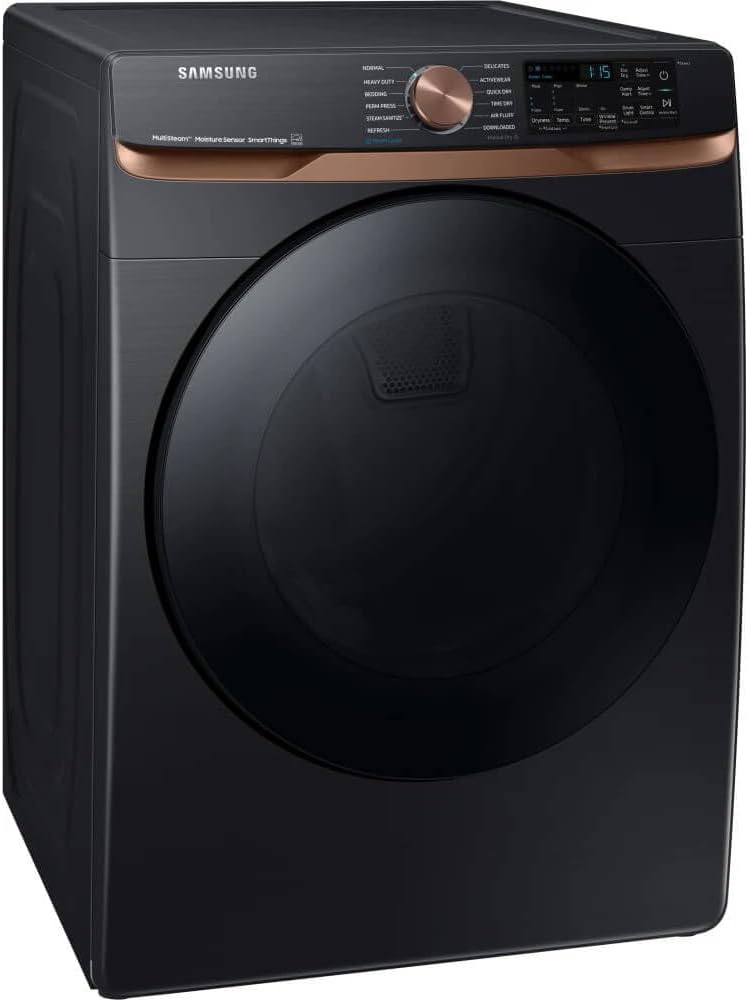
An angled view of the Samsung dryer, highlighting its large capacity drum and modern aesthetic.
1.2 Installation Requirements
- Location: Install the dryer on a level surface in a well-ventilated area, away from direct sunlight or heat sources.
- Electrical: Requires a dedicated 240V, 30A electrical circuit. Consult a qualified electrician for proper wiring.
- Ventilation: Ensure proper exhaust venting to the outside. Use rigid metal ducting for optimal performance and safety.
- Water (for Steam Features): A cold water supply line with a shut-off valve is required for the Steam Sanitize+ and Steam Refresh functions.
1.3 Connecting to Utilities
Connect the power cord to the appropriate electrical outlet. Securely attach the exhaust duct to the dryer and vent to the exterior. For steam functions, connect the cold water supply hose to the dryer's water inlet valve.
2. Operating Instructions
This section provides detailed instructions on how to use your Samsung Smart Electric Dryer's various features and cycles.
2.1 Control Panel Overview
The intuitive control panel features a central cycle selector dial and a digital display for settings and status. The dial allows you to choose from various drying programs, while the touch buttons enable customization of dryness level, temperature, and other options.

A detailed view of the dryer's control panel, showing the cycle selection dial, digital display, and various setting buttons.
2.2 Selecting a Drying Cycle
Turn the cycle selector dial to choose the desired drying program. The digital display will show the selected cycle and its default settings. Available cycles include:
- Normal: For cottons and linens.
- Heavy Duty: For heavy fabrics.
- Super Speed: Fast and effective drying.
- Small Load: Optimized for smaller loads.
- Delicates: Gentle drying for delicate items.
- Steam Sanitize+: Uses steam and high heat to sanitize items.
- Wrinkle Away: Reduces wrinkles with steam.
- Steam Refresh: Refreshes clothes with steam in 15 minutes.
- Towels: Keeps towels fluffy.
- Bedding: For bed sheets and light duvets.
- Activewear: For training and gym wear.
- Perm Press: For synthetic fabrics.
- Air Fluff: Dries without heat.
- Downloaded: Custom cycles downloaded via SmartThings.
- Manual Dry: Allows manual setting of time and temperature.
2.3 Customizing Settings
After selecting a cycle, you can adjust the following settings using the corresponding buttons on the control panel:
- Dryness: Adjust the level of dryness (e.g., More Dry, Normal Dry, Less Dry).
- Temp: Select the drying temperature (e.g., High, Medium, Low, Extra Low).
- Time: For Manual Dry cycles, set the specific drying time.
- Options: Access additional features like Damp Alert, Wrinkle Prevent, or Drum Light.
Press the Start/Pause button to begin the drying cycle.
2.4 SmartThings Connectivity
Your Samsung Smart Electric Dryer can connect to the SmartThings app via Wi-Fi. This allows you to:
- Monitor cycle status and remaining time from your smartphone.
- Receive notifications when a cycle is complete.
- Remotely start or pause drying cycles.
- Downloaded specialized drying cycles.
- Access troubleshooting tips and smart care features.
Refer to the SmartThings app's in-app guide for detailed setup and usage instructions.
3. Maintenance
Regular maintenance ensures optimal performance and extends the lifespan of your dryer.
3.1 Cleaning the Lint Filter
Clean the lint filter before or after every load to maintain drying efficiency and prevent fire hazards. The lint filter is located inside the dryer door opening.
- Open the dryer door.
- Pull the lint filter straight out.
- Open the filter and remove any accumulated lint by hand.
- Close the filter and reinsert it firmly into its slot.
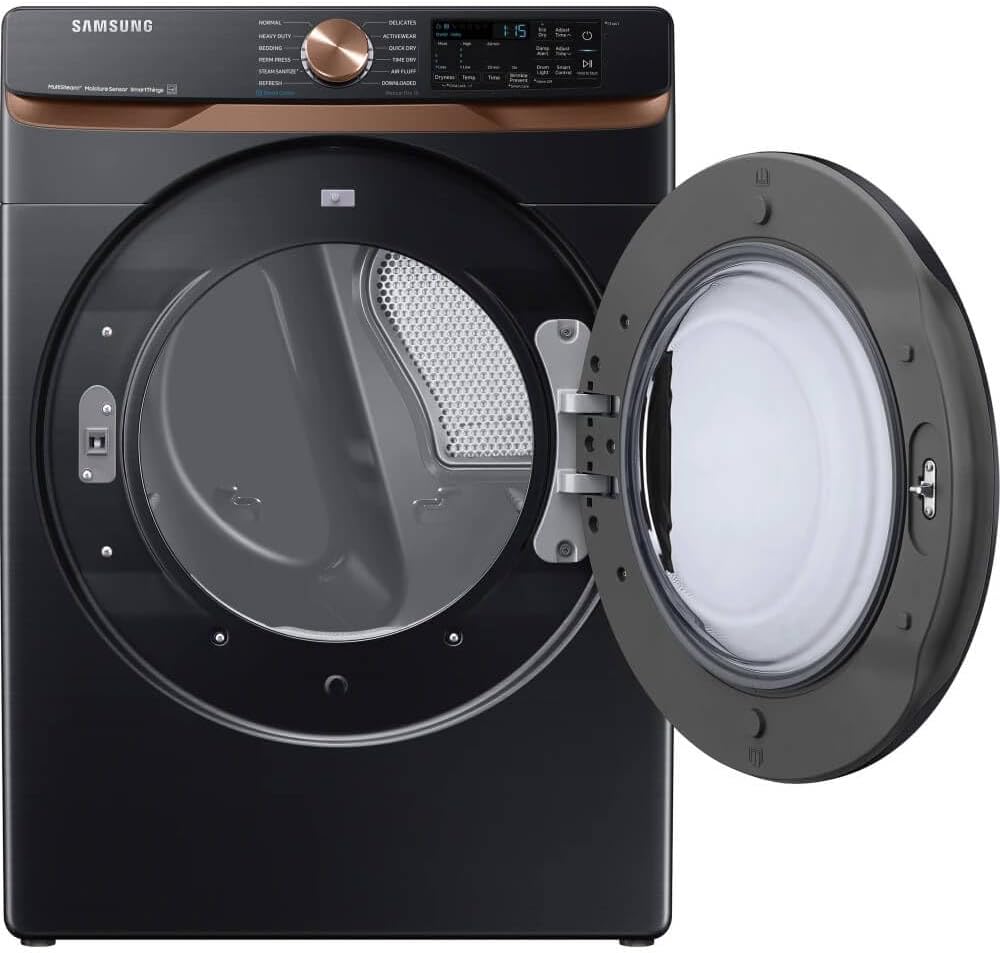
The dryer drum with the door open, revealing the lint filter slot at the bottom.
3.2 Exterior Cleaning
Wipe the exterior surfaces with a soft, damp cloth. For stubborn stains, use a mild, non-abrasive cleaner. Avoid using harsh chemicals or abrasive pads.
3.3 Interior Drum Cleaning
Occasionally, clean the interior of the dryer drum with a damp cloth and a mild detergent. Rinse thoroughly and dry with a clean cloth. Do not use abrasive cleaners or steel wool.
4. Troubleshooting
Before contacting service, review this section for solutions to common issues.
| Problem | Possible Cause | Solution |
|---|---|---|
| Dryer does not start. | Power cord unplugged; circuit breaker tripped; door not closed properly. | Ensure power cord is fully plugged in. Check circuit breaker. Close door firmly. |
| Clothes are not drying completely. | Lint filter clogged; exhaust vent blocked; overloaded dryer; incorrect cycle selected. | Clean lint filter. Check and clear exhaust vent. Reduce load size. Select appropriate cycle. |
| Dryer makes unusual noises. | Loose items in drum; dryer not level; worn parts. | Remove foreign objects. Ensure dryer is level. If noise persists, contact service. |
| Steam functions not working. | Water supply turned off; water hose kinked or clogged. | Ensure cold water supply is on. Check water hose for kinks or blockages. |
5. Specifications
Key technical specifications for the Samsung 7.5 Cu. Ft. Brushed Black Smart Electric Dryer.
| Feature | Detail |
|---|---|
| Model Name | SAMSUNG 7.5 Cu. Ft. Brushed Black Smart Electric Dryer With Steam Sanitize+ & Sensor Dry |
| Capacity | 7.5 Cubic Feet |
| Access Location | Front Load |
| Form Factor | Front Load |
| Brand | Samsung |
| Item Weight | 126 pounds |
| Product Dimensions (W x H x D) | 30 x 43 x 35 inches |
| Special Features | Steam Sanitize+, Wi-Fi Connectivity (SmartThings App), Sensor Dry |
6. Warranty and Support
For warranty information, please refer to the warranty card included with your product or visit the official Samsung website. For technical support or service inquiries, please contact Samsung Customer Support.
You can find contact details for customer support on the Samsung website or through the SmartThings app.


