1. Introduction
The BTF-LIGHTING RB4 is a 2.4G wireless touch RF remote control designed for seamless operation of FCOB SMD Chasing RGBCCT LED strip lights when paired with compatible BTF-LIGHTING controllers. This remote offers 4-zone control, allowing for individual or synchronized management of multiple LED light setups. Compatible controllers include SP530E, SP630E, SP635E, SP63AE, and SP63CE. This manual provides detailed instructions for the proper setup, operation, and maintenance of your RB4 remote control.
2. Product Overview
2.1 Remote Control Layout

Image: Front view of the BTF-LIGHTING RB4 remote control, highlighting its buttons and touch areas.
Key Features:
- ON/OFF Buttons: Power on and off the connected LED lights.
- Color Ring/Color Temperature: Touch-sensitive ring for selecting colors and adjusting color temperature (warm white to cool white).
- Brightness Adjustment: Slider to adjust light intensity from 1% to 100%.
- Zone Selection (1, 2, 3, 4): Buttons to select individual control zones.
- Mode +/-: Buttons to cycle through dynamic lighting modes.
- Speed: Adjusts the speed of dynamic lighting modes.
- ALL: Controls all paired zones simultaneously.
- Music: Activates music synchronization mode.
2.2 Dimensions

Image: Side and front view of the RB4 remote control with measurements.
Dimensions: Approximately 133.39mm (5.25in) in length, 48.39mm (1.9in) in width, and 10.35mm (0.4in) in thickness.
3. Setup
3.1 Battery Installation

Image: Diagram showing how to insert the battery into the RB4 remote control.
The RB4 remote requires a CR2032 button cell battery (not included).
- Locate the battery compartment on the back of the remote control.
- Slide open the battery cover.
- Insert the CR2032 battery with the positive (+) side facing up.
- Close the battery cover securely.
3.2 Pairing the Remote Control with a Controller
To control your LED strip lights, the RB4 remote must be paired with a compatible BTF-LIGHTING controller (e.g., SP530E, SP630E).

Image: Diagram illustrating the short and long press functions for ON/OFF and ALL buttons, including binding and unbinding procedures.
Binding (Pairing):
- Ensure the LED controller is powered off.
- Power on the LED controller.
- Within 20 seconds of powering on the controller, long press the ON button on the RB4 remote control.
- The LED lights will flash to indicate successful pairing.
- Ensure the LED controller is powered off.
- Power on the LED controller.
- Within 20 seconds of powering on the controller, first turn off the lights completely (if they turn on automatically), then long press the OFF button on the RB4 remote control.
- The LED lights will flash to indicate that all bound remotes have been cleared.
3.3 Zone Setting
The RB4 remote supports controlling up to 4 independent zones. You can assign a controller to a specific zone.

Image: Diagram showing how to short press for zone selection and long press for zone setting.
To set a controller to a specific zone (1, 2, 3, or 4):
- Ensure the LED controller is powered off.
- Power on the LED controller.
- Within 20 seconds of powering on the controller, long press the desired zone button (1, 2, 3, or 4) on the RB4 remote control.
- The LED lights connected to that controller will flash to confirm the zone assignment.
- Ensure the LED controller is powered off.
- Power on the LED controller.
- Within 20 seconds of powering on the controller, long press the ALL button on the RB4 remote control.
- The LED lights will flash to confirm the unsetting of zones.
4. Operating Instructions
4.1 Basic Control
- Power On/Off: Short press the ON button to turn on the lights. Short press the OFF button to turn off the lights.
- Select Zone: Short press zone buttons 1, 2, 3, or 4 to control a specific zone. Only the selected zone will respond to subsequent commands.
- Control All Zones: Short press the ALL button to control all paired zones simultaneously.
4.2 Color and Brightness Adjustment

Image: The RB4 remote control with a finger interacting with the color ring and brightness slider.
- Color Selection: Touch the Color Ring to select a desired color for your RGBCCT LED strip. The inner button allows switching between RGB color mode and CCT (Color Temperature) adjustment.
- Color Temperature Adjustment: When in CCT mode, use the color ring to adjust the white light from warm to cool tones.
- Brightness Adjustment: Slide your finger across the Brightness Adjustment bar to increase or decrease the light intensity (1%-100%).
4.3 Dynamic Modes and Speed
- Mode Selection: Press the Mode + button to advance to the next dynamic lighting mode. Press the Mode - button to go back to the previous mode.
- Speed Adjustment: While a dynamic mode is active, press the Speed button to cycle through different speeds for the current mode.
4.4 Music Mode
- Activate Music Mode: Press the Music button to enable music synchronization. The LED lights will react to sound detected by the connected controller.
4.5 Group Control
The RB4 remote allows for flexible group control, enabling one remote to manage multiple controllers across different zones, or multiple remotes to control a single controller.
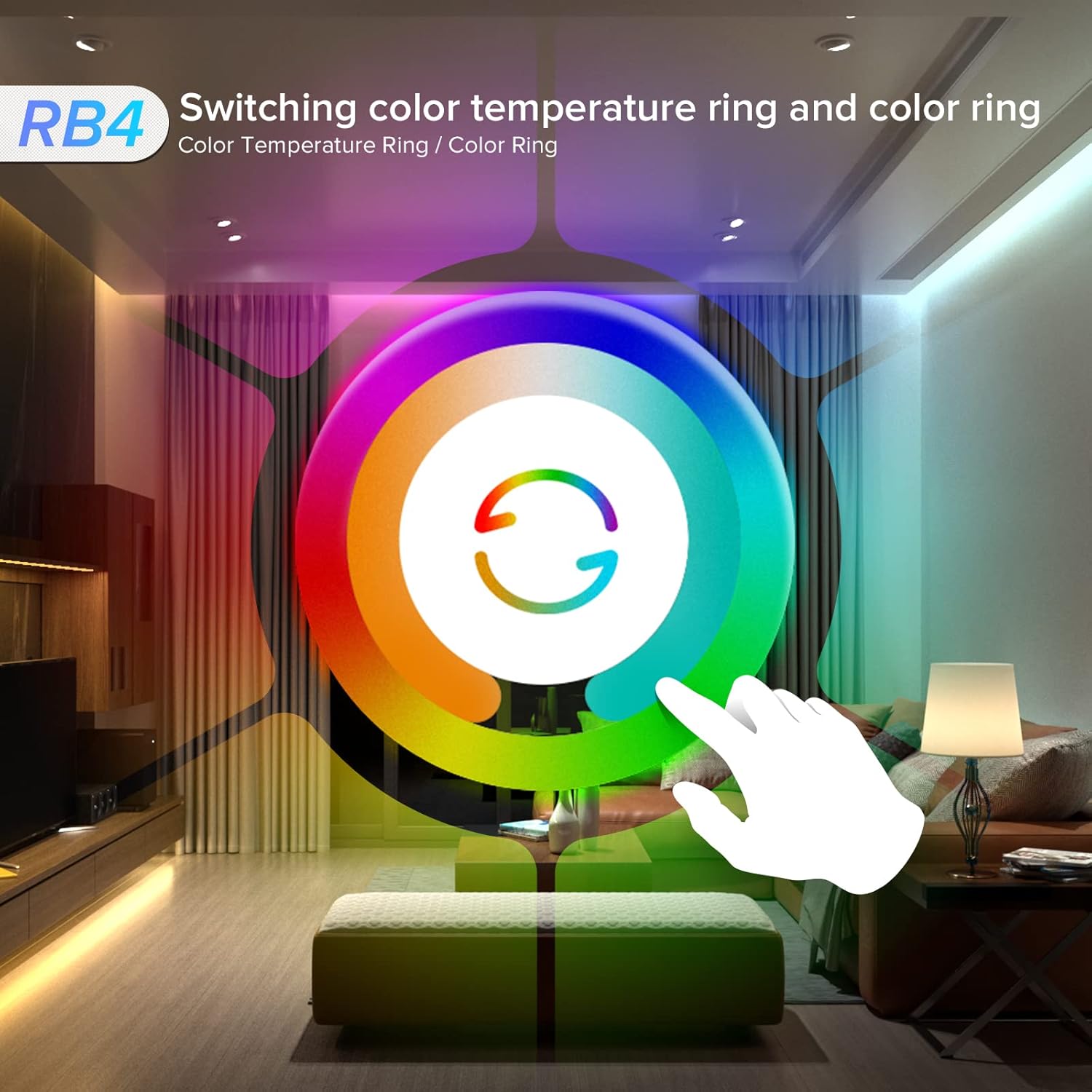
Image: An overhead view of a house layout demonstrating 2.4GHz wireless 4-zone control, with the RB4 remote controlling different lighting zones in various rooms.
The 2.4GHz wireless technology provides a control distance of up to 30 meters (98 feet) in open spaces, allowing simultaneous control of multiple controllers.

Image: A diagram showing multiple SP630E controllers connected to a single zone, controlled by an RB4 remote.
One RB4 remote can control up to 4 groups of lights. Each group can control an LED strip within 30m (98ft). You can connect countless controllers to one zone group by RF remote control, allowing for individualized zone group lighting separately without controller quantity limitations.

Image: A diagram showing four RB4 remote controls, each potentially controlling different aspects or zones of a single lighting setup in a living room.
Each controller can bind up to 5 remote controls, enabling multi-user or multi-point control for a single lighting system.
5. Maintenance
- Cleaning: Wipe the remote control with a soft, dry cloth. Do not use abrasive cleaners or solvents.
- Battery Replacement: Replace the CR2032 battery when the remote's response becomes sluggish or stops working. Follow the battery installation steps in Section 3.1.
- Storage: Store the remote in a cool, dry place away from direct sunlight and extreme temperatures.
6. Troubleshooting
| Problem | Possible Cause | Solution |
|---|---|---|
| Remote not responding. | Low or dead battery. Remote not paired. Out of range. | Replace the CR2032 battery. Re-pair the remote with the controller (see Section 3.2). Move closer to the controller (within 30m/98ft). |
| Lights not changing color/brightness. | Incorrect zone selected. Controller issue. | Ensure the correct zone button (1-4) or ALL button is pressed. Refer to your LED controller's manual for troubleshooting. |
| Remote range is limited or intermittent. | Interference from large metal objects or strong electromagnetic waves. | Avoid using the remote in areas with significant interference. Reposition the controller or remote if possible. |
| LED strip not working at all. | Power supply issue, controller malfunction, or LED strip fault. | This remote controls the controller, not directly the strip. Check the power supply to the controller and the LED strip connections. Refer to your LED controller's manual. |
7. Specifications
| Feature | Detail |
|---|---|
| Model Number | RB4 |
| Brand | BTF-LIGHTING |
| Wireless Technology | 2.4GHz RF |
| Control Zones | 4 Zones |
| Control Distance | Up to 30 meters (98 feet) in open space |
| Compatible Controllers | SP530E, SP630E, SP635E, SP63AE, SP63CE |
| Power Source | CR2032 Button Cell Battery (not included) |
| Material | Plastic |
| Color | Black |
| Item Weight | 1.76 ounces |
| Dimensions (L x W x H) | 5.47 x 1.97 x 0.47 inches (approx. 139 x 50 x 12 mm) |
| Special Features | 2.4GHz, PWM RGBCCT, RGBCCT remote, SPI |
| Specific Uses | Indoor use only |
8. Warranty and Support
8.1 Warranty Information
Specific warranty details for the BTF-LIGHTING RB4 remote control may vary. Please refer to the product packaging or the official BTF-LIGHTING website for the most current warranty information. Keep your purchase receipt as proof of purchase for any warranty claims.
8.2 Customer Support
For technical assistance, troubleshooting, or further inquiries, please visit the official BTF-LIGHTING store or contact their customer support.


