
1. Product Overview
The RovyVon S21 is a high-performance rechargeable Everyday Carry (EDC) flashlight designed for various outdoor and daily use scenarios. It features a powerful LED, a unique mechanical twist switch for intuitive mode selection, and a magnetic tail cap for versatile attachment.
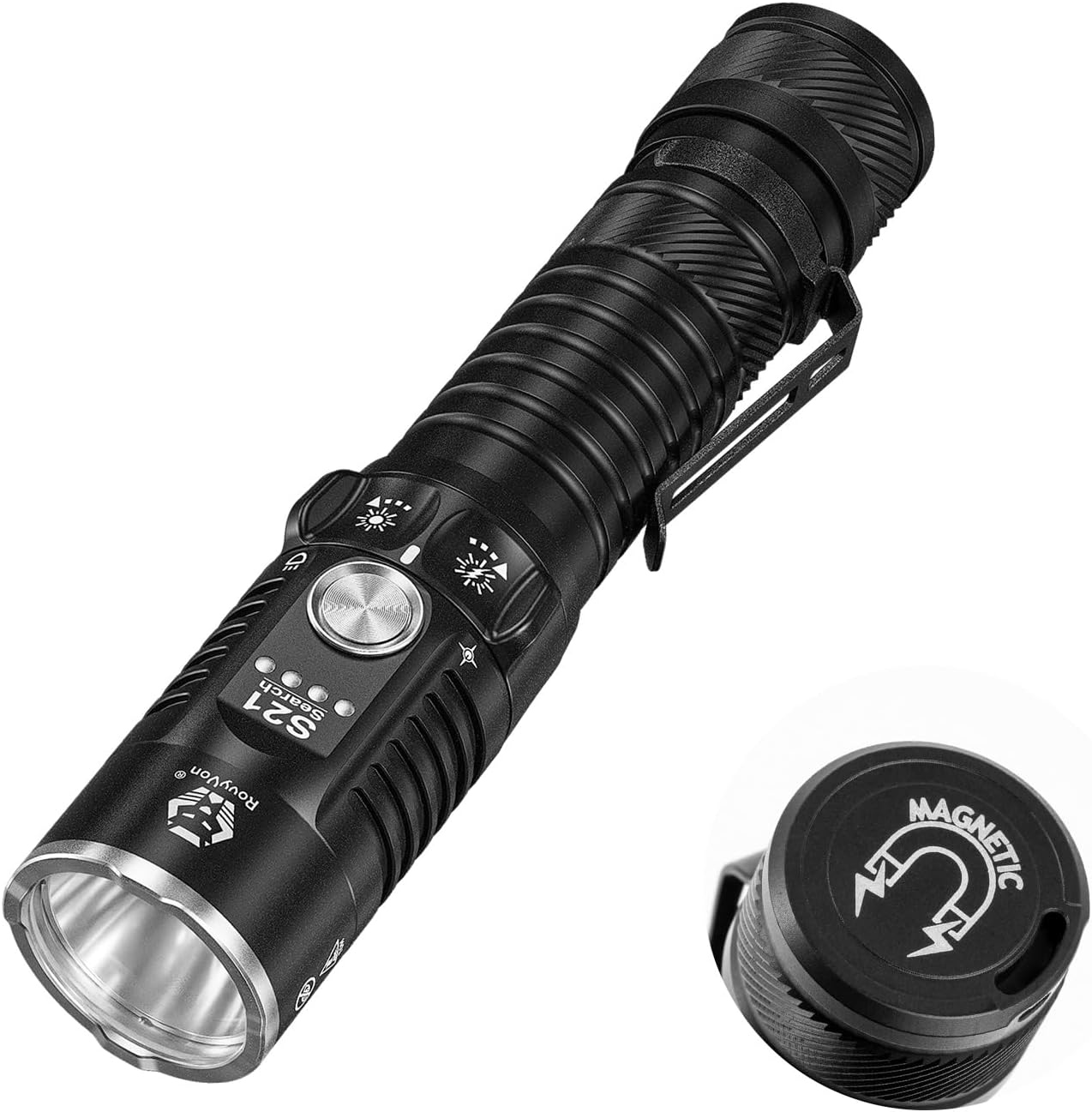
Image: The RovyVon S21 flashlight, showcasing its design and the magnetic tail cap.
Key Features:
- High Output: Up to 3000 lumens for powerful illumination.
- Long Beam Distance: Reaches up to 400 meters.
- Intuitive Twist Switch: Mechanical rotary switch for easy mode selection (Emergency and Daily modes).
- Magnetic Tail Cap: Allows for hands-free attachment to metal surfaces.
- USB-C Rechargeable: Convenient and fast charging.
- Durable & Waterproof: Constructed from aluminum with an IPX8 waterproof rating.
- Compact Design: Easy to carry for daily use.
2. Package Contents
Please check the package for the following items:

Image: Contents of the RovyVon S21 package, including the flashlight, user manual, and various accessories.
- RovyVon S21 Flashlight
- User Manual
- USB-C Charging Cable
- Pocket Clip
- Lanyard
- O-ring (Spare)
- Port Cover (Spare)
- Warranty Card
3. Setup
3.1 Initial Battery Preparation
Before first use, ensure the battery is properly installed. The flashlight comes with a 5000mAh Lithium Polymer battery. It is important to remove any protective plastic disc that may be placed between the battery and the contact points during shipping. This disc prevents accidental activation and preserves battery life.
- Unscrew the tail cap of the flashlight.
- Remove the battery.
- Check for and remove any plastic disc or insulator from either end of the battery.
- Reinsert the battery with the positive (+) end facing towards the head of the flashlight.
- Screw the tail cap back on securely.
3.2 Charging the Battery
The RovyVon S21 features a built-in USB-C charging port for convenient recharging. A full charge typically takes approximately 2.5 hours.
- Locate the USB-C charging port on the flashlight body.
- Open the protective port cover.
- Connect the included USB-C cable to the flashlight and to a compatible USB power source (e.g., wall adapter, computer USB port).
- The battery indicator lights will show the charging status.
- Once charging is complete, disconnect the cable and securely close the port cover to maintain water resistance.

Image: Diagram illustrating the battery level indicators and charging status (breathing blue for charging, solid green for complete).
4. Operating Instructions
4.1 Power On/Off and Mode Selection
The RovyVon S21 utilizes a mechanical twist switch for intuitive control. The switch has two main directions: twisting left for emergency modes and twisting right for daily modes.

Image: Visual guide to the twist switch operation for both Emergency and Daily modes.
Daily Modes (Twist Right):
Twist the switch to the right (towards the 'sun' symbol) to access the daily illumination modes. A single click of the central button cycles through the brightness levels.
- Eco: Lowest brightness for extended runtime.
- Low: Suitable for close-range tasks.
- Medium: Balanced brightness for general use.
- High: High brightness for broader illumination.
- Turbo: Maximum brightness (hold the central button from any daily mode).
Emergency Modes (Twist Left):
Twist the switch to the left (towards the 'strobe' symbol) to access emergency functions.
- Strobe: Rapid flashing light for signaling or disorientation (single click).
- Turbo: Maximum brightness (hold the central button from emergency mode).
4.2 Memory Function
The RovyVon S21 is equipped with a memory function. When you turn the light back on in Daily Modes, it will recall the last used brightness level (Eco, Low, Medium, or High).

Image: The RovyVon S21 flashlight in an outdoor setting, illustrating its memory function.
4.3 Magnetic Tail Cap
The strong magnetic tail cap allows the S21 to be attached to various metal surfaces, providing hands-free illumination. This is particularly useful for tasks such as vehicle maintenance or working in dark spaces.

Image: The RovyVon S21 flashlight attached magnetically under a car hood, demonstrating hands-free use.
5. Maintenance
5.1 Cleaning
To maintain optimal performance, keep the flashlight clean. Wipe the body with a soft, damp cloth. Avoid using abrasive cleaners or solvents that could damage the finish or internal components.
5.2 Battery Care
To prolong battery life:
- Charge the battery regularly, even if the flashlight is not in frequent use.
- Avoid fully discharging the battery before recharging.
- Store the flashlight in a cool, dry place.
5.3 O-Ring Maintenance
The S21 is IPX8 waterproof, which relies on properly sealed O-rings. Periodically inspect the O-rings for any signs of wear or damage. Replace them with the provided spare O-ring if necessary to maintain the waterproof rating. Apply a thin layer of silicone grease to the O-rings to ensure a good seal and prevent drying.

Image: The RovyVon S21 flashlight submerged in water, demonstrating its IPX8 waterproof capability.
6. Troubleshooting
If you encounter issues with your RovyVon S21 flashlight, please refer to the following common problems and solutions:
6.1 Flashlight Does Not Turn On
- Battery Check: Ensure the battery is inserted correctly with the positive (+) end facing the head. Verify that any protective plastic disc has been removed from the battery.
- Charge Level: The battery may be depleted. Connect the flashlight to a USB-C charger and allow it to charge for at least 30 minutes before attempting to turn it on again.
- Tail Cap Connection: Ensure the tail cap is screwed on tightly. A loose connection can prevent the circuit from completing.
6.2 Flashlight Does Not Hold a Charge
- Charging Cable/Adapter: Try using a different USB-C cable and/or power adapter to rule out issues with charging accessories.
- Battery Health: Over time, rechargeable batteries can degrade. If the flashlight is old and has been heavily used, the battery may need replacement.
- Charging Port: Inspect the USB-C charging port for any debris or damage.
6.3 Mode Switch or Button Unresponsive
- Cleanliness: Ensure the twist switch and central button are free from dirt or debris that might impede their movement.
- Firmness: Ensure the twist switch is fully engaged in either the 'daily' or 'emergency' position before pressing the central button.
If these steps do not resolve the issue, please refer to the Warranty and Support section for further assistance.
7. Specifications

Image: Detailed table outlining the output, runtime, intensity, and beam distance for each mode of the RovyVon S21 flashlight, along with physical dimensions.
7.1 General Specifications
- Brand: RovyVon
- Model: S21
- Light Source: LED (SFT-70 6500K Cool White LED)
- Material: Aluminum Alloy
- Dimensions (L x Head Dia. x Body Dia.): 143.5mm x 29.7mm x 25.4mm (5.64" x 1.17" x 1")
- Weight (excluding battery): 116g (4.09 ounces)
- Battery Type: 1x Lithium Polymer (5000mAh included)
- Charging Port: USB-C
- Waterproof Rating: IPX8 (Submersible up to 2 meters for 30 minutes)
- Special Features: Adjustable Light Modes, IPX8 Waterproof, Magnetic Tail Cap
7.2 Performance Modes
| Mode | Output (Lumens) | Runtime (hours) | Intensity (Candela) | Beam Distance (meters) |
|---|---|---|---|---|
| Eco | 30 | 65 | / | / |
| Low | 200 | 13.5 | 3000 | 100 |
| Medium | 800 | 2.5 | 12000 | 200 |
| High | 1600 | 4 mins + 2 hrs | 25000 | 300 |
| Turbo | 3000 | / | 40000 | 400 |
Note: Parameters may vary depending on environment, battery, usage method, and flashlight condition. The Turbo mode can only be activated when the light is turned on and will step down to Medium in 10 seconds. The High mode will step down to Medium in 4 minutes.
8. Warranty and Support
8.1 Warranty Information
Your RovyVon S21 flashlight comes with a warranty. Please refer to the Warranty Card included in your product packaging for detailed information regarding warranty terms, conditions, and duration. Retain your proof of purchase for any warranty claims.
8.2 Customer Support
For technical assistance, troubleshooting beyond this manual, or warranty inquiries, please contact RovyVon customer support. You can find contact information on the RovyVon official website or through the retailer where you purchased the product.
Visit the official RovyVon Store for more information: RovyVon Store