
Lemorele SD1L
Contents
Lemorele M.2 NVMe SSD Enclosure User Manual
Model: SD1L
Introduction
This manual provides detailed instructions for the setup, operation, maintenance, and troubleshooting of your Lemorele M.2 NVMe SSD Enclosure. This external enclosure is designed to convert an internal NVMe M.2 PCI-e SSD into a portable USB-C hard drive, facilitating ultra-fast data transmission, memory expansion, file backup, data recovery, and system upgrades.
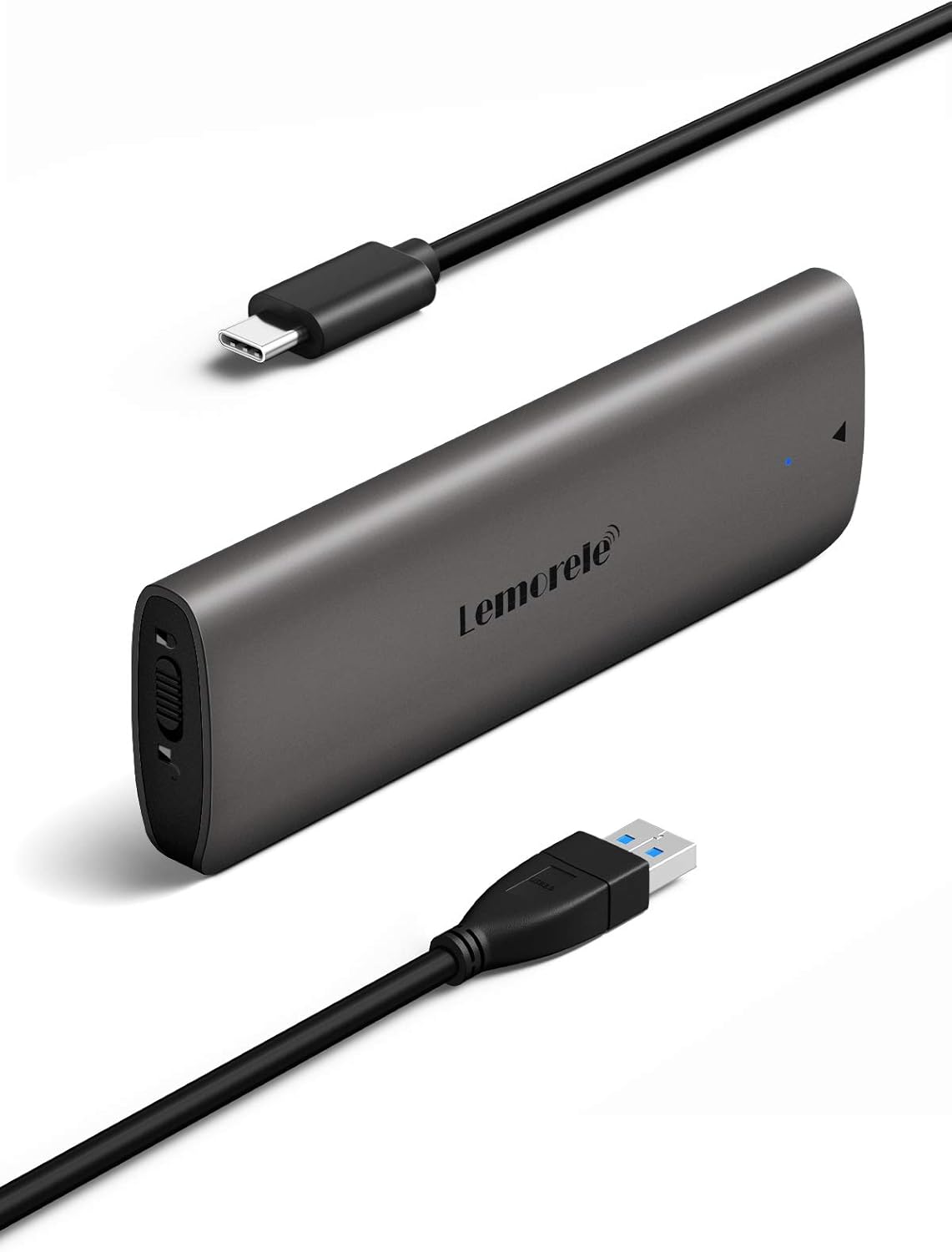
Figure 1: Lemorele M.2 NVMe SSD Enclosure with included USB-C to USB-C and USB-C to USB-A cables.
Setup Guide
The Lemorele M.2 NVMe SSD Enclosure features a tool-free installation design for quick and easy setup.

Figure 2: Tool-Free Installation Steps.
- Slide to Unlock: Gently slide the end cap of the enclosure to unlock and reveal the internal tray.
- Insert SSD: Carefully insert your M.2 NVMe SSD (M Key or B+M Key, sizes 2230/2242/2260/2280) into the M.2 slot on the circuit board. Ensure it is fully seated.
- Secure SSD: Use the provided small screw to secure the SSD in place.
- Loading in Correct Angle: Slide the internal tray back into the aluminum case, ensuring it aligns correctly. Push until it clicks securely into place.
The enclosure supports M Key and B&M Key PCI-e NVMe M.2 SSDs of sizes 2280, 2260, 2242, and 2230, with a form factor up to 2TB. Ensure your SSD is M.2 PCI-e NVMe with M-Key or B+M Key for compatibility.

Figure 3: Supported M.2 SSD Key Types and Sizes.
Operation
Once your SSD is installed, connect the enclosure to your device using the provided USB-C to USB-C or USB-C to USB-A cable. The enclosure is plug-and-play, requiring no additional drivers for most operating systems.
Data Transfer Speed
The enclosure supports USB 3.1 Gen 2 and PCI-e Gen 3, offering a 10Gbps data transfer rate. It also supports UASP (USB Attached SCSI Protocol) and Trim for improved performance and efficiency.

Figure 4: High-Speed Data Transfer Capabilities.
Compatibility
The enclosure is widely compatible with various operating systems and devices, including Mac OS, Windows, Linux, and Chrome OS. It can be used with PCs, laptops, TVs, PS4 consoles, and routers for storage expansion or data access.

Figure 5: Wide Operating System Compatibility.

Figure 6: Versatile Use Cases for the SSD Enclosure.
How to Operate Video Guide
Video 1: Official guide on how to operate the Lemorele SD1 SSD Enclosure, demonstrating the installation and connection process.
Maintenance and Safety
The Lemorele M.2 NVMe SSD Enclosure is designed with durability and safety in mind. The aluminum case aids in heat dissipation, protecting your SSD.
Safety Features
The enclosure incorporates an advanced JMS583 chipset which includes multiple protection mechanisms to ensure the security of your M.2 PCI-e NVMe SSD and valuable data:
- Over-heat protection: Prevents damage from excessive temperatures.
- Over-current protection: Safeguards against current surges.
- Over-voltage protection: Protects from voltage fluctuations.
- Short-circuit protection: Prevents damage from electrical shorts.
- Shock-proof design: Enhances physical durability.

Figure 7: Internal Components and Safety Protections.
To maintain optimal performance, keep the enclosure clean and free from dust. Avoid exposing it to extreme temperatures or humidity.
Troubleshooting
If you encounter issues with your Lemorele M.2 NVMe SSD Enclosure, please refer to the following common solutions:
- SSD Not Recognized:
- Ensure the SSD is fully and correctly seated in the enclosure's M.2 slot.
- Verify that your SSD is an M.2 NVMe (M Key or B+M Key) and not an M.2 SATA SSD, as this enclosure only supports NVMe.
- Try connecting the enclosure to a different USB port on your computer.
- Test with a different USB cable if available.
- For new SSDs, it may need to be initialized and formatted in Disk Management (Windows) or Disk Utility (Mac OS) before it appears in File Explorer/Finder.
- Slow Transfer Speeds:
- Ensure you are connected to a USB 3.0 (or higher) port on your device. USB 2.0 ports will significantly limit speeds.
- Verify that your operating system supports UASP for optimal performance.
- Check the health and performance of your M.2 NVMe SSD using S.M.A.R.T. functions (if supported by your OS or third-party tools).
- Enclosure Disconnects Randomly:
- Ensure the enclosure is securely connected to the USB port.
- Check for power saving settings on your computer that might be turning off USB ports.
- Ensure the SSD is not overheating. The aluminum case helps, but prolonged heavy use in a poor ventilation environment can still cause issues.
If these steps do not resolve your issue, please contact customer support.
Specifications
| Feature | Detail |
|---|---|
| Model Number | SD1L |
| Interface | USB 3.1 Gen 2 Type-C (10Gbps) |
| SSD Compatibility | M Key and B+M Key NVMe PCIe M.2 SSDs (2230, 2242, 2260, 2280) |
| Max Capacity Support | Up to 2TB |
| Chipset | JMS583 |
| Features | UASP, Trim, S.M.A.R.T. function |
| Material | Aluminum Case |
| Color | Grey |
| Dimensions (L x W x H) | 4.37 x 1.41 x 0.47 inches (approx. 11.1 x 3.58 x 1.19 cm) |
| Item Weight | 3.52 ounces (approx. 100 grams) |
| Operating System Compatibility | Mac OS, Windows, Linux, Chrome OS |

Figure 8: Product Dimensions.
Warranty and Support
Lemorele is committed to providing excellent customer service and product support.
- Lifetime Money Back Guarantee: We offer a 100% Lifetime Money Back Guarantee.
- Return & Lifetime Change: Enjoy hassle-free returns and lifetime product changes.
- Customer Service: 24-hour manual online customer service is available to assist you with any inquiries or issues.
- Invoices: Invoices are provided to all valued customers upon request.
For support, please refer to the contact information provided with your purchase or visit the official Lemorele website.
Ask a question about this manual
Ask about setup, troubleshooting, compatibility, parts, safety, or missing instructions. Manuals+ will review the question and use this page’s manual context to help answer it.