1. Introduction
This manual provides detailed instructions for the pamu Fit T28 Half-in-Ear Wireless Earbuds. Please read this manual thoroughly before using the product to ensure proper operation and to maximize your listening experience. The pamu Fit T28 earbuds combine a comfortable half-in-ear design with advanced Active Noise Cancelling (ANC) technology, Bluetooth 5.3 connectivity, and intuitive touch controls.
2. Package Contents
Verify that all items are present in your product package:
- pamu Fit T28 Wireless Earbuds (Left and Right)
- Charging Case
- USB-C Charging Cable
- User Manual

Image: pamu Fit T28 earbuds securely placed within their charging case, with the lid open, showcasing the sleek design and the 'pamu' branding on each earbud.
3. Product Overview
The pamu Fit T28 earbuds are designed for comfort and high-quality audio. Key features include:
- Half-in-Ear Design: Ensures a comfortable and stable fit for extended wear.
- Active Noise Cancelling (ANC): Reduces ambient noise by up to 20dB for an immersive audio experience.
- Dual Microphones with AI Noise Reduction: Enhances call clarity by separating voice from background noise.
- Bluetooth 5.3: Provides a stable and efficient wireless connection.
- Low Latency Game Mode: Reduces audio delay to as low as 70ms for gaming.
- Super Bass Sound Quality: Delivers powerful and rich low-frequency response.
- Touch Controls: Manage playback, calls, and modes directly from the earbuds.
- Waterproof Design: Offers protection against sweat and splashes.

Image: A graphic illustrating the key features of the pamu Fit T28 Wireless Bluetooth Earbuds, including Active Noise Cancellation, Strong Bass, Dual MIC AI Noise Reduction, Ergonomic Design, Great Sound Quality, Game Mode Low Latency, Bluetooth 5.3, Low Power Consumption, and Power Optimization.
4. Setup
4.1 Charging the Earbuds and Case
Before first use, fully charge the earbuds and the charging case. The charging case is ultra-thin and designed for portability.
- Place the earbuds into the charging case. Ensure they are correctly seated in their respective slots (L for left, R for right).
- Connect the USB-C charging cable to the charging port on the case and the other end to a USB power source (e.g., computer, wall adapter).
- The LED indicators on the charging case will show the charging status. A full charge typically takes approximately 1.5 hours for the case.

Image: The pamu Fit T28 earbuds in their open, ultra-thin charging case, highlighting its minimalist design and portability.

Image: A visual representation indicating 18 hours of playing time and 1.5 hours of charging time for the pamu Fit T28 earbuds and case.
4.2 Pairing with a Device
The earbuds will automatically enter pairing mode when removed from the charging case.
- Open the charging case and remove both earbuds. They will automatically power on and enter pairing mode.
- On your device (smartphone, tablet, computer), enable Bluetooth and search for available devices.
- Select "Pamu Fit T28" from the list of discovered devices.
- Once connected, you will hear an audio prompt, and the earbuds' indicator lights will change.
The earbuds feature Bluetooth 5.3 for a stable and efficient connection.

Image: A visual indicating "one step automatic connection" for the pamu Fit T28 earbuds, showing them removed from the case and ready to pair with a smartphone.

Image: A stylized depiction of a microchip with "Bluetooth 5.3" prominently displayed, representing the advanced connectivity technology of the earbuds.
5. Operating Instructions
5.1 Wearing the Earbuds
The pamu Fit T28 earbuds feature a half-in-ear ergonomic design for a secure and comfortable fit.
- Identify the Left (L) and Right (R) earbuds.
- Gently insert each earbud into your ear canal, rotating slightly until it feels snug and stable.

Image: A close-up view of a pamu Fit T28 earbud comfortably seated in an ear, illustrating its semi-in-ear design for stability.

Image: A diagram showing the pamu Fit T28 earbud positioned in an ear, emphasizing its comfortable and ergonomic fit.
5.2 Touch Controls
The pamu Fit T28 earbuds feature intuitive touch controls on each earbud. Specific functions may vary slightly depending on the device and application.
| Action | Function |
|---|---|
| Single Tap (Either Earbud) | Play/Pause Music, Answer Call |
| Double Tap (Either Earbud) | End Call |
| Long Press (Left Earbud) | Volume Down |
| Long Press (Right Earbud) | Volume Up |
| Triple Tap (Either Earbud) | Activate Voice Assistant / Switch ANC Mode (if applicable) |
5.3 Active Noise Cancelling (ANC)
The pamu Fit T28 earbuds feature Active Noise Cancelling to reduce ambient sounds. This technology actively analyzes and counteracts external noise, providing a quieter listening environment.

Image: A person wearing pamu Fit T28 earbuds in a public setting, with text overlay indicating "Active Noise Cancellation: Personal space is everywhere. Adaptive Noise Cancellation recognizes noise levels around you and adjusts to your surroundings."

Image: A diagram illustrating how the pamu Fit T28 earbuds achieve noise reduction, showing sound waves being cancelled out by the ANC microphone and the fitted in-ear design.
5.4 Making Calls
The earbuds utilize dual microphones with AI noise reduction for clear call quality.
- Answer Call: Single tap either earbud.
- End Call: Double tap either earbud.
- Reject Call: Long press either earbud.
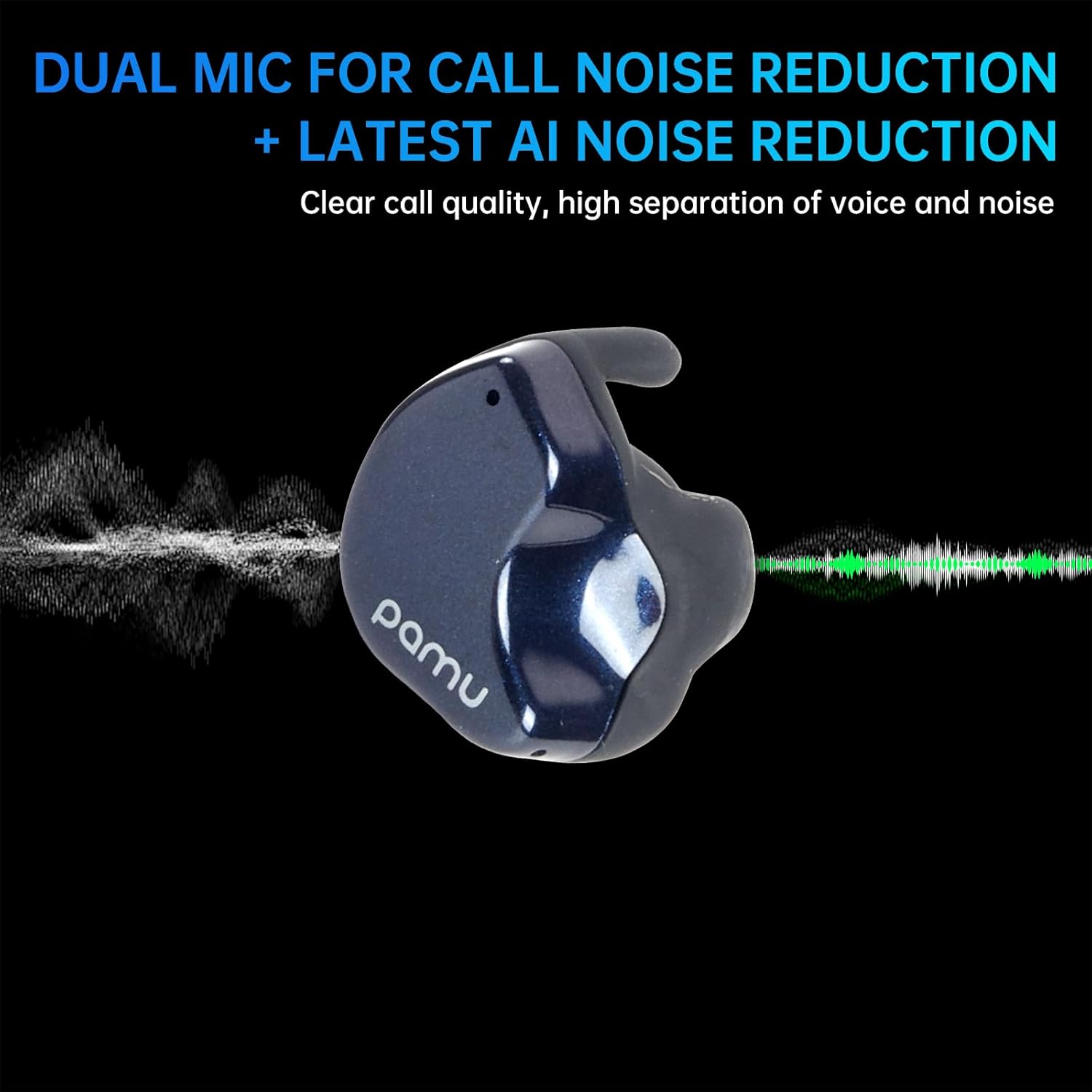
Image: A visual representation of the pamu Fit T28 earbud's dual microphone system and AI noise reduction, illustrating how it separates voice from background noise for clear calls.

Image: A person wearing pamu Fit T28 earbuds, with text overlay emphasizing "High-quality calls, dual MIC call noise reduction + the latest AI noise reduction" for comfortable sound quality.
5.5 Game Mode (Low Latency)
For an optimized gaming experience, activate the low latency game mode. This reduces audio delay to approximately 70ms, ensuring real-time audio synchronization.
- Refer to the touch control table or product specifications for the specific gesture to activate/deactivate Game Mode.

Image: A person playing a mobile game on a smartphone, with pamu Fit T28 earbuds depicted nearby, illustrating the "Super-Bass Gaming with Low Latency" feature.

Image: A graphic showing pamu Fit earbuds and a smartphone displaying a game, with text explaining "Pamu Fit Earbuds-Ultra-low Latency Game Mode" and its benefit for seamless gaming.
6. Maintenance
6.1 Cleaning
Regular cleaning helps maintain sound quality and hygiene.
- Gently wipe the earbuds and charging case with a soft, dry, lint-free cloth.
- Do not use abrasive materials, solvents, or chemical cleaners.
- Ensure charging contacts on both earbuds and case are clean and dry.
6.2 Water Resistance
The pamu Fit T28 earbuds are waterproof, offering protection against sweat and splashes. They are not designed for submersion in water.
- Avoid prolonged exposure to water.
- Dry the earbuds thoroughly before placing them back in the charging case to prevent damage.

Image: Two pamu Fit T28 earbuds covered in water droplets, illustrating their waterproof, sweatproof, and dustproof capabilities.
7. Troubleshooting
If you encounter issues with your pamu Fit T28 earbuds, refer to the following common solutions:
- No Sound:
- Ensure earbuds are charged.
- Check Bluetooth connection to your device.
- Adjust volume on both earbuds and your device.
- Earbuds Not Pairing:
- Place earbuds back in the case, close the lid, then open and remove them to re-enter pairing mode.
- Forget "Pamu Fit T28" from your device's Bluetooth settings and attempt to pair again.
- Ensure earbuds are sufficiently charged.
- Poor Call Quality:
- Ensure microphones are not obstructed.
- Move to a quieter environment if possible, as AI noise reduction has limits.
- Check device's network signal strength.
- Earbuds Falling Out:
- Ensure earbuds are correctly inserted and rotated for a snug fit.
- The half-in-ear design may not be suitable for all ear shapes or high-impact activities.
8. Specifications
| Feature | Detail |
|---|---|
| Model Name | Pamu Fit T28 |
| Connectivity Technology | Wireless (Bluetooth) |
| Bluetooth Version | 5.3 |
| Bluetooth Range | 10 Meters |
| Noise Control | Active Noise Cancellation |
| Ear Placement | In Ear (Half-in-ear shape) |
| Control Type | Touch Control |
| Battery Life (Earbuds + Case) | Up to 24 Hours (Total) |
| Frequency Range | 20 Hz - 20,000 Hz |
| Water Resistance Level | Waterproof |
| Item Weight | 7.4 ounces (Product + Package) |
| UPC | 768443999120 |
9. Warranty and Support
For warranty information and customer support, please refer to the official pamu website or contact your retailer. Keep your proof of purchase for any warranty claims.
For further assistance, please visit the pamu Store on Amazon.


