
Introduction
This manual provides essential information for the safe and effective use of your QNIGLO Q268 Kids Walkie Talkie. Please read it thoroughly before operation and keep it for future reference.

The QNIGLO Q268 Kids Walkie Talkie, shown in orange and yellow, is designed for clear communication and outdoor fun.
Product Features
- Clear Sound & VOX Function: Advanced technology ensures crisp, clear voice communication up to 1 km in open areas. Features 8 volume levels. VOX function allows hands-free operation, eliminating the need to press a button during transmission. Portable and safe for activities like cycling.
- Private Communication with Encryption Codes: With 8 channels and 99 encryption codes, you can select your own channel and private code to ensure uninterrupted conversations, providing secure communication for children's adventures.
- Ergonomic Design & Portable USB Charging: Ergonomic push-to-talk operation is suitable for children aged 3 and above. Its small size is easy to hold. Features combined call and button lock, menu with power function. USB rechargeable batteries provide a highly portable user experience.
- Monitor & Scan Function for Games: The monitor function allows you to find other walkie-talkies on the same channel. The scan function helps locate nearby walkie-talkies, enhancing fun and challenge in games.
- Stylish Colors & Creative Gift: The attractive design provides visual appeal for children. Two-way communication fosters expressive skills, satisfies curiosity, and stimulates imagination. Q268 walkie-talkies allow multiple children to communicate on the same channel, perfect for adventure games and hide-and-seek.

The walkie talkie offers clear sound and one-touch operation, making it easy for children to use.
Setup
1. Battery Installation and Charging
The QNIGLO Q268 walkie talkies come with built-in rechargeable Lithium-ion batteries. Before first use, ensure the devices are fully charged.
- Locate the USB-C charging port on the side of the walkie talkie.
- Open the protective rubber cover.
- Connect the provided USB-C charging cable to the port and a suitable USB power source (e.g., wall adapter, power bank, computer USB port).
- The battery indicator on the LCD screen will show charging progress. A full charge typically takes approximately 4 hours.
- Once fully charged, disconnect the cable and close the protective cover to prevent dust and moisture ingress.

The walkie talkie features convenient USB-C charging, compatible with various power sources.
2. Powering On/Off
- To power on, press and hold the Power/Menu button until the LCD screen illuminates.
- To power off, press and hold the Power/Menu button until the screen turns off.
Operating Instructions
1. Channel Selection
- With the walkie talkie powered on, press the Menu button once. The channel number will flash on the LCD screen.
- Use the Up or Down arrow buttons to select your desired channel (1-8).
- Press the Menu button again to confirm your selection or wait a few seconds for it to auto-confirm.
2. Setting Encryption Codes (CTCSS/DCS)
To ensure private communication and avoid interference, you can set an encryption code.
- After selecting a channel, press the Menu button twice. The encryption code number will flash.
- Use the Up or Down arrow buttons to select your desired code (0-99).
- Press the Menu button again to confirm. All walkie talkies intended for communication must be set to the same channel and encryption code.
3. Adjusting Volume
Use the Up or Down arrow buttons directly (when not in menu mode) to adjust the listening volume (8 levels available).
4. Transmitting (Push-to-Talk - PTT)
- To speak, press and hold the large PTT button on the side of the walkie talkie.
- Speak clearly into the microphone.
- Release the PTT button to listen for a response.
5. VOX Function (Voice Operated Exchange)
The VOX function allows for hands-free transmission. When activated, the walkie talkie will automatically transmit when it detects your voice.
- Press the Menu button three times. The VOX icon and sensitivity level will flash.
- Use the Up or Down arrow buttons to select a VOX sensitivity level (1-3, with 3 being most sensitive) or 'OF' to turn it off.
- Press the Menu button to confirm.
6. Flashlight Operation
- To turn on the built-in LED flashlight, press the LAMP button.
- Press the LAMP button again to turn it off.
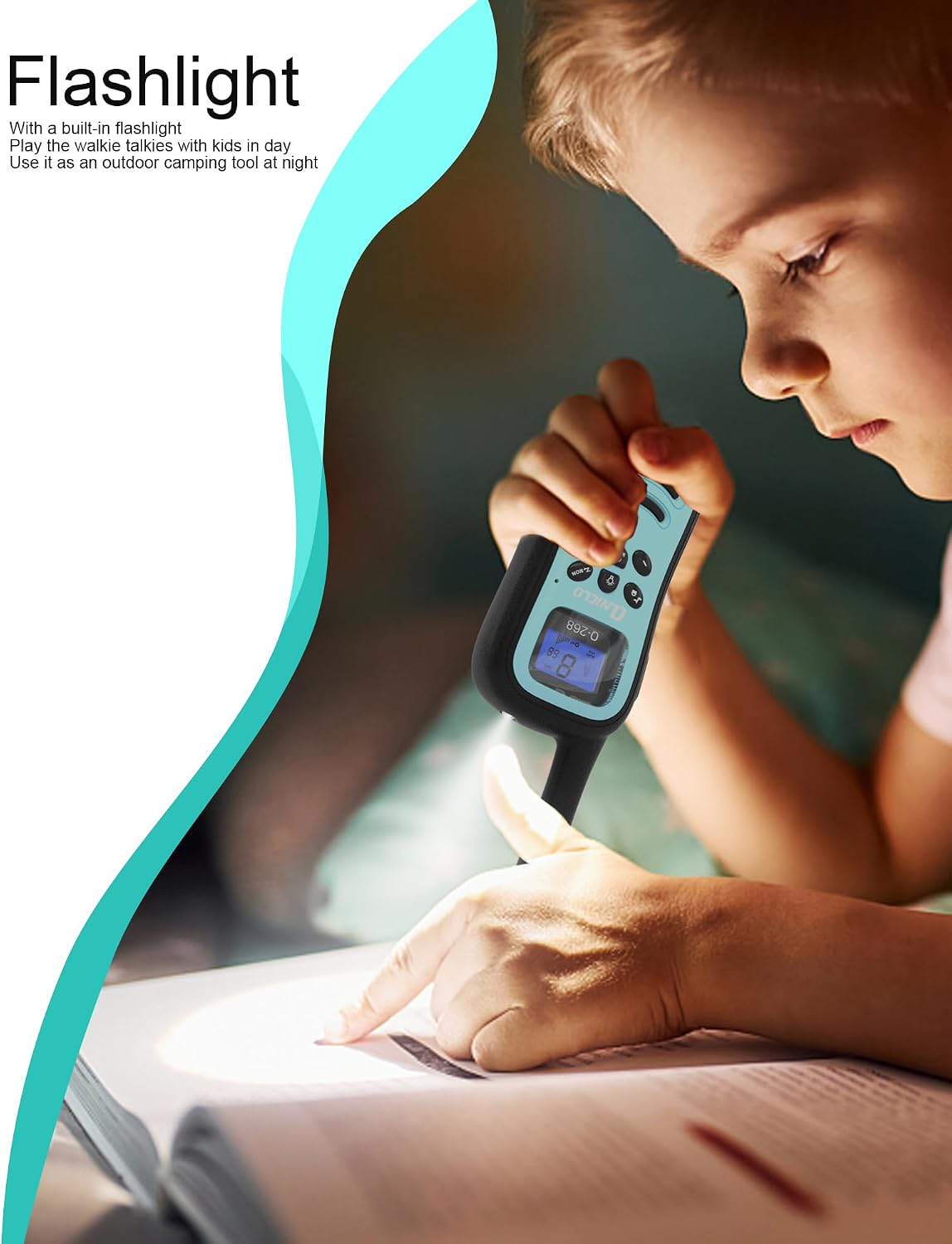
The integrated flashlight is useful for nighttime activities or low-light conditions.
7. Monitor and Scan Functions
- Monitor: Press the MON button to temporarily disable squelch and listen for weak signals on the current channel. Release to stop.
- Scan: Press the SCAN button to scan all available channels for activity. The walkie talkie will stop on an active channel. Press SCAN again to resume scanning.

QNIGLO walkie talkies are ideal for family outdoor activities like hiking, ensuring clear communication.
Maintenance
1. Cleaning
- Wipe the device with a soft, damp cloth. Do not use harsh chemicals or abrasive cleaners.
- Ensure the USB-C port cover is closed when not charging to protect against dust and moisture.
2. Storage
- Store the walkie talkies in a cool, dry place away from direct sunlight and extreme temperatures.
- If storing for extended periods, charge the batteries periodically to maintain their lifespan.
Troubleshooting
| Problem | Possible Cause | Solution |
|---|---|---|
| No power | Battery is depleted. | Charge the walkie talkie using the provided USB-C cable. |
| Cannot communicate with other walkie talkies | Different channels or encryption codes. | Ensure all devices are on the same channel and have the same encryption code set. |
| Poor sound quality / Static | Out of range, obstacles, or low battery. | Move closer to the other device, reduce obstacles, or recharge the battery. |
| VOX not working | VOX is off or sensitivity is too low. | Activate VOX and adjust sensitivity to a higher level. |
Specifications
- Brand: QNIGLO
- Model Number: Q268
- Color: Orange/Yellow (as per current variant)
- Number of Channels: 8
- Frequency Range: 400-512 MHz
- Maximum Range: 1 Kilometer (in open areas)
- Voltage: 5 Volts
- Water Resistance Level: Not waterproof
- Battery Type: 1 Lithium-ion (included)
- Average Battery Life: 24 hours
- Connectivity Protocol: PMR
- Special Feature: Integrated Flashlight
- Included Components: Walkie Talkie
Warranty and Support
Your QNIGLO Q268 Walkie Talkie comes with a 30-day money-back guarantee for any reason. For further support or inquiries, please refer to the contact information provided with your purchase or visit the official QNIGLO website.
For more information, you can visit the QNIGLO Brand Store.
Official Product Video
This video from QNIGLO demonstrates the features and benefits of the QNIGLO Camouflage Walkie Talkie, highlighting its suitability as a gift for children.

