
Thermalright SS110 WHITE
Thermalright Silver Soul 110 White CPU Cooler Instruction Manual
Model: SS110-White
1. Introduction
This manual provides detailed instructions for the installation, operation, and maintenance of your Thermalright Silver Soul 110 White CPU Cooler. Designed for efficient heat dissipation, this dual-tower air cooler features 5 heat pipes and AGHP technology to ensure optimal performance for a wide range of Intel and AMD processors. Please read this manual thoroughly before installation to ensure proper setup and safe operation.
2. Safety Information
- Always disconnect power from your computer before installing or handling internal components.
- Handle the CPU cooler and its components with care to avoid bending fins or damaging heat pipes.
- Be aware of sharp edges on the heatsink fins.
- Wear an anti-static wrist strap or frequently touch a grounded metal object to prevent electrostatic discharge (ESD) damage to sensitive components.
- Keep out of reach of children.
3. Package Contents
Verify that all components listed below are present in your package:

Image: Contents of the Thermalright Silver Soul 110 White CPU Cooler retail box, showing the heatsink, fan, mounting hardware for Intel and AMD, thermal paste, and fan clips.
- Thermalright Silver Soul 110 White Heatsink (Dual Towers)
- TL-B9W PWM Fan (92mm)
- Intel Mounting Brackets (LGA1150/1151/1155/1156/1200/1700/17XX/2066/2011)
- AMD Mounting Brackets (AM4/AM5)
- Thermal Paste Tube
- Fan Clips (for TL-B9W fan)
- Backplate (for Intel/AMD)
- Mounting Screws and Standoffs
4. Product Overview and Features
The Thermalright Silver Soul 110 White is a high-performance CPU air cooler designed for compact systems and standard builds, featuring a low profile of 110mm. Its dual-tower design and advanced heat pipe technology ensure efficient thermal management.

Image: Top-down view of the Thermalright Silver Soul 110 White CPU Cooler, showcasing its dual-tower heatsink design and white aesthetic.

Image: Close-up of the cooler's base, highlighting the AGHP (Anti-Gravity Heat Pipe) technology and the finely engraved copper base with 5x6mm U-shape nickel-plated pure copper heat pipes for superior thermal conductivity.

Image: The Silver Soul 110 White CPU cooler installed on a motherboard, demonstrating its compact size and clearance for RAM modules.

Image: Close-up of the TL-B9W PWM fan, showing its S-FDB bearings and design optimized for quiet operation and efficient airflow.
Key Features:
- Dual Tower Design: Maximizes surface area for heat dissipation.
- 5x6mm Heat Pipes: Utilizes five 6mm heat pipes for rapid heat transfer from the CPU to the heatsink fins.
- AGHP Technology: Advanced Gravity Heat Pipe technology ensures efficient performance regardless of cooler orientation.
- TL-B9W PWM Fan: A 92mm PWM fan with S-FDB bearings, offering a balance of high airflow (54 CFM MAX) and low noise (≤23dB(A)).
- High Compatibility: Supports a wide range of Intel (LGA1150/1151/1155/1156/1200/1700/17XX/2066/2011) and AMD (AM4/AM5) sockets.
- Compact Height: At only 110mm tall, it fits most medium to large cases, including many SFF (Small Form Factor) builds.
5. Setup and Installation
Follow these steps carefully to install your Thermalright Silver Soul 110 White CPU Cooler. The specific mounting hardware will vary depending on your CPU socket type (Intel or AMD).
CPU Compatibility:
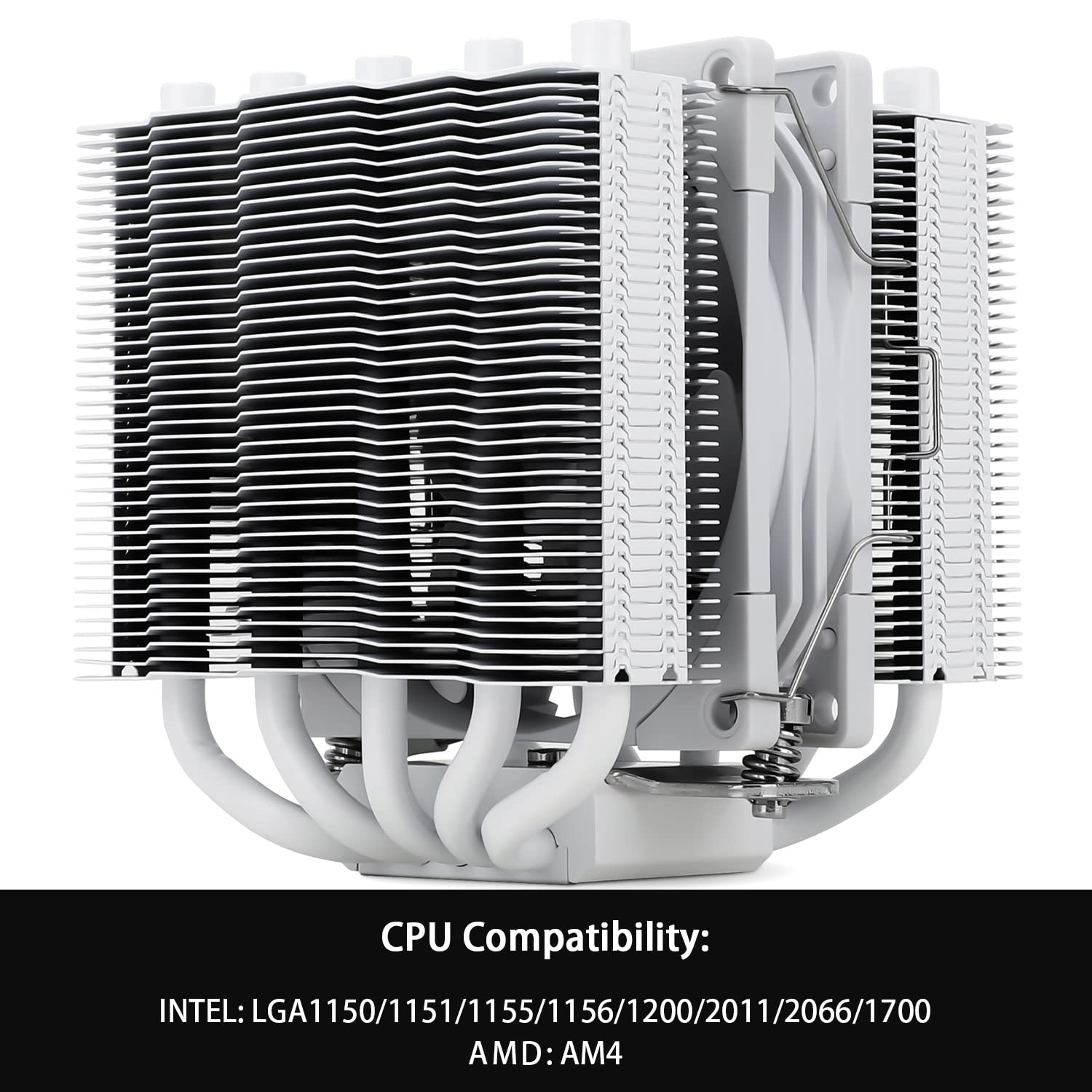
Image: Diagram showing CPU compatibility for Intel LGA1150/1151/1155/1156/1200/2011/2066/1700 and AMD AM4 platforms.
General Installation Steps:
- Prepare Motherboard: Place the appropriate backplate (Intel or AMD) behind your motherboard, aligning the holes with the CPU socket mounting holes.
- Install Standoffs: From the front side of the motherboard, screw in the correct standoffs for your CPU socket type through the mounting holes and into the backplate.
- Apply Thermal Paste: Clean the surface of your CPU and the cooler's base. Apply a small amount of the provided thermal paste to the center of your CPU. A pea-sized dot is usually sufficient. Do not spread it manually; the pressure from the cooler will spread it evenly.
- Mount Heatsink: Carefully place the heatsink onto the CPU, aligning the mounting holes on the heatsink's base with the standoffs. Secure the heatsink using the provided mounting screws, tightening them in an alternating diagonal pattern until snug. Do not overtighten.
- Attach Fan: Use the included fan clips to attach the TL-B9W PWM fan to the heatsink. Ensure the fan is oriented correctly to blow air through the heatsink fins towards the rear or top of your case.
- Connect Fan Cable: Plug the 4-pin PWM fan cable into the CPU_FAN header on your motherboard.
- Final Checks: Double-check all connections and ensure the cooler is securely mounted and does not interfere with other components like RAM or GPU.
6. Operating Instructions
Once installed, the Thermalright Silver Soul 110 White CPU Cooler operates automatically. The TL-B9W PWM fan's speed is controlled by your motherboard based on CPU temperature, ensuring optimal cooling performance while minimizing noise.
- BIOS/UEFI Settings: You can typically adjust fan curves and monitoring settings in your motherboard's BIOS/UEFI. Refer to your motherboard manual for specific instructions.
- Temperature Monitoring: Use system monitoring software (e.g., HWMonitor, Core Temp) to observe your CPU temperatures and ensure they remain within safe operating limits, especially under load.
7. Maintenance
Regular maintenance helps ensure the longevity and optimal performance of your CPU cooler.
- Dust Removal: Periodically clean dust from the heatsink fins and fan blades using compressed air or a soft brush. Ensure the fan is not spinning rapidly during cleaning to prevent damage to the bearings.
- Thermal Paste: While not frequently required, if you remove the cooler for any reason, it is recommended to clean off the old thermal paste from both the CPU and the cooler base and apply fresh thermal paste before re-installation.
- Fan Inspection: Check the fan for any signs of wear, unusual noise, or reduced performance.
8. Troubleshooting
If you encounter issues with your CPU cooler, refer to the following common problems and solutions:
| Problem | Possible Cause | Solution |
|---|---|---|
| High CPU Temperatures | Improper cooler mounting, insufficient thermal paste, excessive dust, poor case airflow. | Re-seat the cooler, re-apply thermal paste, clean heatsink and fan, improve case ventilation. |
| Fan Not Spinning | Fan cable disconnected, faulty fan, incorrect BIOS settings. | Check fan connection to CPU_FAN header, test fan on another header, check BIOS fan control settings. |
| Unusual Fan Noise | Dust buildup, fan bearing issue, fan hitting cables. | Clean fan blades, ensure no cables are obstructing the fan, consider replacing fan if noise persists. |
| Cooler Does Not Fit | Incorrect mounting hardware, case clearance issues. | Ensure correct mounting brackets are used for your socket, verify case and RAM clearance before purchase. |
9. Specifications

Image: Detailed specifications table for the Silver Soul 110 White CPU Cooler, including fan and heatsink dimensions, performance metrics, and materials.
| Feature | Specification |
|---|---|
| Model | Thermalright Silver Soul 110 White |
| CPU Cooler Dimensions (L x W x H) | 94mm x 94mm x 110mm (3.7 x 3.7 x 4.3 inches) |
| Heatsink Material | Aluminium Fins, Pure Copper Heat Pipes and Base, Nickel Plated |
| Heat Pipes | 5 x 6mm (AGHP Technology) |
| TDP Compatibility | 95~200W |
| Fan Model | TL-B9W PWM Fan |
| Fan Dimensions (L x W x H) | 92mm x 92mm x 25.6mm (3.6 x 3.6 x 1 inch) |
| Fan Speed | 2500 RPM ± 10% (MAX) |
| Airflow | 54 CFM (MAX) |
| Noise Level | ≤23dB(A) |
| Fan Bearing Type | S-FDB Bearing |
| Power Connector | 4-Pin PWM |
| Rated Voltage | 12V DC |
| Product Weight | 0.505 kg (1.1 lb) |
| Compatible Sockets | Intel: LGA1150/1151/1155/1156/1200/1700/17XX/2066/2011; AMD: AM4/AM5 |
10. Warranty and Support
Thermalright products are manufactured to high quality standards. For warranty information and technical support, please refer to the official Thermalright website or contact your local retailer. Keep your proof of purchase for warranty claims.
For further assistance, you may visit the Thermalright official website or contact their customer service department. Contact details are typically available on the product packaging or the official brand website.
Related Documents - SS110 WHITE
 |
Thermalright Silver Soul 135 Series CPU Cooler Installation Guide Comprehensive installation guide for the Thermalright Silver Soul 135 Series CPU Cooler, covering parts identification and step-by-step mounting instructions for AMD AM4 and various Intel LGA sockets (115X, 1200, 20XX, 1700). Includes fan wiring details. |
 |
Thermalright Peerless Assassin 120 Digital ARGB Black CPU Cooler - User Manual and Specifications Comprehensive guide for the Thermalright Peerless Assassin 120 Digital ARGB Black CPU Cooler, detailing its features, technical specifications, installation process, and TRCC software setup for optimal performance and aesthetics. |
 |
Thermalright Burst Assassin 120 Vision CPU Cooler Installation Guide Comprehensive installation guide for the Thermalright Burst Assassin 120 Vision CPU cooler, covering LGA115x/1700 and AMD AM4/AM5 platforms, including parts list, fan wiring, and LCD screen setup. |
 |
Thermalright Phantom Spirit 120 Series Installation Guide Comprehensive installation guide for the Thermalright Phantom Spirit 120 Series CPU cooler, detailing parts, assembly steps for Intel and AMD platforms, and fan wiring. |
 |
Thermalright Assassin X 120 V2 Installation Guide Detailed installation guide for the Thermalright Assassin X 120 V2 CPU cooler, covering AMD AM4/AM5 and Intel LGA115X/1200/1700 socket compatibility. |
 |
Thermalright Assassin King 120 MINI V2 Installation Guide Comprehensive installation guide for the Thermalright Assassin King 120 MINI V2 CPU cooler, covering assembly and mounting for both Intel and AMD platforms. |