Introduction
Thank you for choosing the SONGMICS Electric Height Adjustable Desk. This manual provides essential information for the safe assembly, operation, and maintenance of your new desk. Please read these instructions carefully before use and retain them for future reference.
Safety Information
- Ensure all components are present and undamaged before assembly. Do not use if any parts are missing or broken.
- Keep children and pets away from the desk during operation to prevent accidents.
- Do not overload the desk. The maximum static load capacity is 70 kg (154 lbs).
- Ensure there are no obstructions above or below the desk when adjusting its height.
- Do not sit or stand on the desk.
- Only use the desk for its intended purpose as a workstation.
- Disconnect power before cleaning or performing any maintenance.
- If you encounter any issues, refer to the troubleshooting section or contact customer support.
Setup: Assembly Instructions
This desk requires assembly. Please follow the detailed, numbered instructions provided in the separate assembly guide included with your product. Ensure you have all necessary tools and components before beginning. Assembly is designed to be straightforward.
Key Assembly Points:
- Identify all parts according to the parts list.
- Assemble the desk frame first, ensuring all screws are tightened securely.
- Attach the desktop panels to the frame.
- Connect the control panel and motor cables as instructed.
- Install accessories such as the cable management openings, fabric storage bag, and hook. Note that the fabric storage bag and the large hook cannot be fixed on the same side of the desk.

Image Description: A diagram illustrating the desk's dimensions (140 cm length, 60 cm width, 72-120 cm height adjustment range) and its static load capacity of 70 kg. It also shows a person for scale (165 cm tall) and notes that the fabric bag and hook cannot be installed on the same side.
Operating Instructions
Your SONGMICS Electric Height Adjustable Desk features an intuitive control panel for easy height adjustments and memory presets.
Control Panel Overview

Image Description: A close-up of the desk's control panel, showing an LED display, up and down arrow buttons, and four memory preset buttons (M1, M2, M3, and a gear icon for a fourth preset).
- LED Screen: Displays the current desk height in centimeters.
- Up/Down Arrows (∧/∨): Press and hold to adjust the desk height continuously. Release to stop at the desired height.
- Memory Presets (M1, M2, M3, Gear Icon): These buttons allow you to save and recall up to four preferred height settings.
Setting Memory Presets
- Adjust the desk to your desired height using the Up/Down arrows.
- Press the "M" button (or the gear icon for the fourth preset). The LED screen will flash.
- Within 3 seconds, press one of the numbered memory buttons (M1, M2, M3) or the gear icon to save the current height to that preset. The screen will confirm the setting.
Recalling Memory Presets
Simply press the desired memory button (M1, M2, M3, or the gear icon). The desk will automatically move to the saved height.
Cable Management
The desk includes two cable pass-through openings to help keep your workspace tidy. Utilize these to route power cords and other cables neatly.

Image Description: A close-up view of one of the desk's cable pass-through openings, showing a cable routed through it for organized wiring.
Quiet Operation
The desk operates with a noise level below 48 dB, ensuring a quiet working environment.
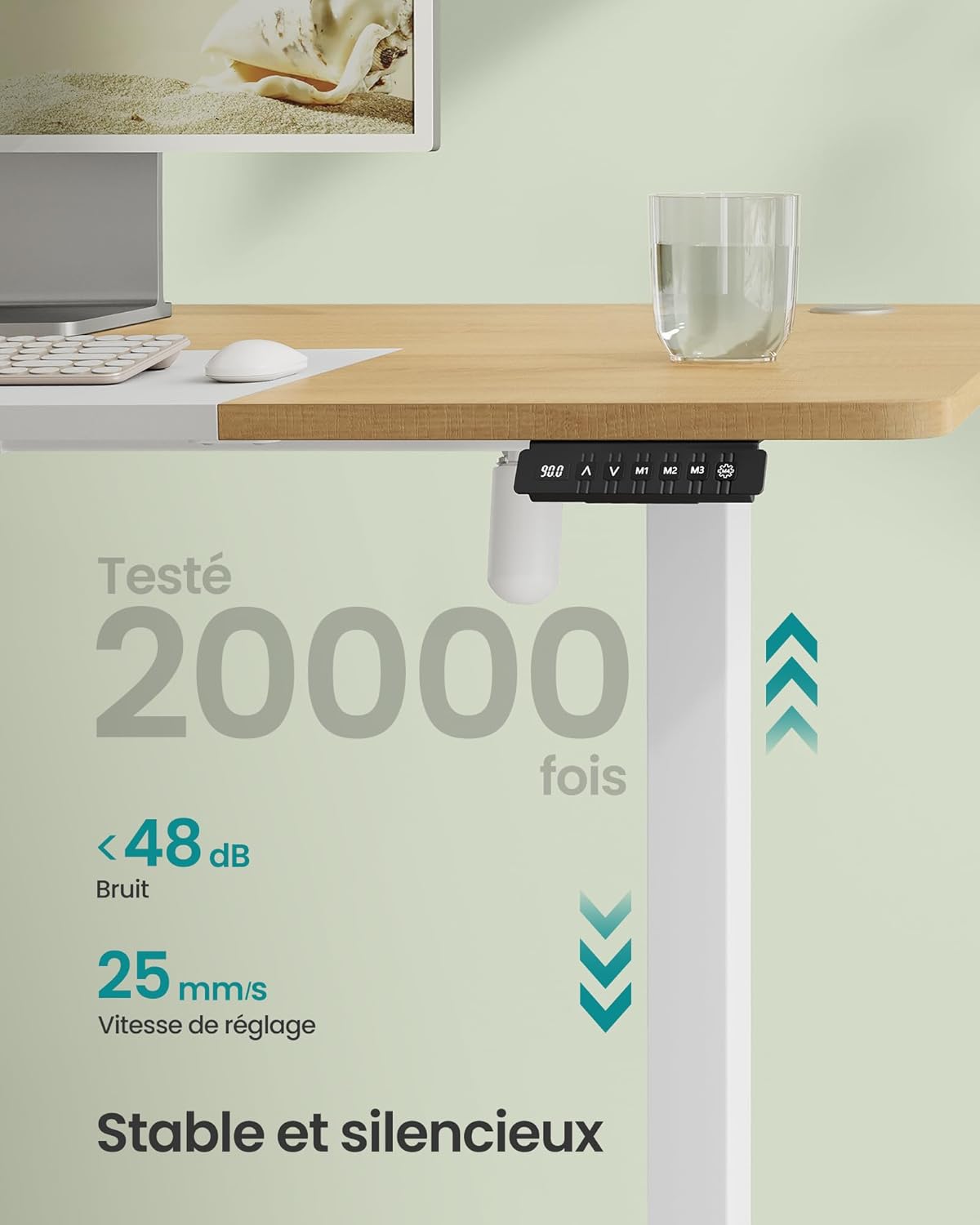
Image Description: An image highlighting the desk's quiet operation, stating a noise level of less than 48 dB and an adjustment speed of 25 mm/s. The control panel is visible.
Maintenance
Regular maintenance helps ensure the longevity and proper functioning of your desk.
- Cleaning: Wipe the desk surface and frame with a soft, damp cloth. Avoid abrasive cleaners or harsh chemicals that could damage the finish.
- Inspections: Periodically check all screws and connections to ensure they are tight. Retighten if necessary.
- Cable Management: Ensure cables are not pinched or tangled, especially during height adjustments.
- Motor Care: The electric motor is designed for durability. Avoid spilling liquids on the control panel or motor components.
Troubleshooting
If you encounter any issues with your desk, please refer to the following common solutions before contacting support.
| Problem | Possible Cause | Solution |
|---|---|---|
| Desk does not move | No power, loose connection, overload | Check power cable connection. Ensure the desk is plugged into a working outlet. Reduce load if exceeding 70 kg. Check all motor and control panel connections. |
| Desk moves unevenly or makes unusual noise | Obstruction, uneven load, loose components | Clear any obstructions. Distribute weight evenly on the desktop. Check and tighten all assembly screws. |
| Memory presets not working | Presets not saved correctly | Re-save your desired height settings following the "Setting Memory Presets" instructions. |
| Error code on LED display | System malfunction | Refer to the full product manual for specific error code meanings or contact customer support. Try unplugging the desk for 30 seconds and plugging it back in to reset. |
Specifications
| Brand | SONGMICS |
| Model Number | LSD016N01 |
| Dimensions (L x W x H) | 140 x 60 x 72-120 cm (55.1 x 23.6 x 28.3-47.2 inches) |
| Height Adjustment Range | 72 cm to 120 cm (28.3 inches to 47.2 inches) |
| Static Load Capacity | 70 kg (154 lbs) |
| Material | Engineered Wood (desktop), Alloy Steel (frame) |
| Noise Level | Below 48 dB |
| Adjustment Speed | 25 mm/s |
| Weight | 28 kg (61.7 lbs) |
| Color | Natural Oak Color + Matte White |
Warranty and Support
For warranty information, please refer to the documentation included with your product or visit the official SONGMICS website. If you require technical assistance, replacement parts, or have any questions not covered in this manual, please contact SONGMICS customer support directly. Contact details can typically be found on the product packaging or the brand's official website.


