
MUBVIEW Bell J9
MUBVIEW Wireless Video Doorbell with Chime
Model: Bell J9 - User Manual
Product Overview
The MUBVIEW Wireless Video Doorbell with Chime provides enhanced home security with 1080p video, two-way audio, night vision, and human detection. It offers flexible storage options without mandatory subscriptions, ensuring peace of mind for your home security needs.

This image displays the MUBVIEW wireless video doorbell, its accompanying chime unit, and a smartphone screen illustrating the live video feed from the doorbell camera.
Setup
What's in the Box

The package includes the doorbell unit, USB cable, chime, screws, screw anchors, user manual, 3M tape, and an unlock pin.
Charging the Doorbell
The doorbell features a built-in large-capacity battery with low power consumption, ensuring up to 90 days of power per charge. Use the provided USB cable to charge the device.

The doorbell features a built-in rechargeable battery designed for long-lasting performance, typically up to 90 days per charge.
This video demonstrates the sleek design of the doorbell and highlights its extended standby time, showcasing the charging port and overall aesthetic.
Mounting the Doorbell
The MUBVIEW doorbell is designed for easy installation. You can choose to mount it using the included screws and anchors for a permanent fixture or use the adhesive tapes for a less invasive setup.
The doorbell can be easily mounted on a wall using either the provided screws and anchors or the adhesive tapes.

The doorbell unit slides onto its mounting bracket, which can be affixed to the wall using screws or adhesive.
Operating Instructions
App Connection & Live View
Download the MUBVIEW app to your smartphone. The doorbell is compatible with 2.4GHz WiFi networks (5G is not supported). Once connected, you can access a live 1080p video feed from anywhere, ensuring seamless real-time interaction.
The MUBVIEW app allows for live video streaming and remote interaction with your doorbell.
This official video provides a comprehensive overview of the MUBVIEW Video Doorbell Camera's features and capabilities.
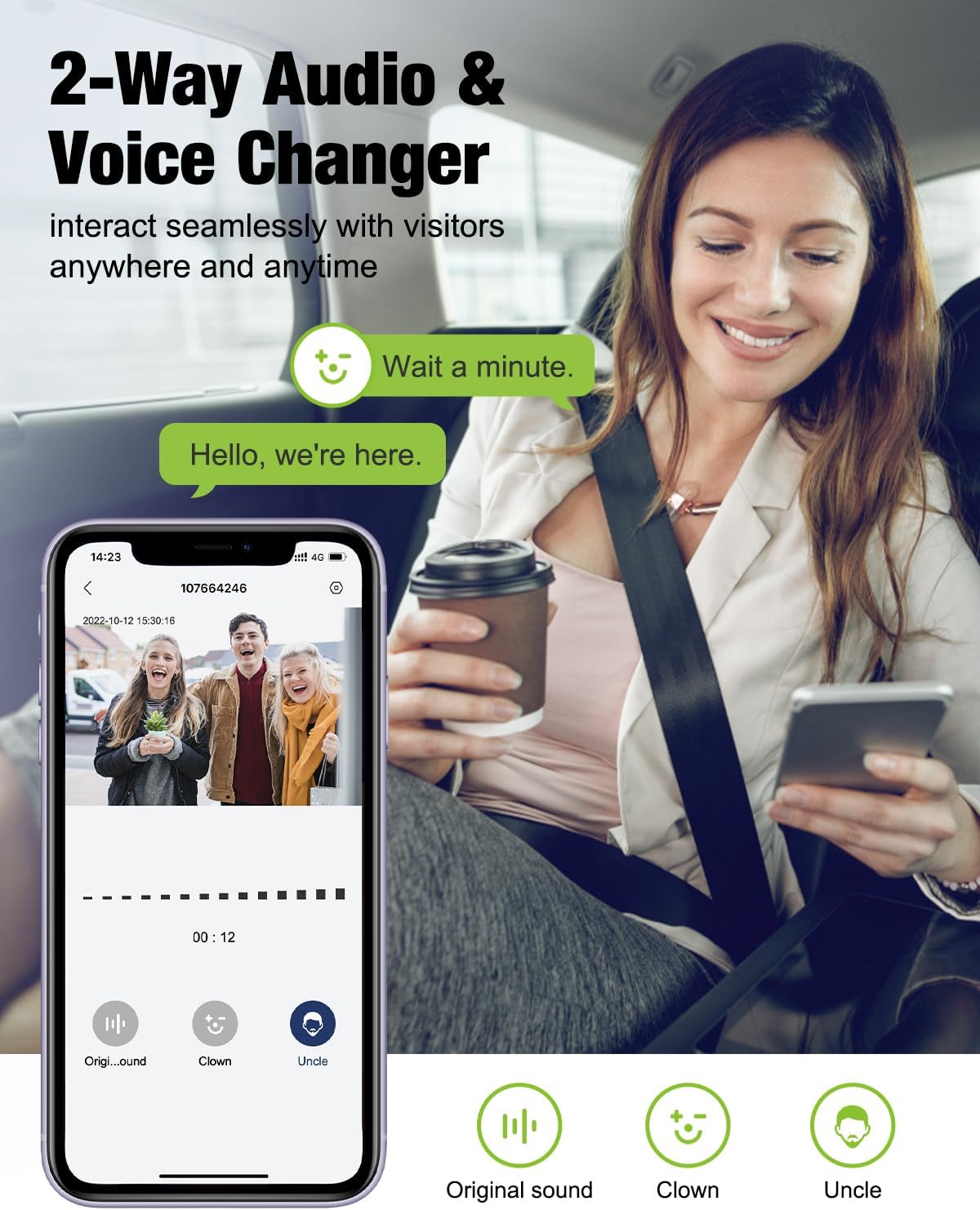
Two-Way Audio & Voice Changer
See and speak to visitors and couriers through the 1080P camera and 120° wide angle. The smart doorbell camera features a voice changer for privacy protection and pre-recorded voice messages for quick replies.
Engage in real-time conversations with visitors using the two-way audio feature. The app also includes a voice changer for added privacy.
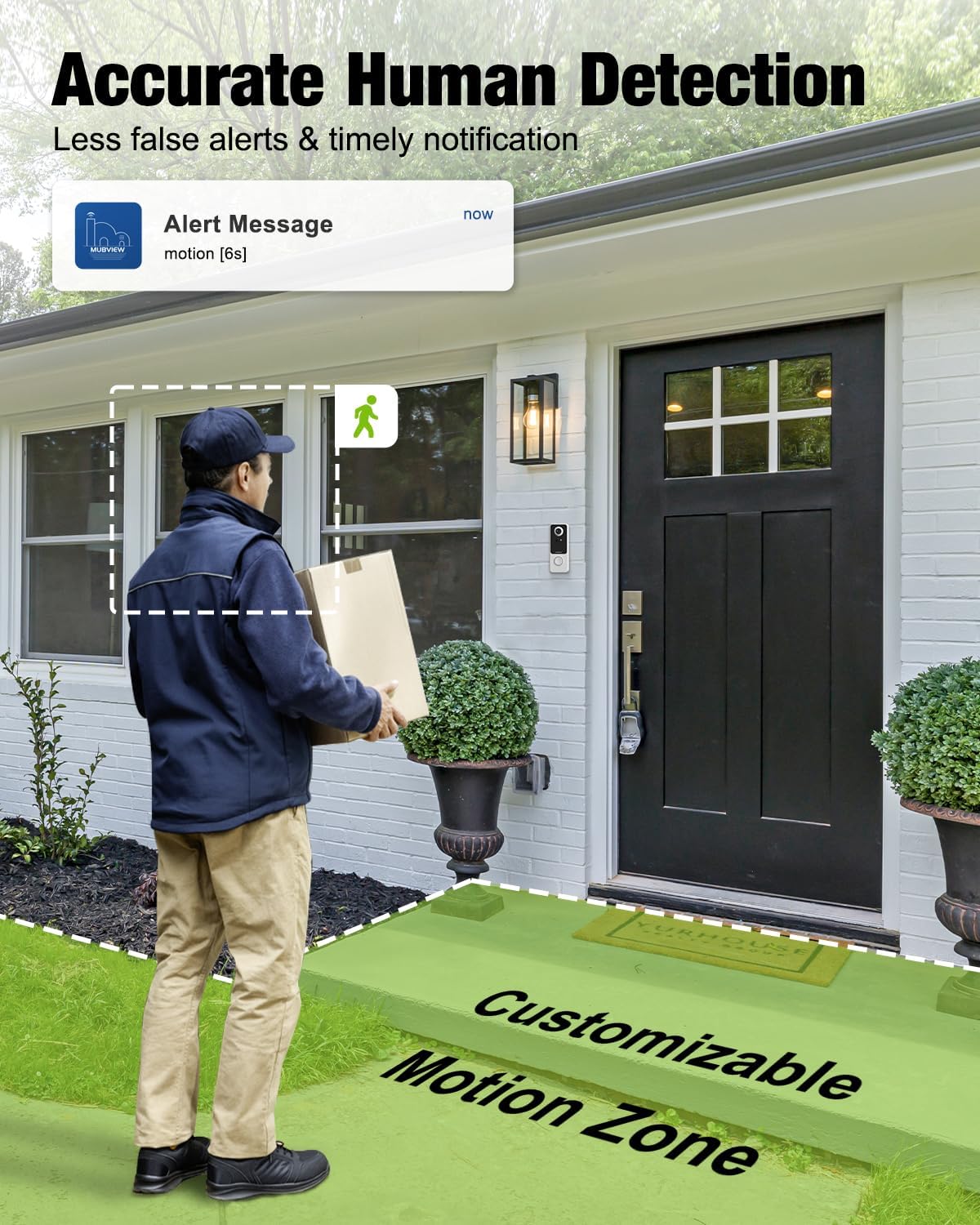
Motion Detection & Alerts
Get real-time alerts on your mobile device when the doorbell detects motion at your doorstep. With AI human detection and adjustable sensitivity, this camera minimizes false alarms and unnecessary notifications. You can set customizable motion zones and schedule alert times easily with the user-friendly app.

The doorbell features AI human detection with customizable motion zones and adjustable sensitivity to minimize false alarms and provide instant alerts.
Night Vision
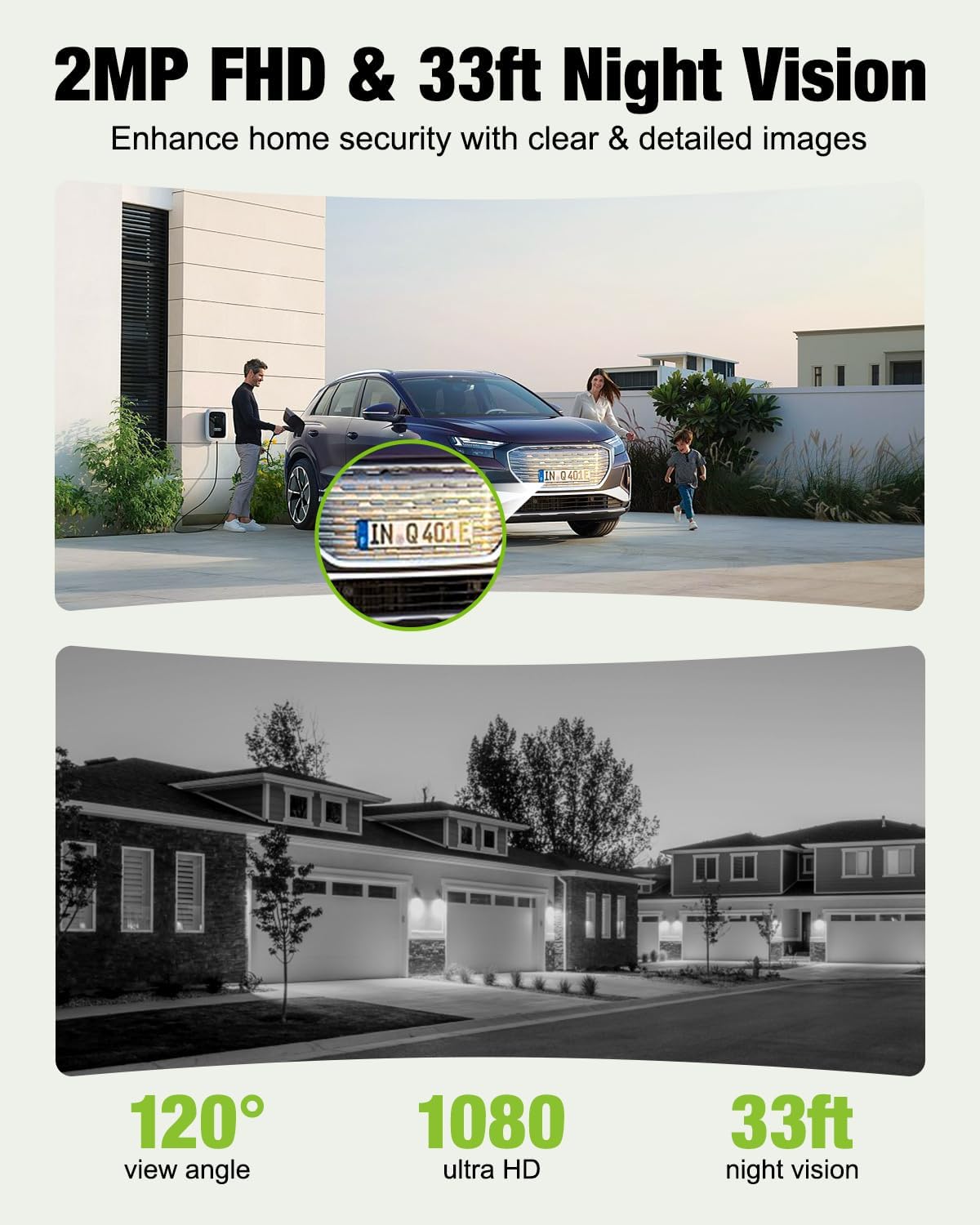
Always see clearly in darkness with 33ft night vision. The 1080p camera ensures clear and detailed images even in low-light conditions.
The 1080p camera provides clear video quality, with infrared night vision extending up to 33 feet for visibility in low-light conditions.
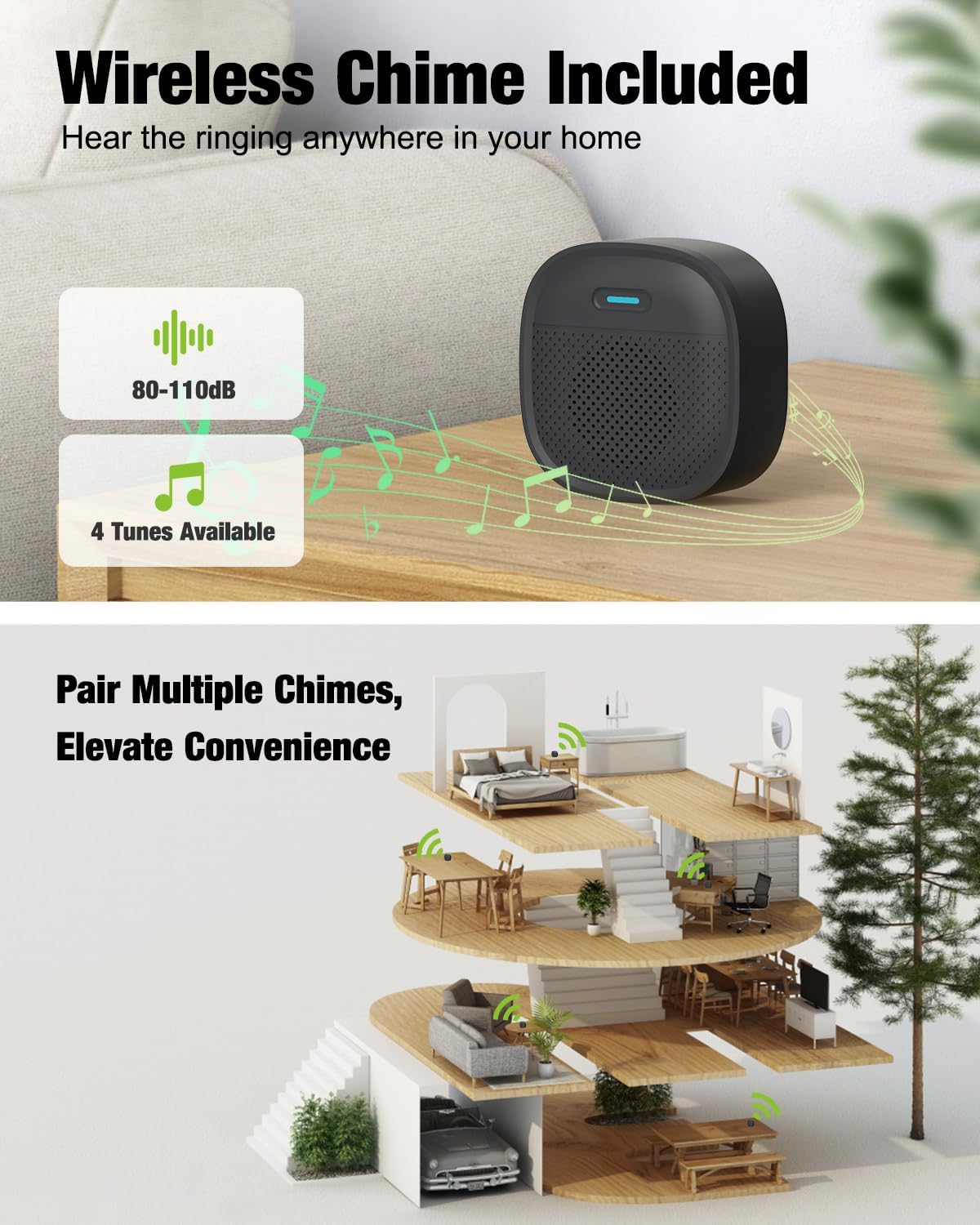
Wireless Chime
The included wireless chime is battery-powered and can be placed anywhere in your home, such as the dining room, kitchen, or backyard, ensuring you never miss a visitor. One wireless video doorbell can be paired with multiple indoor chimes.
The included wireless chime can be placed anywhere in your home, offering adjustable volume and multiple tunes. Multiple chimes can be paired with a single doorbell.
Maintenance
Battery Management
The doorbell's built-in battery offers long-lasting performance. Recharge the doorbell using the provided USB cable when the battery level is low. The frequency of charging depends on usage and motion detection activity.
Storage Options
The MUBVIEW doorbell offers flexible storage solutions. It includes a lifetime of free AES encrypted cloud storage with a 7-day free loop recording. Additionally, it supports local storage via a 128GB SD card (not included) for extended video retention.

The doorbell supports local storage via a 128GB SD card (not included) and offers a free 7-day loop recording to AES encrypted cloud storage.
Troubleshooting
Common Issues
- 5G Network Compatibility: The MUBVIEW doorbell camera only supports 2.4GHz Wi-Fi and is not compatible with 5G networks. Ensure you connect to a 2.4G network during pairing.
- Battery Life: In general, the doorbell can stand by for 2-3 months. Actual battery life may vary depending on factors such as movement detection frequency and temperature.
- False Alarms: Utilize the AI human detection and adjustable sensitivity settings in the app to minimize false alarms. Customize motion zones to focus on relevant areas.

This section addresses frequently asked questions, including compatibility with 5G networks, expected battery life, and instructions on how to contact customer support.
Specifications
| Feature | Detail |
|---|---|
| Brand | MUBVIEW |
| Model Number | Bell J9 |
| Video Capture Resolution | 1080p |
| Viewing Angle | 120 Degrees |
| Night Vision Range | 33 Feet |
| Connectivity Protocol | 2.4GHz WiFi (Not support 5G) |
| Power Source | Battery Powered |
| Material | Acrylonitrile Butadiene Styrene (ABS) |
| International Protection Rating | IP65 |
| Item Dimensions L x W x H | 7.05 x 2.91 x 4.02 inches |
| Item Weight | 15.2 ounces |
Warranty and Support
MUBVIEW is committed to providing excellent customer support. Your doorbell comes with a 2-year warranty and lifetime service. For any inquiries or concerns, responsive local customer service is available.

MUBVIEW offers a 2-year warranty, lifetime service, and 24/7 professional technical support to ensure customer satisfaction.
Each item is Verified by Transparency, featuring a unique code for authenticity verification before shipping.
Visit the official MUBVIEW Store for more products and support.
Related documentsBell J9


Ask a question about this manual
Ask about setup, troubleshooting, compatibility, parts, safety, or missing instructions. Manuals+ will review the question and use this page’s manual context to help answer it.