
Introduction
Thank you for choosing the Denon PerL True Wireless Earbuds. This manual provides essential information for setting up, operating, and maintaining your earbuds to ensure optimal performance and a personalized listening experience. Please read these instructions carefully before use.
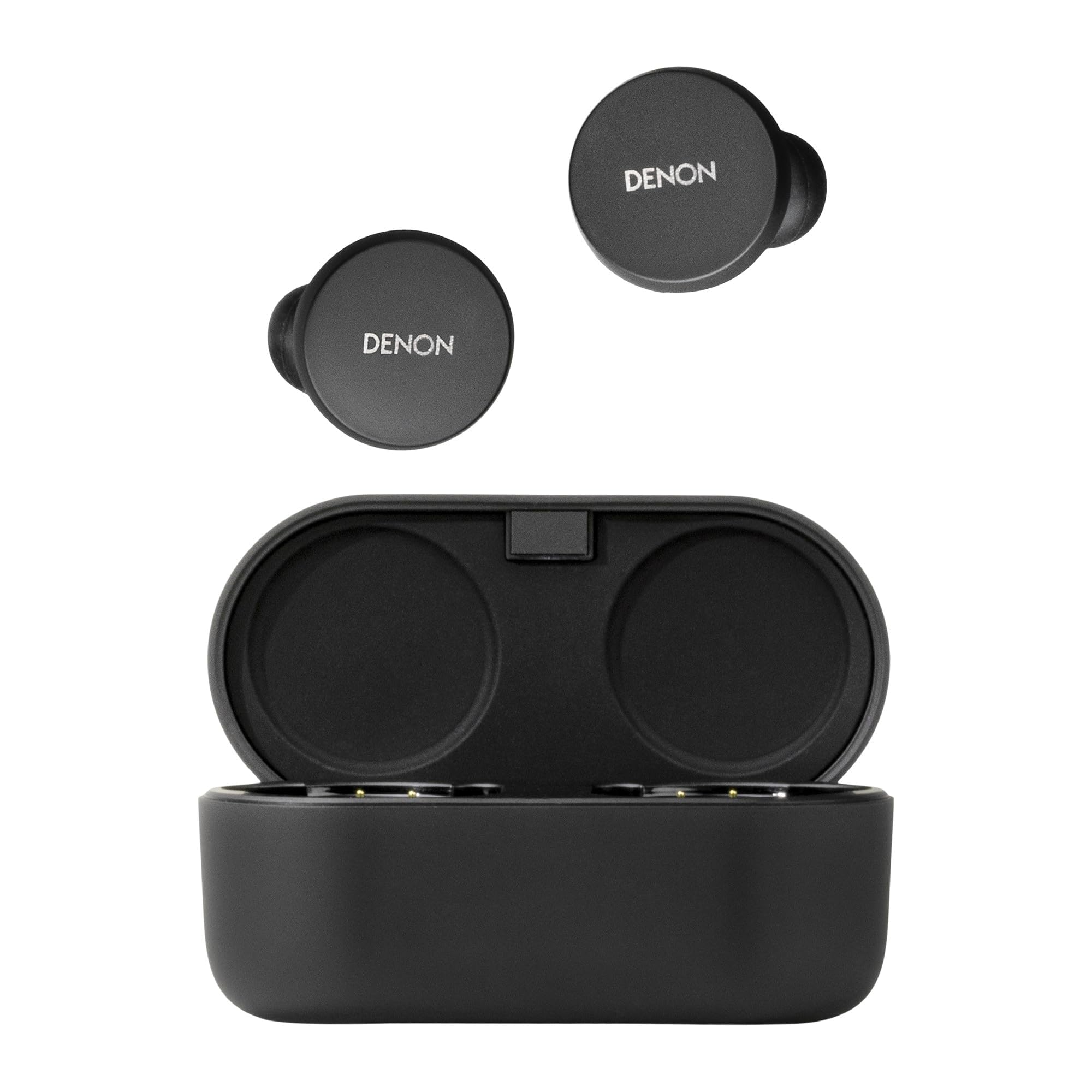
Image: Denon PerL True Wireless Earbuds and their charging case.
What's in the Box
Verify that all items are present in the packaging:
- Denon PerL True Wireless Earbuds
- Fast Charging Case
- USB-A to USB-C Charging Cable
- Five Tip Options (XS, S, M, L, Foam)
- Two Wing Attachment Options

Image: Denon PerL Earbuds, charging case, and the included selection of ear tips and wing attachments for a customized fit.
Setup
1. Charging the Earbuds and Case
Before first use, fully charge the earbuds and charging case. Connect the USB-C cable to the charging case and a power source. The indicator lights on the case will show the charging status.
2. Pairing with a Device
- Open the charging case. The earbuds will automatically enter pairing mode.
- On your device (smartphone, tablet, etc.), go to Bluetooth settings.
- Select "Denon PerL" from the list of available devices.
- Once connected, a voice prompt will confirm successful pairing.
3. Denon Headphones App
Download the Denon Headphones app from your device's app store. The app is essential for unlocking the full potential of your earbuds, including personalized sound, custom touch controls, and mode adjustments.
Image: A smartphone screen showing the Denon Headphones app, with Denon PerL earbuds and a laptop in the background.
4. Personalized Sound with Masimo Adaptive Acoustic Technology (AAT)
The Denon PerL earbuds utilize Masimo AAT to create a unique sound profile tailored to your hearing. This process involves the earbuds playing a range of tones and listening to the tiny sounds (otoacoustic emissions or OAEs) generated by your cochlea. The app then creates an EQ setting perfectly tuned to how you hear.
Video: An animation demonstrating how Masimo Adaptive Acoustic Technology (AAT) works by measuring otoacoustic emissions to create a personalized sound profile.
5. Comfortable and Secure Fit
Achieving a proper fit is crucial for sound quality and noise cancellation. Experiment with the five included ear tip options (XS, S, M, L, Foam) and two wing attachment options to find the most comfortable and secure fit for your ears. The Denon Headphones app also offers a fit test to help you ensure an optimal seal.

Image: A person wearing a Denon PerL earbud, illustrating the secure and comfortable fit.
Operating the Earbuds
1. Touch Controls
Each earbud features four fully customizable touch inputs. These can be configured via the Denon Headphones app to control functions such as:
- Play/Pause music
- Skip tracks (next/previous)
- Adjust volume
- Activate voice assistant
- Switch between Noise Cancelling and Social Mode
- Answer/End calls
2. Noise Cancellation and Social Mode
The earbuds feature Adaptive Active Noise Cancellation (ANC) to block out ambient distractions. For situations where you need to be aware of your surroundings, activate Social Mode to allow external sounds to pass through. These modes can be toggled using the customizable touch controls or through the Denon Headphones app.
3. Making Calls
The Denon PerL earbuds are equipped with eight microphones and Qualcomm aptX Voice technology for clear voice calls. Multipoint connectivity allows you to connect to two devices simultaneously, making it easy to switch between music on one device and calls on another.
Charging and Battery Life
The earbuds provide up to 8 hours of playback in Normal Mode on a single charge. The charging case extends the total listening time to up to 24 hours in Low Power Mode, offering multiple recharges. The case supports both USB-C and Qi wireless charging.
Battery Indicators:
- Check battery status via the Denon Headphones app.
- LED indicators on the charging case show the case's battery level.
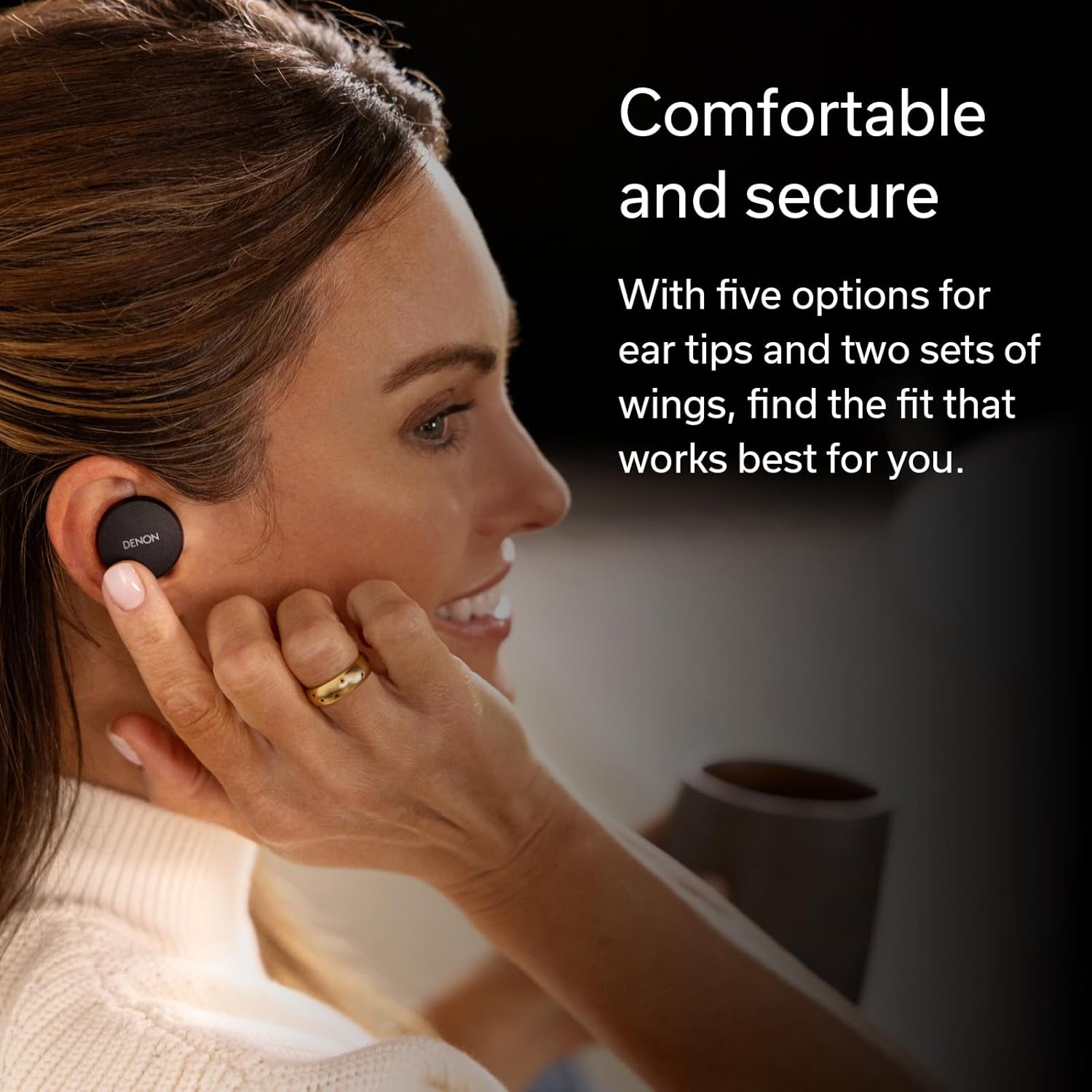
Image: Hands placing the Denon PerL earbuds into their charging case.
Maintenance
1. Cleaning
Regularly clean your earbuds and charging case to maintain performance. Use a soft, dry, lint-free cloth. Do not use abrasive cleaners or solvents. Remove ear tips and clean them separately with mild soap and water, ensuring they are completely dry before reattaching.
2. Water Resistance
The Denon PerL earbuds are IPX4-rated for sweat and water resistance. This means they are protected against splashing water from any direction. They are not waterproof and should not be submerged in water. Ensure earbuds are dry before placing them back in the charging case.
Troubleshooting
- No Sound: Ensure earbuds are charged, properly paired, and volume is adjusted. Check audio output settings on your device.
- Pairing Issues: Place earbuds back in the case, close, then reopen to re-enter pairing mode. Forget the device in your Bluetooth settings and try pairing again.
- Poor Fit/Sound Quality: Experiment with different ear tips and wing attachments. Perform the fit test in the Denon Headphones app. Ensure the personalized sound profile is active.
- Battery Draining Quickly: Ensure earbuds are properly seated in the charging case. Close the case lid to ensure charging begins.
- Call Quality Issues: Ensure microphones are not obstructed. Try moving to an environment with less background noise.
Specifications
| Brand | Denon |
| Model Number | AHC10PLBK |
| Ear Placement | In Ear |
| Noise Control | Active Noise Cancellation |
| Connectivity Technology | Wireless (Bluetooth 5.0) |
| Bluetooth Range | 10 Meters |
| Earbud Battery Life | Up to 8 hours (Normal Mode) |
| Total Battery Life (with case) | Up to 24 hours (Low Power Mode) |
| Water Resistance Level | IPX4 (Water Resistant) |
| Item Weight | 1.6 ounces |
| Carrying Case Weight | 1.68 ounces |
| Audio Driver Type | Dynamic Driver |
| Frequency Range | 20 Hz - 20,000 Hz |
Video: A product overview of the Denon PerL True Wireless Earbuds, highlighting key features and design.
Warranty and Support
Warranty Information
The Denon PerL True Wireless Earbuds come with a 1-year manufacturer's warranty. Please retain your proof of purchase for warranty claims.
Customer Support
For further assistance, technical support, or warranty inquiries, please visit the official Denon website or contact their customer service department. Refer to the product packaging for specific contact details.


