
Introduction
This manual provides detailed instructions for the operation and maintenance of your Pomya 16GB Bluetooth 5.0 MP3 Player. Please read this manual thoroughly before using the device to ensure proper function and longevity.
Product Overview
Key Features
- 16GB Internal Memory: Stores up to 2000 songs.
- Expandable Storage: Supports up to 128GB memory card (not included).
- Bluetooth 5.0: Faster data transfer and stable connection for wireless audio.
- 1.8-inch LCD Display: Clear interface with quick dial UI design.
- High-Fidelity Sound: Professional digital noise reduction chip for superior audio quality.
- Multi-functionality: Music player, FM radio, voice recorder, e-book reader, video player, and various tools.
- Long Battery Life: Up to 30 hours of music playback on a single charge.
- Fast Charging: Fully charges in less than 1 hour.
- Touch Buttons: Capacitive touch controls with backlight for easy night operation.
- Supported Audio Formats: MP3, WMA, OGG, APE, FLAC, WAV, AAC LC, ACELP.
Package Contents
- 1 x Pomya MP3 Player
- 1 x Charging Cable
- 1 x Earphones
- 1 x Instruction Manual
- 1 x Storage Box
Device Layout

Image: The MP3 player shown with its charging cable, earphones, and a clear storage box.

Image: A close-up of the bottom edge of the MP3 player, highlighting the 3.5mm headphone jack and the Micro USB charging port.

Image: The back of the MP3 player, displaying the integrated speaker grille, the power button, and a lock switch.
Setup
1. Charging the Device
Before first use, fully charge the MP3 player. Connect the provided USB charging cable to the Micro USB port on the player and to a USB power adapter (not included) or a computer's USB port. The device charges fully in less than 1 hour.
2. Power On/Off
- To Power On: Press and hold the power button located on the side of the device until the screen illuminates.
- To Power Off: Press and hold the power button until the power-off option appears on the screen, then confirm.
3. Transferring Music and Files
Connect the MP3 player to your computer using the USB charging cable. The device will appear as a removable disk. Drag and drop your music, video, e-book, or other compatible files into the appropriate folders on the player's internal 16GB memory.
4. Inserting a Memory Card (Optional)
The device supports a Micro SD card up to 128GB for expanded storage. Locate the memory card slot on the side of the player. Gently insert the Micro SD card until it clicks into place. Ensure the card is inserted correctly to avoid damage.
Video: This video demonstrates the process of inserting a Micro SD card into the MP3 player for memory expansion.
5. Connecting Earphones
Plug the 3.5mm jack of your earphones into the headphone port located at the bottom of the MP3 player.
Operating Instructions
Navigation and Touch Controls
The MP3 player features a 1.8-inch LCD display with capacitive touch buttons. Navigate through menus and select functions by tapping the corresponding icons or areas on the screen. The backlit buttons facilitate operation in low-light conditions.

Image: A finger touching the central control area on the MP3 player's screen, demonstrating the touch interface.

Image: The MP3 player's touch buttons illuminated with a red backlight, indicating ease of use in dark environments.
Music Playback
- From the main menu, select the "Music" icon.
- Browse your music library by artist, album, genre, or all songs.
- Tap on a song to begin playback.
- Use the on-screen controls for play/pause, next/previous track, and volume adjustment.
Video: This video demonstrates navigating the music library and playing a song on the MP3 player.
Bluetooth Pairing
- From the main menu, select "Settings" and then "Bluetooth".
- Turn on Bluetooth. The player will search for available devices.
- Select your Bluetooth headphones or speaker from the list to pair.
- Once paired, audio will stream wirelessly to the connected device.
Video: This video illustrates how to enable Bluetooth and pair the MP3 player with a wireless audio device.
Other Functions
- FM Radio: Select the "FM Radio" icon from the main menu. Use the on-screen controls to scan for stations and adjust frequency.
- Recorder: Select the "Recorder" icon to access the voice recording function.
- E-book: Select the "E-book" icon to read compatible text files.
- Video: Select the "Video" icon to play compatible video files.
- Tools: Access additional utilities such as calendar, stopwatch, etc.
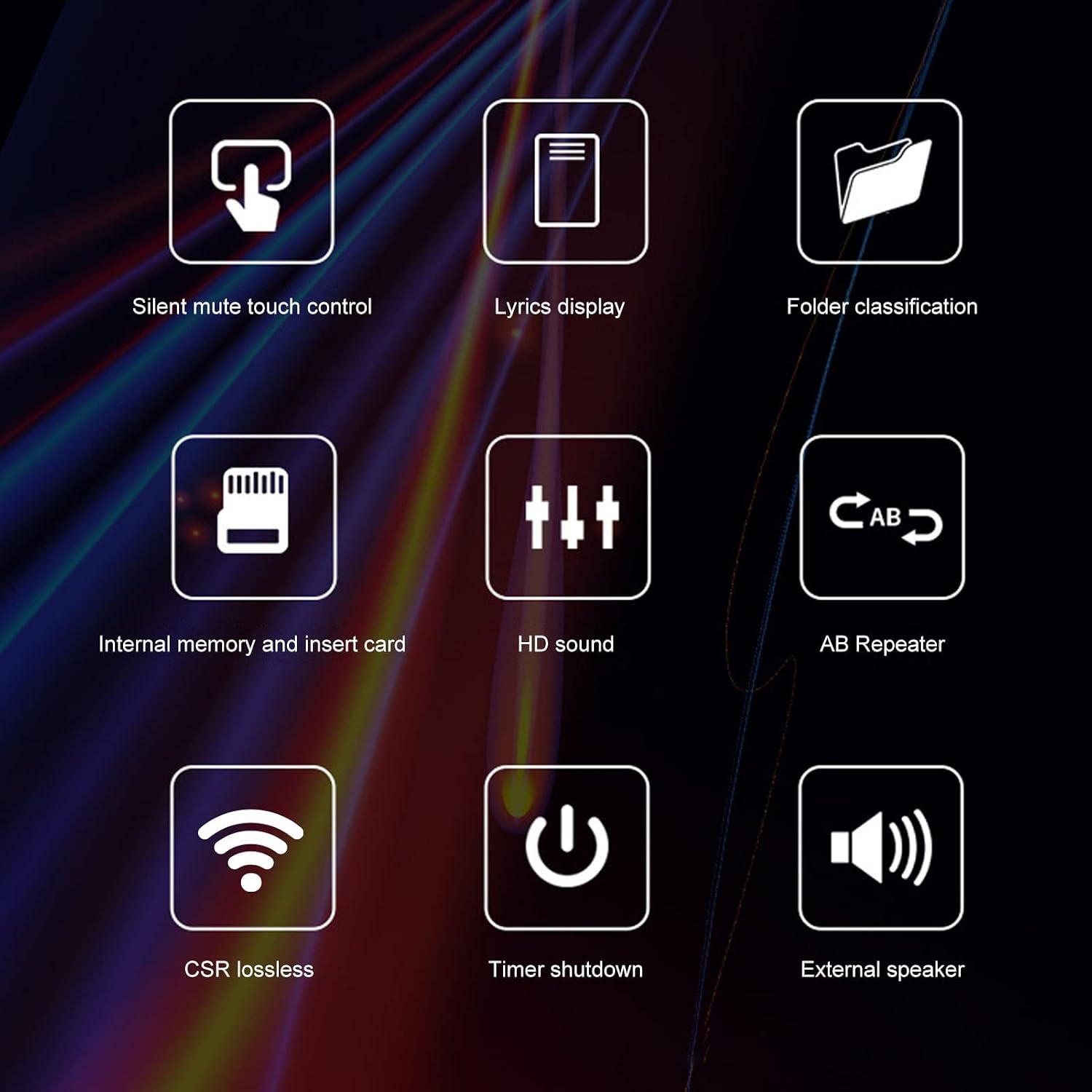
Image: Icons illustrating the player's diverse functions, such as silent touch, lyrics display, folder management, HD audio, and Bluetooth capabilities.
Maintenance
- Cleaning: Use a soft, dry cloth to clean the device. Avoid liquid cleaners or abrasive materials.
- Storage: Store the MP3 player in a cool, dry place away from direct sunlight and extreme temperatures.
- Battery Care: To prolong battery life, avoid fully discharging the battery frequently. Charge the device regularly, even if not in use for extended periods.
- Software Updates: Check the manufacturer's website periodically for any available firmware updates.
Troubleshooting
| Problem | Possible Solution |
|---|---|
| Device does not power on. | Ensure the battery is charged. Connect to a power source and try again. If unresponsive, perform a hard reset (refer to manual for specific reset instructions if available, otherwise hold power button for 10-15 seconds). |
| Cannot transfer files to the device. | Check USB cable connection. Ensure the device is recognized by your computer. Try a different USB port or cable. |
| Bluetooth device not pairing. | Ensure Bluetooth is enabled on both devices and they are within range. Make sure the other device is in pairing mode. Try restarting both devices. |
| No sound from earphones. | Check if earphones are properly plugged in. Ensure volume is not muted or too low. Test with different earphones. |
| Screen is unresponsive. | Restart the device. If the issue persists, contact customer support. |
Specifications
| Feature | Detail |
|---|---|
| Brand | Pomya |
| Model Number | Pomyar1x43g5y9u |
| Memory Capacity | 16 GB (Internal) |
| Memory Expansion | Up to 128 GB (Micro SD card, not included) |
| Connectivity Technology | Bluetooth 5.0, USB 2.0 |
| Screen Size | 1.8 Inches |
| Display Technology | LCD |
| Supported Audio Formats | MP3, WMA, OGG, APE, FLAC, WAV, AAC LC, ACELP |
| Battery Life | Up to 30 Hours (Music Playback) |
| Charging Time | Less than 1 Hour |
| Special Features | Lightweight, Portable, HD Radio Speaker, Touch Buttons |
Warranty and Support
This product comes with a 30-day free return policy. For specific warranty details or technical support, please contact the seller or refer to the warranty information provided at the time of purchase. Keep your purchase receipt for warranty claims.
For further assistance, you may visit the Pomya Brand Store.