
1. Introduction
The SYMYNELEC P4-W-2PCS Light Bulb Security Camera offers advanced surveillance capabilities with easy installation. Designed for both outdoor and indoor use, this 2.5K 4MP camera provides high-definition video, color night vision, and intelligent motion detection features. It integrates seamlessly with your existing E26/E27 light bulb sockets, eliminating the need for complex wiring.

Image: Two SYMYNELEC P4-W-2PCS Light Bulb Security Cameras with a smartphone displaying live feed.
2. Package Contents
Please verify that all items are present in your package:
- 2.4GHz Light Bulb Security Camera (2 Packs)
- 2x Light Socket Extender
- 1x E26/E27 Socket Adapter (For WiFi Setup ONLY)
- 1x User Manual
- Lifetime Technical Support Information
3. Product Features
- 2.5K 4MP Full HD Video: Provides crystal clear videos and recordings.
- 2.4GHz Wireless WiFi: Compatible with 2.4GHz Wi-Fi networks only. 5GHz Wi-Fi is NOT supported.
- Easy Installation: Installs directly into a standard E26/E27 light bulb socket (110V~240V) without drilling or wiring.
- Outdoor & Indoor Use: IP65-rated weatherproof design suitable for various environments.
- Color Night Vision: Quality infrared LEDs and sensors extend night vision up to 66ft, providing clear images in the dark.
- 360° Human Auto Motion Detection Tracking: Automatically recognizes and tracks human motion within a 350° horizontal and 90° vertical range.
- Two-Way Talk: Communicate with visitors or deter intruders using the built-in microphone and speaker.
- Storage Options: Supports local storage via Micro SD card (up to 128GB, not included) and optional cloud storage with a 7-day trial.
- Smart Home Integration: Works with Amazon Alexa and Google Assistant for convenient voice control.
- Multi-Device Sharing: Share camera access with family and friends (up to 16 cameras, 20 users).
4. Setup Guide
4.1 Unboxing and Initial Inspection
Upon opening the package, you will find the camera unit, a light socket extender, and a user manual. The camera features a standard E26/E27 screw base for easy installation.
Video: Unboxing and initial overview of the SYMYNELEC Light Bulb Security Camera.
4.2 Micro SD Card Installation
To enable local video recording, insert a Micro SD card (up to 128GB, not included) into the designated slot on the camera. The slot is typically located at the bottom of the camera head. Gently push the card until it clicks into place. To remove, push again until it springs out.
4.3 Physical Installation
Screw the light bulb camera into a standard E26/E27 light bulb socket (110V~240V). Ensure the socket provides a constant power supply and is not compatible with motion-activated sockets or light fixtures that interrupt power. No drilling or additional wiring is required.

Image: Easy installation of the camera into a standard E27/E26 light socket.
4.4 App Download and Account Setup
- Download the "Symynelec" app from the App Store (iOS) or Google Play (Android).
- Open the app and create a new account or log in if you already have one.
- Follow the on-screen instructions to set up your account, including email verification.
4.5 Wi-Fi Connection
- Ensure your Wi-Fi network is 2.4GHz. 5GHz Wi-Fi is NOT supported.
- In the app, select to add a new device and choose the camera type.
- The app will generate a QR code. Present this QR code to the camera lens for scanning.
- The camera will emit a voice prompt indicating successful scanning and connection to the Wi-Fi network.
- Once connected, you can name your camera and begin live viewing.

Image: The camera is compatible with 2.4GHz Wi-Fi networks only.
4.6 Image Rotation (for upside-down installation)
If the camera is installed upside down, access the camera settings in the app. Look for an "Image Rotation" or "Flip Image 180°" option to correct the video orientation.
5. Operating Instructions
5.1 Live View and Pan/Tilt/Zoom
From the app's main screen, select your camera to access the live feed. Use the on-screen controls to pan (350° horizontally) and tilt (90° vertically) the camera. Digital zoom is also available to view details.

Image: The camera offers 350° horizontal and 90° vertical rotation for comprehensive coverage.
5.2 Two-Way Talk
Tap the microphone icon in the live view to speak through the camera's speaker. Tap the speaker icon to hear audio from the camera's microphone.

Image: Two-way audio communication via the Symynelec App.
5.3 Motion Detection and Tracking
The camera features AI human motion detection and automatic tracking. When human motion is detected, the camera will follow the subject within its field of view. You will receive real-time alerts on your smartphone.
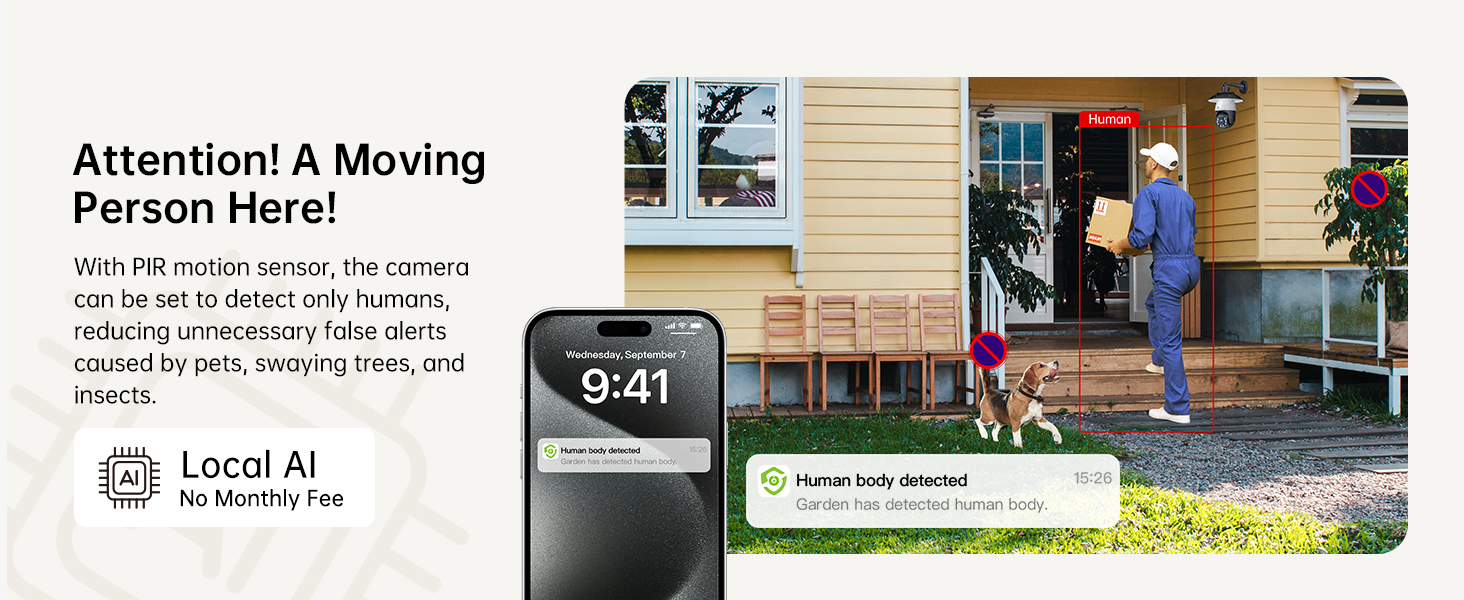
Image: AI human detection reduces false alerts from pets or environmental factors.
5.4 Night Vision
The camera offers 4MP color night vision, extending visibility up to 66ft. It can automatically switch between day and night modes. Starlight color night vision provides crisp, high-resolution images even in low-light conditions.

Image: 4MP Ultra-clear Day & Night vision capabilities.
5.5 Recording and Storage
The camera supports continuous recording to a Micro SD card (up to 128GB). Cloud storage is also available as an optional service, offering a 7-day trial for secure, remote access to your footage.
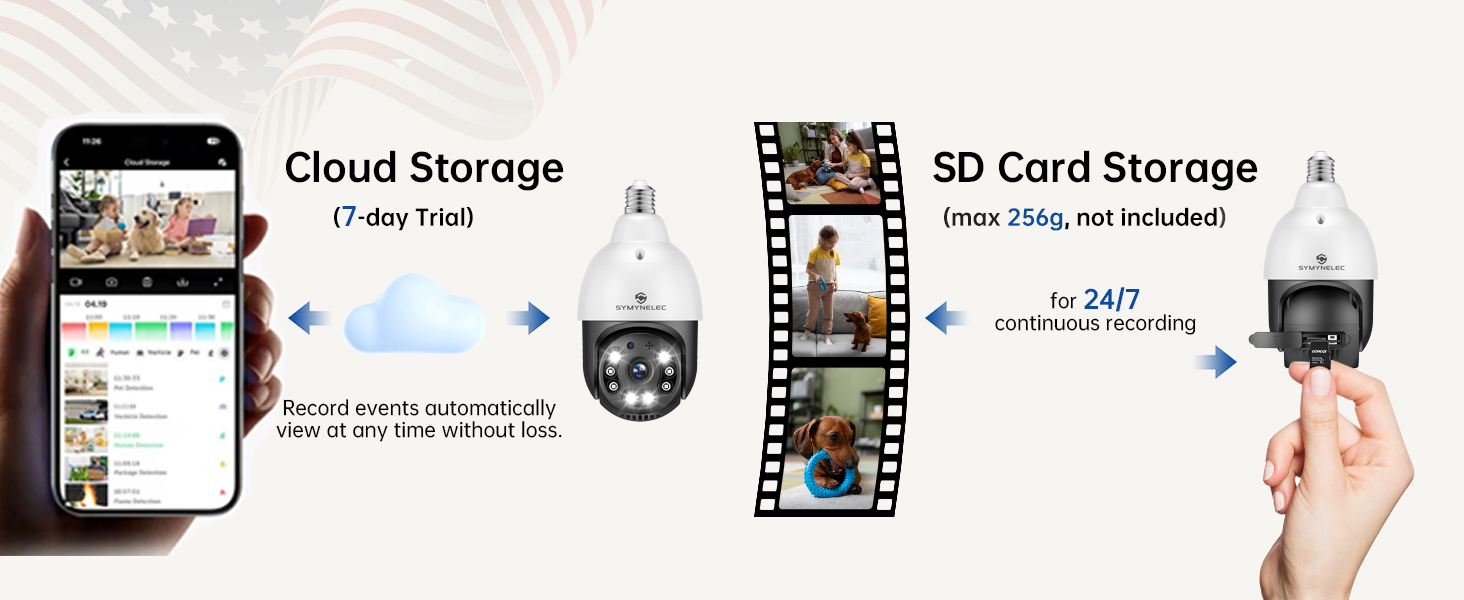
Image: Cloud Storage (7-day trial) and SD Card Storage (max 256GB, not included) options.
5.6 Smart Home Integration
Connect your camera to Amazon Alexa or Google Assistant for hands-free control and live viewing on compatible smart displays.
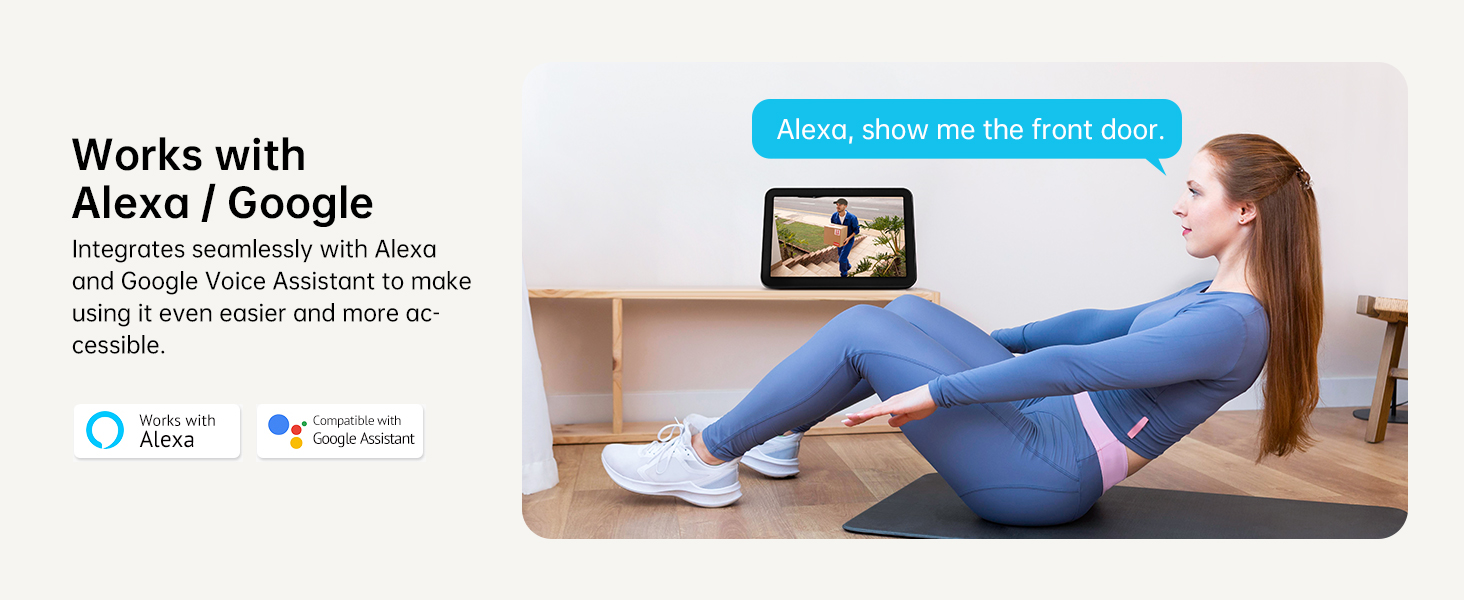
Image: Seamless integration with Alexa and Google Assistant for voice control.
6. Specifications
| Feature | Specification |
|---|---|
| Model Number | P4-W-2PCS |
| Video Capture Resolution | 2.5K 4MP |
| Connectivity Technology | Wireless (2.4GHz Wi-Fi Only) |
| Indoor/Outdoor Usage | Outdoor (IP65 Weatherproof) |
| Power Source | E26/E27 Bulb Socket (110V~240V) |
| Controller Type | Amazon Alexa, Google Assistant |
| Motion Detection | AI Human Motion Detection Tracking |
| Night Vision Range | Up to 66ft (Color Night Vision) |
| Pan/Tilt Range | 350° Horizontal, 90° Vertical |
| Storage | Micro SD Card (Max 128GB), Cloud Storage (Optional) |
| Two-Way Audio | Supported |
| Material | Fireproof Plastic (ABS) |
| Product Dimensions | 2.76 x 2.76 x 5.91 inches |
| Item Weight | 1.43 pounds |
7. Maintenance
To ensure optimal performance and longevity of your SYMYNELEC Light Bulb Security Camera, follow these maintenance guidelines:
- Cleaning: Gently wipe the camera lens and body with a soft, dry cloth. Avoid using harsh chemicals or abrasive materials that could scratch the lens or damage the casing.
- Firmware Updates: Regularly check the Symynelec app for available firmware updates. Keeping your camera's firmware up-to-date ensures you have the latest features, security patches, and performance improvements.
- Power Supply: Ensure the light bulb socket provides a stable and consistent power supply (110V~240V). Fluctuations or interruptions in power can affect camera operation.
- Wi-Fi Signal: Maintain a strong 2.4GHz Wi-Fi signal in the camera's location for reliable connectivity and smooth video streaming.
- SD Card Management: If using a Micro SD card for local storage, periodically review and back up important footage. Consider formatting the SD card within the app every few months to maintain performance.
8. Troubleshooting
If you encounter issues with your SYMYNELEC Light Bulb Security Camera, try the following steps:
- Camera Not Connecting to Wi-Fi:
- Ensure your Wi-Fi network is 2.4GHz. The camera does not support 5GHz.
- Check the Wi-Fi signal strength at the camera's location. Move the camera closer to the router if necessary.
- Verify that the Wi-Fi password entered in the app is correct.
- Reset the camera using the reset button (refer to Section 4.2 for location) and attempt the setup process again.
- Poor Video Quality:
- Ensure a stable and strong Wi-Fi connection.
- Clean the camera lens with a soft, dry cloth to remove any dust or smudges.
- Check the lighting conditions. For night vision, ensure no strong light sources are directly facing the camera.
- Motion Detection Not Working:
- Verify that motion detection is enabled in the app settings.
- Adjust the motion detection sensitivity settings in the app.
- Ensure the camera's field of view is clear and not obstructed.
- Two-Way Audio Issues:
- Check the volume settings for both the microphone and speaker in the app.
- Ensure there are no obstructions blocking the camera's microphone or speaker.
- Minimize background noise for clearer communication.
- Camera Offline:
- Check if the light bulb socket has power.
- Restart your Wi-Fi router.
- If the issue persists, reset the camera and reconfigure it through the app.
9. Warranty and Support
SYMYNELEC offers lifelong technical support for your light bulb camera. For any questions regarding connection, installation, functions, or other inquiries, please contact our support team. We are happy to provide step-by-step assistance.


