
The MeatStick MeatStick 4X
Contents
MeatStick 4X Bundle Wireless Meat Thermometer User Manual
Model: MeatStick 4X
Brand: The MeatStick
Introduction
This manual provides comprehensive instructions for the setup, operation, maintenance, and troubleshooting of your MeatStick 4X Bundle. Please read this manual thoroughly before using the device to ensure optimal performance and longevity.
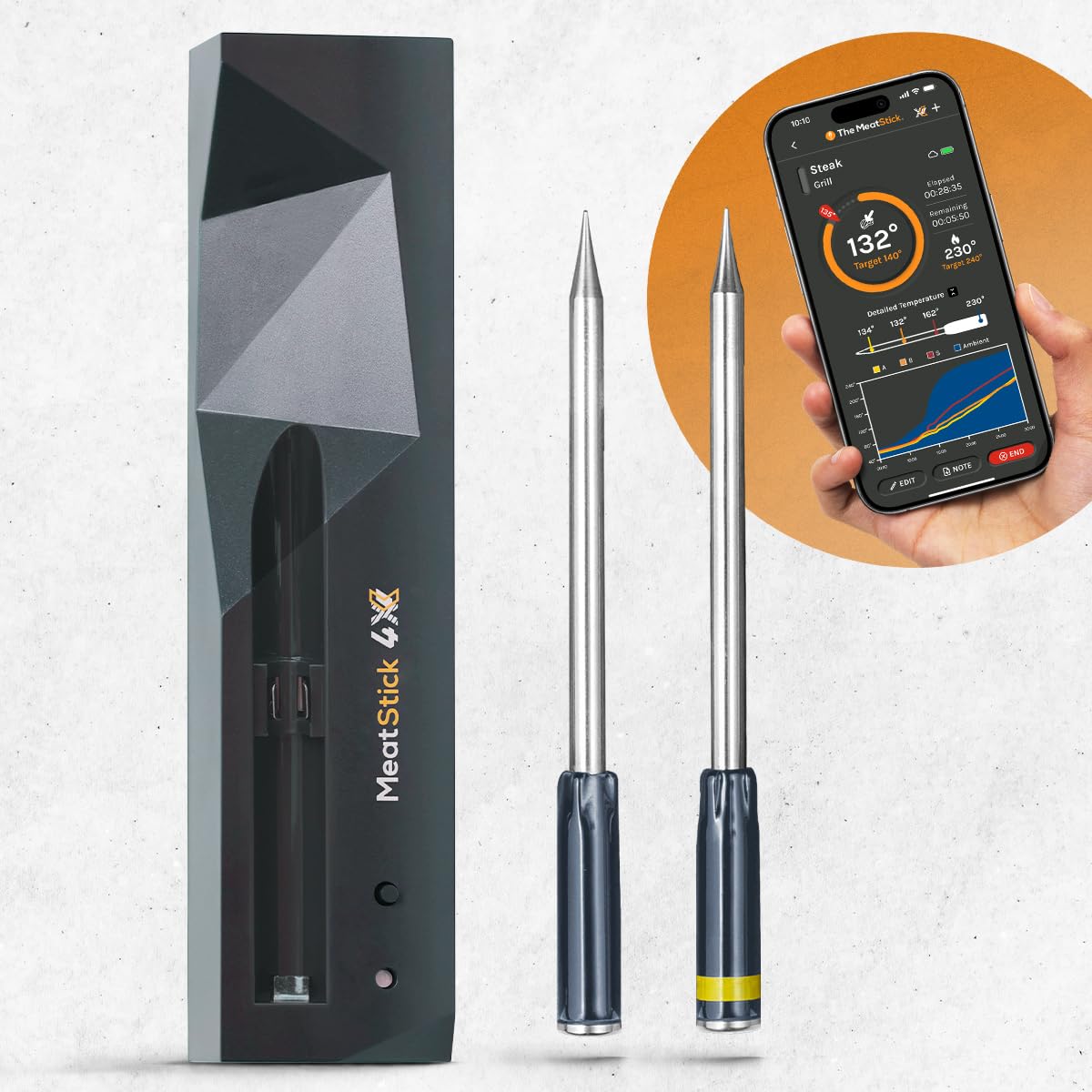
Image: The MeatStick 4X Bundle, showcasing the two wireless probes, their charging and storage case, and a smartphone screen displaying the associated application interface with temperature readings.
Package Contents
The MeatStick 4X Bundle includes the following components:
- MeatStick 4X Set (includes 1 MeatStick probe and 1 charger)
- Extra MeatStick Probe (Yellow)
- User Manual (this document)
Note: AA Batteries are NOT included and are required for the charger.
Setup
Install Batteries
Insert the required AA batteries into the MeatStick charger. Ensure correct polarity.
Charge the Probes
Place the MeatStick probes into the charger. Allow them to charge fully before first use. A full charge provides over 70 hours of battery life.
Download the App
Download "The MeatStick" application from your device's app store (compatible with iOS and Android). Search for "The MeatStick" in the Apple App Store or Google Play Store.
Pair with Your Device
Open The MeatStick app and follow the on-screen instructions to pair your MeatStick probes via Bluetooth. Ensure Bluetooth is enabled on your smartphone or tablet.
Operating Instructions
The MeatStick 4X features quad sensors for precise temperature monitoring and offers a wide wireless range for convenient remote monitoring.
Probe Placement and Usage

Image: A visual comparison demonstrating the accuracy of The MeatStick's quad-sensor probe in identifying the lowest internal temperature of meat versus a two-sensor probe from another brand, which may miss critical temperature points.
- Internal Sensors: The MeatStick 4X has three internal sensors that can withstand temperatures up to 212°F (100°C). Insert the probe into the thickest part of the meat, avoiding bone, to measure the internal temperature accurately.
- Ambient Sensor: One ambient sensor is located at the end of the probe, capable of withstanding temperatures up to 572°F (300°C). This sensor measures the surrounding cooking environment temperature.
- Wireless Range: The Xtender technology provides an outdoor wireless range of up to 650ft (200m) and an indoor range of up to 164ft (50m). This allows for remote monitoring of your cook.

Image: An illustration depicting the extensive Bluetooth range of The MeatStick system, demonstrating its ability to provide full home coverage for monitoring cooking from various locations within a house and yard.
Using The MeatStick App

Image: A smartphone displaying The MeatStick app, highlighting its user-friendly interface for real-time temperature monitoring, estimated cooking time, and wireless connectivity.
- Real-time Monitoring: The app provides live updates of both internal meat temperature and ambient cooking temperature.
- Guided Cooking: Access guided cooking instructions and preset temperatures for various types of meat and desired doneness levels.
- Notifications: Receive notifications on your smartphone when your meat reaches the target temperature or if any temperature anomalies occur.
- Temperature Presets: Utilize the built-in temperature presets to achieve ideal doneness without prior experience.
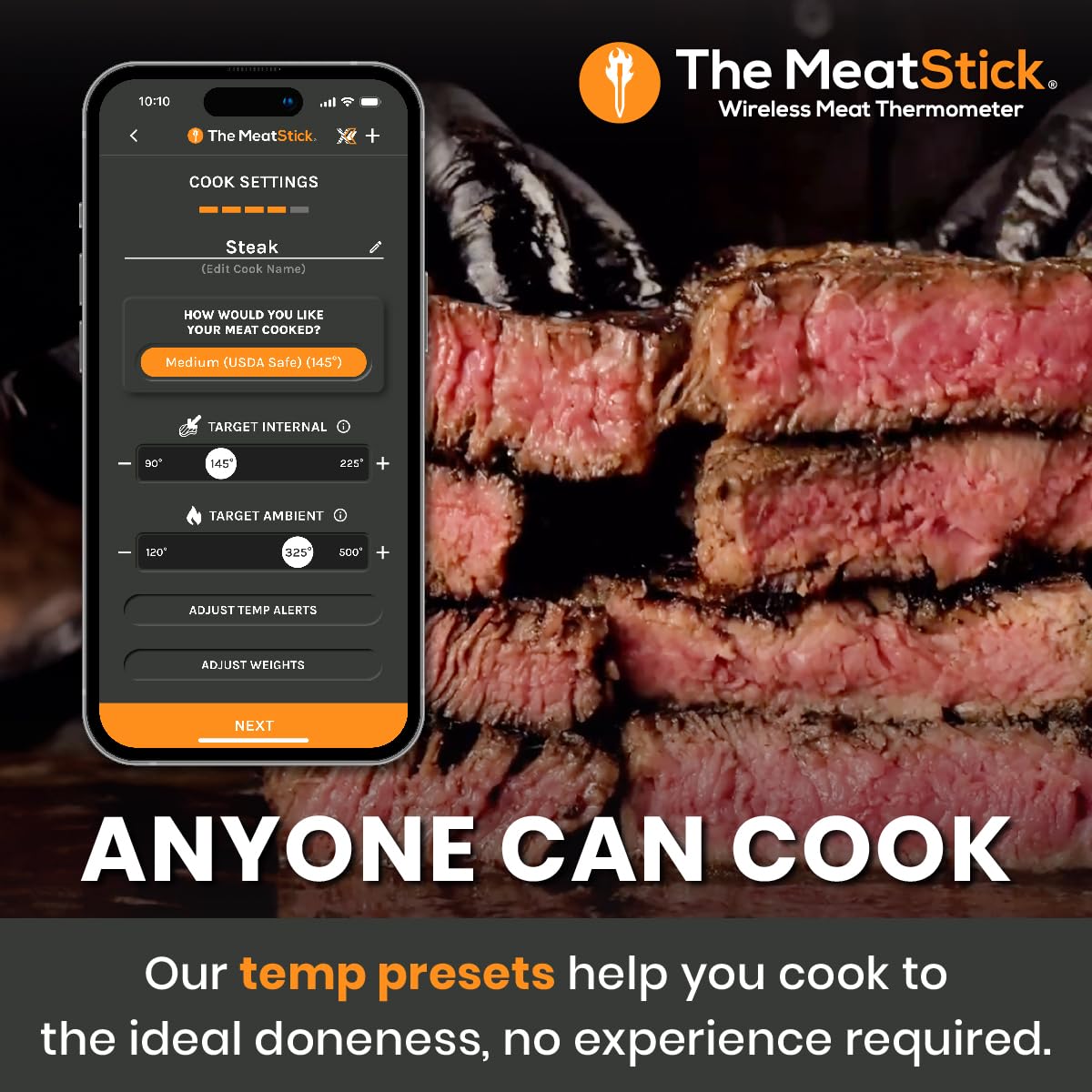
Image: The MeatStick app interface on a smartphone, illustrating the temperature preset feature that allows users to select desired doneness levels for various meats, simplifying the cooking process.
Versatile Cooking Applications
The MeatStick 4X is designed for a wide range of cooking methods:
- Smoking
- Grilling
- BBQ
- Air Frying
- Deep Frying
- Oven Roasting
- Sous Vide
- Rotisserie

Image: A collage showcasing the versatility of The MeatStick, demonstrating its use across various cooking styles such as deep frying, rotisserie, sous vide, grilling, and smoking, highlighting its adaptability for different culinary needs.
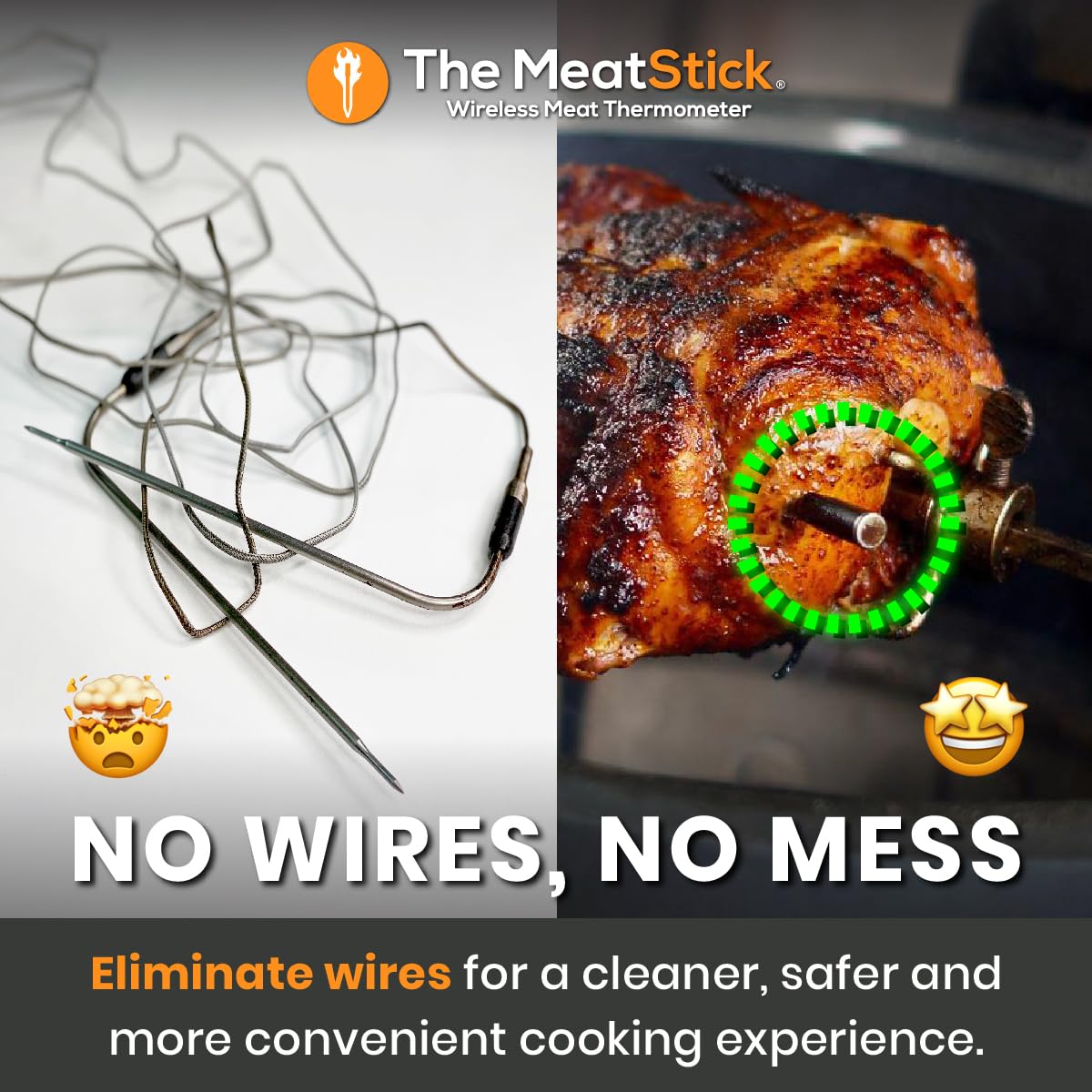
Image: A side-by-side comparison illustrating the convenience of The MeatStick's wireless design versus the clutter of traditional wired thermometers, emphasizing a cleaner and safer cooking experience.
Maintenance and Care
- Cleaning: The MeatStick probes are waterproof and dishwasher safe. After each use, clean the probes thoroughly. They can be placed directly into a dishwasher for convenient and hygienic maintenance.
- Storage: Store the probes in their charger when not in use to ensure they remain charged and protected.
- Battery Life: The probes offer 70+ hours of battery life on a full charge, making them suitable for long, slow cooks.

Image: A graphic illustrating the extended battery life of the MeatStick 4, indicating over 70 hours of continuous operation on a single charge, suitable for prolonged cooking sessions like smoking brisket.
Troubleshooting
If you encounter issues with your MeatStick 4X Bundle, please refer to the following common solutions:
- Probe Not Connecting:
- Ensure Bluetooth is enabled on your device.
- Make sure the MeatStick probes are charged.
- Restart the MeatStick app.
- Try re-pairing the probes through the app's settings.
- Ensure you are within the specified wireless range.
- Inaccurate Temperature Readings:
- Verify the probe is inserted correctly into the thickest part of the meat, avoiding bone.
- Ensure the ambient sensor is not submerged in liquid or directly touching hot surfaces that could skew readings.
- Clean the probes thoroughly after each use to prevent residue buildup affecting sensors.
- App Crashing or Freezing:
- Close and reopen the app.
- Ensure your app is updated to the latest version.
- Check for available operating system updates on your smartphone/tablet.
Specifications
| Item Model Number | MeatStick 4X |
|---|---|
| Brand | The MeatStick |
| Connectivity Technology | Bluetooth |
| Internal Sensors | 3 (withstand up to 212°F / 100°C) |
| Ambient Sensor | 1 (withstand up to 572°F / 300°C) |
| Wireless Range (Outdoor) | Up to 650ft (200m) |
| Wireless Range (Indoor) | Up to 164ft (50m) |
| Battery Life | 70+ hours (on a full charge) |
| Material | Stainless Steel |
| Care Instructions | Oven Safe, Wipe Clean, Dishwasher Safe |
| Display Type | Digital (via app) |
Support and Warranty
For product support, technical assistance, or warranty inquiries, please contact The MeatStick customer service. Refer to the product packaging or the official MeatStick website for the most current contact information.
The product is subject to a 30-day return policy as per standard retail terms. For specific warranty details, please consult the manufacturer's official documentation or website.
Manufacturer: The MeatStick
Documents and downloads
Ask a question about this manual
Ask about setup, troubleshooting, compatibility, parts, safety, or missing instructions. Manuals+ will review the question and use this page’s manual context to help answer it.