
1. Introduction
The Walfront NLQ3-125/4P Dual Power Automatic Transfer Switch (ATS) is designed for household micro-power systems. It automatically tests whether the main power source or backup power source is normal, ensuring a continuous and reliable power supply. This device is specifically designed for Din rail installation, particularly suitable for PZ30 distribution boxes. It offers both automatic and manual operation modes with millisecond-level switching, compact structure, reliable transmission, and long service life.
2. Safety Information
WARNING: Electrical installation and maintenance should only be performed by qualified personnel. Failure to follow these instructions may result in serious injury or death.
- Always disconnect power before installing or servicing the ATS.
- Ensure all wiring connections are secure and comply with local electrical codes.
- Do not operate the ATS if it appears damaged.
- Verify the voltage and current ratings of the ATS match your application requirements.
- Keep the device away from moisture and extreme temperatures.
3. Specifications
| Parameter | Value |
|---|---|
| Item Type | Dual Power Automatic Transfer Switch |
| Model | NLQ3-125/4P |
| Material | PC, Silver Contacts |
| Rated Current (Ie) | 80A |
| Insulation Voltage (Ui) | AC 690V |
| Rated Voltage (Ue) | AC 110V |
| Frequency | 50/60Hz |
| Rated Control Voltage (Us) | 110VAC (85%-110%) |
| Utilization Category | PC Level |
| Poles | 4P |
| Electrical Life | 2,000 cycles |
| Mechanical Life | 5,000 cycles |
| Rated Short-Circuit Current | 50kA |
| Fuse | RT16 -00-63A |
| Rated Impulse Withstand Voltage | 8kV |
| Auxiliary Circuit | 2 relays, each with 2 sets of contacts. Capacity: AC110V 50Hz, Ie=5A. |
| Switching Times | Not specified in detail (Touch Time, Operation Switching Time, Recovery Time, End Time) |
4. Package Contents
- 1 x Walfront Dual Power Automatic Transfer Switch (NLQ3-125/4P)
5. Setup and Installation
Before proceeding with installation, ensure all power sources are disconnected to prevent electrical shock.
5.1 Pre-Installation Checks
- Verify the integrity of the ATS unit for any physical damage.
- Confirm the ON/OFF operation of the manual handle is smooth and unrestricted.
- Check the flexibility of the internal transmission mechanism.
- Detect the presence of any load and the disconnection status at each stage of both the normal and standby power sources.
5.2 Mounting
The NLQ3-125/4P ATS is designed for Din rail installation. It is particularly suitable for integration into PZ30 distribution boxes.

Figure 5.1: Top view of the Walfront NLQ3-125/4P Automatic Transfer Switch, showing its compact design and dimensions for installation. The image highlights the main power input (Source A) and generator input (Source B) terminals, along with the manual/auto selector switch.

Figure 5.2: This image illustrates key features of the ATS, including industrial silver contacts for durability, an integrated design for compact installation, the manual and auto mode selector, and its compatibility with Din rail mounting systems.
5.3 Wiring
Wire the ATS according to the provided wiring diagram. Ensure correct connection of the normal power source (Source A) and the standby/generator power source (Source B) to their respective terminals. The output terminals should be connected to the load.

Figure 5.3: A detailed view of the Walfront NLQ3-125/4P ATS, highlighting the wiring terminals for Source A (Normal Power) and Source B (Generator/Backup Power), along with the output terminals. The manual/auto selector and indicator lights are also visible.
After wiring, double-check all connections for tightness and correct polarity before restoring power.
6. Operating Instructions
The ATS supports both automatic and manual operation modes.
6.1 Automatic Mode
In automatic mode, the ATS continuously monitors the normal power source (Source A). If Source A fails or its voltage drops below an acceptable level, the ATS will automatically switch to the standby power source (Source B) within milliseconds. When Source A recovers, the ATS will automatically switch back to Source A, ensuring uninterrupted power to the load.
- Set the selector switch on the device to the 'Auto' position.
- The ATS will then manage power switching automatically based on the availability of Source A and Source B.
6.2 Manual Mode
In manual mode, you can manually switch between Source A and Source B using the operating handle.
- Set the selector switch on the device to the 'Manual' position.
- Use the red operating handle to physically switch between Source A and Source B as needed.
- Ensure the switch is fully engaged in either the 'A' or 'B' position.

Figure 6.1: The Walfront NLQ3-125/4P ATS integrated into a modern electrical system, demonstrating its application in residential or commercial environments for seamless power transfer.

Figure 6.2: The Walfront NLQ3-125/4P ATS shown installed within a waterproof plastic distribution box, illustrating a common installation method for protection and safety.
7. Maintenance
Regular maintenance ensures the longevity and reliable operation of your ATS.
- Periodic Inspection: Annually inspect the ATS for any signs of wear, corrosion, or loose connections.
- Cleaning: Keep the unit clean and free from dust and debris. Use a dry, soft cloth for cleaning. Do not use liquid cleaners.
- Connection Checks: Periodically check all terminal connections to ensure they are tight. Loose connections can cause overheating and malfunction.
- Functionality Test: Test the automatic transfer function periodically by simulating a power outage from the normal source.
Environmental Conditions:
- The maximum ambient temperature must not exceed 40°C.
- The minimum ambient temperature must not fall below -5°C.
- The average temperature within 24 hours must not exceed 35°C.
- The altitude of the installation site must be below 2000m.
8. Troubleshooting
If you encounter issues with your ATS, refer to the following common problems and solutions:
| Problem | Possible Cause | Solution |
|---|---|---|
| ATS does not switch automatically | 1. Selector switch in 'Manual' mode. 2. Control circuit fault. 3. Power source voltage too low. | 1. Switch to 'Auto' mode. 2. Check control wiring and auxiliary circuit. 3. Verify input voltage levels. |
| No power to load | 1. Both power sources are off. 2. Loose wiring connections. 3. Internal fault in ATS. | 1. Check availability of both power sources. 2. Inspect and tighten all terminal connections. 3. Contact qualified electrician for inspection. |
| Overheating | 1. Loose connections. 2. Overload. 3. Insufficient ventilation. | 1. Tighten all connections. 2. Reduce load or verify ATS rating. 3. Ensure proper airflow around the unit. |
For issues not listed above or if troubleshooting steps do not resolve the problem, please consult a qualified electrician or contact Walfront customer support.
9. Applications
The Walfront NLQ3-125/4P ATS is suitable for various applications where continuous power supply is critical. It ensures power continuity in situations where an outage from the main source would be disruptive.
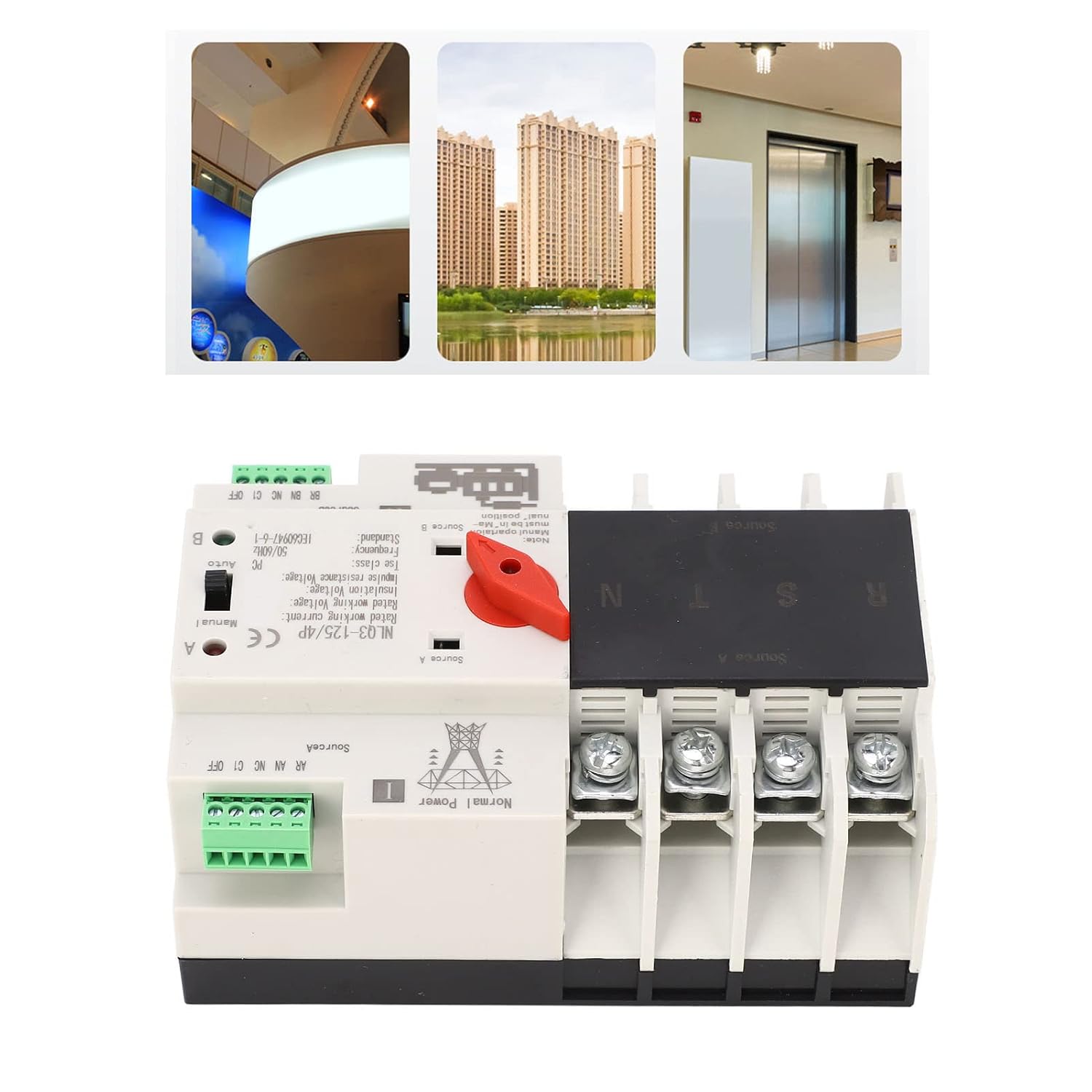
Figure 9.1: Examples of applications for the ATS in urban environments, including residential buildings and elevators, where reliable power is essential for safety and operation.
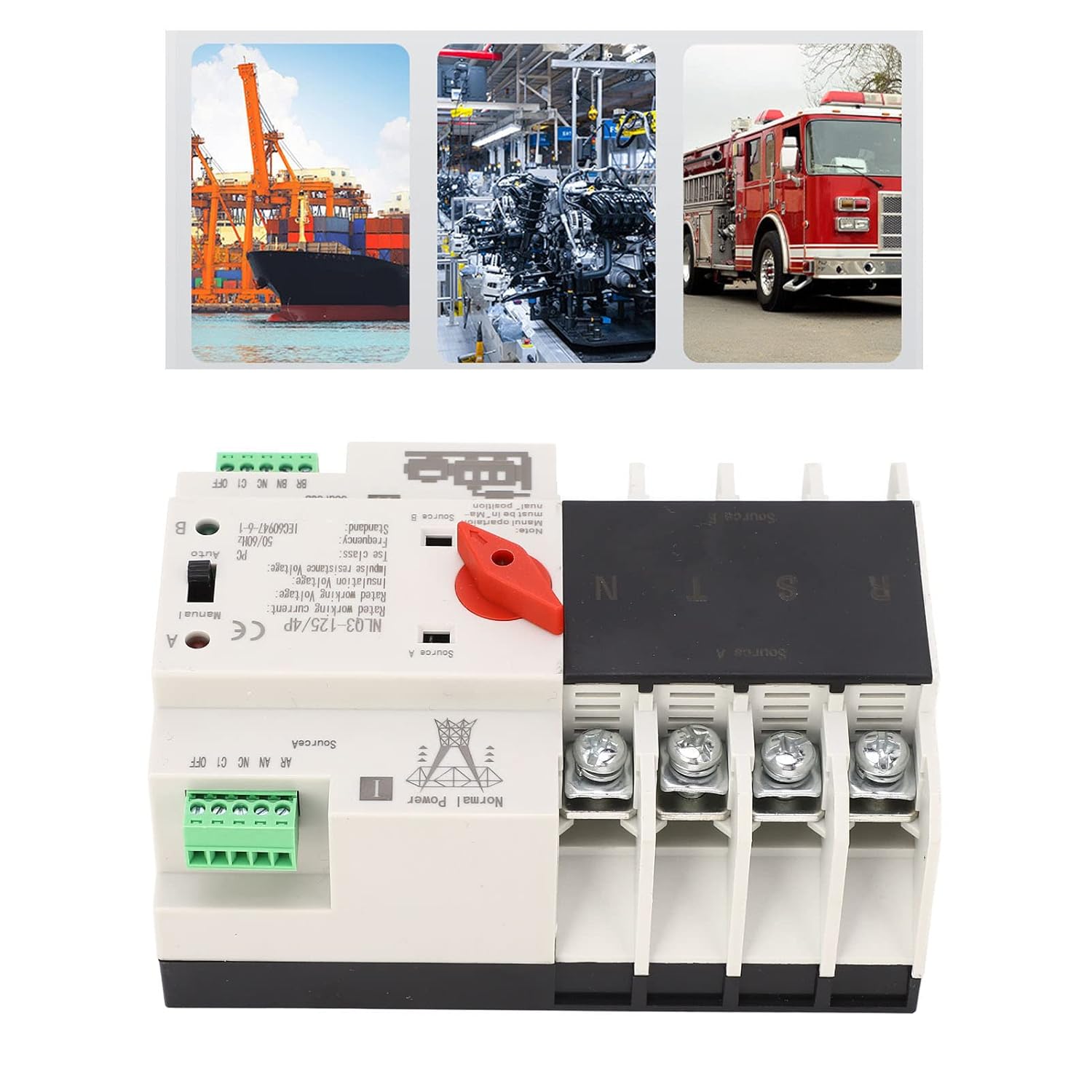
Figure 9.2: Further application examples showing the ATS in industrial settings like factories and for critical infrastructure such as fire trucks, highlighting its use in demanding environments.