
Introduction
This manual provides detailed instructions for the TELE System 27-inch Full HD LED TV, model palco hevc s2. Please read this manual carefully before using the product to ensure proper operation, maximize its lifespan, and understand its features. Keep this manual for future reference.
1. Setup
1.1 Unpacking
Carefully remove the TV and all accessories from the packaging. Ensure all components are present:
- TELE System 27-inch Full HD LED TV
- Remote Control
- Power Cable
- User Manual (this document)
- TV Stand Components (if applicable)
1.2 Attaching the Stand or Wall Mounting
For Stand Installation:
- Place the TV screen-down on a soft, clean surface to prevent scratches.
- Align the stand components with the mounting holes on the bottom of the TV.
- Secure the stand using the provided screws. Do not overtighten.
For Wall Mounting:
This TV supports wall mounting. Refer to the specific instructions provided with your wall mount kit for proper installation. Ensure the wall mount is compatible with the TV's VESA mounting pattern and weight.
1.3 Connecting Power
Connect the power cable to the TV's power input, then plug the other end into a suitable electrical outlet. The TV will enter standby mode.
1.4 Connecting External Devices
Use the available ports on the TV to connect your external devices:
- HDMI: For high-definition video and audio from devices like Blu-ray players, game consoles, or set-top boxes.
- USB: For connecting USB storage devices to play media files.
- Antenna/Cable: Connect your DVB-T2 antenna for digital terrestrial television reception.
1.5 First-Time Setup
Upon first power-on, the TV will guide you through an initial setup process. This typically includes:
- Language selection.
- Country/Region selection.
- Automatic channel scanning for DVB-T2 broadcasts.
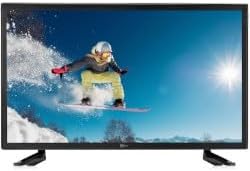
This image shows the front view of the TELE System 27-inch Full HD LED TV, model palco hevc s2, with its stand attached. The screen displays a vibrant image of a snowboarder in action, highlighting the display quality.
2. Operating Instructions
2.1 Basic Controls
Use the remote control to operate your TV. Key functions include:
- Power Button: Turns the TV on or off (standby mode).
- Volume Up/Down: Adjusts the sound level.
- Channel Up/Down: Changes TV channels.
- Number Buttons (0-9): Direct channel selection.
- Mute: Silences the TV sound.
2.2 Input Selection
Press the SOURCE or INPUT button on your remote control to cycle through available input sources (e.g., HDMI1, HDMI2, USB, DVB-T2). Select the desired input for your connected device.
2.3 Menu Navigation
Press the MENU button to access the TV's main menu. Use the arrow buttons (Up, Down, Left, Right) to navigate through options and the OK or ENTER button to confirm selections. The menu allows you to adjust picture settings, sound settings, channel settings, and more.
2.4 DVB-T2 Tuner Usage
After completing the channel scan during initial setup, you can access digital terrestrial channels. Use the Channel Up/Down buttons or direct number input to switch channels. The TV supports DVB-T2 for high-quality digital broadcast reception.
2.5 USB Media Playback
Insert a USB storage device into the TV's USB port. The TV should automatically detect the device and prompt you to open the media browser. You can then navigate and play supported video, audio, and image files stored on the USB device.
3. Maintenance
3.1 Cleaning the Screen and Casing
- Screen: Gently wipe the screen with a soft, lint-free cloth. For stubborn marks, slightly dampen the cloth with water or a specialized screen cleaner. Never spray liquid directly onto the screen.
- Casing: Use a soft, dry cloth to wipe the TV casing. Avoid using abrasive cleaners, waxes, or solvents as they can damage the finish.
Important: Always unplug the TV from the power outlet before cleaning.
3.2 Software Updates
The TV's software may receive updates to improve performance or add new features. Check the TV's menu for a 'Software Update' or 'System Update' option. Follow the on-screen instructions carefully if an update is available. (Note: Software update guarantee information is not available for this model.)
3.3 Safety Precautions
- Do not block ventilation openings.
- Do not expose the TV to rain or moisture.
- Avoid placing the TV in direct sunlight or near heat sources.
- Do not open the TV casing; refer all servicing to qualified personnel.
4. Troubleshooting
Before contacting support, try the following solutions for common issues:
| Problem | Possible Solution |
|---|---|
| No Power | Ensure the power cable is securely plugged into both the TV and the wall outlet. Check if the outlet is working by plugging in another device. |
| No Picture, but Sound is Present | Check the input source. Press the SOURCE button on the remote to ensure the correct input (e.g., HDMI1) is selected. |
| No Sound, but Picture is Present | Check the volume level and ensure the TV is not muted. If using external audio, ensure it is correctly connected and powered on. |
| Remote Control Not Working | Replace the batteries in the remote control. Ensure there are no obstructions between the remote and the TV's IR sensor. |
| Poor DVB-T2 Signal/No Channels | Check your antenna connection. Try repositioning the antenna or performing a new channel scan in the TV's menu. |
| USB Media Not Playing | Ensure the USB device is formatted correctly (e.g., FAT32) and the media files are in a supported format. Try another USB device. |
5. Specifications
The following are the technical specifications for the TELE System 27-inch Full HD LED TV (Model: palco hevc s2):
- Model Name: palco hevc s2
- Screen Size: 27 Inches
- Display Technology: LED
- Resolution: 1080p (Full HD)
- Refresh Rate: 120 hertz
- Tuner Technology: DVB-T2
- Hardware Interface: HDMI
- Total USB Ports: 1
- Aspect Ratio: 16:9
- Audio Output Mode: Stereo
- Surround Configuration: 2.0
- Mounting Type: Wall Mount
- Special Feature: Flat Screen
- Model Year: 2010
Specifications are subject to change without notice. For the most up-to-date information, please refer to the product packaging or manufacturer's website.
6. Warranty Information
This TELE System TV comes with a manufacturer's warranty. The specific terms and duration of the warranty may vary by region and retailer. Please retain your proof of purchase for warranty claims. For detailed warranty information, refer to the warranty card included with your product or visit the official TELE System website.
7. Customer Support
If you encounter issues that cannot be resolved using the troubleshooting guide, or if you require further assistance, please contact TELE System customer support. Contact details can typically be found on the official TELE System website or on the product packaging.
Online Support: Visit the official TELE System website for FAQs, support articles, and contact forms.
Telephone Support: Check the TELE System website for regional contact numbers.


