
SENLAN RS-10D
SENLAN RS-10D LED Par Bar Wall Wash Stage Light User Manual
Model: RS-10D | Brand: SENLAN
1. Introduction
This manual provides detailed instructions for the safe and efficient operation of your SENLAN RS-10D LED Par Bar Wall Wash Stage Light. Please read this manual thoroughly before use and retain it for future reference.
The SENLAN RS-10D is a versatile stage lighting fixture featuring 6x4W RGBW 4-in-1 LEDs, designed for various applications including stage, disco, party, and theater environments. It offers multiple control modes for flexible operation.
2. Safety Instructions
- Always connect the unit to a grounded power outlet.
- Ensure the voltage of the power supply matches the voltage specified on the unit.
- Do not operate the unit if the power cord is damaged.
- Avoid direct eye exposure to the light source.
- Keep the unit away from rain or moisture.
- Ensure adequate ventilation around the fixture to prevent overheating.
- Do not attempt to repair the unit yourself. Refer all servicing to qualified personnel.
3. Product Overview
The SENLAN RS-10D LED Par Bar is constructed with a full aluminum housing for efficient cooling without a fan, ensuring silent operation. It features 6 pieces of 4W RGBW 4-in-1 LEDs with a 25-degree beam angle, utilizing super bright Acrylic lenses and a unique white aluminum lens bracket.
3.1 Key Features
- Light Source: 6x4W RGBW 4-in-1 LEDs with 25-degree beam angle.
- Cooling: Full aluminum housing for fan-less, silent operation.
- DMX Modes: 7 different DMX modes, allowing individual LED control.
- Automatic Effects: 24 different automatic run effects.
- Power Supply: 90V-240V/50-60Hz with 1A fuse.
3.2 Components
Familiarize yourself with the main components of your LED Par Bar:

Figure 1: Front view of the SENLAN RS-10D LED Par Bar, showcasing the 6 RGBW LEDs and the display panel.

Figure 2: Rear panel of the SENLAN RS-10D, showing the DMX In/Out ports, AC power input, and control buttons.
4. Setup and Installation
4.1 Mounting
The fixture can be mounted using the included brackets. Ensure the mounting surface or truss is capable of supporting the weight of the fixture. Always use a safety cable when suspending the unit.
4.2 Power Connection
Connect the provided power cable to the AC power input on the rear of the unit (refer to Figure 2). Plug the other end into a compatible power outlet (90V-240V/50-60Hz).
4.3 DMX Connection (Optional)
For DMX control, connect a DMX cable from your DMX controller to the DMX IN port of the first fixture. For multiple fixtures, daisy-chain them by connecting the DMX OUT of the first fixture to the DMX IN of the next, and so on.
5. Operating Modes
The SENLAN RS-10D offers four primary control modes, selectable via the display panel and buttons on the rear of the unit.
5.1 DMX512 Control Mode
This mode allows external control via a DMX controller. The fixture supports 7 different DMX modes. Each individual LED can be controlled separately, allowing for precise color mixing (0-255 values for each color component: Red, Green, Blue, White).
To activate DMX mode, navigate through the menu options on the display panel until you find the DMX address setting. Set the desired DMX start address for the fixture.
5.2 Automatic Operation Mode
The fixture comes with 24 pre-programmed automatic run effects. In this mode, the light will cycle through various patterns and color changes without external input. You can select different automatic programs and adjust their speed via the control panel.

Figure 3: Two SENLAN RS-10D units operating in an automatic mode, projecting red and blue light washes onto a wall.

Figure 4: Two SENLAN RS-10D units operating in an automatic mode, projecting a bright white light wash onto a wall.

Figure 5: Two SENLAN RS-10D units operating in an automatic mode, projecting green and red light washes onto a wall.
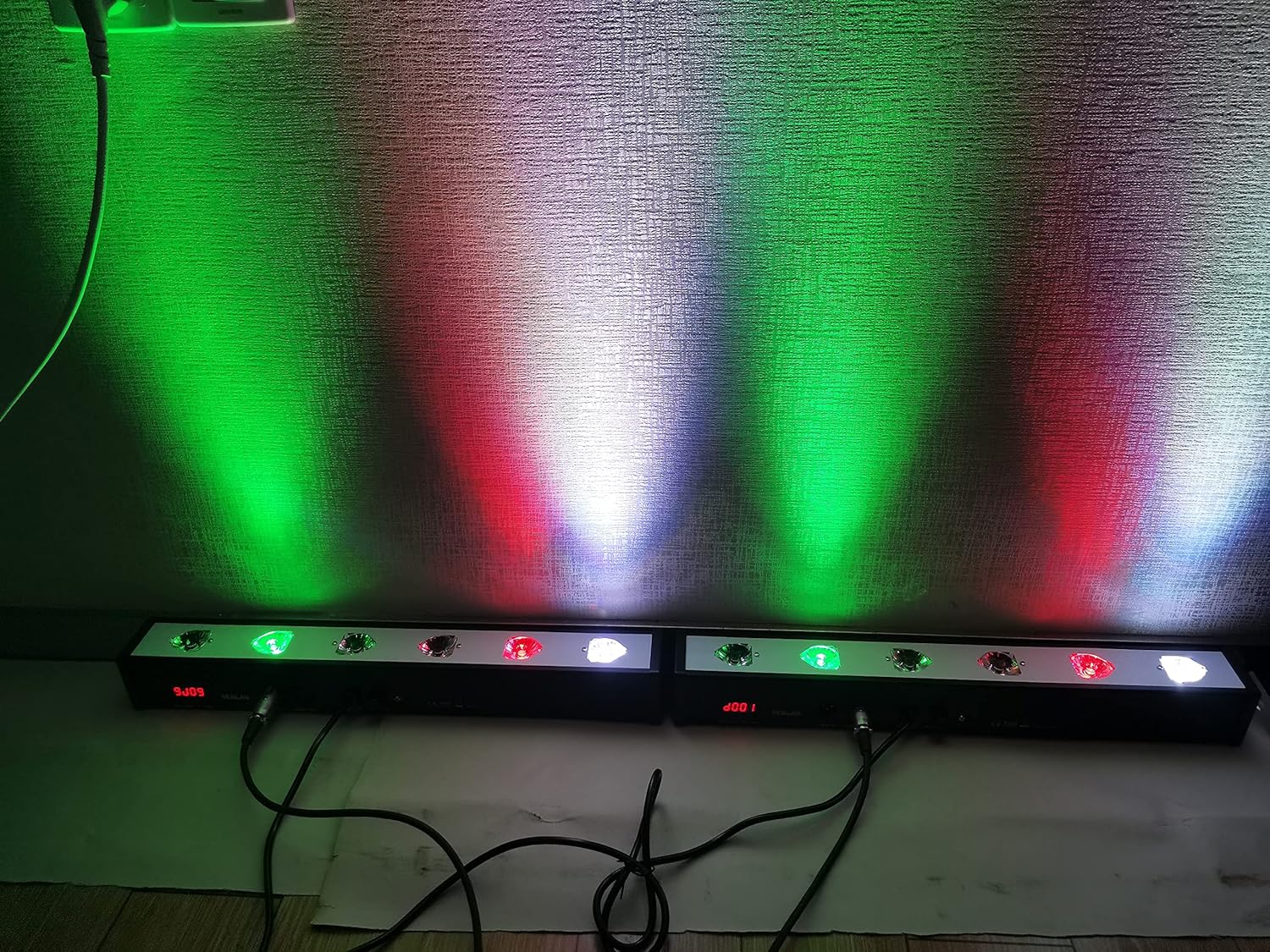
Figure 6: Two SENLAN RS-10D units operating in an automatic mode, projecting a dynamic mix of colors onto a wall.

Figure 7: Two SENLAN RS-10D units operating in an automatic mode, projecting a vibrant green light wash onto a wall.

Figure 8: Two SENLAN RS-10D units operating in an automatic mode, projecting a broad spectrum of colors onto a wall.

Figure 9: Two SENLAN RS-10D units operating in an automatic mode, projecting blue and yellow light washes onto a wall.
5.3 Sound Action Mode
In Sound Action mode, the light reacts to ambient sound or music. The built-in microphone detects sound, and the light patterns and intensity will change in sync with the audio. Sensitivity can often be adjusted via the control panel.
5.4 Master/Slave Mode
This mode allows multiple fixtures to operate in synchronization without a DMX controller. One unit is designated as the "Master" and controls all other "Slave" units. Connect the DMX OUT of the Master unit to the DMX IN of the first Slave unit, and then daisy-chain the remaining Slave units. Set the Master unit to an automatic or sound-activated mode, and set the Slave units to "Slave" mode.
6. Maintenance
- Cleaning: Regularly clean the lenses and housing with a soft, lint-free cloth. Do not use abrasive cleaners.
- Inspection: Periodically check power cables, DMX cables, and mounting hardware for any signs of wear or damage.
- Fuse Replacement: The unit uses a 1A fuse. If the unit does not power on, check and replace the fuse if necessary. Always replace with a fuse of the same type and rating.
- Storage: When not in use for extended periods, store the fixture in a dry, dust-free environment.
7. Troubleshooting
| Problem | Possible Cause | Solution |
|---|---|---|
| No power | Power cable disconnected, faulty outlet, blown fuse. | Check power connections, try a different outlet, replace fuse. |
| No DMX control | Incorrect DMX address, faulty DMX cable, DMX controller issue, incorrect DMX mode selected. | Verify DMX address, check DMX cable connections, ensure DMX controller is functioning, select DMX mode on fixture. |
| Lights not synchronized in Master/Slave | Incorrect Master/Slave settings, faulty DMX cable between units. | Ensure one unit is Master and others are Slave, check DMX daisy-chain connections. |
| Sound mode not responding | Low sound input, microphone obstructed, sensitivity too low. | Increase sound volume, ensure microphone is clear, adjust sound sensitivity setting. |
8. Specifications
- Model: RS-10D
- Light Source: 6 x 4W RGBW 4-in-1 LEDs
- Beam Angle: 25 degrees
- Control Modes: DMX512, Automatic, Sound Action, Master/Slave
- DMX Channels: 7 modes available
- Power Supply: AC 90V-240V, 50-60Hz
- Fuse: 1A
- Material: Full Aluminum Housing
- Dimensions: 52 x 7 x 7 cm (approximately)
- Weight: 1.1 kg (approximately)
- Manufacturer: SEBOA
- ASIN: B0C5T6WC4X
9. Warranty and Support
For warranty information or technical support, please contact your retailer or the manufacturer directly. Keep your purchase receipt as proof of purchase.
Ask a question about this manual
Ask about setup, troubleshooting, compatibility, parts, safety, or missing instructions. Manuals+ will review the question and use this page’s manual context to help answer it.