
1. Introduction
Thank you for choosing the Gywowken S1 2-in-1 Foldable Under Desk Treadmill. This manual provides essential information for the safe and effective use, setup, operation, and maintenance of your new fitness equipment. Please read this manual thoroughly before use and retain it for future reference.
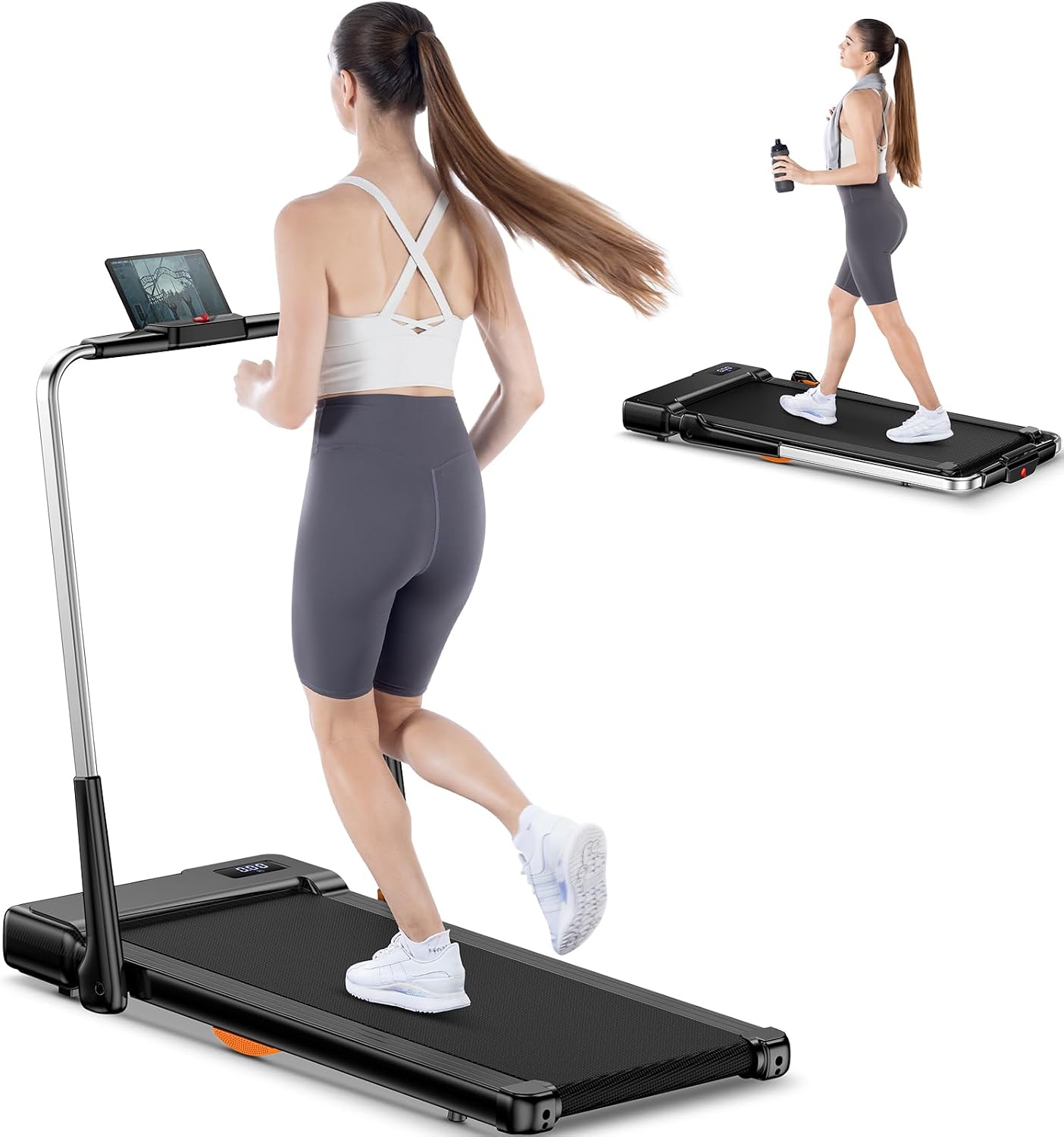
Figure 1: Gywowken S1 2-in-1 Foldable Under Desk Treadmill in use.
2. Safety Information
To ensure your safety and prolong the life of your treadmill, please observe the following precautions:
- Always place the treadmill on a flat, stable surface.
- Ensure adequate clear space around the treadmill (at least 2 meters behind and 0.6 meters on each side).
- Keep children and pets away from the treadmill during operation.
- Do not use the treadmill if you weigh more than the maximum weight capacity (265 lbs / 120 kg).
- Wear appropriate athletic footwear.
- Use the safety key at all times. In an emergency, the safety key will immediately stop the treadmill.
- Consult a physician before starting any new exercise program.
- Unplug the treadmill when not in use or before cleaning/maintenance.
3. Package Contents
Verify that all items are present in the package:
- Foldable Under Desk Treadmill with Ultra Anti-shock
- Lubricant
- User Manual
- Safety Key
- Power Cord
- Remote Control
4. Setup
The Gywowken S1 treadmill arrives fully assembled, requiring minimal setup before first use.
- Unboxing: Carefully remove the treadmill from its packaging.
- Placement: Place the treadmill on a level surface. Ensure it is near a power outlet and has sufficient clearance around it.
- Power Connection: Connect the power cord to the treadmill and then to a grounded electrical outlet.
- Safety Key: Attach the safety key to the designated slot on the treadmill's console. The treadmill will not operate without the safety key in place.
Video 1: Demonstrates the unboxing, initial setup, and testing of the treadmill's walking and massage modes. The user installs small feet on the treadmill and then tests both sides of the belt.

Figure 2: The treadmill features front-mounted pulleys for easy movement and can be stored upright or under furniture.
5. Operating Instructions
The Gywowken S1 offers two primary modes: Walking Mode (under desk) and Running Mode (with handle).
5.1 Remote Control
The treadmill is operated via a remote control. Ensure the remote has working batteries.
- Power Button: Turns the treadmill on/off.
- Start/Stop Button: Initiates or pauses the workout.
- '+' / '-' Buttons: Adjust the speed in 0.2 mph increments.
- 'M' Button: Cycles through different modes or programs (if applicable).

Figure 3: Clear LED display shows speed, time, distance, and calories. Remote control for easy operation.
5.2 Walking Mode (Under Desk)
This mode is ideal for light activity while working or relaxing.
- Ensure the handle is folded down.
- Step onto the treadmill belt.
- Press the 'Start' button on the remote control. The treadmill will begin with a low speed.
- Adjust the speed using the '+' and '-' buttons. The speed range for walking mode is typically 0.6-4 mph (1-6 km/h).
- To stop, press the 'Stop' button or pull the safety key.
5.3 Running Mode (with Handle)
For more intense workouts, raise the handle for added support.
- Raise and secure the handle.
- Step onto the treadmill belt.
- Press the 'Start' button on the remote control.
- Adjust the speed using the '+' and '-' buttons. The speed range for running mode is 0.6-6.2 mph (1-10 km/h).
- To stop, press the 'Stop' button or pull the safety key.

Figure 4: The treadmill supports both running mode (with handle up) and walking mode (under desk).

Figure 5: The quiet operation of the treadmill makes it suitable for office and home environments.
Video 2: Demonstrates the noise level of a similar treadmill during operation, highlighting its quiet performance.
Video 3: Shows the compact size and easy storage of a small treadmill, demonstrating how it can be conveniently placed under furniture.
6. Features
- 2-in-1 Design: Functions as an under-desk walking pad and a traditional treadmill with a handle.
- Ultra Anti-shock System: Two hollow elastic material structures at the bottom reduce impact, protecting joints and bones.
- Wide Running Belt: A 41.4"x16.5" (105.1 cm x 41.9 cm) belt provides ample space and comfort.
- 5-Layer Non-slip Belt: Designed for durability, wear-resistance, and reduced impact.
- 3.0HP Quiet Motor: Self-developed motor ensures reduced energy loss, longer lifespan, and quiet operation (below 45dB).
- Speed Range: 0.6-6.2 mph (1-10 km/h) to accommodate walking, jogging, and light running.
- LED Display: Clearly shows running time, calories burned, speed, and distance.
- Remote Control: Conveniently adjust speed and settings.
- Safety Lock: Provides immediate stop in emergency situations.
- Installation-Free: Arrives fully assembled.

Figure 6: The 3.0HP motor ensures quiet and powerful performance with a 265 lbs capacity.

Figure 7: The treadmill features a wide and comfortable running belt (106.5 cm x 42 cm).

Figure 8: Illustration of the 5-layer non-slip running belt construction.
7. Maintenance
Regular maintenance ensures optimal performance and longevity of your treadmill.
- Cleaning: Wipe down the treadmill with a damp cloth after each use. Avoid abrasive cleaners.
- Lubrication: Apply the provided lubricant under the running belt every 3-6 months, or after approximately 100 hours of use, to reduce friction and wear. Refer to the specific instructions for lubrication in the included user manual.
- Belt Adjustment: Periodically check the running belt for proper tension and alignment. Adjust as needed according to the detailed instructions in the full user manual.
- Storage: When not in use, store the treadmill in a dry, clean area. Its foldable design allows for convenient storage under a desk or upright against a wall.
8. Troubleshooting
If you encounter any issues, refer to the following common solutions:
- Treadmill not starting: Check if the power cord is securely plugged in and the safety key is correctly placed. Ensure the power switch is on.
- Belt slipping: The running belt may need tension adjustment or lubrication. Refer to the maintenance section.
- Unusual noise: Check for any loose parts or foreign objects under the belt. Ensure the treadmill is on a level surface. If the noise persists, contact customer service.
- Remote control not working: Check the batteries in the remote control. Ensure there are no obstructions between the remote and the treadmill's receiver.
9. Specifications
| Feature | Specification |
|---|---|
| Brand | Gywowken |
| Model Number | S1 |
| Product Dimensions | 134.11 x 59.94 x 11.94 cm |
| Item Weight | 23.5 kg |
| Maximum Weight Capacity | 265 Pounds (120 kg) |
| Horsepower | 3 Horsepower |
| Speed Rating | 0.6-6.2 MPH (1-10 km/h) |
| Running Belt Dimensions | 41.4" x 16.5" (105.1 cm x 41.9 cm) |
| Material | Acrylonitrile Butadiene Styrene (ABS), Alloy Steel |
| Display Type | LCD (Calories Burned, Distance, Speed, Time) |
| Special Features | Ultra Anti-shock, Wider Running Belt, Quiet Motor, Installation Free, Safety Lock |

Figure 9: Detailed dimensions and weight capacity of the Gywowken S1 treadmill.
10. Warranty & Support
Gywowken provides 24/7 customer service for any inquiries or support needs. Please refer to the contact information provided in your product packaging or on the official Gywowken website for assistance.

