
1. Introduction
Thank you for choosing the Septpenta IP68 Underwater Metal Detector. This device is designed for precise metal detection in various environments, including underwater. Please read this manual carefully before use to ensure correct operation and to maximize the lifespan of your detector.

Figure 1: Septpenta Underwater Metal Detector and included accessories.
2. Safety Information
Before operating the metal detector, please observe the following safety precautions:
- Always ensure the battery compartment is securely sealed before submerging the device in water.
- Do not attempt to open or modify the device, as this may compromise its waterproof integrity and void the warranty.
- Keep the device away from extreme temperatures and direct sunlight for prolonged periods.
- Dispose of the rechargeable battery responsibly according to local regulations.
- Avoid using the detector near active electrical lines or hazardous materials.
Figure 2: Important safety warning to read instructions carefully.
3. Product Components
Familiarize yourself with the main components of your Septpenta Underwater Metal Detector:

Figure 3: Labeled diagram of the metal detector's key parts.
- ABS Handle: Ergonomic grip for comfortable use.
- Carbon Fiber Rod: Durable and lightweight extension.
- Waterproof Detection Coil (ABS Material): The primary sensing element.
- LED Lighting: Provides illumination in low-light conditions.
- Open Key: Power on/off button.
- F Key (Adjust Mode): Button to switch between detection modes.
- Reset Key: For resetting the device.
- Type C Charging Port: Modern charging interface.
- Micro USB Charging Port: Alternative charging interface.
4. Setup and Charging
4.1. Initial Charge
The Septpenta metal detector comes with a built-in 6F22 1600mAh rechargeable lithium battery. Before first use, it is recommended to fully charge the device.
- Locate the charging ports (Type C or Micro USB) on the device, as shown in Figure 3.
- Connect the provided USB cable to the detector and to a compatible 5V USB power adapter (not included).
- The charging indicator (if present) will show the charging status. Once fully charged, disconnect the cable.
- Ensure the charging port cover is securely closed to maintain IP68 waterproof rating before any water exposure.
4.2. Attaching the Lanyard
Attach the included lanyard to the designated attachment point on the detector's handle to prevent accidental loss, especially when used underwater or in challenging terrain.
5. Operation
5.1. Power On/Off
- To power on the device, press and hold the Open Key until the device activates.
- To power off, press and hold the Open Key again until the device shuts down.
5.2. Selecting Detection Modes
The detector offers multiple alarm modes to suit different preferences and environments.

Figure 4: Available detection modes.
- Press the F Key (Adjust Mode) to cycle through the available alarm modes:
- Audible Alarm Mode: The device will emit a sound when metal is detected.
- Vibration Alarm Mode: The device will vibrate when metal is detected.
- Sound Plus Vibration Mode: The device will both sound and vibrate when metal is detected.
- The strength of the alarm (sound volume or vibration intensity) will increase as the detector gets closer to the metal target.
5.3. Metal Detection
Hold the detector with the coil parallel to the surface you are scanning. Move the coil slowly and steadily over the area. When a metal object is detected, the device will alert you according to the selected alarm mode.

Figure 5: Using the Septpenta metal detector in a water environment.
The detector is designed for precise pinpointing of metal objects. Its IP68 waterproof rating allows for use in water depths of 30m-60m.
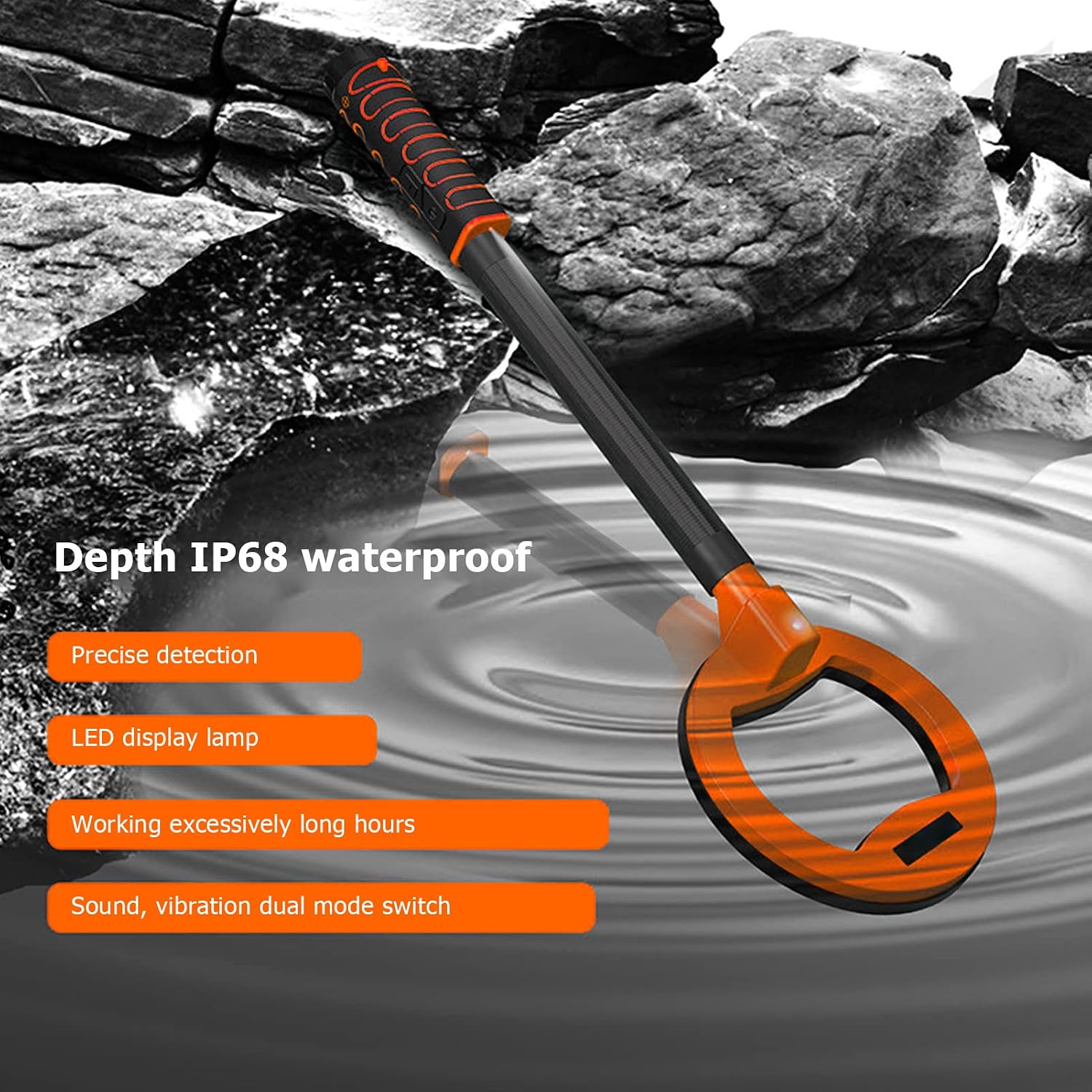
Figure 6: Key features for underwater detection.
6. Maintenance and Care
- Cleaning: After use, especially in saltwater, rinse the detector thoroughly with fresh water. Wipe it dry with a soft cloth. Do not use abrasive cleaners or solvents.
- Storage: Store the device in a cool, dry place away from direct sunlight. Ensure the battery is partially charged (around 50%) if storing for extended periods to prolong battery life.
- Battery Care: Avoid fully discharging the battery frequently. Recharge the battery when the low battery indicator appears.
- Seals: Periodically inspect the O-rings and seals around the battery compartment and charging ports for any signs of wear or damage. Replace if necessary to maintain waterproof integrity.
7. Troubleshooting
| Problem | Possible Cause | Solution |
|---|---|---|
| Device does not power on. | Battery is depleted. | Charge the battery fully using the provided USB cable. |
| No detection or weak detection. | Coil not positioned correctly; target too deep; interference. | Ensure the coil is close to the surface. Move slowly. Avoid areas with high electrical interference. |
| False alarms or erratic behavior. | Electromagnetic interference; mineralized ground; device needs reset. | Move away from power lines or other electronic devices. Try pressing the Reset Key. |
| Water ingress after submersion. | Battery compartment or charging port cover not sealed properly; damaged seals. | Immediately power off and dry the device. Ensure all covers are securely fastened before submersion. Inspect and replace damaged seals. |
8. Specifications
| Feature | Detail |
|---|---|
| Item Type | Underwater Metal Detector |
| Brand | Septpenta |
| Model Number | Septpenta1 |
| Material | ABS |
| Battery | 1 x 6F22 1600mAh rechargeable lithium battery (built-in) |
| Alarm Mode | Sound and light, vibration, sound and light and vibration |
| Measuring Range | Approx. 10-12cm / 3.9-4.7in |
| Protection Level | IP68 (Waterproof up to 30m-60m) |
| Voltage | 5V |
| Current | 75mA |
| Power | 375MW |
| Frequency | 3KHZ |
| Item Weight | 0.59 Kilograms (1.3 pounds) |
| Adjustable Length | Yes |

Figure 7: Physical dimensions of the Septpenta metal detector.
9. Warranty and Support
For information regarding warranty coverage, please refer to the warranty card included with your product or contact Septpenta customer support.
If you encounter any issues not covered in the troubleshooting section or require further assistance, please contact Septpenta customer service through the retailer's platform or the official Septpenta website.
10. Product Videos
No official product videos from the seller were provided in the product data for embedding in this manual.