Introduction
This manual provides comprehensive instructions for the GOUYESHO RU18A infrared replacement remote control. It is designed to be compatible with various Mitsubishi MSZ-DM and MSZ-HJ series air conditioning units. Please read this manual carefully before use to ensure proper operation and to maximize the lifespan of your remote control.
The remote control features an ergonomic design for comfortable grip and use, with a clear LED screen for easy readability. It is constructed from durable ABS plastic and features soft silicone buttons for a responsive tactile experience.

Image: Durable Materials. The remote control is made from premium ABS plastic with soft silicone buttons and features a large LED screen for clear display.
Setup
1. Battery Installation
The GOUYESHO RU18A remote control requires two (2) AAA batteries (not included). Follow these steps to install the batteries:
- Locate the battery compartment cover on the back of the remote control.
- Slide the cover downwards or press the latch (if present) to open the compartment.
- Insert two AAA batteries, ensuring the positive (+) and negative (-) terminals align correctly with the markings inside the compartment.
- Close the battery compartment cover by sliding it back into place until it clicks securely.

Image: Battery Installation. The remote requires two AAA batteries, which are not included and must be purchased separately.
2. Initial Use (No Setup Required)
This replacement remote control is designed for immediate use with compatible Mitsubishi air conditioners. No complex signal pairing or programming is required. Once batteries are installed, simply point the remote control towards your air conditioning unit and begin operation.
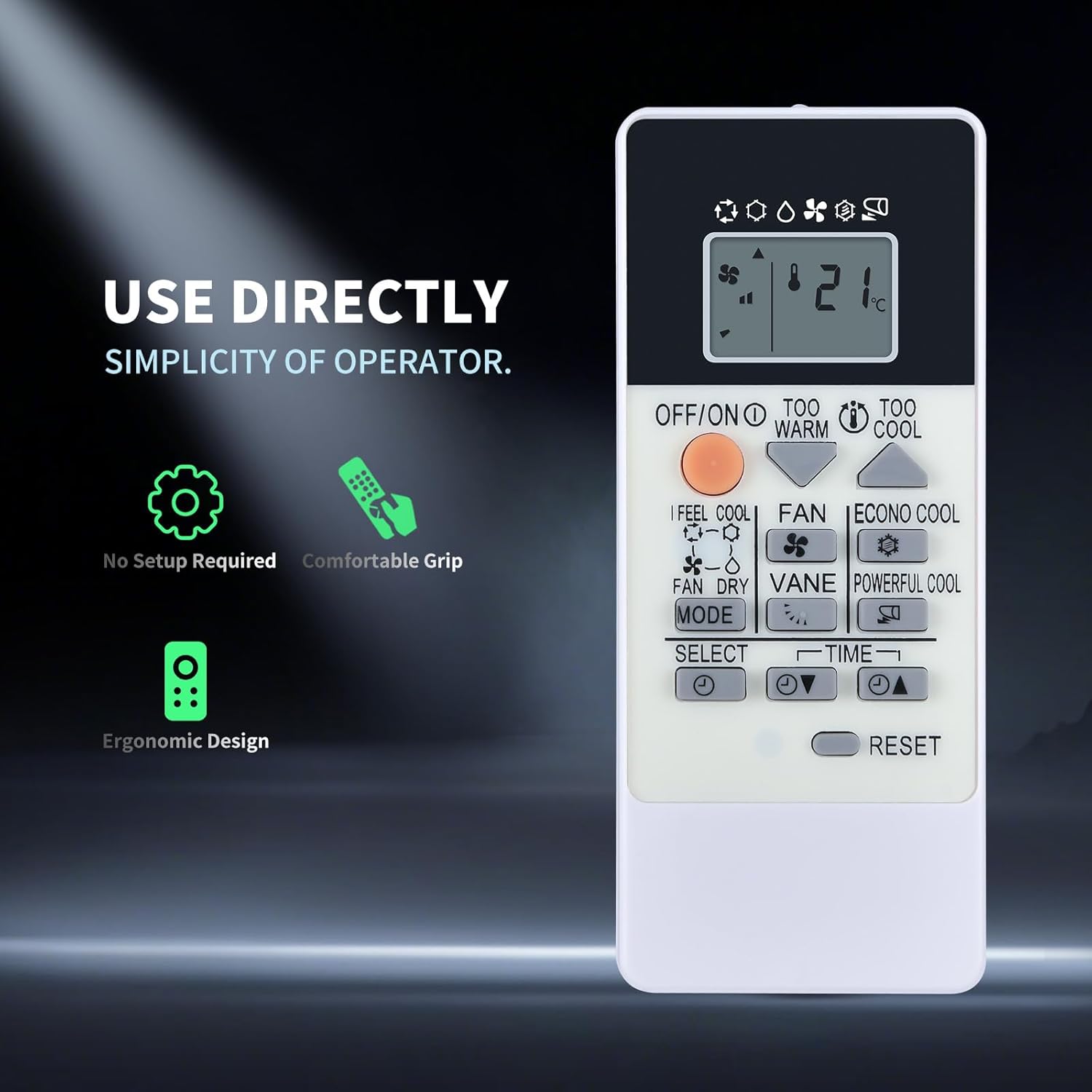
Image: Direct Use. The remote control is ready to use directly after battery installation, requiring no complex setup.
Operating Instructions
The GOUYESHO RU18A remote control provides intuitive control over your Mitsubishi air conditioner. Ensure there are no obstructions between the remote control and the air conditioner's infrared receiver for optimal performance. The effective operating distance is approximately 8 meters (26 feet) with a multi-angle control capability of up to 120 degrees.

Image: Easy Operation and Range. The remote offers stable signal transmission, an operating range of up to 26 feet, and multi-angle control.
Key Functions
The remote features a clear LED display and well-labeled buttons for various functions:
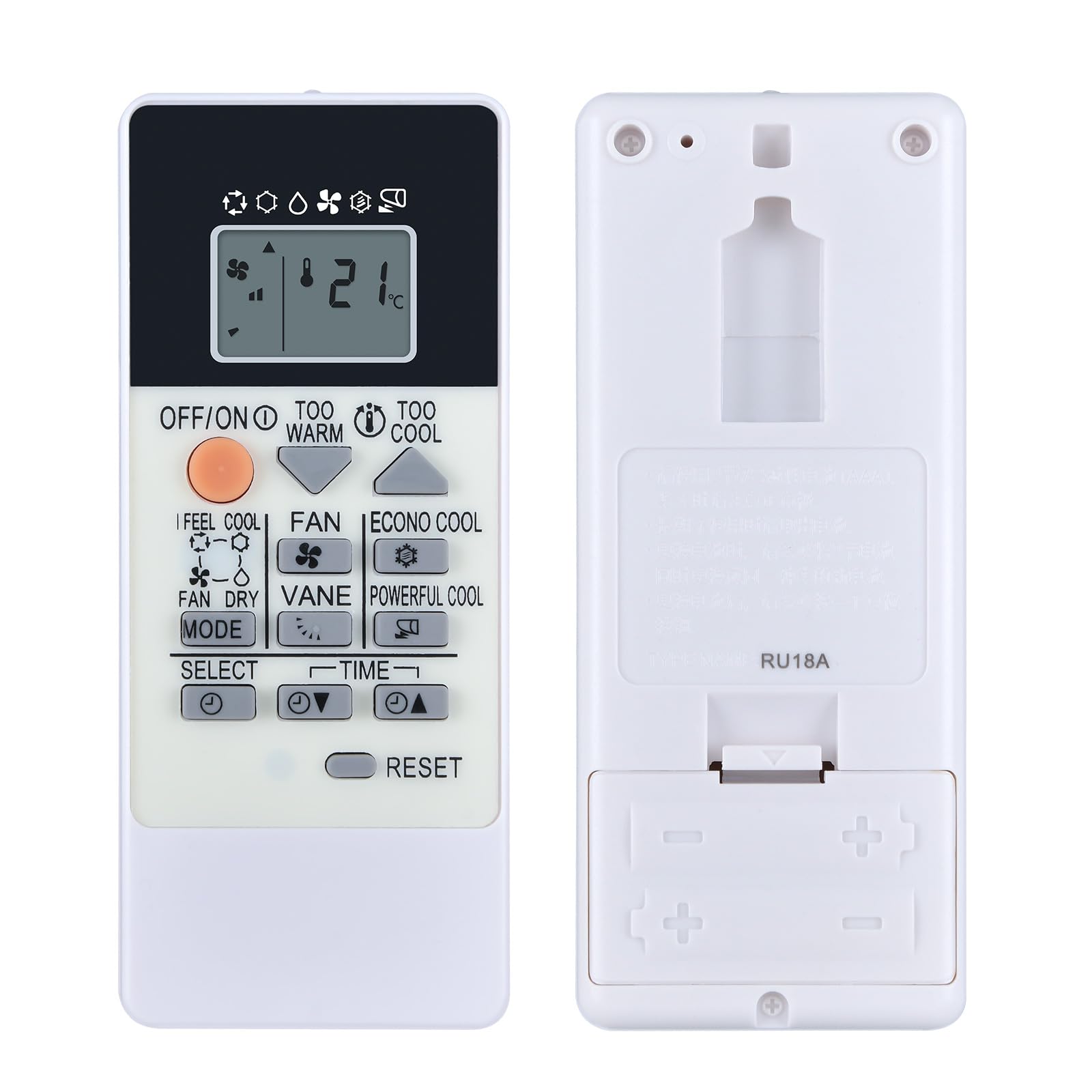
Image: Large LED Screen. The remote control features a large, clear LED screen for easy viewing of settings.
- OFF/ON Button: Powers the air conditioner on or off.
- MODE Button: Cycles through available operating modes such as Cool, Dry, Fan, and potentially Heat (depending on your specific AC model).
- Temperature Adjustment Buttons (▲/▼): Increases or decreases the desired temperature setting.
- FAN Button: Adjusts the fan speed.
- VANE Button: Controls the direction of the air swing (if supported by your AC unit).
- TIME Button: Used for setting timers (e.g., timed shutdown).
- RESET Button: Resets the remote control settings.
- I FEEL COOL / TOO WARM / TOO COOL Buttons: These buttons may offer quick access to comfort settings or adjust the temperature based on perceived comfort.
- ECONO COOL / POWERFUL COOL Buttons: These buttons activate specific energy-saving or rapid cooling modes, respectively.
Note: The functionality of certain buttons (e.g., Heat mode, specific comfort settings) may vary or be unavailable depending on the specific model of your Mitsubishi air conditioner. This remote is designed for infrared communication only and will not work with wireless (RF) controlled units.

Image: Fully Functional. The remote supports various functions including air regulation, cooling/heating, timed shutdown, and fan speed control.
Maintenance
1. Battery Replacement
Replace the batteries when the remote control's display becomes dim or when the air conditioner no longer responds to commands. Always replace both AAA batteries at the same time with new ones. Do not mix old and new batteries, or different types of batteries.
2. Cleaning
To clean the remote control, wipe it gently with a soft, dry cloth. Do not use liquid cleaners, abrasive cleaners, or chemical solvents, as these can damage the remote's surface or internal components.
3. Storage
If the remote control will not be used for an extended period, remove the batteries to prevent leakage and potential damage to the device.
Troubleshooting
| Problem | Possible Cause | Solution |
|---|---|---|
| Remote control not responding to AC unit. | Dead or incorrectly installed batteries. Obstruction between remote and AC unit. Remote is out of range. AC unit is not infrared compatible. | Replace batteries, ensuring correct polarity. Remove any obstructions. Move closer to the AC unit (within 8m/26ft). Verify your AC unit uses an infrared remote. |
| Certain functions (e.g., Heat mode) do not work. | The specific function may not be available on your AC model. The remote is designed for infrared, not wireless. | Refer to your air conditioner's manual to confirm supported functions. Ensure your AC unit is controlled by an infrared remote. |
| Display is dim or blank. | Low battery power. | Replace both AAA batteries with new ones. |
Specifications
- Model: RU18A
- Communication Method: Infrared (IR)
- Power Source: 2 x AAA batteries (not included)
- Operating Distance: Approximately 8 meters (26 feet)
- Main Material: ABS Plastic, Silicone Buttons
- Color: Black/Dark Grey
- Dimensions: Approximately 130mm (Length) x 55mm (Width)
- Compatible Air Conditioner Models: Mitsubishi MSZ-DM25VA, MSZ-DM35VA, MSZ-HJ25A, MSZ-HJ35VA, MSZ-HJ25VA, MSZ-DM25VA-E1, MSZ-DM25VA-ER1, MSZ-DM35VA-E1, MSZ-DM35VA-ER1

Image: Product Dimensions. The remote control measures approximately 130mm in length and 55mm in width.
Warranty and Support
Warranty Information
The manufacturer performs thorough inspections before shipment. In the unlikely event of a product issue, a warranty is offered for refunds and exchanges. Please retain your proof of purchase.
Customer Support
If you encounter any problems during use or have questions regarding your GOUYESHO RU18A remote control, please do not hesitate to contact our customer service. Contact details can typically be found on the product packaging or the retailer's website where the product was purchased.