
1. Introduction
Thank you for choosing the Cureder 15-Inch Outdoor Refrigerator, Model 61016. This appliance is designed to provide reliable and efficient cooling for your beverages in various settings, including outdoor patios, decks, poolside areas, and indoor kitchens. Constructed with weather-proof stainless steel and advanced cooling technology, it ensures your drinks remain perfectly chilled.
Please read this manual thoroughly before installation, operation, or maintenance to ensure safe and optimal performance of your refrigerator. Keep this manual for future reference.

2. Safety Information
To reduce the risk of fire, electric shock, or injury when using your refrigerator, follow these basic precautions:
- Read all instructions before using the appliance.
- Connect to a grounded outlet only.
- Do not remove the grounding prong, bypass the grounding adapter, or use an extension cord.
- Unplug the refrigerator before cleaning or making any repairs.
- Do not operate if the power cord is damaged.
- Keep ventilation openings clear of obstruction.
- Do not store explosive substances such as aerosol cans with a flammable propellant in this appliance.
- Ensure proper clearance around the unit for adequate ventilation.
3. Product Features
Your Cureder Outdoor Refrigerator is equipped with several features designed for convenience, durability, and optimal performance:
- Outdoor Specialized Design: Made of fingerprint-resistant stainless steel and IPX4 waterproof material for rust and corrosion resistance. Its weather-resistant design shields it from the elements, making it suitable for diverse climatic conditions. The airtight door and effective insulation maintain a constant temperature.
- Advanced Quality Construction: ETL & UL approved. Features a sleek, fashionable solid stainless steel construction that is rust-proof and easy to clean. A thickened handle provides easier opening, and the gasket securely guards the inner environment, preventing leakage or corrosion. The gasket can be removed for cleaning or replacement.
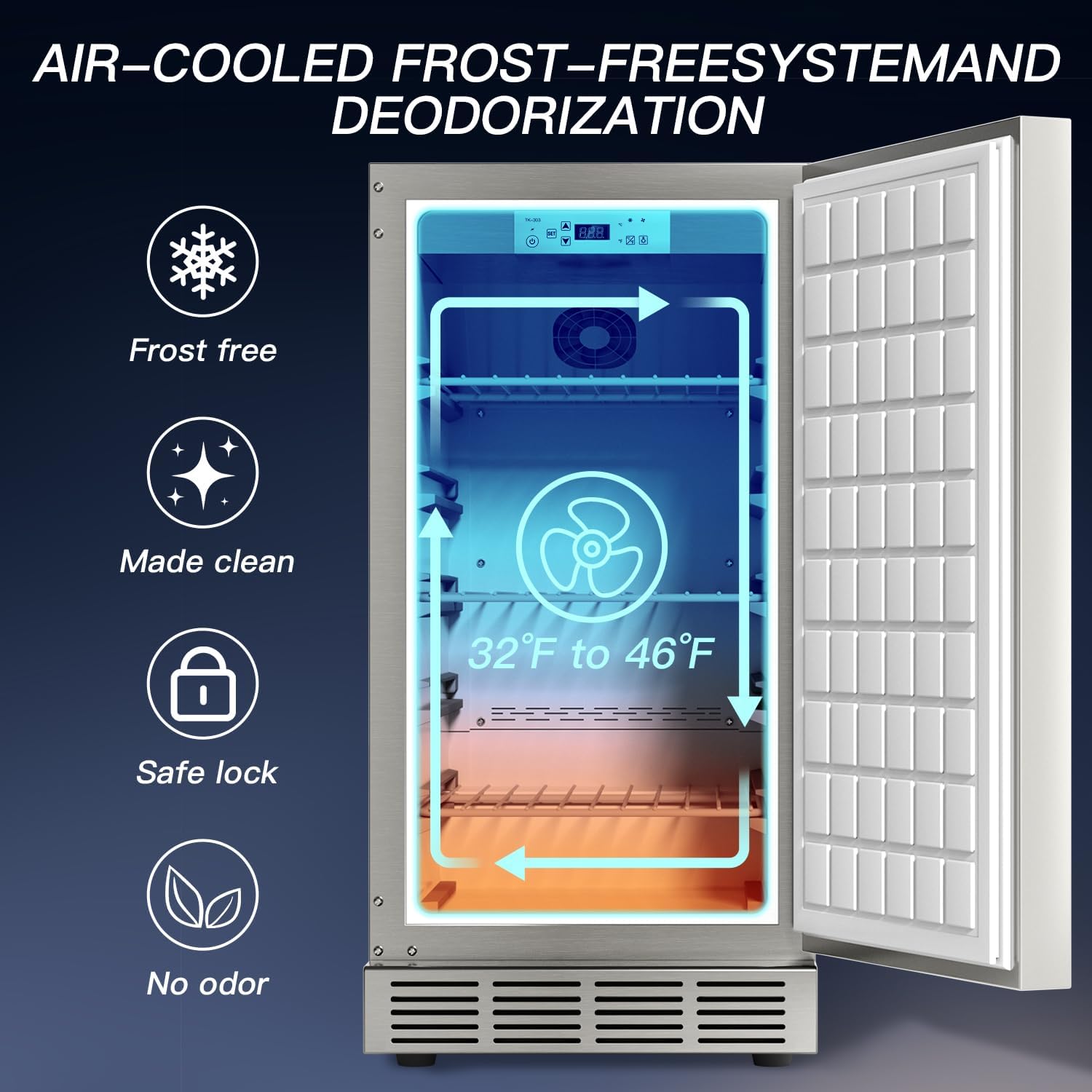
- Digital Temperature Control: A precise and concise control area with simple buttons for switch, illumination, and temperature adjustment. An easy-to-read digital display shows temperatures from 32℉ to 46℉ (0℃ to 8℃) to ensure an optimal beverage experience. The 304 SUS body insulates heat efficiently, keeping the interior cool even in severe conditions up to 104℉ (40℃) environment temperature and 65% humidity.
- Convenient Usage: Features fan-circulated air for more even and efficient cooling than cold plate cooling. An Embraco compressor, combined with 100W cooling power, ensures stable and energy-efficient operation. Chrome-plated 3-layer shelves are adjustable to accommodate various beverage sizes, allowing improved flexibility. Auto-defrost function is included.
- 100L Capacity: Offers a 3.53 cu. ft. capacity, allowing ample storage for your beverages. The reversible door hinge provides flexibility in choosing the opening direction (left or right).
Visual Features


4. Installation and Setup
Your Cureder refrigerator can be installed as a freestanding unit or built-in under a counter. Ensure proper ventilation is maintained regardless of the installation type.
4.1 Unpacking
- Carefully remove all packaging materials.
- Inspect the refrigerator for any shipping damage. Report any damage immediately to your retailer.
- Remove all internal packing and protective film from surfaces.
4.2 Placement
- Place the refrigerator on a flat, stable surface capable of supporting its weight when fully loaded.
- For outdoor use, ensure the location is protected from direct sunlight and extreme weather conditions to maximize efficiency.
- Allow at least 2 inches (5 cm) of space at the back and sides for proper air circulation.
4.3 Electrical Connection
Connect the refrigerator to a dedicated, grounded 110V AC outlet. Do not use extension cords or adapters.
4.4 Door Reversal (Optional)
The door hinge is reversible, allowing you to change the opening direction from left to right or vice versa. Refer to the detailed diagram below for dimensions and potential built-in configurations. Consult a qualified technician if you are unsure about performing the door reversal.

5. Operating Instructions
Your refrigerator is designed for user-friendly operation. The digital control panel allows for precise temperature management.
5.1 Control Panel Overview
- Power Button: Turns the unit On/Off.
- SET Button: Enters temperature setting mode.
- Up/Down Arrows: Adjust the desired temperature.
- Temperature Unit Button: Toggles between Celsius (℃) and Fahrenheit (℉).
- Light Button: Controls the interior LED light.
5.2 Setting the Temperature
- Press the 'SET' button. The temperature display will flash.
- Use the Up or Down arrows to select your desired temperature (range: 32℉ to 46℉ / 0℃ to 8℃).
- Press 'SET' again or wait a few seconds for the setting to be saved.
5.3 Cooling System
The refrigerator utilizes a fan-circulated air system for 360° air circulation, ensuring even cooling throughout the interior. The Embraco compressor provides stable and fast cooling.
5.4 Auto-Defrost Function
The unit is equipped with an automatic defrost function. Frost buildup will be periodically melted and drained, eliminating the need for manual defrosting.
5.5 Power Outage Memory Function
In the event of a power outage, the refrigerator will retain its last set temperature. Once power is restored, it will resume operation at the previously set temperature.
5.6 Operational Video
6. Maintenance
Regular maintenance ensures the longevity and efficiency of your refrigerator.
6.1 Cleaning the Interior
- Unplug the refrigerator before cleaning.
- Remove all contents and shelves.
- Wipe the interior with a solution of mild detergent and warm water.
- Rinse thoroughly with clean water and dry with a soft cloth.
- The door gasket can be removed for easy cleaning and replacement. Ensure it is properly re-seated to maintain an airtight seal.
6.2 Cleaning the Exterior
- Wipe the stainless steel exterior with a soft cloth and a non-abrasive stainless steel cleaner.
- Avoid using harsh chemicals or abrasive pads that could scratch the surface.
6.3 Power Saving Tips
- Avoid opening the door too frequently.
- Ensure the door gasket is clean and sealing properly.
- Do not place hot food or beverages inside.
- Keep the condenser coils clean (located at the bottom/rear) to ensure efficient cooling.
7. Troubleshooting
Before contacting customer support, please check the following common issues:
| Problem | Possible Cause | Solution |
|---|---|---|
| Refrigerator does not operate | No power; tripped circuit breaker; power cord unplugged. | Check power supply; reset circuit breaker; ensure cord is securely plugged in. |
| Temperature is not cold enough | Door not closed properly; excessive door openings; warm items placed inside; poor ventilation. | Ensure door is sealed; reduce door openings; allow warm items to cool before storing; ensure proper clearance. |
| Excessive noise | Unit not level; objects vibrating against the unit; normal compressor operation. | Adjust leveling feet; ensure nothing is touching the unit; some noise is normal. |
| Water on floor | Drain tube clogged; door not sealed. | Clear drain tube; check door gasket for proper seal. |
8. Specifications
| Specification | Value |
|---|---|
| Brand | cureder |
| Model Number | 61016 |
| Capacity | 100 Liters (3.53 cu. ft.) |
| Product Dimensions (D x W x H) | 23 x 15 x 33.5 inches |
| Item Weight | 68 pounds |
| Voltage | 110 Volts |
| Temperature Range | 32℉ - 46℉ (0℃ - 8℃) |
| Installation Type | Undercounter / Freestanding |
| Material Type | Stainless Steel |
| Defrost System | Automatic |
| Shelves | 3 Wire Racks |
| Certification | ETL, UL, Energy Star |
9. Warranty and Support
Cureder is committed to customer satisfaction. This product comes with a 2-Year Satisfaction guarantee. For any questions, technical assistance, or warranty claims, please contact Cureder customer support through your original point of purchase or visit the official Cureder website for contact information.
Please have your model number (61016) and purchase date ready when contacting support.