
TOSING G7
TOSING G7 Professional Karaoke Machine
User Manual
1. Product Overview
The TOSING G7 Professional Karaoke Machine is a portable Bluetooth PA system speaker designed for high-quality audio performance. It integrates dual speakers and bass diaphragms to deliver balanced, crisp, high-fidelity sound with strong bass. Its modern design features a unique leather pattern, making it an aesthetically pleasing addition to any setting. The G7 is versatile, supporting various uses from home karaoke to live broadcasts and professional vocal teaching.

Figure 1: TOSING G7 Professional Karaoke Machine and Carrying Case
2. What's in the Box
Upon unboxing your TOSING G7, please ensure all the following items are present:
- 1 x TOSING G7PRO karaoke microphone
- 1 x Charge cable and audio cable
- User Manual
- 1x Aluminium packing box

Figure 2: Package Contents
3. Key Features
- Integrated Technology 2-in-1: Features two bass diaphragms integrated with two speakers, providing balanced, crisp, high-fidelity sound with strong, immersive bass. The TOSING G7 offers full-range stereo sound reproduction, enhancing vocal amplification.

Figure 3: Integrated Speaker Technology
- 58mm*2 Large Caliber 20W High-Power: Equipped with two 58mm large-caliber, 20W high-power speakers. This configuration allows for a powerful PA system-like experience, delivering professional sound quality and a thrilling low-frequency subwoofer experience, ideal for a home theater karaoke setup.

Figure 4: High-Power Speaker Units
- Unique Leather Pattern Design: The microphone features a microfiber touch surface that seamlessly blends texture with a white litchi background, offering a healthy, environmental, and fashionable aesthetic.

Figure 5: Leather Pattern Design Detail
- Multiple Ways to Use: Highly compatible with smart karaoke home audio systems, PCs, laptops, smartphones, tablets, car audio, and Bluetooth speakers/amplifiers. It features Bluetooth 5.0 and Aux-in functions, suitable for live podcasts, YouTube karaoke, and TWS (True Wireless Stereo) functionality for shared entertainment.

Figure 6: Versatile Usage Scenarios
Video 1: Demonstration of the TOSING G7 karaoke microphone for professional singers, showcasing its audio quality and features.
Video 2: Overview of the TOSING G7 20W karaoke microphone, highlighting its powerful sound output and design.
Video 3: Demonstration of the TOSING G7 20W karaoke microphone suitable for adults and professional use, emphasizing its versatility.
Video 4: Features of the TOSING G7 Karaoke Machine for Adults, showing its ease of use and entertainment value.
- High-End Gift Packaging: Comes in a high-quality, environmentally friendly aluminum package with a handle, making it an ideal choice for personal use or as a gift.
Figure 7: Premium Aluminum Packaging
4. Setup
- Charging the Device: Before first use, fully charge the TOSING G7 using the provided USB Type-C cable. Connect the cable to the USB-C port on the microphone and the other end to a compatible USB power adapter (not included). The charging indicator will show progress and turn off when fully charged.
- Power On/Off: Press and hold the power button (usually located on the front panel) for a few seconds until the display lights up or turns off.
- Bluetooth Pairing:
- Turn on the TOSING G7. It will automatically enter Bluetooth pairing mode.
- Enable Bluetooth on your smartphone, tablet, or other compatible device.
- Search for "TOSING G7" in the list of available Bluetooth devices and select it to pair.
- A confirmation sound will indicate successful pairing.
- AUX Connection: For devices without Bluetooth, use the provided 3.5mm audio cable. Connect one end to the AUX-in port on the TOSING G7 and the other end to the audio output of your device.
5. Operating Instructions
5.1. Basic Controls

Figure 8: Control Panel
- Volume Adjustment: Use the "Vol+" and "Vol-" buttons to increase or decrease the microphone's volume.
- Effect Adjustment: Press the "Effect" button to cycle through different vocal effects (e.g., echo, reverb).
- Power Button: Long press to power on/off. Short press may pause/play music in Bluetooth mode.
- TWS Button: Used for True Wireless Stereo pairing with another TOSING G7 unit.
5.2. TWS (True Wireless Stereo) Pairing
To achieve a stereo sound experience, you can pair two TOSING G7 units together:
- Ensure both TOSING G7 units are powered on and not connected to any other Bluetooth device.
- On one of the units, press the "TWS" button. It will enter TWS pairing mode.
- The two units will automatically search for and connect to each other. A confirmation sound will indicate successful TWS pairing.
- Once paired, connect your smartphone or tablet to one of the TOSING G7 units via Bluetooth. Audio will now play through both units in stereo.
5.3. Recording and Live Broadcast
The TOSING G7 supports recording and live broadcast functions when connected to a compatible device (e.g., smartphone, computer) via Bluetooth or the audio cable. Refer to your device's specific application for recording or live streaming for detailed instructions on how to select the TOSING G7 as the audio input source.
6. Maintenance
- Cleaning: Use a soft, dry cloth to clean the exterior of the microphone. Do not use abrasive cleaners or solvents.
- Storage: Store the TOSING G7 in its aluminum packing box in a cool, dry place away from direct sunlight and extreme temperatures.
- Battery Care: To prolong battery life, avoid fully discharging the battery frequently. Charge the device regularly, even if not in use for extended periods.
7. Troubleshooting
| Problem | Possible Cause | Solution |
|---|---|---|
| No power | Battery is depleted. | Charge the device fully. |
| Cannot connect via Bluetooth | Bluetooth is off on device; microphone is not in pairing mode; interference. | Ensure Bluetooth is enabled on your device. Restart the microphone to enter pairing mode. Move closer to the microphone and away from other wireless devices. |
| No sound output | Volume too low; incorrect input source; microphone not connected properly. | Increase volume on both the microphone and connected device. Ensure the correct input mode is selected. Reconnect the audio cable or re-pair Bluetooth. |
| Sound distortion or feedback | Microphone too close to speakers; volume too high; environmental interference. | Move the microphone further from speakers. Reduce volume. Adjust vocal effects. |
8. Specifications
| Feature | Detail |
|---|---|
| Brand | TOSING |
| Model Name | TOSING G7PRO karaoke microphone |
| Item Weight | 1.01 pounds |
| Package Dimensions | 14.37 x 5.59 x 4.61 inches |
| Country of Origin | China |
| Batteries | 1 Lithium Ion batteries required (included) |
| Back Material | Microfiber |
| Body Material | ABS, Microfiber |
| Color Name | Silver |
| Compatible Devices | Amplifier/car, Smartphone, Smart TV/PC/Laptop/Tablet |
| Connector Type | USB Type C, 3.5 mm Jack |
| Speaker Amplification Type | Passive |
| Speaker Count | 2 |
| Output Wattage | 20 Watts |
| Battery Type | Lithium Ion |
| Power Source | Rechargeable Lithium Battery |
| Voltage | 2.2E+2 Volts (AC) |
| Wattage | 20 watts |
| Special Feature | 2.4G DSP smart chip set sound core processors, 20W Bluetooth speakers with 2 diaphragms, 70Hz strong 3D stereo woofer sound effects |
| Recommended Uses | Karaoke, singing, podcast, recording |
9. Warranty and Support
The TOSING G7 Professional Karaoke Machine comes with a standard manufacturer's warranty. Please refer to the warranty card included in your package for specific terms and conditions.
For further support, product information, or to explore other TOSING products, please visit the official TOSING website or their Amazon store:
- Official Website: www.mytosing.com
- TOSING Amazon Store: Visit Store
You can also find product information on the packaging itself, including contact details for regional representatives:
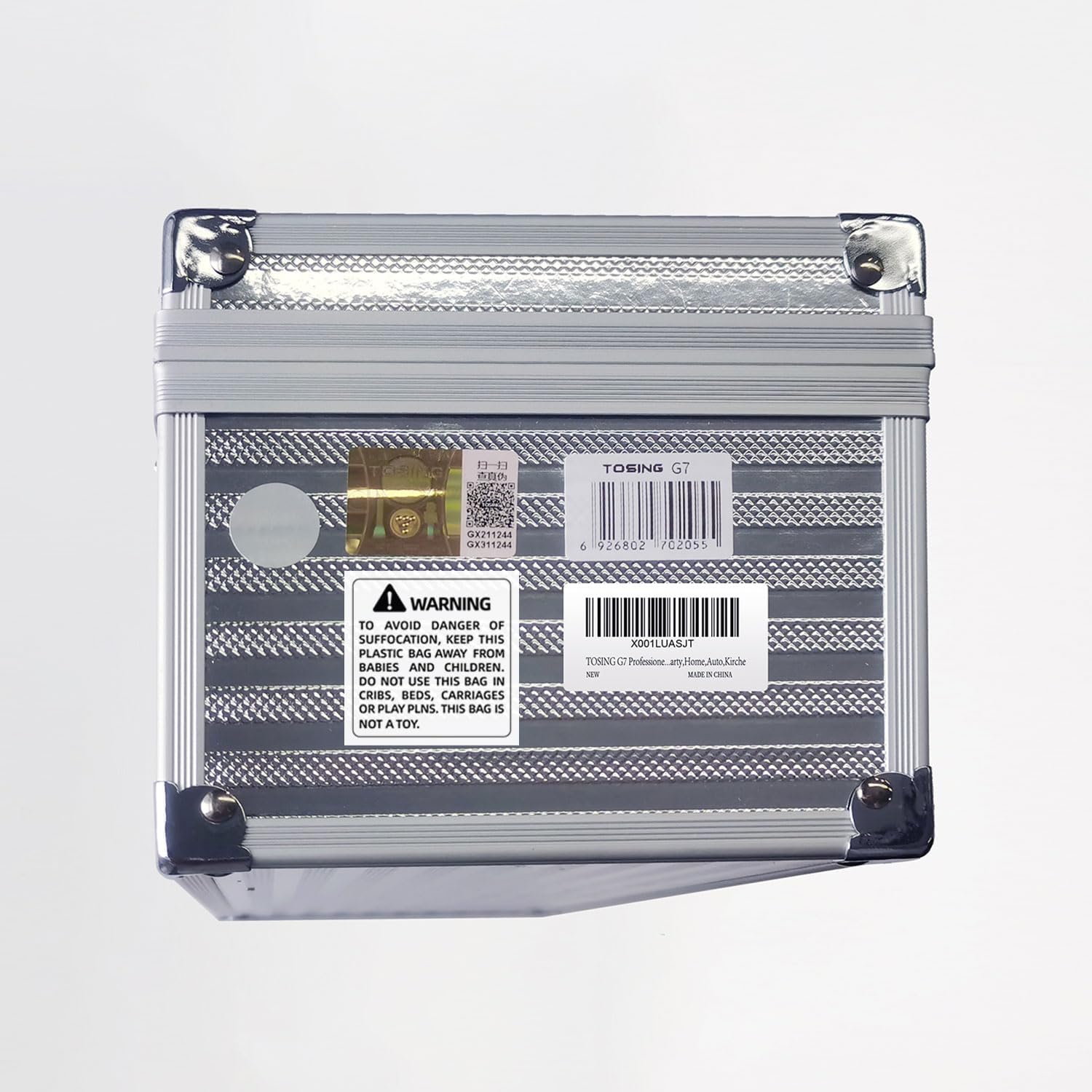
Figure 9: Product Information Label
Related documentsG7

Ask a question about this manual
Ask about setup, troubleshooting, compatibility, parts, safety, or missing instructions. Manuals+ will review the question and use this page’s manual context to help answer it.