
1. Introduction
Thank you for choosing the YESKAMO TJ33-2IN1 2.5K 4MP Wireless Solar Security Camera System. This manual provides detailed instructions for the installation, operation, and maintenance of your security system. Please read this manual thoroughly before use to ensure proper functionality and to maximize the benefits of your device. Keep this manual for future reference.
2. Product Overview
The YESKAMO TJ33-2IN1 system is a comprehensive outdoor surveillance solution featuring 2.5K (4MP) resolution, solar power, and intelligent detection capabilities. It is designed for reliable outdoor monitoring with easy installation and smart features.
2.1 Package Contents
- 2 x YESKAMO 2.5K 4MP Wireless Security Cameras
- 2 x Solar Panels
- 1 x Base Station
- Mounting Accessories (screws, anchors)
- USB Charging Cable
- User Manual
2.2 Key Features
- 2.5K (4MP) Ultra HD Resolution: Provides clear and detailed video footage day and night.
- Solar Powered: Equipped with solar panels for continuous power, ensuring up to 360 days of uninterrupted operation.
- AI/PIR Human Detection: Advanced AI algorithm intelligently identifies people, cats, and dogs, reducing false alarms with up to 95% accuracy.
- 3 Alarm Modes: Features a 110-decibel siren and flashing spotlights to deter intruders.
- Color Night Vision: Integrated spotlight enables full-color video recording even in low-light conditions.
- 130° Wide-Angle View: Captures a broad area for comprehensive surveillance.
- IP67 Weatherproof: Designed to withstand various outdoor weather conditions (temperature range: -20°C to 55°C / 14°F to 131°F).
- 2.4GHz WiFi Connectivity: Ensures stable wireless communication with the base station.
- Two-Way Audio: Allows for real-time communication through the camera.
- Local & Cloud Storage: Supports Micro SD card storage up to 128GB and offers cloud service options.
- Amazon Alexa Integration: Compatible with Alexa for voice control and smart home integration.
- Multi-User Sharing: Allows multiple users to access and monitor the camera feed.
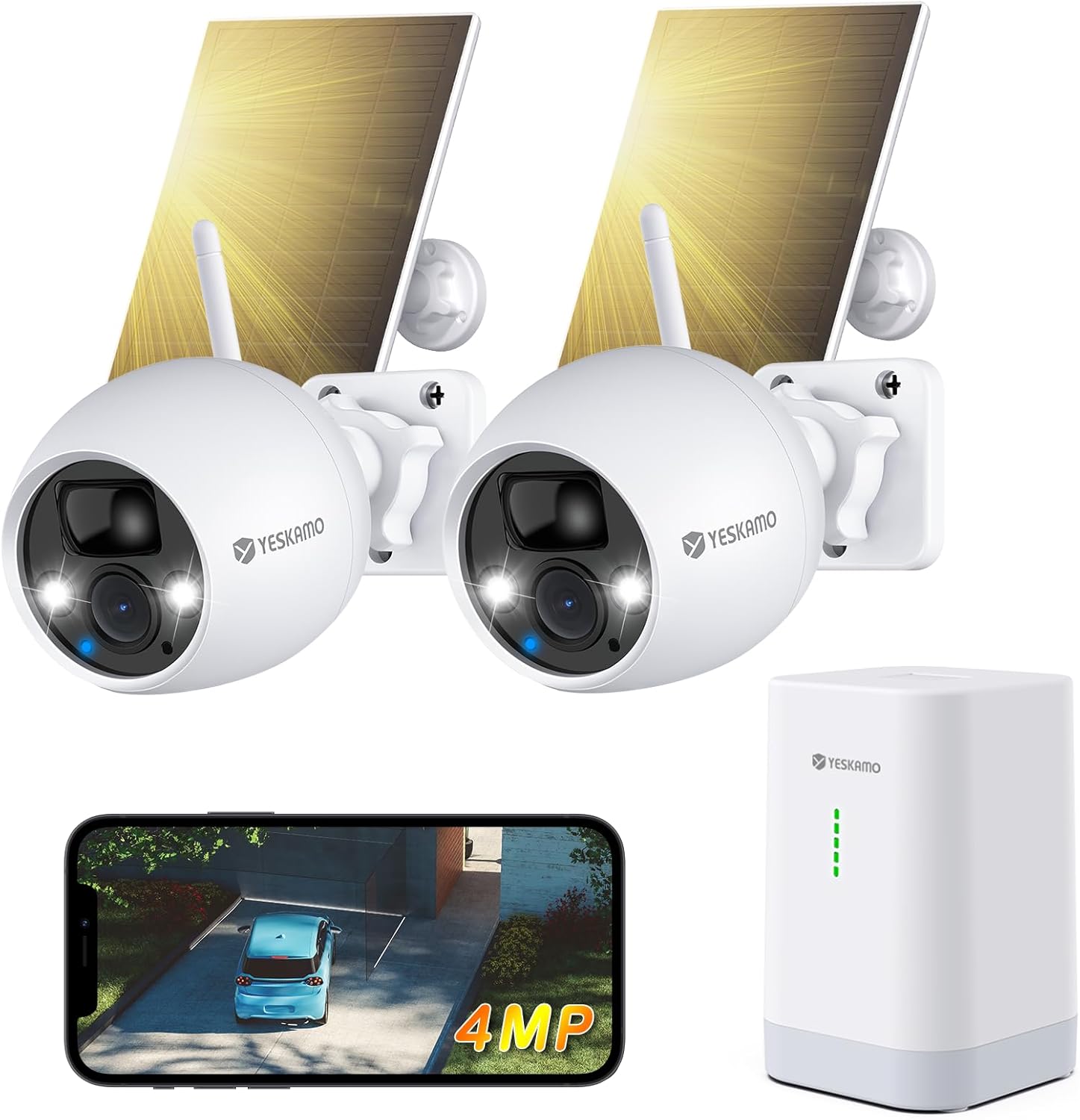
Figure 2.1: YESKAMO TJ33-2IN1 2.5K 4MP Wireless Solar Security Camera System with two cameras, solar panels, base station, and smartphone app view.

Figure 2.2: YESKAMO camera highlighting 4MP resolution, AI detection, 2.4GHz WiFi, IP67 waterproof rating, two-way audio, and multi-user sharing, shown in an outdoor, rainy environment.

Figure 2.3: Comparison table illustrating the advantages of the YESKAMO base station system, including wireless connectivity, strong signal, battery power, 360-day battery life, expandability, and app support, compared to other NVR/DVR and standard WLAN camera systems.
3. Setup
3.1 Charging the Cameras
Before initial use, ensure the camera batteries are fully charged. Connect the cameras to the solar panels or use the provided USB charging cable with a 5V/2A adapter (not included) to charge them. A full charge typically takes a few hours.
3.2 Installing the YESKAMO App
- Scan the QR code on the base station or in the manual, or search for 'YESKAMO' in your smartphone's app store (iOS or Android).
- Download and install the app.
- Register a new account or log in if you already have one.
3.3 Connecting the Base Station
- Connect the base station to your router using an Ethernet cable.
- Plug the power adapter into the base station and an electrical outlet.
- Wait for the indicator lights on the base station to show a stable connection.
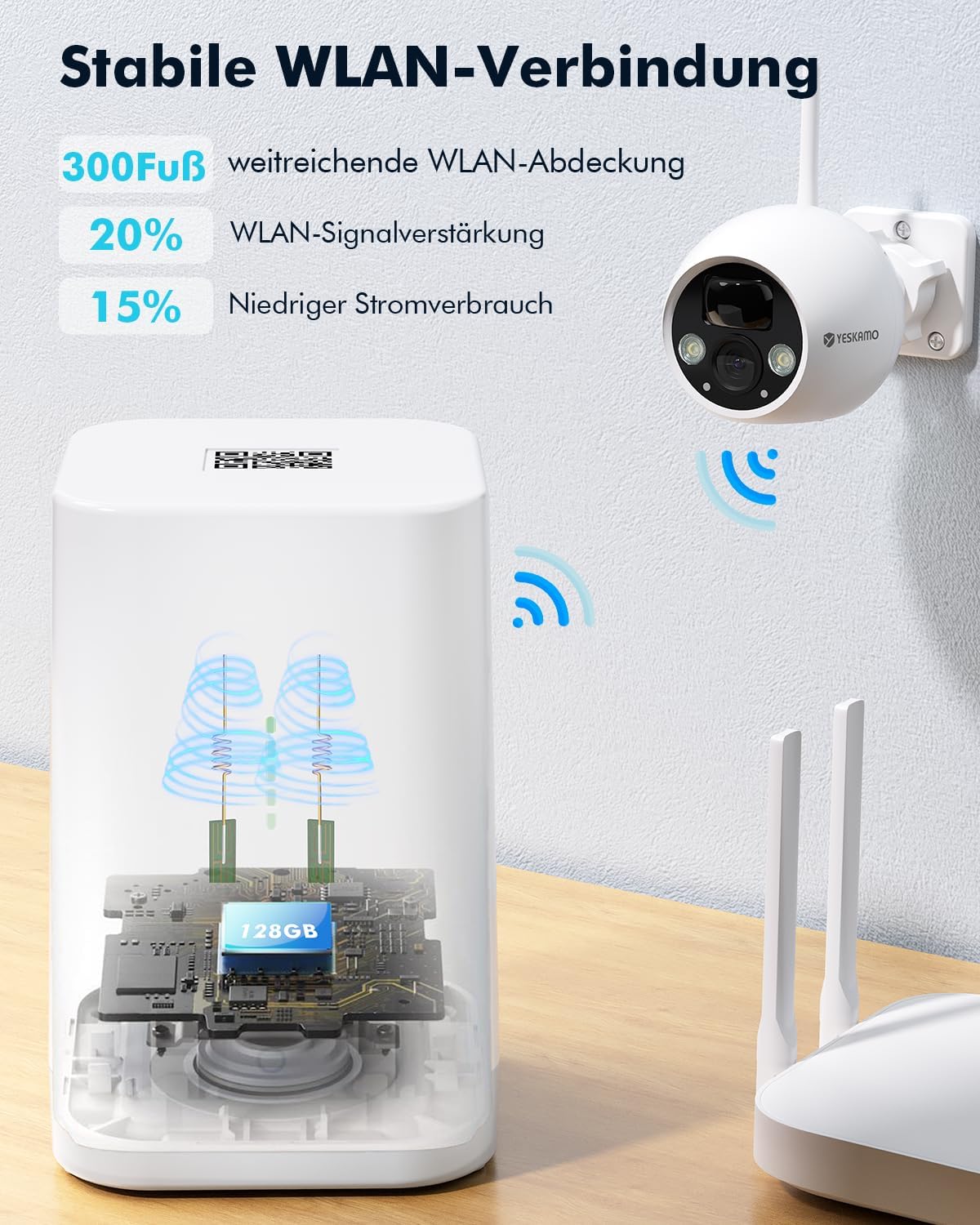
Figure 3.1: The YESKAMO base station providing stable WLAN connection with extended coverage and signal amplification.
3.4 Pairing Cameras with the Base Station
- Open the YESKAMO app and select 'Add Device'.
- Follow the on-screen instructions to pair each camera with the base station. This typically involves pressing a sync button on the camera and the base station.
- Once paired, you will see the camera feed in the app.
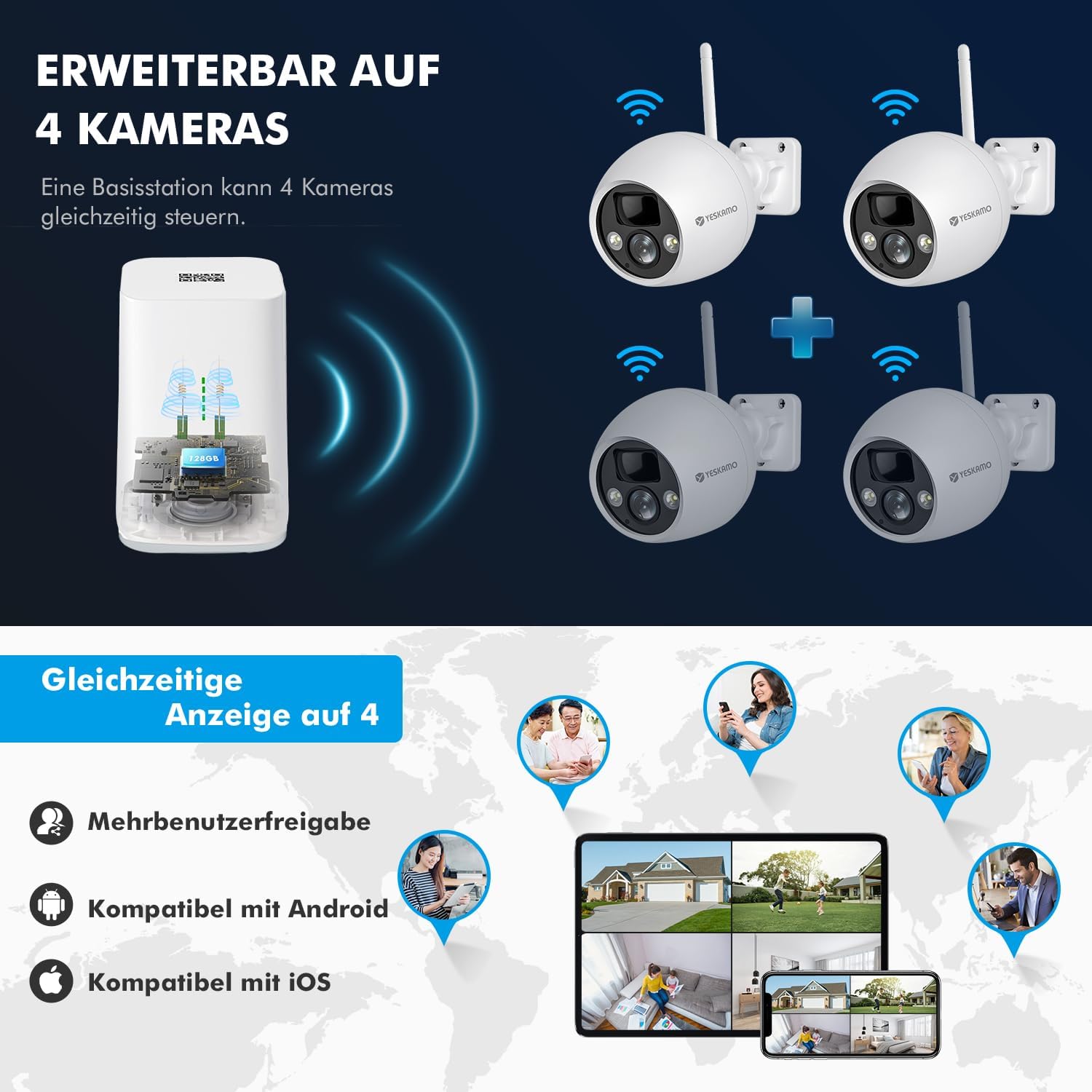
Figure 3.2: The YESKAMO base station can manage up to 4 cameras simultaneously, with multi-user sharing and compatibility with Android and iOS devices.
3.5 Mounting the Cameras and Solar Panels
Choose a suitable location for your cameras and solar panels. Ensure the solar panels receive direct sunlight for most of the day to optimize charging. Use the provided mounting accessories to securely attach the cameras and panels to a wall or other stable surface.
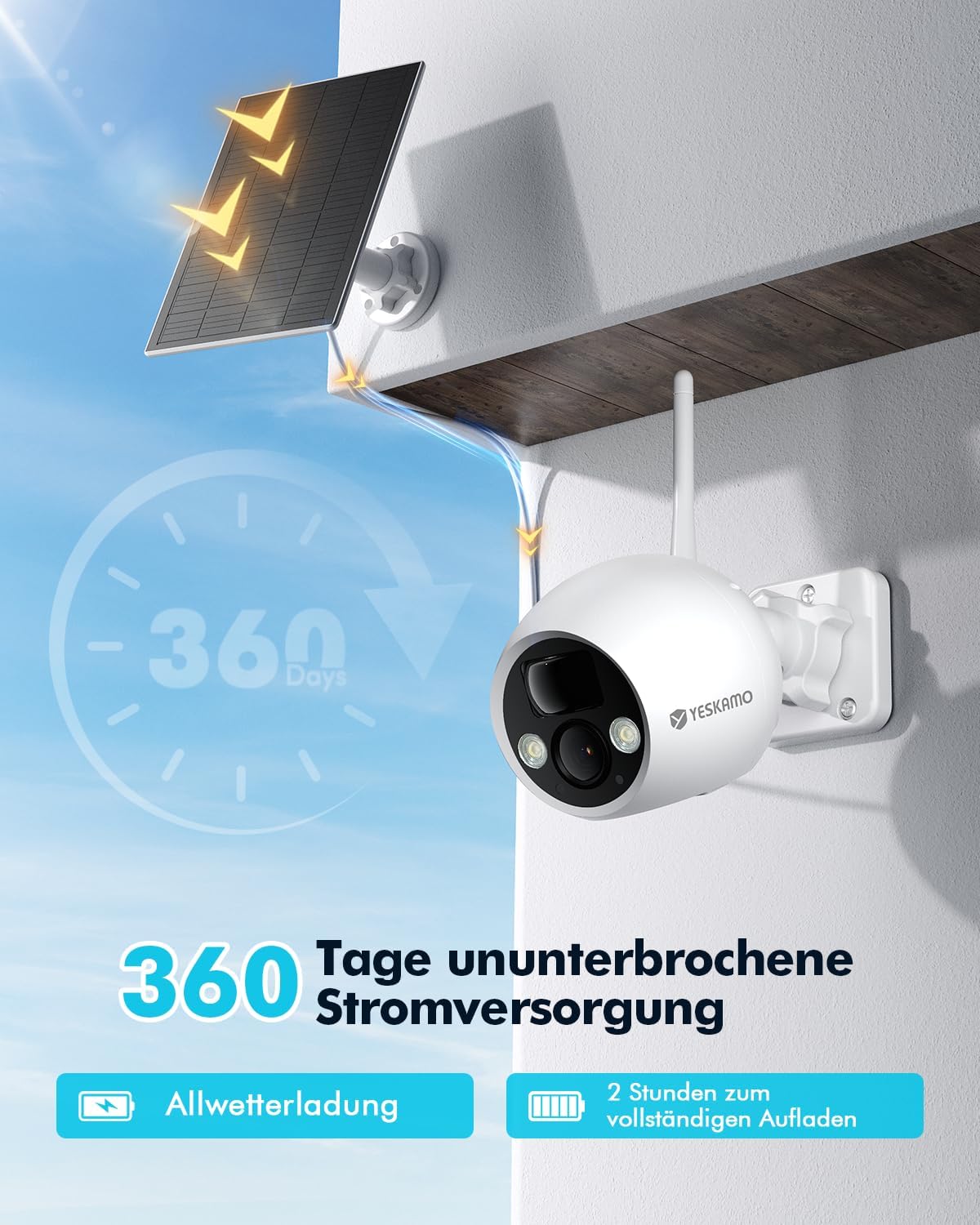
Figure 3.3: A YESKAMO solar camera mounted with its solar panel, illustrating 360 days of uninterrupted power supply and all-weather charging capabilities.
4. Operating Instructions
4.1 Live View and Playback
- Open the YESKAMO app.
- Select the desired camera to view its live feed.
- To view recorded footage, navigate to the playback section in the app and select the date and time.
4.2 Motion Detection and Alerts
The cameras feature advanced AI/PIR human detection. When motion is detected, the system can trigger an alarm and send real-time notifications to your phone.
- In the app, go to camera settings and enable motion detection.
- Adjust sensitivity levels as needed to minimize false alarms.
- Configure alarm actions, such as activating the 110dB siren and flashing spotlights.

Figure 4.1: Intelligent PIR motion detection accurately identifies human movement, reducing false alarms from other objects.
4.3 Night Vision
The cameras automatically switch to night vision mode in low light. The integrated spotlight provides color night vision for enhanced detail.

Figure 4.2: 4MP clear and colorful night vision captures details up to 32 feet in dark conditions.
4.4 Two-Way Audio
Use the two-way audio feature to communicate with visitors or deter unwanted guests. Tap the microphone icon in the live view to speak through the camera's speaker.
4.5 Storage Options
The base station supports local storage via a Micro SD card (up to 128GB, not included). Cloud storage options are also available, often with a free trial period.

Figure 4.3: The base station supports cloud service with a 7-day free trial and Micro SD card storage up to 128GB, featuring data encryption and no hidden fees.
4.6 Alexa Integration
To integrate with Amazon Alexa, enable the YESKAMO skill in the Alexa app and link your YESKAMO account. You can then use voice commands to view camera feeds on compatible Alexa devices.
5. Maintenance
- Solar Panel Cleaning: Regularly clean the surface of the solar panels with a soft, damp cloth to ensure maximum sunlight absorption and charging efficiency.
- Camera Lens Cleaning: Gently wipe the camera lens with a microfiber cloth to remove dust or smudges that may affect image quality.
- Firmware Updates: Check the YESKAMO app periodically for firmware updates. Keeping your device's firmware updated ensures optimal performance and security.
- Battery Health: While solar-powered, extreme weather or prolonged periods without sunlight may require manual charging via the USB port.
6. Troubleshooting
- No Connection: Ensure the base station is powered on and connected to your router. Check WiFi signal strength for cameras. Try restarting the base station and cameras.
- False Alarms: Adjust the motion detection sensitivity in the app. Ensure the camera is not pointing at busy public areas or objects that frequently move (e.g., tree branches).
- Poor Image Quality: Clean the camera lens. Ensure there are no obstructions in the camera's field of view. Check network stability.
- Battery Not Charging: Verify the solar panel is clean and receiving direct sunlight. Check the connection between the solar panel and the camera.
- App Issues: Ensure your app is updated to the latest version. Try clearing the app cache or reinstalling the app.
- Resetting the Device: If issues persist, you may need to reset the camera or base station. Refer to the app or specific device instructions for the reset procedure.
7. Specifications
| Feature | Specification |
|---|---|
| Model Number | TJ33-2IN1 |
| Video Resolution | 2.5K (4MP) |
| Wireless Technology | Wi-Fi (2.4GHz) |
| Power Source | Solar Powered, Battery (1 Lithium-ion included) |
| Battery Life (with solar) | Up to 360 days |
| Weather Resistance | IP67 |
| Night Vision | Color Night Vision |
| Detection Type | AI/PIR Human Detection |
| Field of View | 130° Wide Angle |
| Audio | Two-Way Audio |
| Storage | Micro SD Card (up to 128GB), Cloud Storage |
| Smart Home Integration | Amazon Alexa |
| Mounting Type | Wall Mount |
| Material | Metal |
| Dimensions (L x W x H) | 35 x 17 x 14.5 cm |
| Weight | 1.65 kg |
8. Warranty and Support
For warranty information and technical support, please refer to the documentation included with your product packaging or visit the official YESKAMO website. Contact details for customer service are typically available on the product's support page.


