
1. Introduction
This manual provides essential instructions for the safe and efficient use of your K&F CONCEPT NP-FZ100 2280mAH Battery and Dual Slot Charger Set. Please read this manual thoroughly before using the product to ensure optimal performance and longevity.
2. What's in the Box
Your K&F CONCEPT NP-FZ100 Battery and Dual Slot Charger Set includes the following items:
- 2 x 2280mAh NP-FZ100 Batteries
- 1 x Dual-Slot Battery Charger
- 1 x USB-C Charging Cable
- 1 x User Manual (this document)

Image: The package contents, including two NP-FZ100 batteries, a dual USB charger, and a USB-C charging cable.
3. Specifications
| Feature | Detail |
|---|---|
| Battery Capacity | 2280mAh (each battery) |
| Battery Voltage | 7.4V |
| Battery Energy | 16.8Wh |
| Charger Input | Type-C and Micro-USB (5V 2.1A recommended) |
| Charger Output | 8.4V / 700mAh * 1 (single battery), 8.4V / 500mAh * 2 (dual batteries) |
| Product Dimensions | 6.61 x 4.25 x 1.1 inches (overall package) |
| Item Weight | 5.6 ounces (overall package) |
| Model Number | US-0016 |
| Certifications | FCC/CE/RoHS |
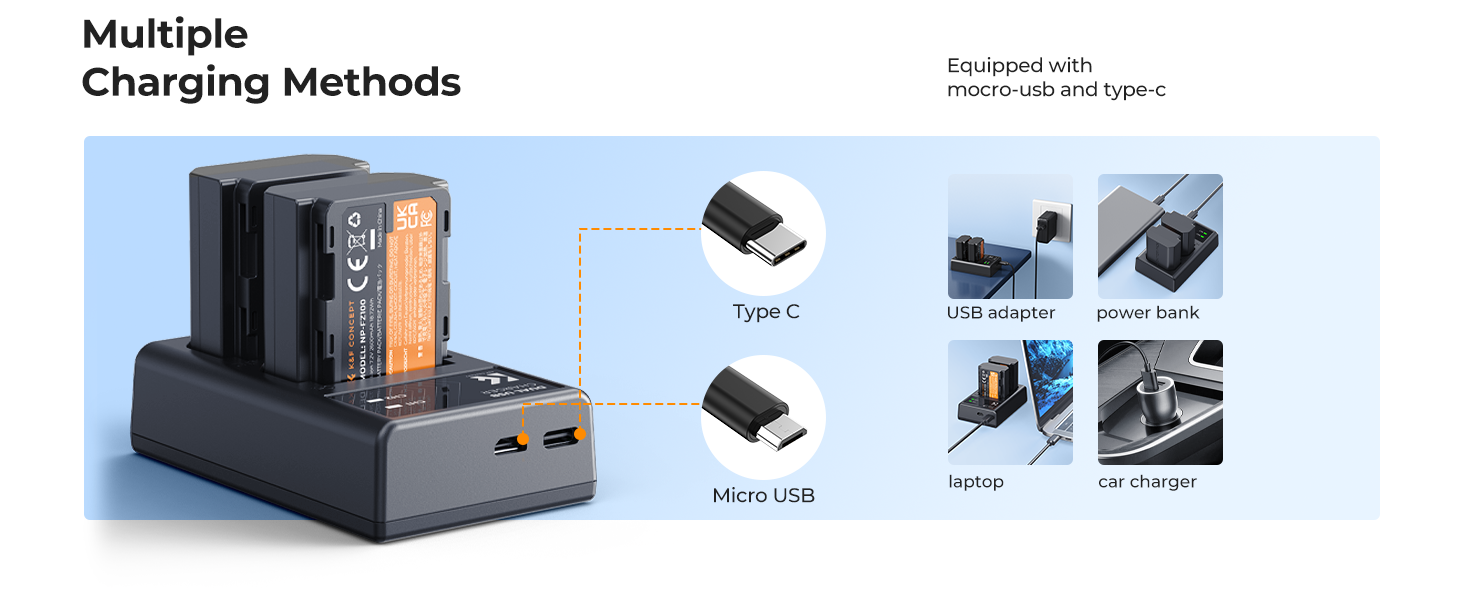
Image: Visual representation of NP-FZ100 battery specifications, highlighting 2280mAh capacity, 7.4V output, and 9.62Wh energy.
4. Compatibility
This NP-FZ100 battery and charger set is designed for full compatibility with various Sony camera models, including but not limited to:
- Sony A7IV, A7III, A7C
- Sony A7R III, A7R IV, A7Siii
- Sony A7Cii, A6700, A6600
- Sony Alpha 9, A9II, A9R, A9S, A1
- Sony ZV-E1, ZV-E10II
- Sony FX3, FX30
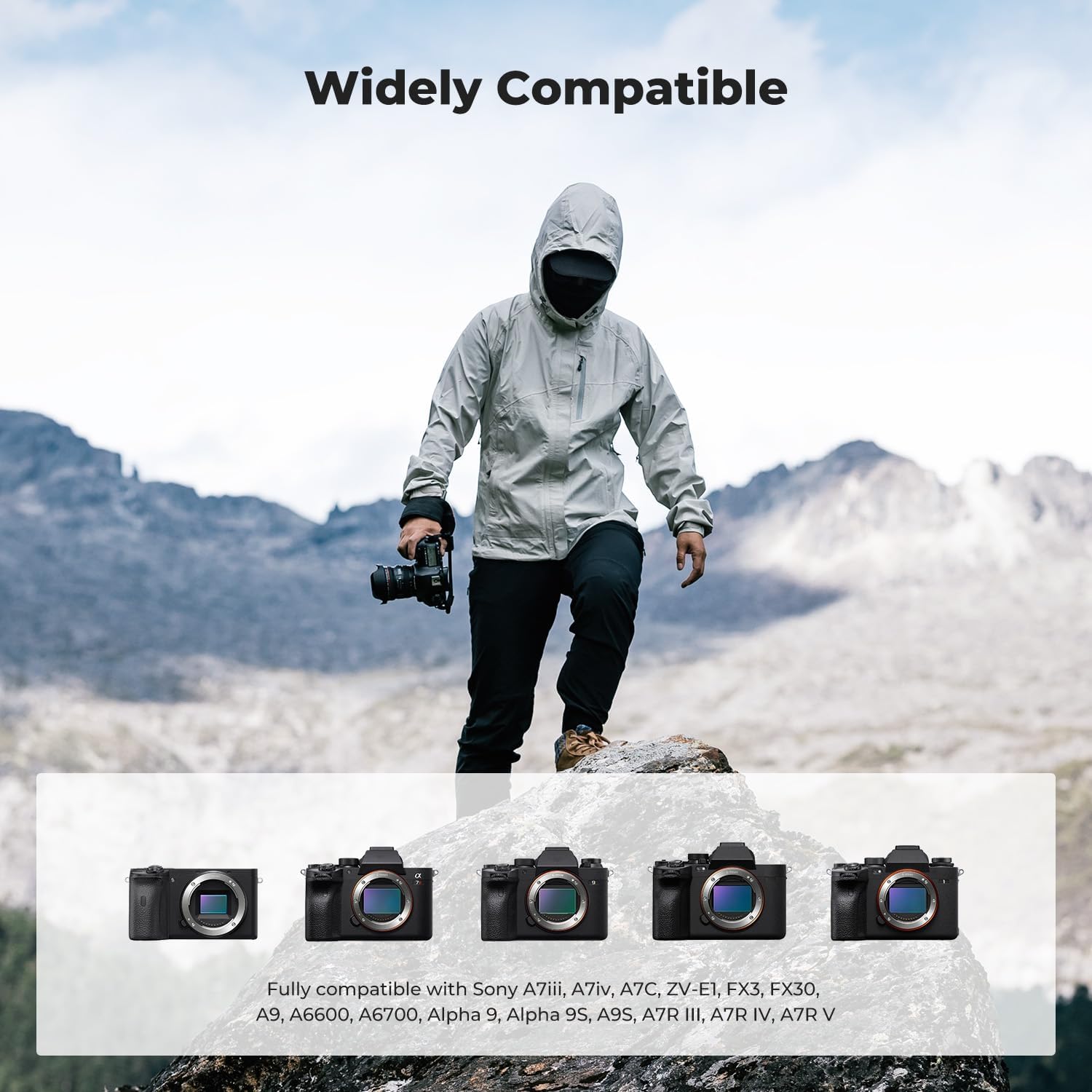
Image: A visual guide to compatible Sony camera models, demonstrating the wide range of devices supported by the NP-FZ100 battery.
5. Setup
5.1 Initial Battery Charge
Before first use, fully charge both NP-FZ100 batteries. The charger supports simultaneous charging of two batteries.
- Insert the NP-FZ100 batteries into the dual-slot charger. Ensure they are correctly oriented.
- Connect the USB-C charging cable to the charger's Type-C port.
- Connect the other end of the USB-C cable to a power source (e.g., USB wall adapter, power bank, laptop, car charger). A 5V 2.1A output is recommended for optimal charging.
- The LED indicators on the charger will show the charging status:
- Red Light: Battery is charging.
- Green Light: Battery is fully charged or no battery is inserted.
- Once the LED turns green, the battery is fully charged and ready for use.

Image: The dual-slot charger with batteries, illustrating the LED indicators for charging (red) and fully charged (green).
5.2 Multiple Charging Options
The dual-slot charger offers versatile charging options:
- USB Wall Adapter: Connect to a standard USB wall adapter.
- Power Bank: Ideal for on-the-go charging.
- Laptop: Charge directly from your laptop's USB port.
- Car Charger: Convenient for charging during travel.

Image: Illustrations of different power sources (wall charger, power bank, laptop, car charger) that can be used with the dual USB charger.
6. Operating Instructions
6.1 Inserting Batteries into Camera
To insert a charged NP-FZ100 battery into your compatible Sony camera:
- Ensure your camera is powered off.
- Open the battery compartment cover on your camera.
- Align the battery with the compartment, ensuring the contacts match.
- Gently push the battery into the compartment until it clicks into place.
- Close the battery compartment cover securely.
6.2 Removing Batteries from Camera
To remove a battery from your camera:
- Ensure your camera is powered off.
- Open the battery compartment cover.
- Locate the battery release lever (if present) and slide it to release the battery.
- Carefully remove the battery from the compartment.
- Close the battery compartment cover.
6.3 Charging Batteries
Refer to section 5.1 for detailed battery charging instructions.
7. Safety Features
The K&F CONCEPT NP-FZ100 battery and charger are equipped with multiple safety protections to ensure reliable and secure operation:
- Overcharging Protection: Prevents batteries from being overcharged, extending their lifespan.
- High Temperature Protection: Monitors battery temperature to prevent overheating.
- Over-current Protection: Safeguards against excessive current flow.
- Over-voltage Protection: Protects against voltage spikes.
- Short-circuit Protection: Prevents damage from short circuits.
- Over-discharge Protection: Protects batteries from being fully drained, which can reduce battery life.

Image: Visual representation of the comprehensive safety features built into the K&F CONCEPT NP-FZ100 battery and charger.
8. Maintenance
8.1 Battery Care
- Store batteries in a cool, dry place away from direct sunlight and extreme temperatures.
- Avoid fully discharging batteries regularly; partial discharges and recharges are generally better for lithium-ion battery health.
- If storing for extended periods, charge batteries to approximately 50-60% capacity.
- Keep battery contacts clean and free from dust or debris.
- Do not disassemble, crush, or puncture the batteries.
8.2 Charger Care
- Clean the charger with a soft, dry cloth. Avoid using liquid cleaners.
- Do not expose the charger to moisture or extreme temperatures.
- Ensure proper ventilation around the charger during use.
9. Troubleshooting
| Problem | Possible Cause | Solution |
|---|---|---|
| Battery not charging (Red LED not lit) | Loose connection, faulty cable/power source, incorrect battery insertion. | Check USB-C cable connection. Try a different cable or power source. Re-insert battery correctly. |
| Battery not recognized by camera | Incorrect battery insertion, dirty contacts. | Remove and re-insert battery. Clean battery and camera contacts with a dry cloth. |
| Short battery life | Battery degradation, extreme operating temperatures. | Ensure batteries are fully charged. Avoid using in extremely hot or cold conditions. Consider replacing old batteries. |
10. Warranty and Support
For warranty information, technical support, or any inquiries regarding your K&F CONCEPT product, please refer to the official K&F CONCEPT website or contact their customer service directly. Keep your purchase receipt as proof of purchase for warranty claims.
Manufacturer: Shenzhen Zhuoer Photograph
11. Product Videos
K&F Camera Battery Charger and Set
Description: An official video from K&F Concept showcasing the camera battery charger and set, demonstrating its features and ease of use.
K&F CONCEPT Camera Battery Charger and Set
Description: Another official video from K&F Concept highlighting the camera battery charger and set, focusing on its design and functionality.