
1. Introduction
Thank you for purchasing the SMSL D1 Hi-Res Audio DAC. This manual provides detailed instructions for setting up, operating, and maintaining your device to ensure optimal performance and longevity. The SMSL D1 is designed to deliver a powerful and natural sound experience, equipped with the high-performance ROHM BD34352EKV DAC chip.
2. Product Overview
The SMSL D1 is a compact, audiophile-grade Digital-to-Analog Converter featuring a robust anodized CNC aluminum alloy unibody chassis. It is engineered for high-resolution audio playback, supporting various input options and high sampling rates.
Key Features:
- Equipped with ROHM's new high-performance DAC chip BD34352EKV for powerful and natural sound reproduction.
- Supports XMOS XU-316 firmware, enabling USB, optical, and coaxial multi-input options.
- Supports up to DSD512 and PCM 32-bit/768kHz sampling rates.
- Compatible with Windows, macOS, and Linux systems (Windows requires a driver).
- Features touch-control buttons for intuitive operation.
- Compact design with audiophile-grade components for high performance and exceptional sound quality.
- Includes a USB-A to C data cable for direct computer connection (macOS/Linux driver-free).
- Built-in power filtering system for optimal performance via USB power.
- Achieves ultra-high specifications with THD+N 0.00038% and SNR 126dB.
Product Views:

Figure 2.1: Front view of the SMSL D1 DAC, showcasing its minimalist design and touch controls.

Figure 2.2: Rear view of the SMSL D1 DAC, showing RCA outputs, coaxial input, optical input, and dual USB ports for power and data.
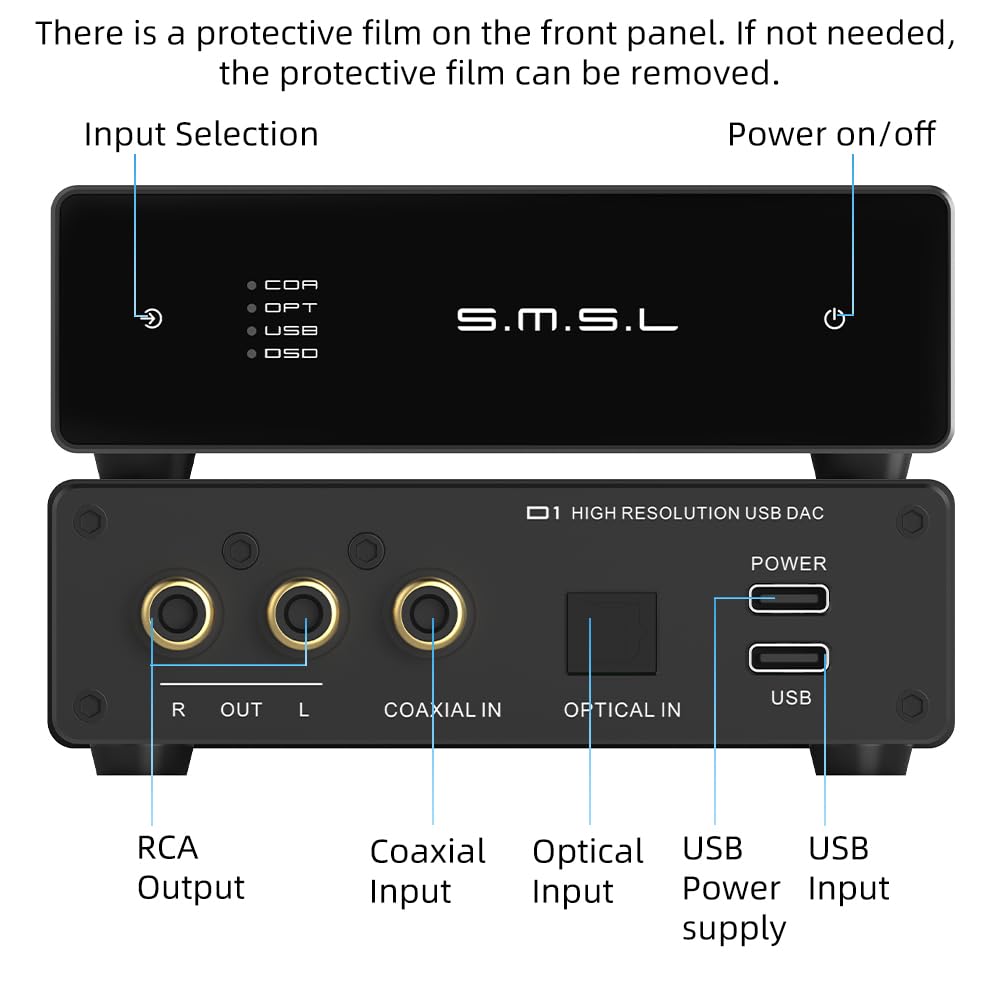
Figure 2.3: Labeled diagram of the SMSL D1 DAC, highlighting input selection, power on/off, RCA output, coaxial input, optical input, USB power supply, and USB input.

Figure 2.4: Close-up view of the internal ROHM BD34352EKV DAC chip, central to the D1's high-performance audio processing.
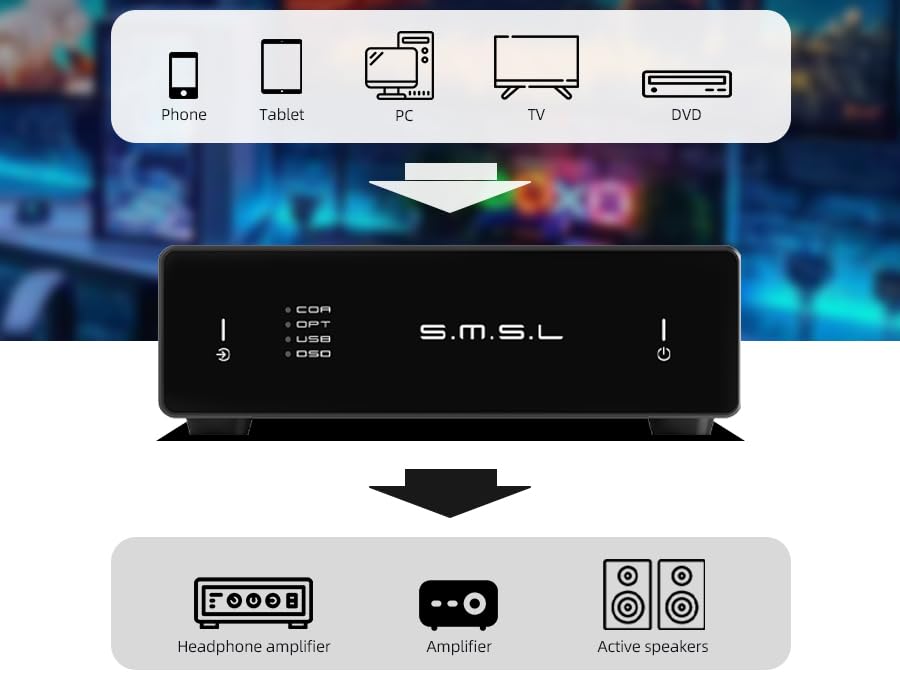
Figure 2.5: Diagram illustrating various input sources (phone, tablet, PC, TV, DVD) connecting to the SMSL D1 DAC, and outputs connecting to a headphone amplifier, amplifier, or active speakers.

Figure 2.6: Visual summary of key features including ROHM BD34352EKV chip, optical/coaxial input, touch control buttons, dual USB-C ports, miniature footprint, audiophile-grade components, RCA output, and tempered elegance.
3. What's in the Box?
Upon opening the package, please verify that all items listed below are present and in good condition:
- SMSL D1 DAC Unit
- USB-C Cable
- User Manual (this document)
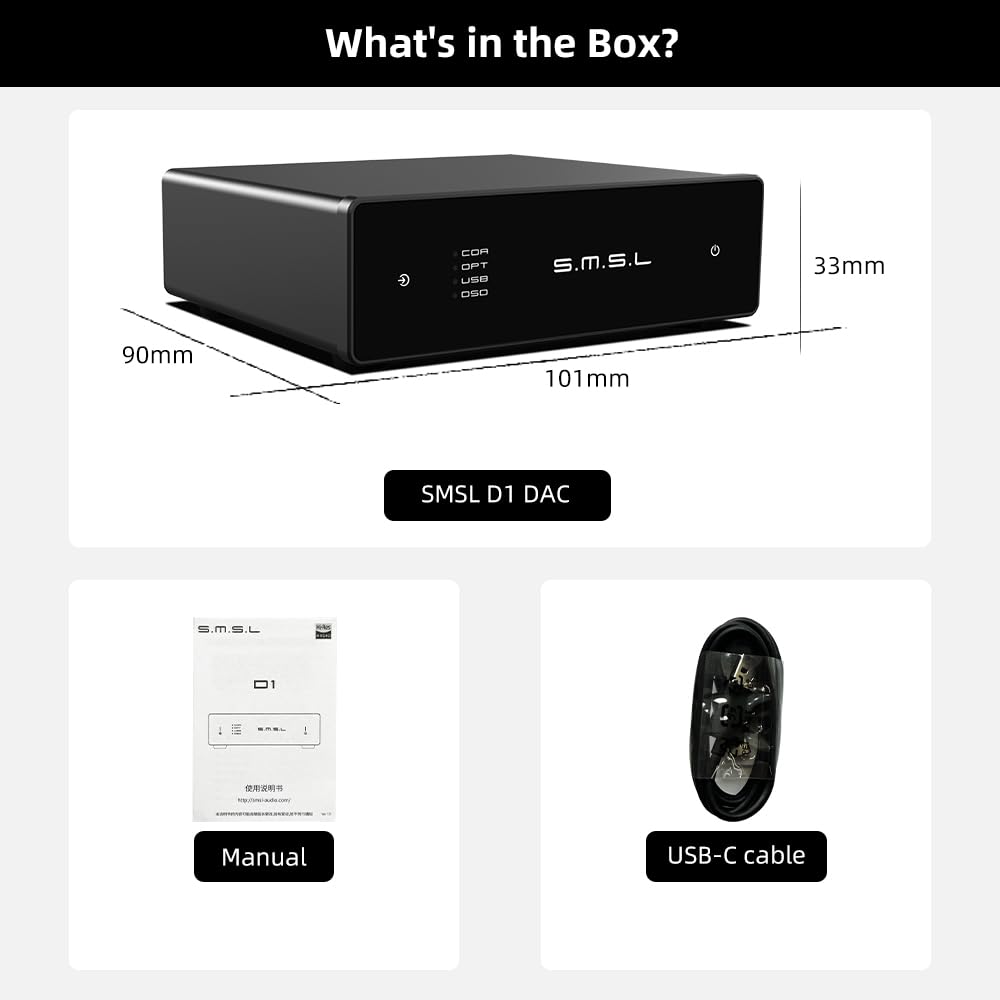
Figure 3.1: Contents of the SMSL D1 package, including the DAC unit, user manual, and USB-C cable.
4. Setup Instructions
Follow these steps to set up your SMSL D1 DAC:
- Connect Audio Output: Connect the RCA output jacks (R and L) on the rear of the D1 DAC to your amplifier, headphone amplifier, or active speakers using appropriate RCA cables.
- Connect Audio Input: Choose your desired input source:
- USB Input: Connect your computer (PC, Mac, Linux), phone, or tablet to the USB input port on the D1 using the provided USB-A to C cable. For Windows systems, a driver may be required (refer to SMSL's official website for the latest driver). macOS and Linux systems are typically driver-free.
- Optical Input: Connect an optical cable from your source device (e.g., TV, CD player) to the Optical IN port on the D1.
- Coaxial Input: Connect a coaxial cable from your source device to the Coaxial IN port on the D1.
- Power Connection: The D1 DAC is primarily powered via the USB input. Ensure your USB source provides sufficient power (5V DC). The built-in power filtering system optimizes performance when powered solely via the USB port.
- Initial Power On: Once all connections are secure, press the power button on the front panel to turn on the device.
Video 4.1: An operational video demonstrating the connection of RCA outputs and various digital inputs (coaxial, optical, USB) to the SMSL D1 DAC. This video also shows the touch control functionality.
5. Operating Instructions
The SMSL D1 features intuitive touch controls on its front panel:
- Power On/Off: Lightly touch the power symbol (⏻) on the right side of the front panel to turn the unit on or off.
- Input Selection: Lightly touch the input selection symbol (↶) on the left side of the front panel to cycle through available inputs: COAXIAL (COA), OPTICAL (OPT), USB, and DSD (via USB). The active input will be indicated by an illuminated LED.
Ensure your source device is playing audio and your connected amplifier/speakers are powered on and set to the correct input. The D1 DAC does not have a built-in volume control; volume must be adjusted on your connected amplifier or source device.
6. Maintenance
To ensure the longevity and optimal performance of your SMSL D1 DAC, please follow these maintenance guidelines:
- Cleaning: Use a soft, dry cloth to wipe the exterior of the unit. Avoid using abrasive cleaners, solvents, or chemical sprays, as these can damage the finish or internal components.
- Placement: Place the unit on a stable, flat surface away from direct sunlight, heat sources, and excessive moisture. Ensure adequate ventilation around the device.
- Handling: Handle the unit with care. Avoid dropping or subjecting it to strong impacts.
- Protective Film: A protective film may be present on the front panel upon unboxing. This can be carefully removed if desired.
7. Troubleshooting
If you encounter issues with your SMSL D1 DAC, please refer to the following common problems and solutions:
| Problem | Possible Cause / Solution |
|---|---|
| No sound output. |
|
| Intermittent sound or static. |
|
| Touch controls are unresponsive or laggy. |
|
If the problem persists after trying these solutions, please contact SMSL customer support for further assistance.
8. Specifications
| Feature | Detail |
|---|---|
| Product Dimensions | 9.45 x 7.4 x 1.64 inches; 8 ounces |
| Manufacturer | S.M.S.L |
| Brand | S.M.S.L |
| Minimum Supply Voltage | 5 Volts (DC) |
| Mounting Type | Coaxial, Plug Mount |
| Number of Pins | 7 |
| Interface Type | Coaxial, USB |
| DAC Chip | ROHM BD34352EKV |
| Max Sampling Rate (PCM) | 32-bit/768kHz |
| Max Sampling Rate (DSD) | DSD512 |
| THD+N | 0.00038% |
| SNR | 126dB |
9. Warranty and Support
The SMSL D1 Hi-Res Audio DAC comes with a standard manufacturer's warranty. Please refer to the warranty card included in your product packaging or visit the official S.M.S.L website for detailed warranty terms and conditions.
For technical support, troubleshooting assistance, or service inquiries, please contact S.M.S.L customer support through their official channels. Keep your purchase receipt and product serial number handy when contacting support.
S.M.S.L Official Store: Visit Store


