
LaPitio O501
LaPitio 100FT Remote Outdoor String Lights User Manual
Model: O501
Introduction
Thank you for purchasing the LaPitio 100FT Remote Outdoor String Lights. This manual provides detailed instructions for the safe and efficient use of your new string lights. Please read this manual thoroughly before installation and operation, and retain it for future reference.
Package Contents
- 100FT Outdoor String Lights (50 bulbs installed)
- 2 Spare LED Bulbs
- 1 Remote Control
- 2 AAA Batteries (for remote)
- 1 User Manual

Image: Complete package contents of the LaPitio 100FT Remote Outdoor String Lights.
Key Features
- Remote Control Convenience: Easily turn lights on/off, adjust brightness, and set timers from up to 50 feet away.
- Customizable Brightness & Lighting Modes: Adjust brightness from 10% to 100% and select from various lighting modes (breath, flashing).
- Versatile Outdoor Placement: Ideal for patios, decks, gardens, backyards, gazebos, fences, and more.
- Durable & Weatherproof: IP45 waterproof and shatterproof bulbs designed to withstand various outdoor elements.
- Energy-Saving LED Technology: Long-lasting LED bulbs with an average life of 30,000 hours, reducing energy consumption.
- Connectable Design: Max connect 3 strands for extended coverage.
Setup Instructions
- Unpack the Lights: Carefully remove the string lights, remote control, and accessories from the packaging.
- Install Remote Batteries: Open the battery compartment on the remote control and insert the two AAA batteries, ensuring correct polarity.
- Plan Your Installation: Determine the desired path for your string lights. Ensure the power adapter is located in a dry, protected area, or use a weatherproof outlet cover. The string lights are designed for outdoor use only.
- Hang the Lights: Use appropriate hooks, clips, or ties to secure the string lights along your chosen path. Each bulb features a small hook for easy hanging. Ensure the bulbs hang freely and are not obstructed.
- Connect Multiple Strands (Optional): If you have additional LaPitio string light sets (Model O501), you can connect up to 3 strands end-to-end to extend the length. Ensure the connections are secure.
- Plug In: Once the lights are securely installed, plug the power adapter into a standard 100-240V AC outdoor power outlet.

Image: Example installation of string lights in an outdoor patio setting.

Image: Detailed diagram illustrating the 100FT length and connection capabilities of the string lights.
Operating Instructions
The LaPitio Outdoor String Lights are controlled via the included remote. Familiarize yourself with the remote's functions:

Image: Layout of the remote control with button functions.
- ON/OFF Button: Press to turn the lights on or off.
- Brightness Adjustment (25%, 50%, 75%, 100%): Use these buttons to set the desired brightness level.
- Brightness/Speed +/-: Fine-tune the brightness or adjust the speed of dynamic lighting modes.
- Lighting Modes:
- Regular Lighting: Standard steady illumination.
- Flash Mode: Lights will flash.
- Breath Mode: Lights will slowly fade in and out.
- Timer Functions (3H, 5H): Press the '3H' button for the lights to stay on for 3 hours and then automatically turn off. Press the '5H' button for 5 hours of operation before automatic shutdown.

Image: Visual representation of the dimming capabilities from 25% to 100% brightness.
Maintenance
- Cleaning: To clean the string lights, ensure they are unplugged from the power source. Wipe the bulbs and cable with a soft, damp cloth. Do not use harsh chemicals or abrasive cleaners.
- Bulb Replacement: If a bulb needs replacement, ensure the string is unplugged. Carefully unscrew the old bulb and screw in a new one. Use only compatible replacement bulbs (E12 base, S14 shape, 1W LED). Two spare bulbs are included.
- Storage: When not in use for extended periods, unplug the lights and store them in a cool, dry place, away from direct sunlight and extreme temperatures.
- Weather Resistance: The lights are designed to be waterproof and shatterproof. However, for optimal longevity, avoid submerging the power adapter in water and ensure connections are tight.
Video: Demonstration of the string lights' waterproof capabilities, showing them functioning under direct water exposure.

Image: Visual confirmation of the lights' waterproof and shatterproof design, highlighting durability against elements.
Troubleshooting
| Problem | Possible Cause | Solution |
|---|---|---|
| Lights do not turn on. | No power to the outlet. Loose connection. Remote batteries dead. | Check the power outlet with another device. Ensure all connections are secure. Replace remote batteries. |
| Remote control not working. | Remote batteries dead or incorrectly inserted. Obstruction between remote and receiver. | Replace batteries, check polarity. Ensure clear line of sight to the receiver. |
| Some bulbs are not lighting up. | Loose or faulty bulb. | Tighten or replace the non-functioning bulb. |
| Lights flicker or dim unexpectedly. | Unstable power supply. Loose connection. | Ensure stable power source. Check all connections for tightness. |
Specifications
| Feature | Detail |
|---|---|
| Model Number | O501 |
| Total Length | 100FT |
| Number of Bulbs | 50 (+2 spare) |
| Bulb Type | LED, S14 Shape |
| Bulb Base | E12 |
| Wattage per Bulb | 1 Watt |
| Color Temperature | 2500K Warm White |
| Luminous Flux | 80 Lumens |
| Voltage | 120 Volts (AC) Input, 24V Output |
| Water Resistance Level | IP45 Waterproof |
| Special Features | Remote Controlled, Dimmable, Timer, Shatterproof |
| Average Life | 30,000 Hours |
| Control Method | Remote Control (Radio Frequency) |
| Max Connectable Strands | 3 |

Image: Comparison of bulb dimensions, highlighting the ST38 bulb used in this product.
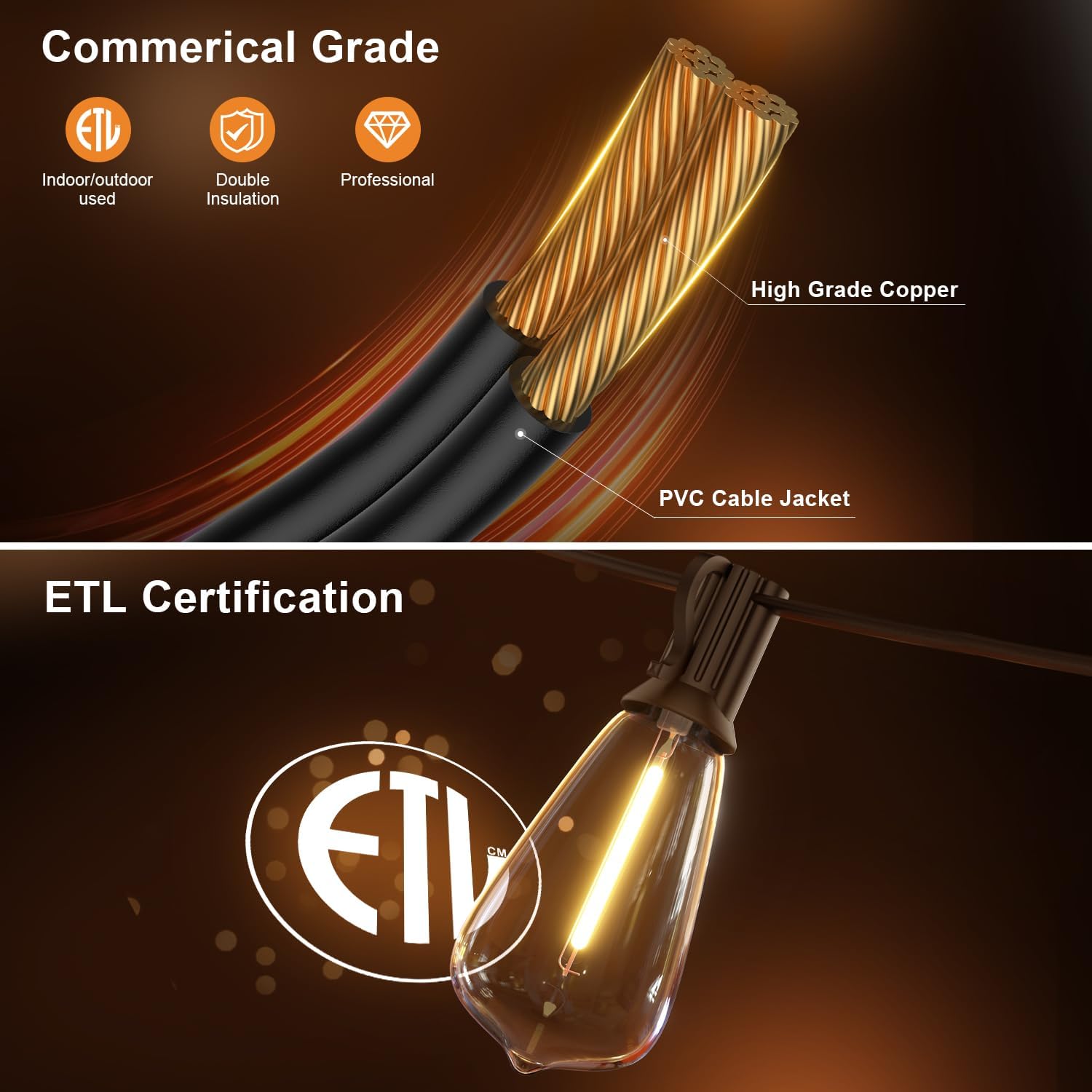
Image: Details on the commercial-grade cable construction and ETL certification for safety and durability.
Warranty and Support
For warranty information, technical support, or any product-related inquiries, please refer to the contact details provided on the product packaging or visit the official LaPitio website. Keep your purchase receipt as proof of purchase for warranty claims.
Ask a question about this manual
Ask about setup, troubleshooting, compatibility, parts, safety, or missing instructions. Manuals+ will review the question and use this page’s manual context to help answer it.