
Introduction
Thank you for choosing the Bobtot ET2240 Portable Bluetooth Speaker. This speaker is designed for versatility and durability, featuring IPX7 waterproofing, loud stereo sound with enhanced bass, and True Wireless Stereo (TWS) pairing capabilities. This manual provides essential information for setting up, operating, and maintaining your speaker to ensure optimal performance and longevity.
What's in the Box
Please check the package contents to ensure all items are present:
- 1 x Bobtot ET2240 Portable Bluetooth Speaker
- 1 x USB Type-C Charging Cable
- 1 x User Manual
Product Overview
The Bobtot ET2240 speaker combines robust features with a compact design, making it ideal for various environments and activities.
Key Features
- IPX7 Waterproof Rating: Submersible in water up to 30 feet for 30 minutes, making it suitable for poolside, beach, or shower use.
- Loud and Crisp Stereo Sound: Equipped with a 2-inch full-range speaker and dual passive radiators for clear midrange, treble, and rich bass.
- Portable and Durable Design: Features a sleek triangle exterior with a durable fabric cover and includes a carrying strap for easy transport.
- True Wireless Stereo (TWS) Pairing: Connect two ET2240 speakers wirelessly for an immersive stereo sound experience.
- Hands-free Calling: Built-in microphone allows for convenient call management.
- Extended Playtime: Up to 15 hours of playback on a single charge with its 1200mAh battery.

Image: The Bobtot ET2240 speaker submerged in water, highlighting its IPX7 waterproof capability.

Image: The Bobtot ET2240 speaker with visual sound waves, representing its powerful and clear audio output.

Image: The Bobtot ET2240 speaker shown in different outdoor settings, demonstrating its portable design and included carrying strap.
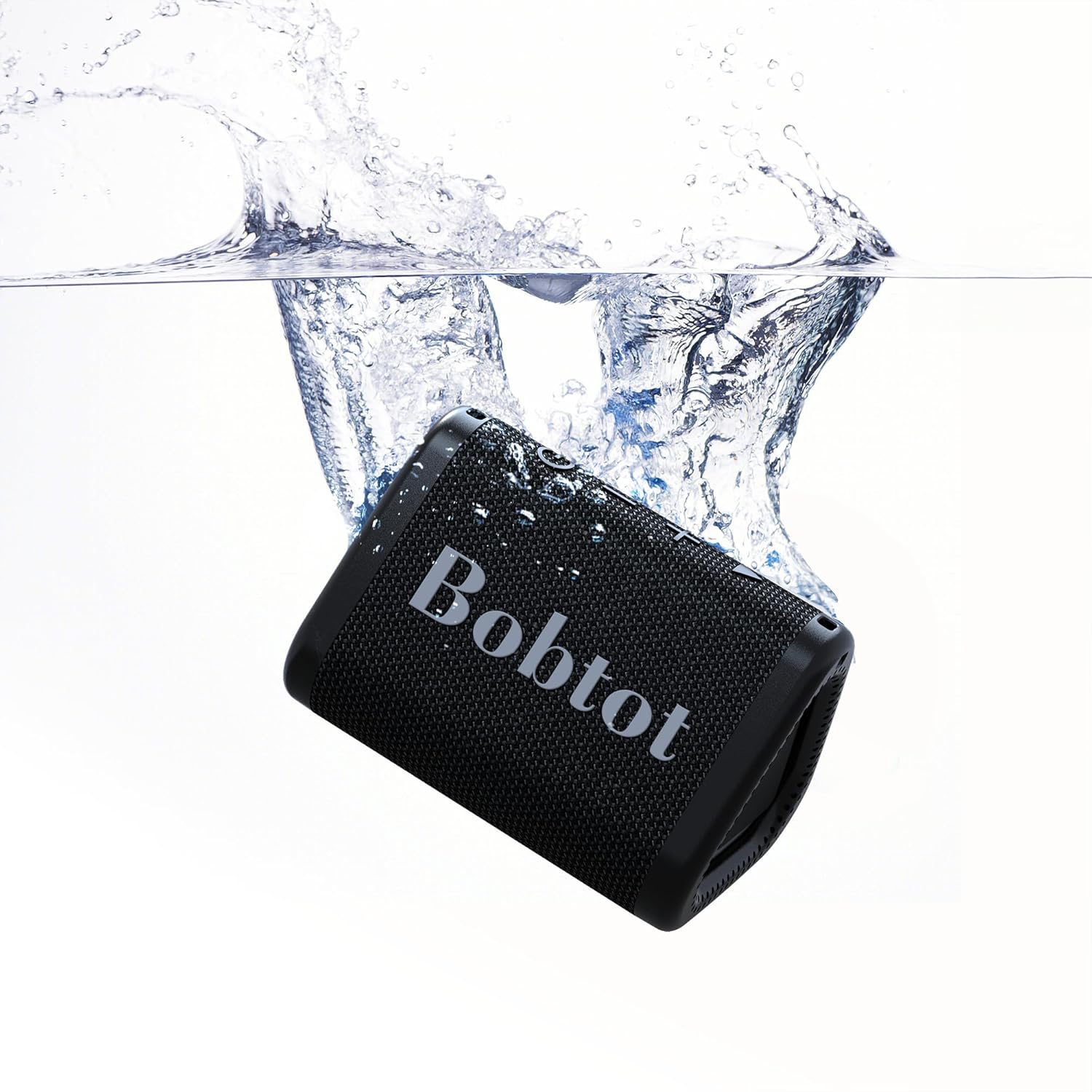
Image: Two Bobtot ET2240 speakers paired together, showcasing the True Wireless Stereo (TWS) functionality for enhanced sound.
Video: An official Bobtot video demonstrating the speaker's features, including charging, control buttons, TWS pairing, hands-free calling, and waterproofing.
Setup Guide
1. Charging the Speaker
Before first use, fully charge your speaker. Use the provided USB Type-C charging cable.
- Connect the Type-C end of the cable to the speaker's charging port.
- Connect the USB-A end to a compatible USB power adapter (not included) or a computer's USB port.
- The charging indicator light will illuminate during charging and turn off when fully charged. A full charge typically takes approximately 2.5 hours.
2. Powering On/Off
- To power on, press and hold the Power button (
 ) for 2-3 seconds until you hear an audible prompt.
 - To power off, press and hold the Power button again for 2-3 seconds.
3. Bluetooth Pairing
Follow these steps to connect your speaker to a Bluetooth-enabled device:
- Ensure the speaker is powered on and in Bluetooth pairing mode (the LED indicator will flash blue).
- On your device (smartphone, tablet, laptop), enable Bluetooth and search for available devices.
- Select "ET2240" from the list of devices.
- Once connected, the LED indicator will turn solid blue, and you will hear a confirmation tone.
4. True Wireless Stereo (TWS) Pairing
To pair two Bobtot ET2240 speakers for stereo sound:
- Ensure both speakers are powered on and disconnected from any Bluetooth device.
- On one speaker (this will be the primary speaker), double-press the Play/Pause button. The speaker will enter TWS pairing mode.
- The two speakers will automatically connect to each other. Once connected, you will hear a confirmation tone, and the LED indicator on the primary speaker will flash blue, while the secondary speaker's LED will be solid blue.
- Now, connect your device to the primary speaker via Bluetooth as described in step 3.
Operating Instructions
Music Playback
- Play/Pause: Press the Play/Pause button once.
- Next Track: Press and hold the Volume Up (+) button.
- Previous Track: Press and hold the Volume Down (-) button.
- Volume Up: Short press the Volume Up (+) button.
- Volume Down: Short press the Volume Down (-) button.
Call Management
- Answer Call: Press the Play/Pause button once when an incoming call rings.
- End Call: Press the Play/Pause button once during a call.
- Reject Call: Press and hold the Play/Pause button for 2 seconds when an incoming call rings.
- Redial Last Number: Double-press the Play/Pause button.
Maintenance
- Keep the speaker clean by wiping it with a soft, damp cloth. Avoid harsh chemicals or abrasive cleaners.
- Ensure the charging port cover is securely closed when not charging to maintain its waterproof rating.
- Store the speaker in a cool, dry place away from extreme temperatures.
- To preserve battery life, charge the speaker fully at least once every three months if not used regularly.
Troubleshooting
| Problem | Possible Solution |
|---|---|
| Speaker does not power on. | Ensure the speaker is charged. Press and hold the Power button for 2-3 seconds. |
| Cannot pair with Bluetooth device. | Ensure the speaker is in pairing mode (flashing blue LED). Turn off and on your device's Bluetooth. Move closer to the speaker. |
| No sound or low volume. | Adjust volume on both the speaker and your connected device. Ensure the speaker is not muted. |
| Poor sound quality. | Move the speaker closer to your device. Ensure no obstacles are between the speaker and device. Check the audio source quality. |
| TWS pairing fails. | Ensure both speakers are disconnected from other Bluetooth devices before initiating TWS pairing. Follow TWS pairing steps carefully. |
Specifications

Image: A diagram showing the dimensions of the Bobtot ET2240 speaker.
| Feature | Detail |
|---|---|
| Model Name | ET2240 |
| Brand | Bobtot |
| Connectivity Technology | Bluetooth 5.3 |
| Wireless Communication Range | Up to 30 feet |
| Water Resistance Level | IPX7 (Waterproof) |
| Speaker Type | Portable Speaker |
| Speaker Size | 2 Inches |
| Speaker Maximum Output Power | 10 Watts |
| Audio Output Mode | Stereo |
| Special Features | Bass Boost, Built-in Microphone, Stereo Pairing, Waterproof |
| Power Source | Battery Powered |
| Battery Capacity | 1200 mAh |
| Playing Time | Up to 15 hours (at 50% volume) |
| Charging Time | Approx. 2.5 hours |
| Product Dimensions | 3.9"D x 2.9"W x 2.7"H |
| Item Weight | 0.5 Pounds (8 ounces) |
| Material | Acrylonitrile Butadiene Styrene (ABS) |
| Control Method | Touch |
Warranty and Support
The Bobtot ET2240 Portable Bluetooth Speaker comes with an extended warranty. For detailed warranty information, product support, or technical assistance, please refer to the official Bobtot website or contact their customer service directly. Keep your purchase receipt for warranty claims.


