
Introduction
The COMICA VM30 Shotgun Microphone is a groundbreaking audio tool designed for filmmakers, vloggers, and content creators. It features an integrated wireless module, offering both wired and wireless recording capabilities. With its high-fidelity sound quality and versatile output options, the VM30 is compatible with a wide range of devices including cameras, smartphones, and computers.
This manual provides detailed instructions on setting up, operating, and maintaining your COMICA VM30 microphone to ensure optimal performance.
Product Features
Comica's Groundbreaking Wireless Shotgun Microphone
The Comica VM30 features an integrated wireless module and supports both wired and wireless recording modes, providing flexibility for recording in various settings.

Image: COMICA VM30 showcasing its integrated wireless module and dual recording modes.
3.5mm Intelligent Auto-sensing Output
In wired mode, the VM30 shotgun mic can automatically switch on and off, intelligently sensing the 3.5mm output for plug and play convenience and power savings. As a wireless microphone, it can automatically pair and be applied to a wider range of shooting scenes. With a one-button switch, wired/wireless modes can be used simultaneously.

Image: The VM30 microphone and receiver displaying their IPS screens and gain adjustment features.
High-fidelity Sound Quality
With a 48kHz/24bit high sampling rate and super-cardioid pattern, the VM30 camera microphone accurately picks up sound sources, reduces ambient noise, and delivers clean and delicate sound.
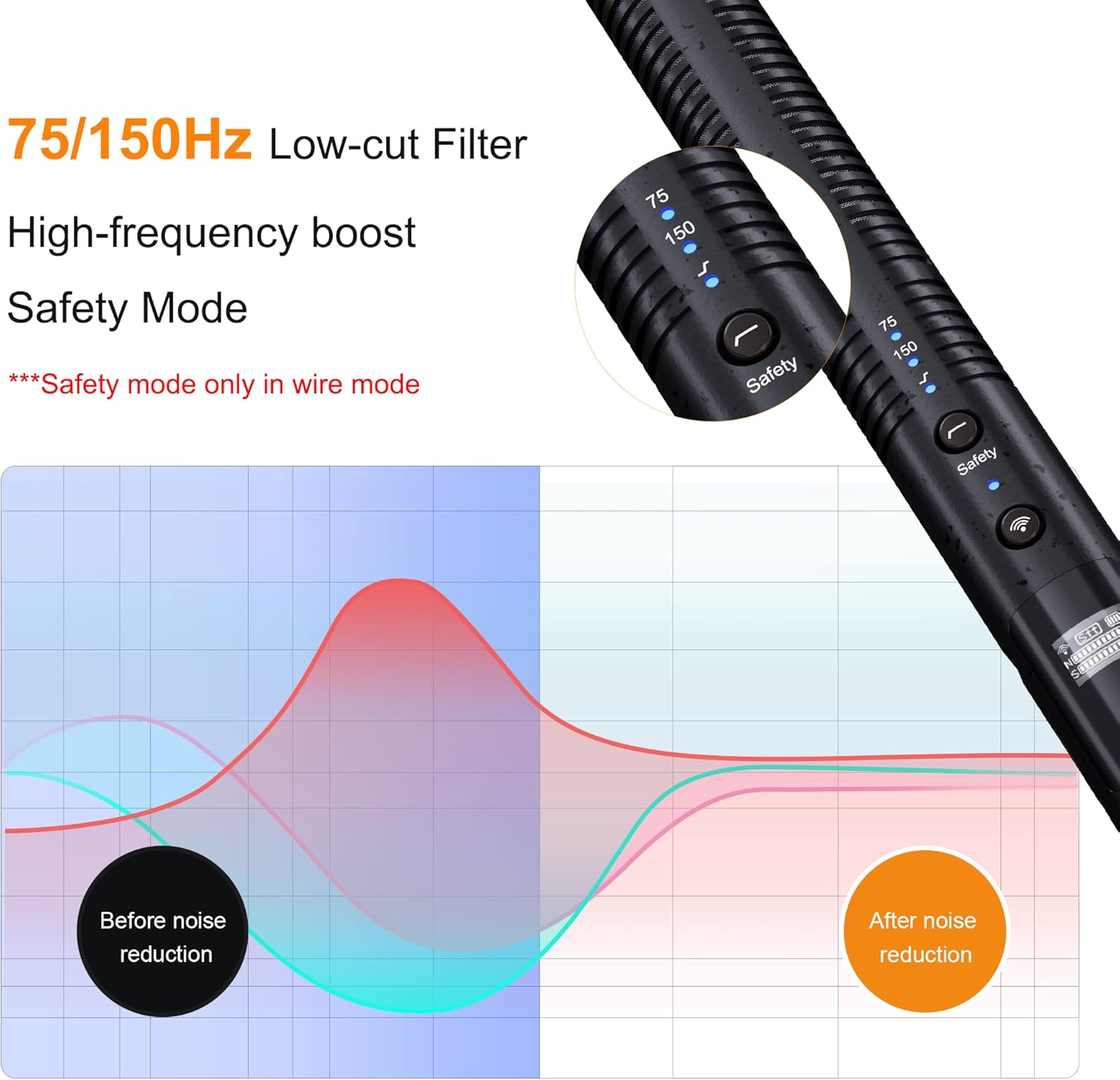
Image: Diagram illustrating the super-cardioid pickup pattern and high sampling rate of the VM30 microphone.
75/150Hz Low-cut Filter Modes
The dual low-cut filter modes effectively remove unwanted low-frequency noise and rumble, while the high-frequency boost mode enhances clarity and detail in high-pitched sounds such as voices and instruments.

Image: Visual representation of the 75/150Hz low-cut filter and high-frequency boost modes on the VM30.
Digital and Analog Outputs
The VM30 wireless shotgun microphone offers USB C digital and 3.5mm analog output options. In wireless mode, the VM30's receiver also features digital and analog outputs. You can use this microphone kit to be compatible with a variety of cameras, smartphones, and computers, providing versatility for different recording scenarios.
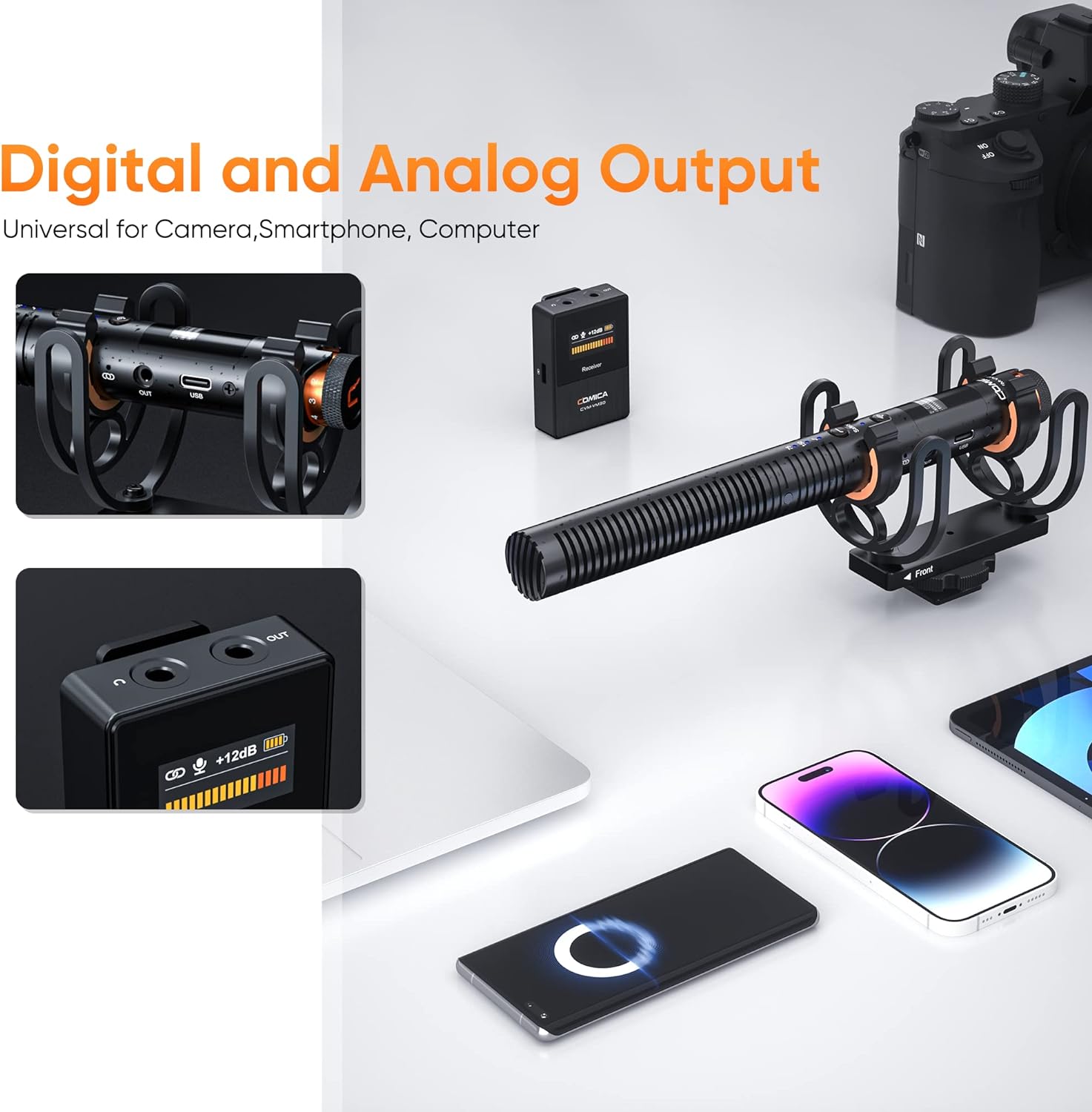
Image: The VM30 microphone and receiver connected to various devices, highlighting digital and analog output options.
Long Battery Life
The shotgun camera microphone features a built-in rechargeable lithium battery that lasts up to 38 hours in wired mode and up to 14 hours in wireless mode, ensuring plenty of recording time without worrying about running out of power.

Image: Battery life indicators for wired (38 hours) and wireless (14 hours) modes of the VM30.
Multi-functional Wireless Microphone
The dslr microphone supports stepless gain control and safty mode, while the receiver offers 12-level gain adjustment, muting, and real-time monitoring. These functions help users adjust according to shooting needs, avoid accidents and noise, and ensure efficient and stable microphone operation.
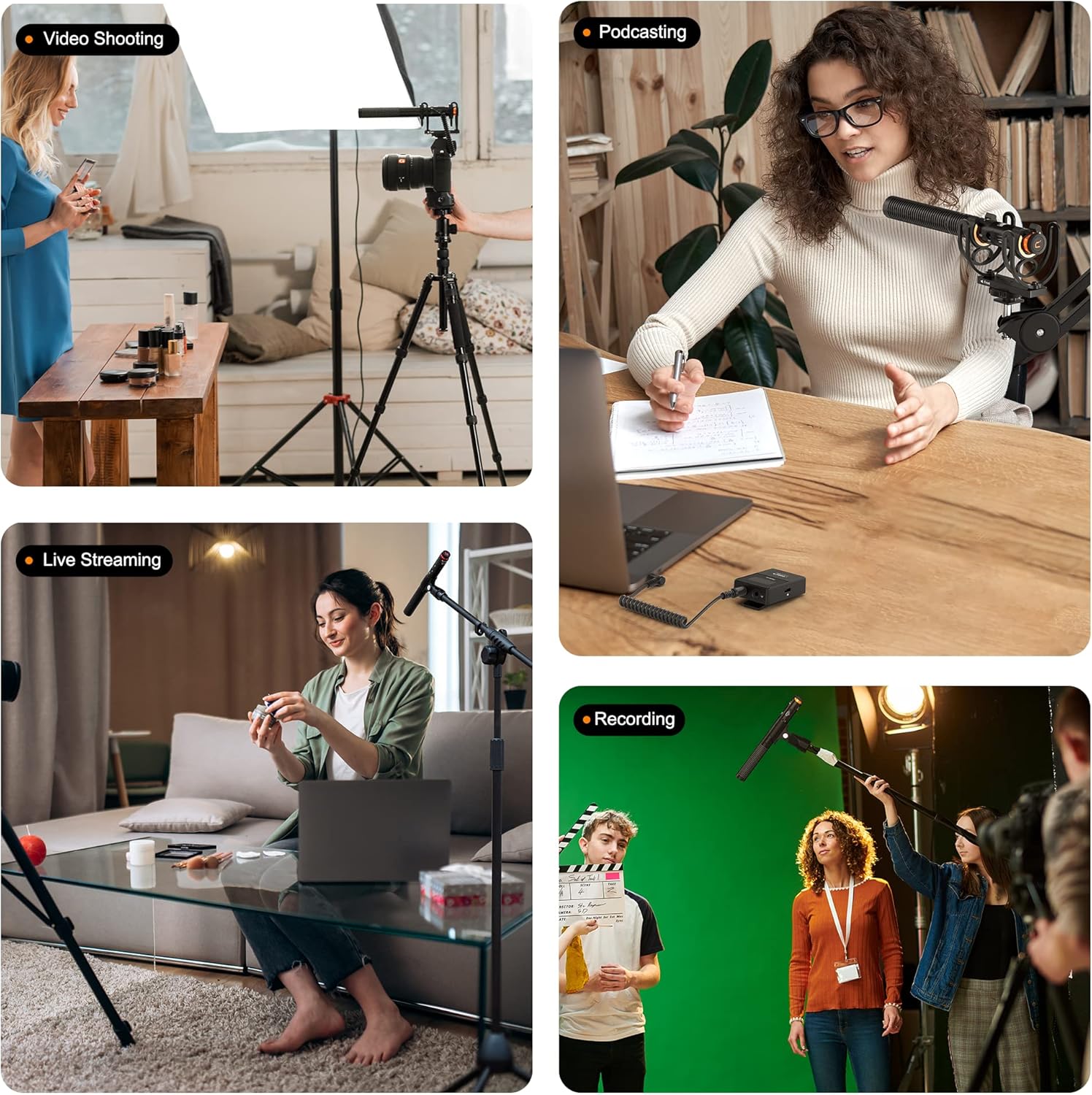
Image: Various usage scenarios for the VM30, including video shooting, podcasting, live streaming, and recording.
Ideal for On-the-Go Recording
With low latency (<20ms) and a wireless working range of up to 100m (open area), the VM30 boom mic is perfect for live streaming, video production, and other on-the-go recording scenarios.

Image: A visual representation of the VM30's 100m wireless working range in an open area.
What's in the Box

Image: All components included in the COMICA VM30 package.
- Microphone (Transmitter)
- Receiver
- 2 in 1 Charging & Output Cable
- 3.5mm TRS-TRS Audio Cable
- 3.5mm TRRS-TRRS Audio Cable
- Shock Mount
- Microphone Clip
- Windscreen
- Windmuff
- Pin
- Carry Case
- Warranty Card
- User Manual
Setup
Connecting to Camera (Wired Mode)
Attach the microphone to your camera's hot shoe using the shock mount. Connect the microphone's 3.5mm output to your camera's microphone input using the provided 3.5mm TRS-TRS audio cable. The microphone will automatically power on when connected to a powered camera.
Image: The VM30 microphone connected to a camera, illustrating the wired setup.
Connecting to Smartphone/PC (Wired Mode)
For smartphones or PCs, use the appropriate USB C digital output or 3.5mm TRRS-TRRS audio cable. The microphone will intelligently sense the connection and power on.
Wireless Pairing
To use in wireless mode, ensure both the microphone and receiver are powered on. They will automatically pair. The receiver can be mounted on your camera's hot shoe or clipped to clothing. Connect the receiver's output to your recording device.
Video: Demonstration of the COMICA VM30's wireless capabilities and setup.
Operating Instructions
Power On/Off
In wired mode, the microphone features intelligent auto-sensing for power on/off. In wireless mode, manually power on/off the microphone and receiver using their respective power buttons.
Gain Adjustment
The microphone features a stepless gain control knob on its body. The receiver offers 12-level gain adjustment buttons (VOL+ / VOL-) for precise control over your audio levels.

Image: Close-up of the microphone's gain knob and the receiver's volume control buttons.
Low-Cut Filter & High-Frequency Boost
Activate the 75Hz or 150Hz low-cut filter modes to reduce unwanted low-frequency noise. Use the high-frequency boost mode to enhance clarity for voices and instruments.

Image: Visual comparison of audio tracks with and without low-cut filters and high-frequency boost applied.
Safety Mode
The safety mode helps prevent audio clipping by recording a secondary track at a lower gain level, providing a clean backup in case of unexpected loud sounds.
Real-time Monitoring
The receiver features real-time monitoring capabilities, allowing you to listen to your audio input directly through headphones to ensure optimal sound quality during recording.
Video: Demonstration of the COMICA VM30's usage scenarios, including real-time monitoring.
Maintenance
Keep the microphone and receiver clean by wiping them with a soft, dry cloth. Avoid exposure to extreme temperatures, moisture, or dust. Store the unit in its provided carry case when not in use to protect it from damage.
Regularly charge the built-in lithium battery to maintain its lifespan, even if not used frequently.
Troubleshooting
No Sound Output
- Check all cable connections to ensure they are secure.
- Verify that both the microphone and receiver are powered on and paired.
- Ensure the gain levels on both the microphone and receiver are set appropriately.
- Check the battery level of both units.
Distorted or Noisy Sound
- Adjust the gain levels to prevent clipping (too high) or excessive noise (too low).
- Activate the low-cut filter (75Hz or 150Hz) to reduce low-frequency rumble.
- Ensure the windmuff or windscreen is properly installed when recording outdoors or in windy conditions.
- Check for potential interference sources in wireless mode.
Specifications
| Feature | Value |
|---|---|
| Brand | COMICA |
| Model Name | VM30 |
| Polar Pattern | Super Cardioid |
| Audio Sensitivity | 30 dB |
| Signal-to-Noise Ratio | 75 dB |
| Frequency Response | 4.8E+4 KHz |
| Power Source | Battery Powered |
| Battery Type | Lithium Polymer |
| Item Weight | 9.9 ounces (280 Grams) |
| Product Dimensions | 9.84 x 6.3 x 3.54 inches |
| Connectivity Technology | USB C |
| Connector Type | 3.5 mm Jack, USB C Digital Output |
| Compatible Devices | Laptop, Camera, Smartphone, Camcorder |
Warranty and Support
The COMICA VM30 comes with a 365-day replacement warranty and lifetime service. For detailed support and further information, please refer to the official user guide.
User Guide (PDF): Download Here


