1. Introduction
This manual provides detailed instructions for the installation, operation, and maintenance of the TAXNELE TVPS1-63 Wi-Fi Smart Energy Meter and Circuit Breaker. This device is designed for intelligent monitoring and protection of electrical circuits, offering features such as real-time energy measurement, over/undervoltage protection, overcurrent protection, and leakage protection, all controllable via a smartphone application.
2. Safety Information
WARNING: Electrical installation should only be performed by qualified personnel. Failure to follow these instructions may result in electric shock, fire, or serious injury.
- Always disconnect power at the main circuit breaker before installing or servicing the device.
- Ensure all wiring connections are secure and comply with local electrical codes.
- Do not operate the device if it appears damaged.
- This device is designed for indoor use in a dry environment.
- Verify the voltage and current ratings of your electrical system are compatible with the device specifications.
3. Product Overview
The TAXNELE TVPS1-63 is a compact Wi-Fi enabled smart energy meter and circuit breaker. It integrates protection functions with energy monitoring and remote control capabilities.
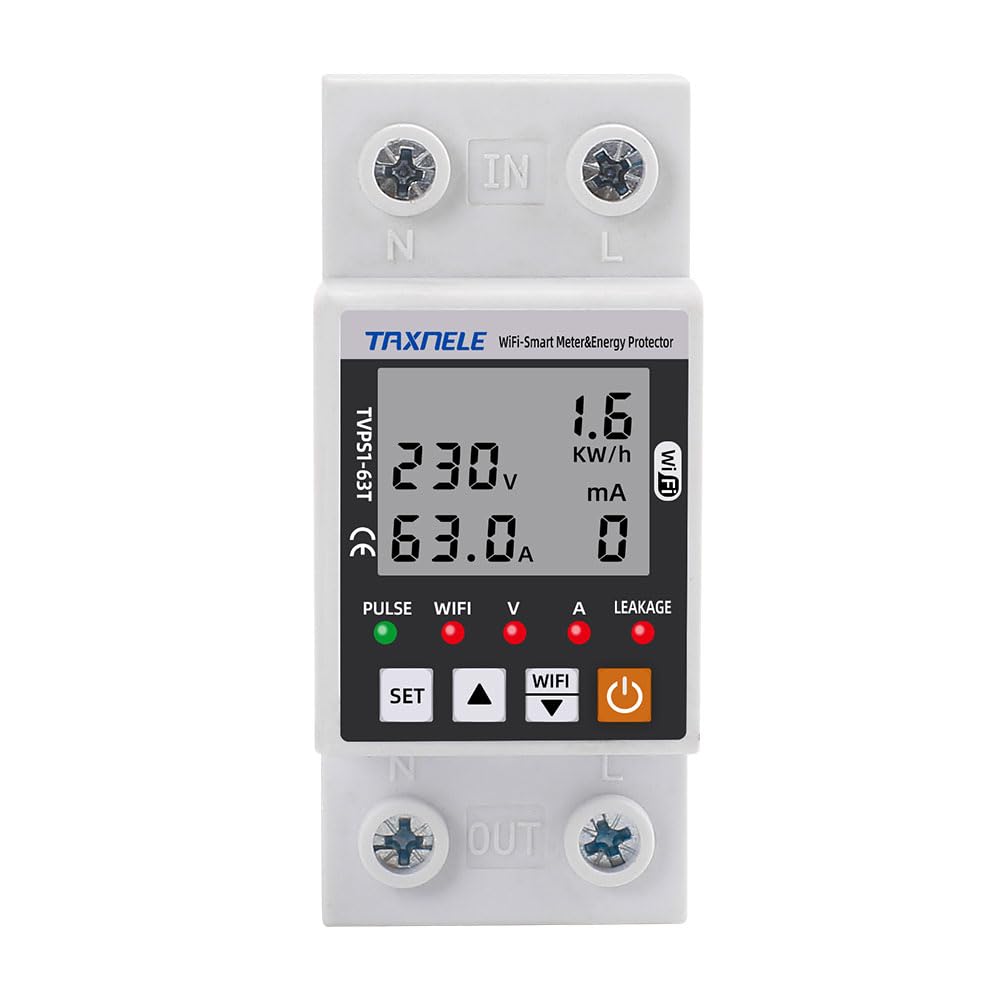
Figure 3.1: Front view of the TAXNELE TVPS1-63 device, showing the display and control buttons.
3.1 Key Components
- LCD Display: Shows real-time voltage, current, power, and energy consumption (kWh).
- Control Buttons: SET, Up, Down, and Power button for local configuration and manual control.
- Indicator Lights: PULSE, WIFI, V, A, LEAKAGE indicators for status feedback.
- Input/Output Terminals: Clearly marked 'IN' (Line, Neutral) and 'OUT' (Line, Neutral) for electrical connections.

Figure 3.2: Detailed view of the device's front panel with labels for display elements and control buttons.
4. Features
The TAXNELE TVPS1-63 offers a comprehensive set of features for smart energy management and circuit protection:
- Multifunctional Energy Monitoring: Real-time display of voltage, current, power, and total energy consumption (kWh).
- Adjustable Protection Settings: Configurable thresholds for undervoltage, overvoltage, overcurrent, and electrical leakage protection.
- Automatic Reconnection: After a protection trip, the device attempts to reconnect after a user-defined delay.
- Remote Control & Voice Control: Manage the device from anywhere using the Smart Life app, compatible with Amazon Alexa and Google Home.
- Timer and Schedule Functions: Automate power on/off based on schedules or countdown timers.
- Energy Value Storage: Retains kWh, overvoltage, undervoltage, and overcurrent data even after power loss.

Figure 4.1: Overview of the device's multi-protection functions, including automatic reconnection, over/under voltage, overcurrent, overload, and leakage protection.
5. Specifications
| Parameter | Value |
|---|---|
| Model Number | TVPS1-63 |
| Brand | TAXNELE |
| Rated Current | 63 Amps |
| Operating Voltage Range | AC 80-300V |
| Undervoltage Protection Range | 145V-210V (Adjustable, Default: 175V) |
| Overvoltage Protection Range | 240V-300V (Adjustable, Default: 275V) |
| Overcurrent Protection Range | 1A-63A (Adjustable, Default: 63A) |
| Electrical Leakage Protection Range | 10-99mA (Default: 50mA) |
| Reconnect Time Delay | 10s-90s (Default: 30s) |
| Power Display Range | 0-99999.9 kWh |
| Mounting Type | Wall Mount (DIN Rail compatible) |
| Product Dimensions | 2.56 x 1.46 x 3.35 inches (65 x 37 x 85 mm) |
| Weight | 6.35 ounces (180g) |
| Connectivity | Wi-Fi (2.4GHz) |
6. Setup and Installation
6.1 Physical Installation
- Power Disconnection: Before starting, ensure the main power supply to the circuit where the device will be installed is completely turned off at the main breaker.
- Mounting: Mount the TAXNELE TVPS1-63 onto a standard DIN rail within your electrical panel or enclosure.
- Wiring Connections:
- Connect the incoming live (L) and neutral (N) wires from the power source to the 'IN' terminals at the top of the device.
- Connect the outgoing live (L) and neutral (N) wires to the load (e.g., appliances, sub-circuit) from the 'OUT' terminals at the bottom of the device.
- Ensure all connections are tight and secure to prevent loose contacts and overheating.
- Verify Installation: Double-check all wiring for correctness and security.
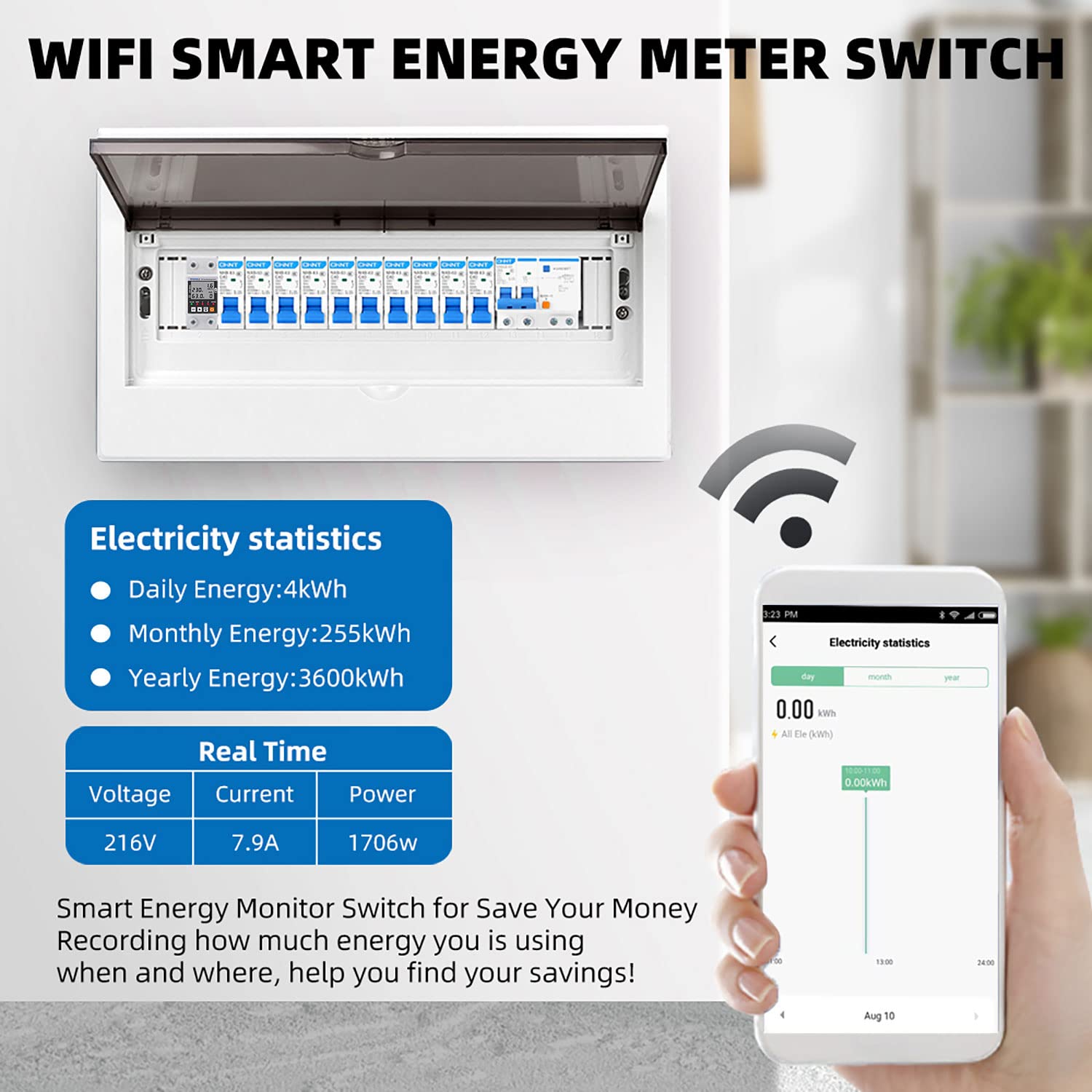
Figure 6.1: Illustrative example of the smart energy meter installed within an electrical distribution box.
6.2 App Pairing (Smart Life App)
- Download App: Download the "Smart Life" app from your smartphone's app store (iOS or Android).
- Register/Login: Open the app and register a new account or log in with an existing one.
- Power On Device: Restore power to the circuit. The device's Wi-Fi indicator should start blinking rapidly, indicating it's in pairing mode. If not, press and hold the "WIFI" button on the device until it blinks rapidly.
- Add Device in App: In the Smart Life app, tap the "+" icon (usually in the top right corner) to add a new device.
- Select Device Type: Choose "Electrical Engineering" -> "Circuit Breaker (Wi-Fi)" or "Energy Meter (Wi-Fi)".
- Connect to Wi-Fi: Follow the on-screen prompts to connect the device to your 2.4GHz Wi-Fi network. Enter your Wi-Fi password when requested.
- Completion: Once successfully paired, the Wi-Fi indicator on the device will become solid, and the device will appear in your Smart Life app. You can then rename the device for easier identification.
7. Operating Instructions
7.1 Local Operation (Device Buttons)
- Power Button (ON/OFF): Press to manually turn the circuit breaker ON or OFF.
- SET Button: Used to enter the settings menu and confirm selections.
- Up/Down Buttons: Used to navigate through menu options and adjust parameter values.
- Viewing Parameters: The LCD display cycles through Voltage (V), Current (A), Power (W), and Energy (kWh) automatically. You can also use the Up/Down buttons to manually cycle through these displays.
7.2 Remote Operation (Smart Life App)
Once paired with the Smart Life app, you can control and monitor the device remotely:
- Remote ON/OFF: Tap the device icon in the app to access its control interface. Use the virtual switch to turn the power ON or OFF.
- Real-time Monitoring: View live voltage, current, power, and daily/monthly/yearly energy consumption data.
- Setting Protection Parameters: Access the device settings within the app to adjust thresholds for undervoltage, overvoltage, overcurrent, leakage protection, and reconnect time.
- Scheduling and Timers: Set up schedules for automatic power on/off or countdown timers for specific operations.
- Voice Control: Integrate with Amazon Alexa or Google Home through the Smart Life app settings to enable voice commands for turning the device on/off.
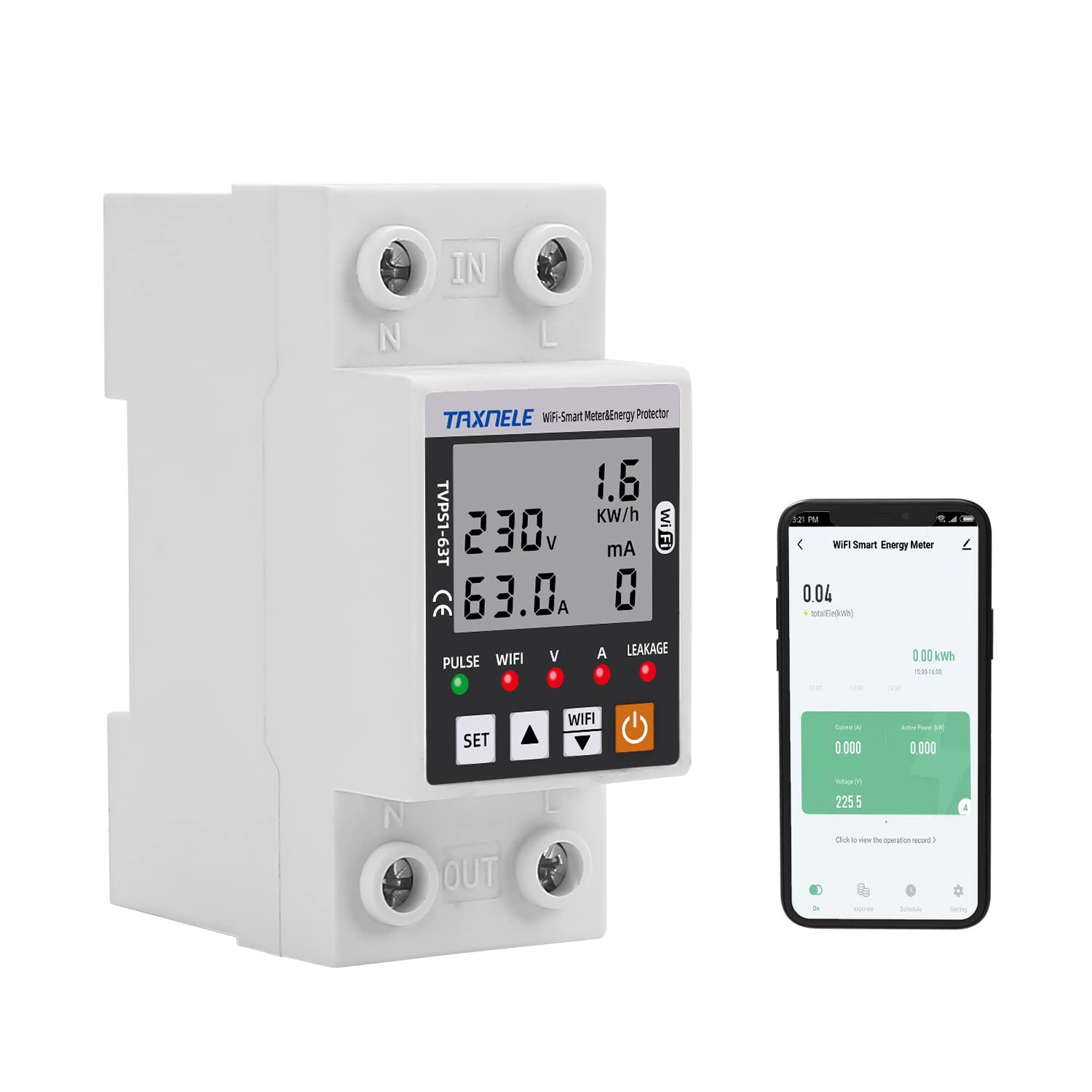
Figure 7.1: The TAXNELE TVPS1-63 device shown with a smartphone displaying the Smart Life application, illustrating remote monitoring capabilities.
8. Maintenance
- Cleaning: Keep the device clean and free from dust. Use a dry, soft cloth for cleaning. Do not use liquid cleaners.
- Connection Checks: Periodically check electrical connections for tightness, especially after initial installation or if the device has been moved.
- Firmware Updates: Ensure the Smart Life app is updated to the latest version. The app may prompt for device firmware updates, which should be performed to ensure optimal performance and security.
- Environmental Conditions: Ensure the device operates within its specified temperature and humidity ranges to prevent damage.
9. Troubleshooting
| Problem | Possible Cause | Solution |
|---|---|---|
| Device does not power on. | No power supply; incorrect wiring. | Check main circuit breaker. Verify wiring connections are correct and secure. |
| Wi-Fi indicator not blinking or solid. | Not in pairing mode; Wi-Fi disconnected. | Press and hold the "WIFI" button to enter pairing mode (rapid blinking). Check your 2.4GHz Wi-Fi network. |
| Cannot connect to Smart Life app. | Incorrect Wi-Fi password; 5GHz Wi-Fi network; device too far from router. | Ensure correct 2.4GHz Wi-Fi password. Move device closer to router. Disable 5GHz band temporarily during pairing if necessary. |
| Device trips frequently. | Protection thresholds set too low; actual overcurrent/overvoltage/leakage. | Review and adjust protection settings in the app. Investigate the connected load for actual faults. Note: If leakage protection trips three times, it will not auto-reconnect until the fault is cleared. |
| Inaccurate energy readings. | Incorrect wiring; device malfunction. | Verify wiring connections. If problem persists, contact support. |
10. Warranty and Support
Specific warranty information for the TAXNELE TVPS1-63 is typically provided at the point of purchase or within the product packaging. Please refer to your purchase documentation for details regarding warranty coverage and terms.
For technical support, troubleshooting assistance beyond this manual, or warranty claims, please contact your retailer or the manufacturer directly. Contact information can usually be found on the product packaging or the manufacturer's official website.