
Miritz K808
Mini Wireless Keyboard with Touchpad
Brand: Miritz | Model: K808
Product Overview
The Miritz K808 Mini Wireless Keyboard with Touchpad offers a slim, portable, and versatile solution for controlling various devices. Featuring dual Bluetooth and 2.4GHz connectivity, a long-lasting battery, and a backlit keyboard, it's designed for convenience and efficiency across multiple platforms.
Key Features
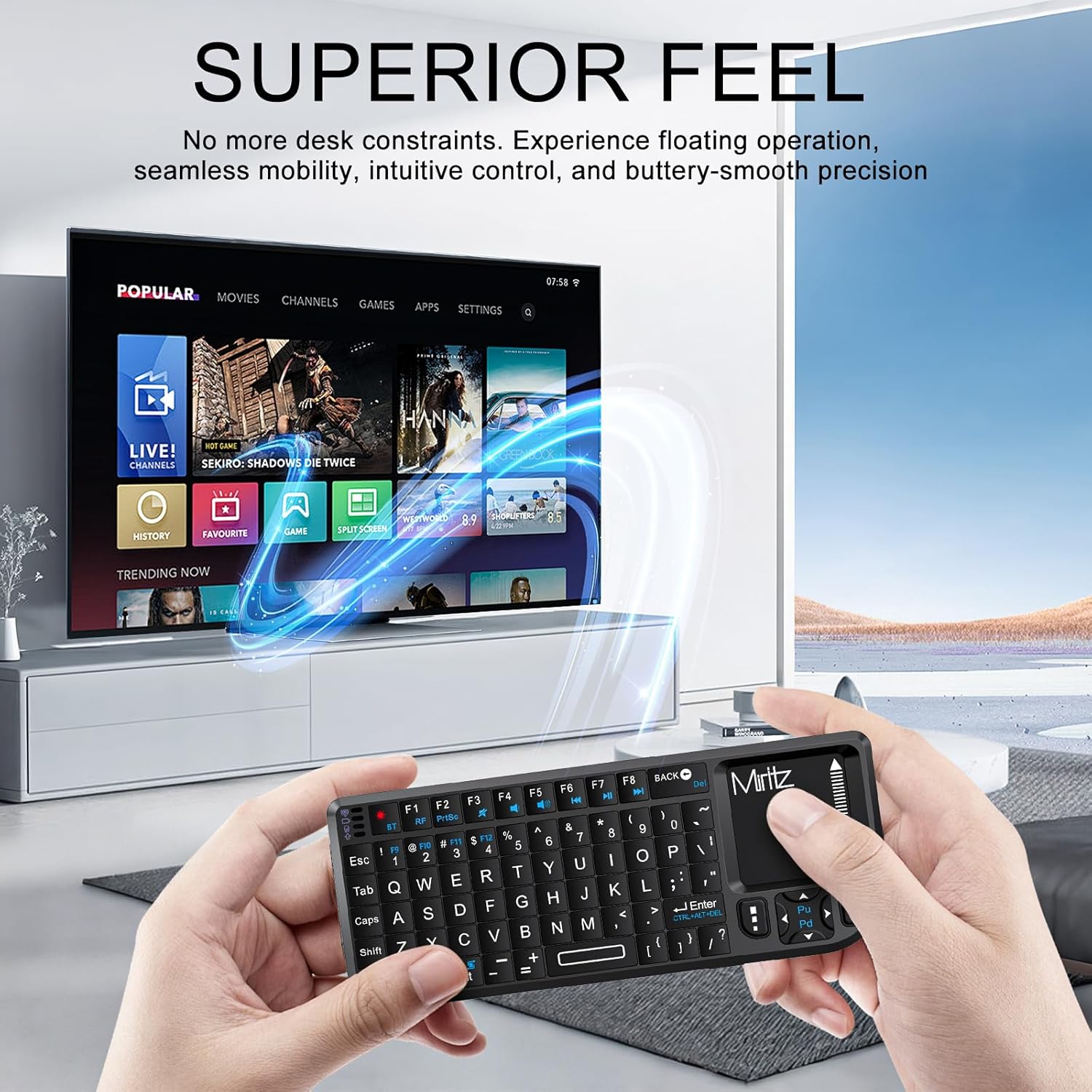
- Wireless Mini Keyboard with Touchpad: All-in-One Touchpad Keyboard with dual wireless modes (USB/Bluetooth 5.2). The anti-sweat PVC touchpad supports precise gestures for browsing, work and play - all from your palm.
- Long-Lasting Battery Mini Keyboard: Built-in 600mAh rechargeable lithium-ion battery delivers ultra-long battery life (30+ days). Supports pass-through charging (4.5-5.5V input) for uninterrupted use while powering up.
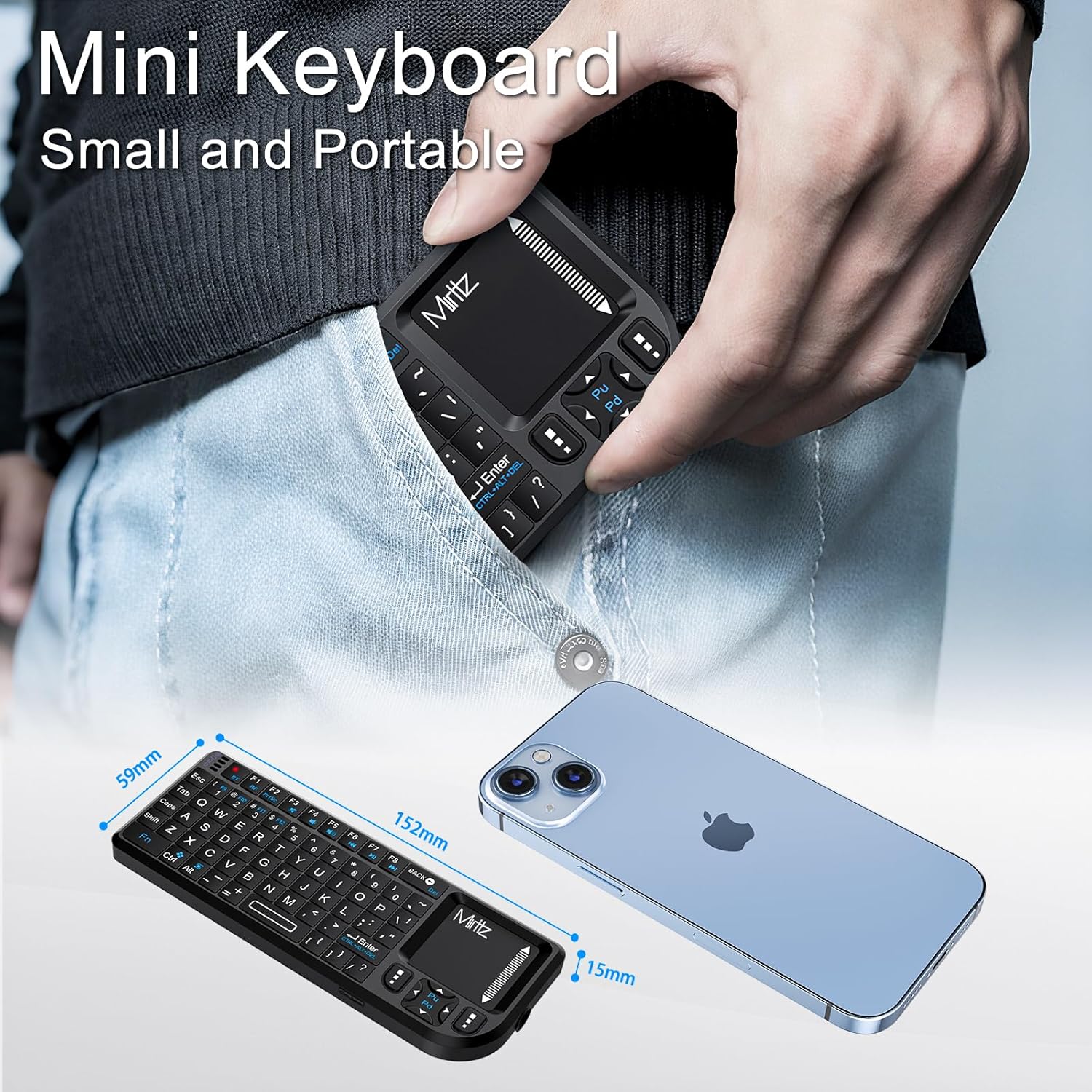
- Portable Keyboard for Travel/Office: Ultra-portable design with compact layout (iPhone-sized) for true pocketability. This slim wireless mini keyboard delivers perfect balance of portability and tactile comfort. Features ultra-low latency for seamless gaming chat & strategy commands on mobile devices.
- Multi-Device Connectivity: Dual-mode connectivity (2.4GHz USB receiver & Bluetooth 5.2) supports seamless switching between 2 devices simultaneously. The 2.4G dongle works with USB-enabled PCs/gaming devices, while Bluetooth pairs with iPad/MacBook/smartphones (Note: Not compatible with Bluetooth 3.0 or earlier devices). Full-size layout enables efficient messaging and light office work on all connected devices.
- 7-Color Backlit Keyboard: Customize your typing experience with vibrant RGB lighting that adapts to your mood. The illuminated keys ensure perfect visibility in low-light environments, with one-touch color cycling. Features smart auto-sleep mode for power saving (Note: Press spacebar to wake during text entry to avoid unintended inputs).
What's in the Box
- Wireless keyboard
- Wireless receiver
- User manual
Setup Guide
1. Charging the Keyboard
The device comes with a lithium-ion battery and data lines. Fully charge the unit before operating for the first time. This device can be used while charging, but it will extend the charging time. When the battery is low, the low-voltage light will flash to warn the user. The unit will automatically turn off if the battery has been depleted.

Connect the keyboard to a USB power source using the provided cable for charging.
2. Connecting via 2.4GHz USB Receiver
Locate the hidden USB receiver inside the keyboard's compartment. Plug the USB receiver into an available USB port on your PC, Smart TV, or other compatible device. The keyboard should automatically connect. No drivers are needed for plug-and-play functionality.

The mini keyboard with its detachable USB receiver.
The USB receiver is conveniently stored within the keyboard itself.
3. Connecting via Bluetooth 5.2
Ensure the keyboard is powered on. On your device (iPad, MacBook, smartphone), go to Bluetooth settings and search for available devices. Select the Miritz keyboard from the list to pair. Note: Not compatible with Bluetooth 3.0 or earlier devices.
Operating Instructions
Keyboard Functions
The keyboard features a full QWERTY layout with function keys (F1-F8) for various shortcuts. Use the 'Fn' key in combination with other keys to access blue-labeled functions, such as print screen (Fn + F2) or multimedia controls.
Touchpad Usage
The integrated touchpad supports precise gestures for navigation. Use single-finger taps for left-click, two-finger taps for right-click, and two-finger scrolling for vertical navigation. The touchpad is anti-sweat PVC for smooth operation.
Backlight Control
Press the backlight key (often indicated by a lightbulb icon or similar) to cycle through 7 vibrant RGB color options. Pressing the key repeatedly will change the color or turn the backlight off. The keyboard also features a smart auto-sleep mode for power saving; press any key (like the spacebar) to wake it up.
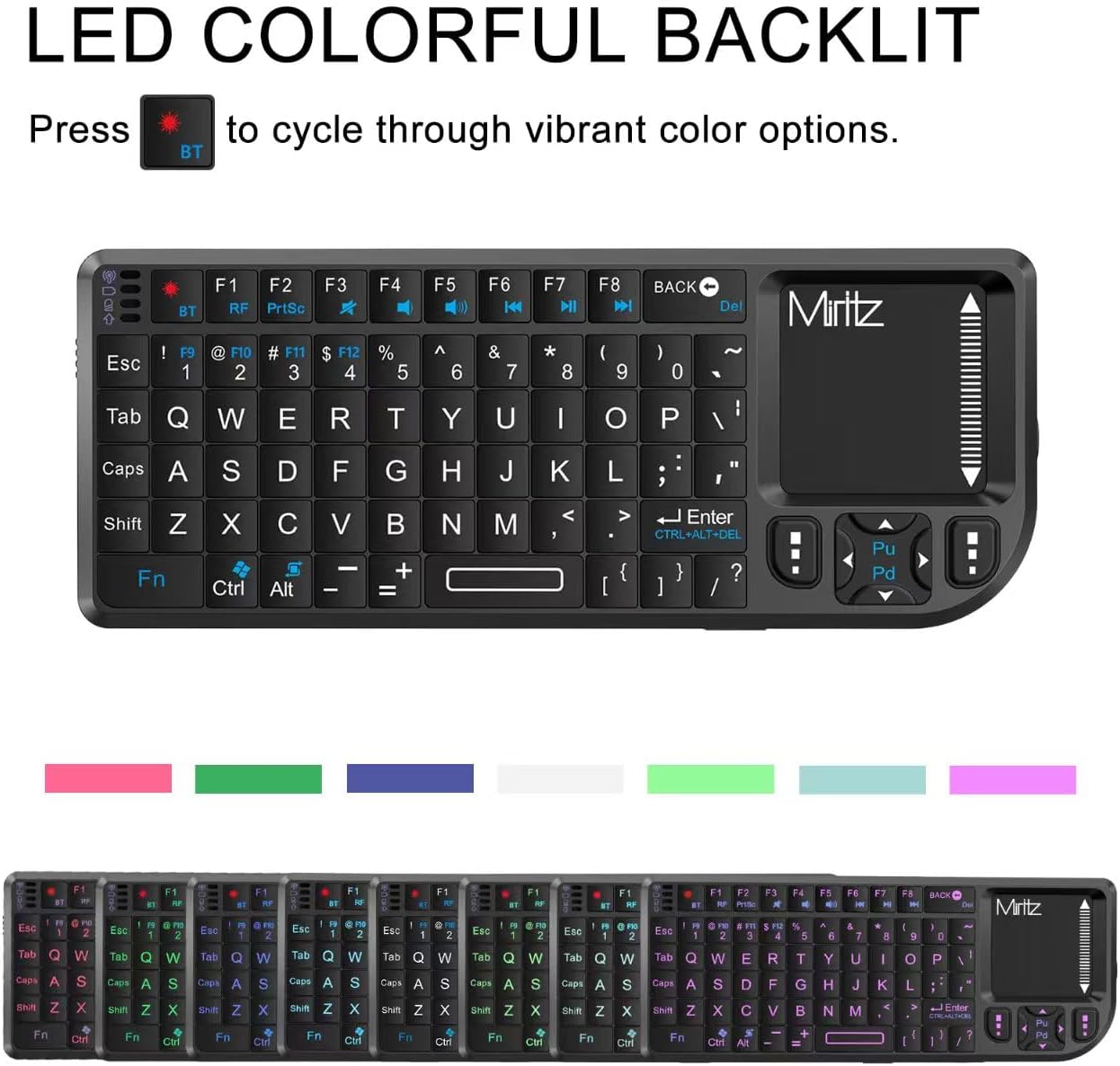
The keyboard offers multiple backlight color options for enhanced visibility.
Laser Pointer
Activate the built-in laser pointer by pressing its dedicated button, typically located on the side of the keyboard. This feature is useful for presentations, course training, or conference speeches.

The integrated laser pointer is ideal for presentations and pointing.
Multimedia Controls
Dedicated multimedia keys (often blue-labeled on the F-row) allow for quick control of media playback, volume adjustment, and track navigation when connected to compatible devices.
Device Compatibility
The Miritz K808 keyboard offers extensive compatibility with a wide range of operating systems and devices:
- Operating Systems: Windows, Android, iOS, Linux, Mac OS
- Devices: iPad, PC, Tablet, Smart TV, Gaming Consoles (PS3/4, Xbox 360), HTPC, TV Box, IPTV, Smartphones (Samsung, iPhone, Huawei, Google)
The keyboard supports a wide array of devices and operating systems.
Care and Maintenance
- Cleaning: Use a soft, dry cloth to clean the keyboard surface. Avoid using harsh chemicals or abrasive materials.
- Storage: Store the keyboard in a cool, dry place away from direct sunlight and extreme temperatures. Ensure the USB receiver is securely stored in its compartment when not in use.
- Battery Care: To prolong battery life, avoid fully discharging the battery frequently. Charge the device regularly, especially if it will be stored for an extended period.
Troubleshooting
| Issue | Possible Solution |
|---|---|
| Keyboard not responding | Ensure the USB receiver is properly plugged in or Bluetooth is paired. Check battery level and charge if necessary. Try restarting the keyboard and the connected device. |
| Backlight not working | Press the backlight key (often Fn + F9 or a lightbulb icon) to activate or cycle through colors. Ensure the keyboard is powered on. |
| Touchpad erratic or unresponsive | Ensure the touchpad surface is clean and free of obstructions. Check for any software conflicts on the connected device. Restart the keyboard. |
| Laser pointer not working | Ensure the keyboard is powered on and the laser pointer button is pressed firmly. Check battery level. |
Product Specifications
| Feature | Detail |
|---|---|
| Product Dimensions | 5.94 x 2.32 x 0.49 inches |
| Item Weight | 2.86 ounces |
| Manufacturer | Miritz |
| Item model number | K808 |
| Batteries | 1 Lithium Ion batteries required (included) |
| Connectivity Technology | 2.4GHz, Bluetooth 5.2 |
| Keyboard Description | Compact |
| Number of Keys | 73 |
| Keyboard Backlighting | RGB (7-color) |
Warranty and Support
For warranty information and technical support, please refer to the contact details provided in the included user manual or visit the official Miritz website. Please note that no official product videos from the seller were available in the provided data.
Related documentsK808


Ask a question about this manual
Ask about setup, troubleshooting, compatibility, parts, safety, or missing instructions. Manuals+ will review the question and use this page’s manual context to help answer it.