
Silonn SLIM02-4
Silonn Countertop Ice Maker Machine User Manual
Model: SLIM02-4
Introduction
Thank you for choosing the Silonn Countertop Ice Maker Machine. This manual provides essential information for the safe and efficient operation, maintenance, and troubleshooting of your new ice maker. Please read it thoroughly before first use and keep it for future reference.

Figure 1: Silonn Countertop Ice Maker Machine. This image shows the compact black ice maker with a clear lid, an ice scoop, and a glass containing an iced beverage, highlighting its use.
Safety Instructions
To reduce the risk of fire, electric shock, or injury when using your ice maker, follow these basic precautions:
- Read all instructions before use.
- Do not touch the evaporator or ice basket when the unit is operating.
- Do not immerse cord, plug, or any part of the unit in water or other liquids.
- Close supervision is necessary when any appliance is used by or near children.
- Unplug from outlet when not in use and before cleaning.
- Do not operate any appliance with a damaged cord or plug, or after the appliance malfunctions or has been damaged in any manner.
- Use only attachments recommended by the manufacturer.
- Do not use outdoors.
- Do not let cord hang over edge of table or counter, or touch hot surfaces.
- Do not place on or near a hot gas or electric burner, or in a heated oven.
- Do not use appliance for other than intended household use.
- Ensure the voltage matches the rating label on the appliance.
- This appliance must be grounded.
What's in the Box
Upon unpacking your Silonn Ice Maker, please ensure all the following components are present and in good condition:
- Silonn Countertop Ice Maker Machine
- Ice Scoop
- Ice Basket
- User Manual (this document)
Product Components
Familiarize yourself with the different parts of your ice maker for optimal use and maintenance.

Figure 2: Control Panel and Internal View. This diagram illustrates the control panel buttons (Timer/Clean, On/Off, Time Increase/Reduce, On/Off Time Setting) and shows the ice-making mechanism and ice basket inside the machine.
The ice maker features an intuitive control panel for easy operation. Key components include the water reservoir, ice basket, and the ice-making mechanism.
Setup
Follow these steps for the initial setup of your Silonn Ice Maker:
- Unpack: Carefully remove the ice maker from its packaging. Remove all packing materials, including tape and labels.
- Clean: Before first use, clean the interior of the ice maker thoroughly. Refer to the "Maintenance" section for detailed cleaning instructions.
- Placement: Place the ice maker on a stable, level surface away from direct sunlight and heat sources. Ensure there is adequate ventilation around the unit.
- Water Supply: The Silonn ice maker offers two methods for water supply:
- Manual Fill: Open the lid and pour clean, potable water directly into the water tank. Do not exceed the MAX fill line.
- Bottled Water Supply: Place a compatible 5L/1.32Gal water bucket (not included) upside down onto the designated water inlet.
- Power Connection: Plug the ice maker into a grounded electrical outlet (110V).

Figure 3: Water Supply Options. This image illustrates the two ways to fill the ice maker: manually pouring water into the 3.2L tank or using an external bottled water supply (bottle not included).
Operating Instructions
Your Silonn Ice Maker is designed for quick and efficient ice production. Here's how to operate it:
- Power On: Press the On/Off button to turn on the ice maker. The LCD screen will display the current mode.
- Select Ice Thickness: Use the Time Increase/Reduce buttons (+ and -) to adjust the ice-making cycle time, which determines the ice cube thickness:
- Approximately 11 minutes for thin ice (suitable for smoothies).
- Approximately 15 minutes for medium ice (retaining freshness).
- Approximately 20 minutes for thick ice (for cooling drinks).
- Ice Production: The machine will automatically begin the ice-making process. It can produce 24 pieces of ice in as little as 13 minutes, with an output of up to 45 lbs of ice daily.
- Ice Collection: Ice cubes will drop into the ice basket. The basket can hold up to 2.6 lbs of ice. A weight sensor will automatically stop ice production when the basket is full.
- Water Refill Alert: If the water level in the reservoir is too low, the ice maker will automatically alarm, indicating that water needs to be refilled.
- Power Off: Press the On/Off button again to turn off the ice maker.
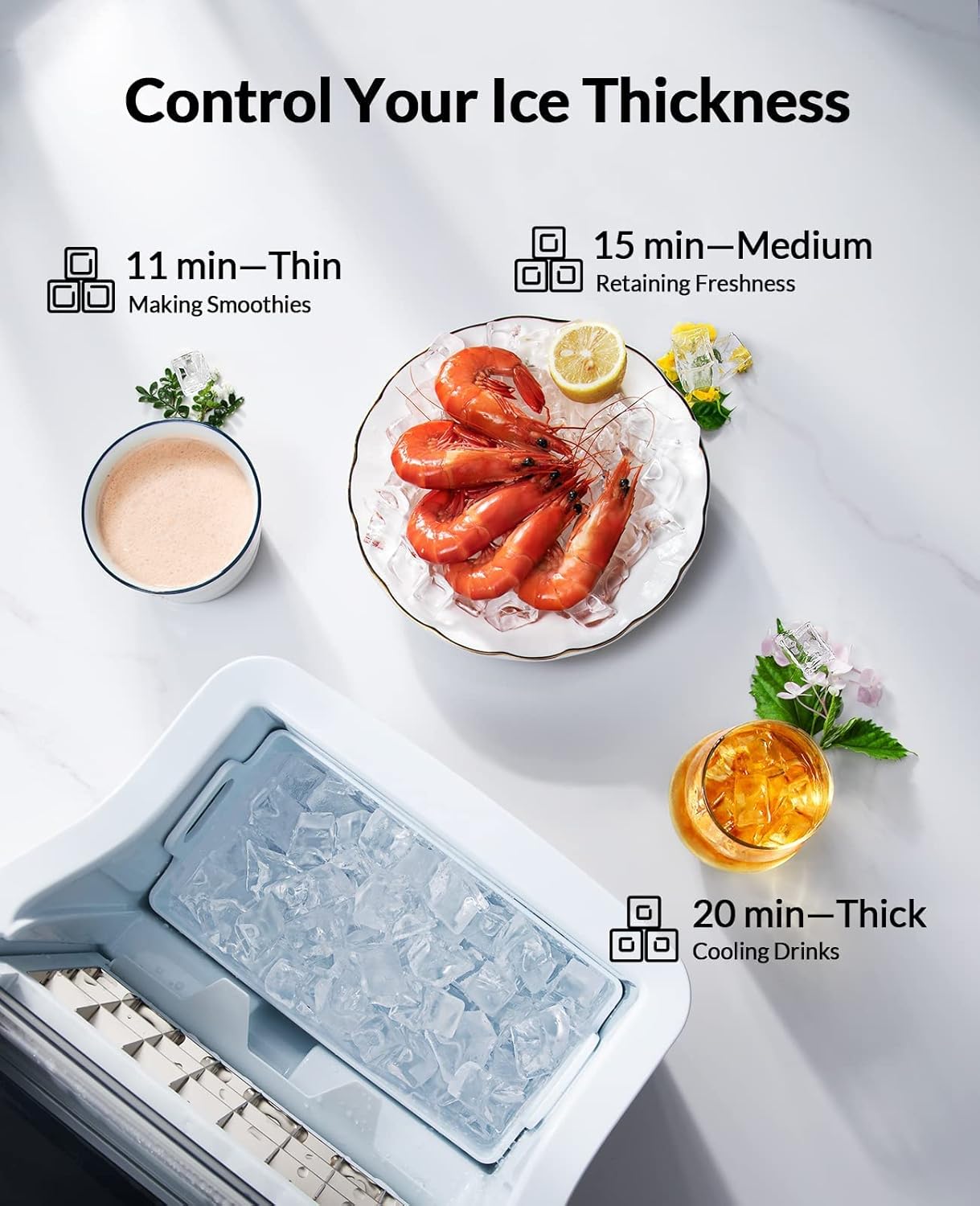
Figure 4: Ice Thickness Control. This image displays the three ice thickness options: thin (11 min), medium (15 min), and thick (20 min), along with suggested uses like smoothies, retaining freshness, and cooling drinks.

Figure 5: Efficient Ice Production. This graphic highlights the ice maker's performance, showing it produces 24 ice pieces in 13 minutes, up to 45 lbs of ice in 24 hours, and has a 2.6 lbs ice basket capacity.
Maintenance
Regular cleaning and maintenance will ensure the longevity and optimal performance of your Silonn Ice Maker.
Self-Cleaning Function
Your ice maker is equipped with a convenient self-cleaning function:
- Ensure the water reservoir is filled with clean water.
- Press and hold the Timer/Clean button for approximately 3 seconds.
- The self-cleaning cycle will begin and typically takes about 20 minutes to complete.
- Once the cycle is finished, drain any remaining water from the reservoir.
General Cleaning
- Exterior: Wipe the exterior with a soft, damp cloth. Do not use harsh chemicals or abrasive cleaners.
- Interior: For a more thorough cleaning, especially if using hard water, periodically clean the water reservoir and ice basket with a solution of water and mild detergent. Rinse thoroughly with clean water.
- Draining: Regularly drain the water from the reservoir, especially if the unit will not be used for an extended period.
Troubleshooting
If you encounter issues with your ice maker, refer to the following common problems and their solutions:
| Problem | Possible Cause | Solution |
|---|---|---|
| Ice maker not producing ice. | No water in reservoir; power issue; ambient temperature too high. | Fill water reservoir; check power connection; ensure unit is in a cool environment. |
| Ice cubes are too small or soft. | Water temperature too high; short ice-making cycle. | Use colder water; adjust ice thickness setting to a longer cycle (e.g., 20 min). |
| "Add Water" indicator is on. | Water level is low. | Refill the water reservoir. |
| "Ice Full" indicator is on. | Ice basket is full. | Remove ice from the basket. |
| Unusual noise during operation. | Unit not level; internal component issue. | Ensure unit is on a level surface; if noise persists, contact customer support. |
Specifications
Detailed technical specifications for the Silonn Countertop Ice Maker Machine:
- Brand: Silonn
- Model Name: SLIM02-4
- Product Dimensions: 14"D x 10"W x 15"H
- Capacity: 1.32 Gallons (water tank)
- Wattage: 160 watts
- Voltage: 110 Volts
- Refrigerant: R600a
- Item Weight: 16.37 pounds
- Installation Type: Countertop
- Color: Black
- Included Components: Ice Maker, Ice Scoop, Ice Basket
- UPC: 850052971182
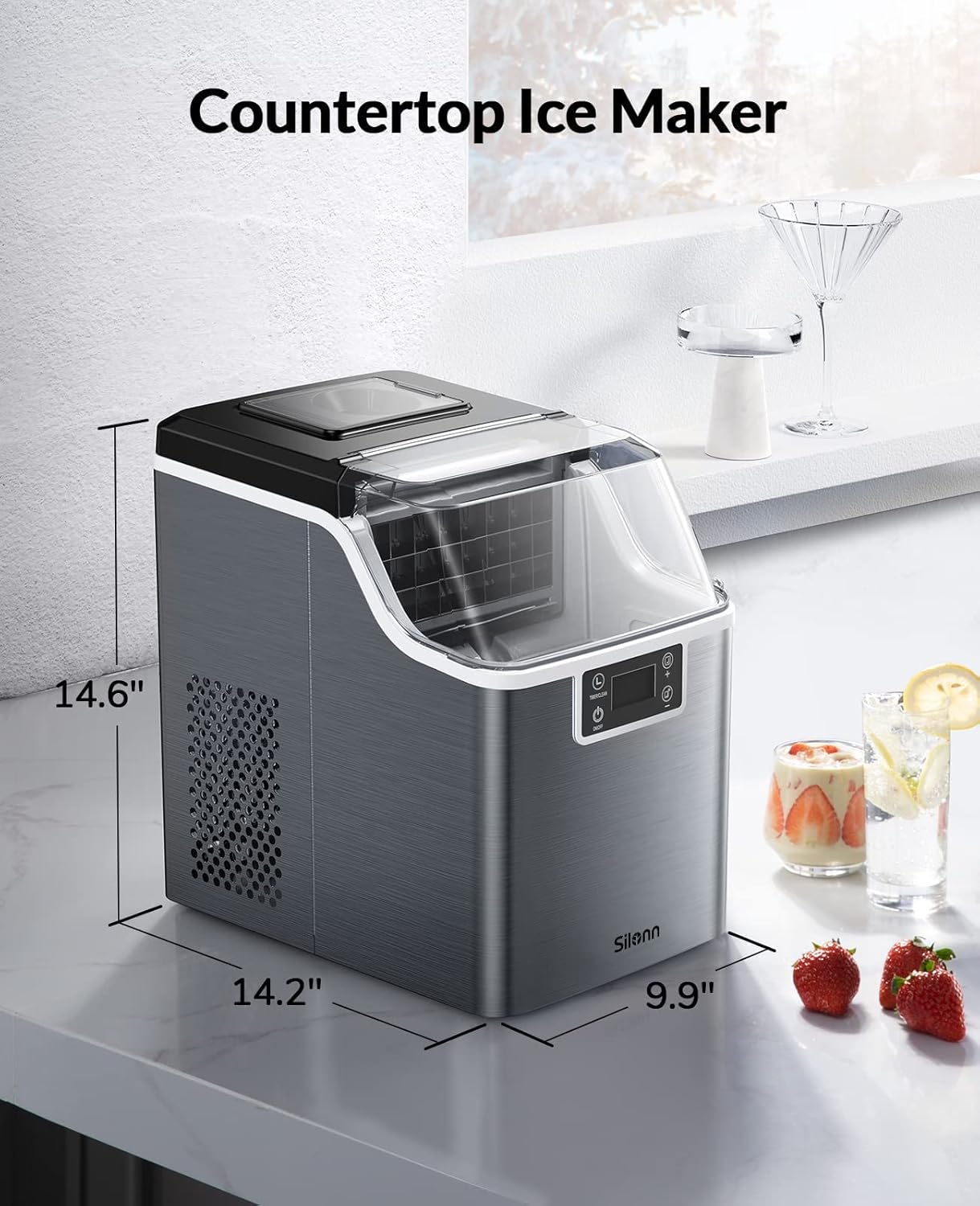
Figure 6: Product Dimensions. This image provides a visual representation of the ice maker's dimensions, indicating its depth, width, and height for placement consideration.
Warranty and Support
Silonn products are manufactured to the highest quality standards. For warranty information, technical support, or service inquiries, please refer to the contact information provided with your purchase documentation or visit the official Silonn website. Please retain your proof of purchase for warranty claims.
Related documentsSLIM02-4


Ask a question about this manual
Ask about setup, troubleshooting, compatibility, parts, safety, or missing instructions. Manuals+ will review the question and use this page’s manual context to help answer it.