
Introduction
The Fujifilm Techno-Stabi TS 12x28WP Image Stabilization Binocular is designed to provide clear, stable viewing with 12x magnification. Its waterproof construction ensures durability in various outdoor conditions. The integrated gyro stabilizing system corrects for movement, enhancing viewing comfort and clarity without the need for a tripod. This manual provides essential information for the proper setup, operation, and maintenance of your binocular.
What's in the Box
- Fujifilm Techno-Stabi TS 12x28WP Binocular
- Eyepiece Cap
- Neck Strap
- Soft Case
- CR2 Battery
Safety Information
- Do not look directly at the sun: Viewing the sun through the binocular can cause severe and permanent eye damage.
- Battery Safety: Use only the specified CR2 battery. Ensure correct polarity when inserting. Do not expose batteries to excessive heat or dispose of them in fire.
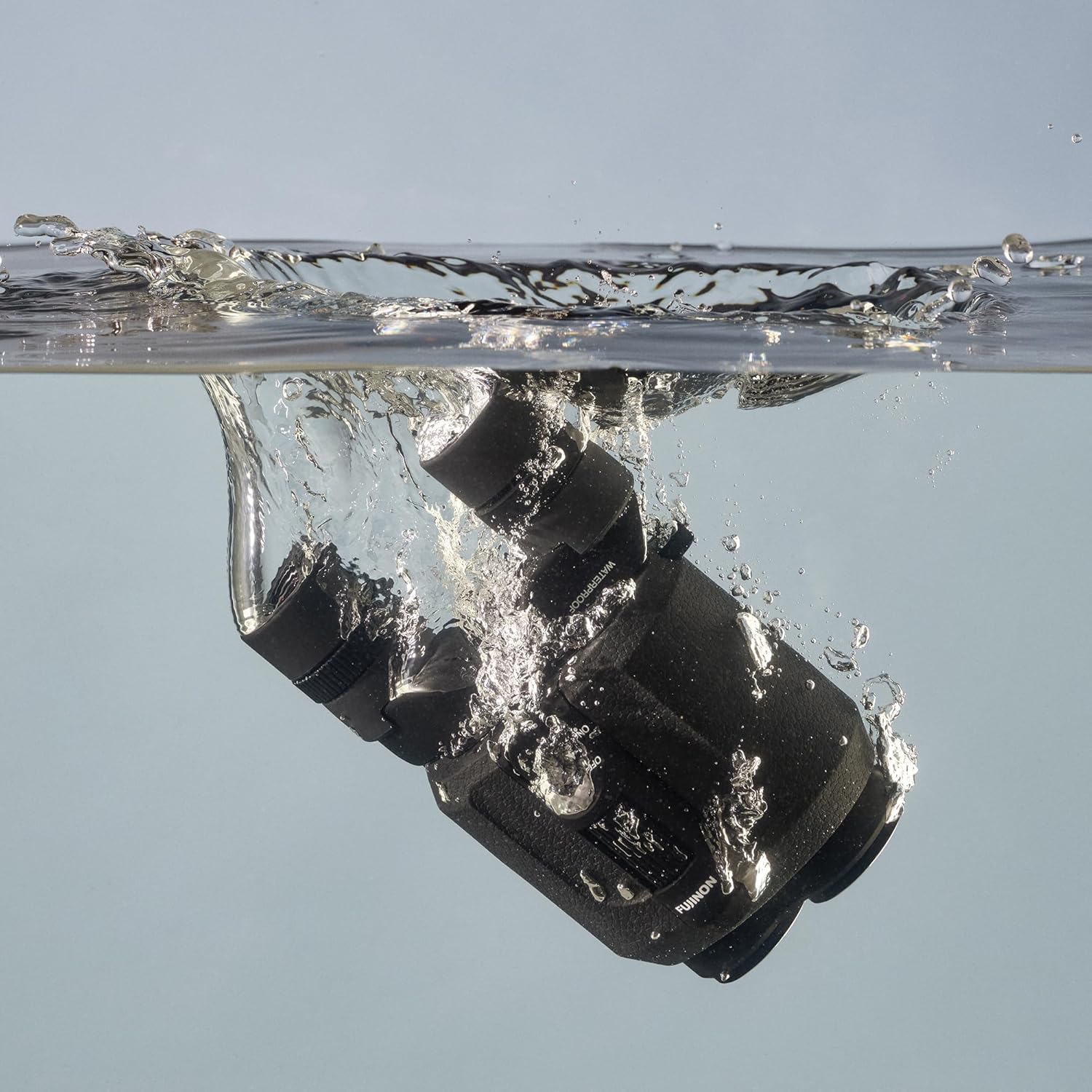
- Water Resistance: While waterproof, avoid prolonged submersion beyond specified limits. Ensure battery compartment is securely closed before exposure to water.
- Cleaning: Use only recommended cleaning materials for lenses to avoid damage.
Product Overview
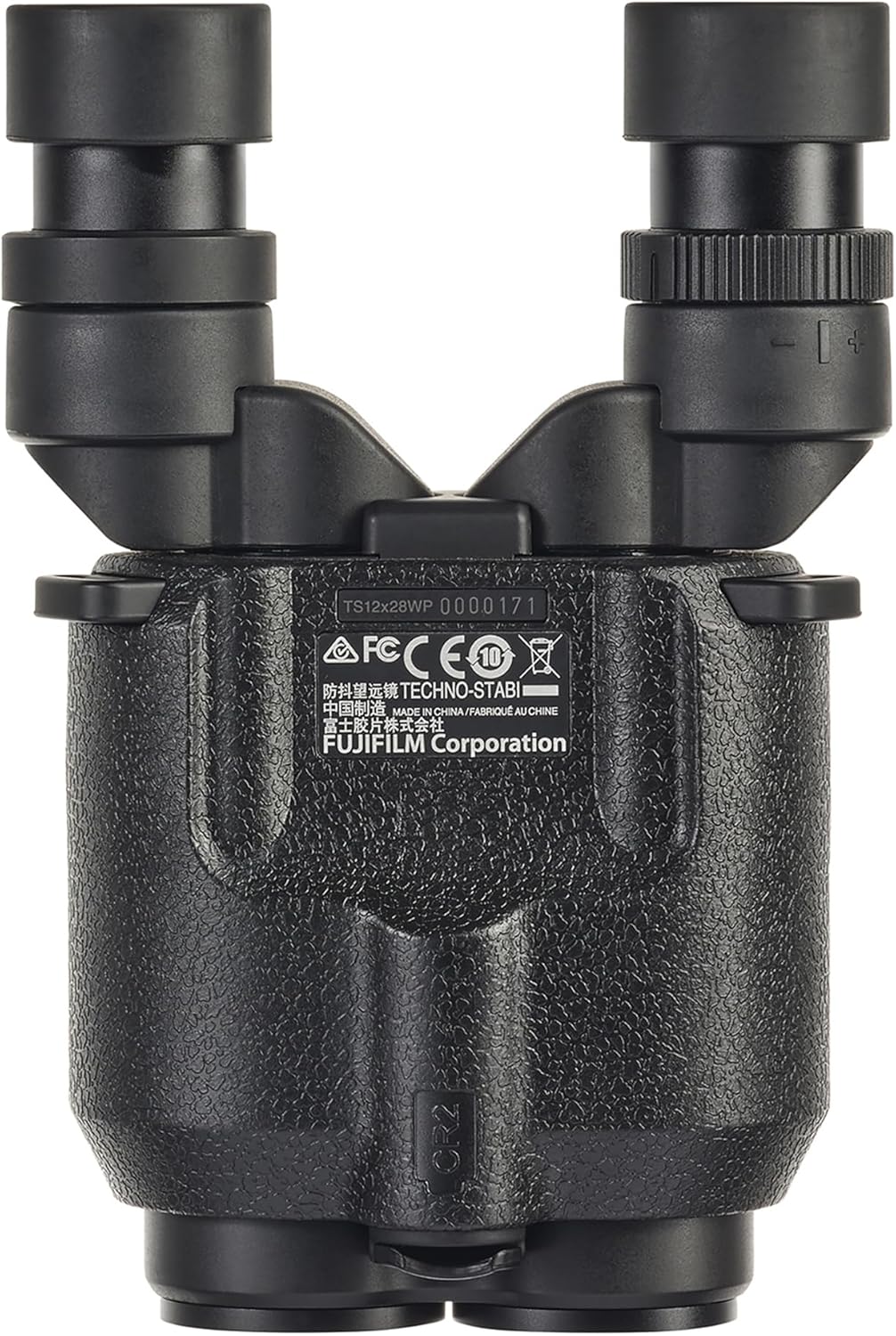
Familiarize yourself with the main components of your binocular.


Setup
1. Battery Installation
The binocular requires one CR2 lithium battery for the image stabilization function. Ensure the battery compartment is dry before opening.
- Locate the battery compartment cover, typically at the bottom or rear of the binocular.
- Twist or slide the cover to open it.
- Insert the CR2 battery according to the polarity indicators (+/-) inside the compartment.
- Securely close the battery compartment cover to maintain water resistance.
2. Attaching the Neck Strap
Thread the provided neck strap through the strap lugs on each side of the binocular. Ensure it is securely fastened to prevent accidental drops.
3. Adjusting Eyecups
The eyecups can be adjusted to suit users with or without eyeglasses. Twist the eyecups up for use without glasses, and twist them down for use with glasses.

Operating Instructions
1. Powering On/Off Image Stabilization
The image stabilization feature is activated by a simple switch.
- Locate the stabilization switch on the top of the binocular.
- Slide the switch to the 'ON' position to activate image stabilization. An indicator light may illuminate.
- Slide the switch to the 'OFF' position when stabilization is not needed or to conserve battery life.

2. Focusing
The binocular features a center focus control for adjusting focus for both eyes simultaneously.
- Look through the binocular at a distant object.
- Rotate the large center focus wheel until the image appears sharp and clear.

3. Diopter Adjustment
For optimal viewing, adjust the diopter to compensate for differences in vision between your left and right eyes.
- Cover the right objective lens (the large lens at the front).
- Look through the left eyepiece with your left eye and adjust the center focus wheel until the image is sharp.
- Now, cover the left objective lens.
- Look through the right eyepiece with your right eye and adjust the diopter ring (usually on the right eyepiece) until the image is sharp. Do not use the center focus wheel for this step.
- Once set, you can use the center focus wheel for general focusing.
Maintenance
1. Cleaning the Lenses
To maintain optical clarity, clean lenses carefully.
- Use a soft lens brush or compressed air to remove dust and loose particles.
- Apply a small amount of lens cleaning fluid to a clean microfiber cloth.
- Gently wipe the lens surface in a circular motion. Avoid excessive pressure.
- Do not use abrasive cloths, paper towels, or household cleaners.
2. Cleaning the Body
Wipe the binocular body with a soft, damp cloth. For stubborn dirt, a mild soap solution can be used, followed by wiping with a clean, damp cloth and drying thoroughly.
3. Water Resistance
The binocular is designed to be waterproof for up to 30 minutes. After exposure to water, especially saltwater, rinse with fresh water and dry thoroughly with a soft cloth.


4. Storage
Store the binocular in its soft case in a cool, dry place away from direct sunlight and extreme temperatures. Remove the battery if storing for extended periods to prevent leakage.
Troubleshooting
- No Image Stabilization:
- Check if the stabilization switch is in the 'ON' position.
- Ensure the CR2 battery is correctly inserted and has sufficient charge. Replace if necessary. - Blurred Image:
- Adjust the center focus wheel.
- Perform diopter adjustment if the blur is only in one eye.
- Clean the objective and eyepiece lenses. - Image Appears Dark:
- Ensure objective lens caps are removed.
- Check lighting conditions. - Water Inside Lenses:
- If water ingress occurs, contact customer support. Do not attempt to disassemble the binocular.
Specifications
| Product Dimensions | 13.03 x 5 x 2 inches |
| Item Weight | 1.06 pounds |
| Item Model Number | 600022986 |
| Batteries | 1 CR2 battery required (included) |
| Brand | FUJINON |
| Special Feature | Light Weight, Water Resistant, Waterproof |
| Objective Lens Diameter | 28 Millimeters |
| Magnification Maximum | 12 x |
Warranty Information
This Fujifilm Techno-Stabi binocular is covered by a manufacturer's warranty, typically for one year from the date of purchase, against defects in materials and workmanship. Please retain your proof of purchase for warranty claims. The warranty does not cover damage caused by misuse, unauthorized repairs, or normal wear and tear. For specific warranty terms and conditions, please refer to the documentation included with your product or visit the official FUJINON website.
Support and Contact
For further assistance, technical support, or service inquiries, please visit the official FUJINON website or contact their customer service department. You can find more information and resources at the FUJINON Store on Amazon or the main Fujifilm support portal.


