
1. Introduction
Thank you for choosing the UpBright 12V AC/DC Adapter. This power supply is designed to provide reliable and stable power to your compatible Crua monitors, including models G220A, CR240CM, CR240DM, and CR240AM. This manual will guide you through the proper setup, operation, maintenance, and troubleshooting of your new adapter.

Image: The UpBright 12V AC/DC Adapter, a compact black power supply unit.
2. Safety Information
Please read and understand all safety instructions before using this product. Failure to follow these instructions may result in electric shock, fire, or damage to the product or connected devices.
- Do not expose the adapter to rain, moisture, or extreme temperatures.
- Do not disassemble or modify the adapter. Refer all servicing to qualified personnel.
- Ensure the adapter is connected to a properly grounded power outlet.
- Avoid placing heavy objects on the power cord.
- Unplug the adapter from the power outlet when not in use for extended periods.
- This adapter features built-in safety protections: OVP (Over Voltage Output Protection), OCP (Over Current Output Protection), and SCP (Short Circuit Output Protection) to ensure safe operation.
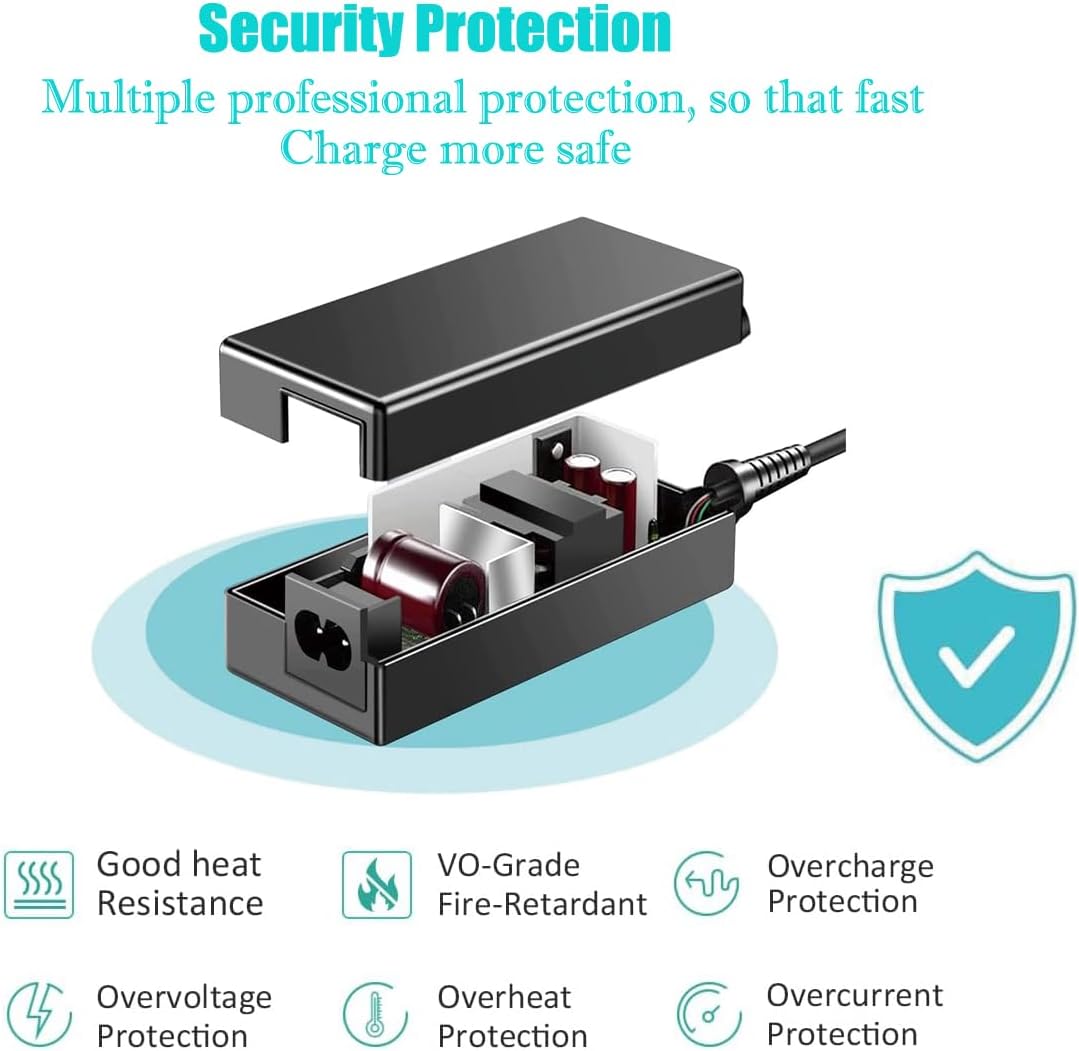
Image: Diagram illustrating the internal components and multiple protection features of the adapter, including overvoltage, overcurrent, overheat, and short circuit protection.
3. Package Contents
Verify that all items are present in your package:
- 1 x UpBright 12V AC/DC Adapter
- 1 x AC Power Cord (suitable for your region)

Image: Examples of different AC power cord types (US, EU, UK, AU) that may be included with the adapter, along with a warranty certificate.
4. Setup
Follow these steps to connect your UpBright 12V AC/DC Adapter:
- Ensure your monitor is powered off and unplugged from any existing power source.
- Connect the DC output barrel connector of the UpBright adapter to the power input port on your Crua monitor.
- Connect the AC power cord to the adapter's AC input port.
- Plug the other end of the AC power cord into a standard wall outlet (100-240VAC, 50/60Hz).
- Once connected, you can power on your monitor.

Image: The UpBright 12V AC/DC Adapter shown with its DC output cable and AC input cable connected.
5. Operating Instructions
The UpBright 12V AC/DC Adapter operates automatically once connected to a power source and your compatible monitor. It provides a stable 12V DC output to power your device. No user intervention is required during normal operation.
6. Maintenance
To ensure the longevity and optimal performance of your adapter:
- Keep the adapter clean and free from dust. Use a soft, dry cloth for cleaning.
- Do not use liquid cleaners or aerosols.
- Store the adapter in a cool, dry place when not in use.
- Avoid bending or crimping the power cords excessively.
7. Troubleshooting
If you encounter issues with your UpBright adapter, refer to the following common solutions:
- No Power to Monitor:
- Ensure all connections are secure between the adapter, AC cord, and monitor.
- Verify the wall outlet is functioning by plugging in another device.
- Check for any visible damage to the adapter or cables.
- Monitor Flickering or Unstable:
- Confirm the adapter specifications match your monitor's power requirements.
- Ensure the adapter is not overheating. Allow for adequate ventilation.
- Adapter Overheating:
- Unplug the adapter immediately.
- Ensure it is not covered or in an enclosed space.
- If overheating persists, discontinue use and contact support.
8. Specifications
| Feature | Specification |
|---|---|
| Brand | UPBRIGHT |
| Input Voltage | 100-240VAC (World Wide Input Voltage) |
| Frequency Range | 50/60Hz |
| Output Voltage | 12V DC |
| Connector Type | Barrel Round Connector |
| Compatible Devices | Crua G220A 22", CR240CM, CR240DM, CR240AM Monitors |
| Special Features | OVP, OCP, SCP Protection (Over Voltage, Over Current, Short Circuit Protection) |
| Color | Black |
| Material | Plastic |
9. Warranty and Support
The UpBright 12V AC/DC Adapter comes with a comprehensive warranty:
- Refund Policy: 30 Days Refund
- Exchange Policy: 24 Months Exchange
For technical support or warranty claims, please contact the manufacturer, UpBright, through your purchase platform or their official website.
